
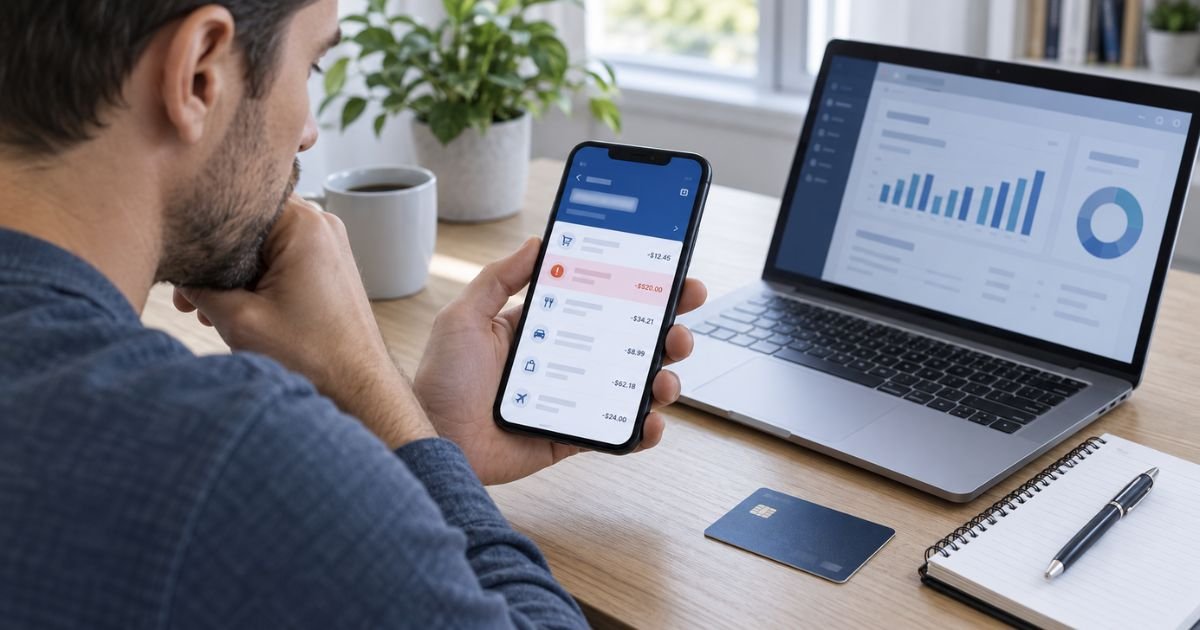
You can dispute a charge on Discover app by signing in to your account, finding the transaction, and checking whether the app offers a dispute or report-a-problem option.
If you cannot start a dispute in the app, contact Discover customer service using the number on the back of your card.
You may need to dispute a charge if you notice an unauthorized transaction, a duplicate payment, an incorrect amount, a missing refund, or a purchase that was never delivered.
This guide explains how to dispute a charge on Discover app, what evidence to prepare, how to track the investigation, and what to do if your dispute is denied.
Table of Contents
How to Dispute a Charge on Discover App
Step 1: Open the Discover Mobile App
Open the Discover mobile app and sign in using your account credentials.
Make sure you are using the official app and that your account information is secure.
After signing in, select the credit card account containing the charge you want to dispute.
Navigate to your account activity or transaction history.
If you have multiple Discover accounts, confirm that you selected the correct card.
Step 2: Find the Transaction You Want to Dispute
Review your recent purchases and locate the suspicious or incorrect charge.
Check the following details:
- Merchant name.
- Transaction date.
- Transaction amount.
- Transaction status.
- Any associated refunds or credits.
Some businesses use a billing name that differs from their store name. An unfamiliar merchant description does not always indicate fraud.
If the transaction is still pending, it may not be eligible for the ordinary dispute process yet.
However, if you suspect unauthorized activity, contact Discover immediately rather than waiting for the transaction to post.
Step 3: Select the Dispute Charge Option
Tap the transaction to view its details.
If the app supports disputes for that transaction, look for an option such as “Dispute Charge” or “Report a Problem.”
Select the appropriate option and follow the instructions.
The exact menu labels may vary depending on your app version and transaction status.
If no dispute option appears, sign in through Discover’s website or call the customer service number on the back of your credit card.
Do not assume that a missing app option means you are ineligible to dispute the transaction.
Step 4: Choose the Correct Dispute Reason
Discover will need to understand why you believe the charge is incorrect.
Select the reason that accurately describes your situation.
Common reasons include:
- Unauthorized transaction: Someone used your card without permission.
- Duplicate charge: The merchant billed you twice for one purchase.
- Incorrect amount: The charged amount differs from what you agreed to pay.
- Item not received: You paid for merchandise that never arrived.
- Canceled subscription: A merchant charged you after cancellation.
- Refund not received: A promised refund never appeared.
- Damaged or defective product: The merchant failed to resolve an eligible purchase problem.
For example, if a store charged you $150 twice for a single purchase, select the duplicate transaction reason.
Do not report an authorized purchase as fraud simply because you are unhappy with the merchant.
If the charge was genuinely unauthorized, report it immediately so Discover can protect your account.
Step 5: Gather Evidence for Your Discover Dispute
Supporting documents help explain the problem and establish why you believe the charge should be reversed.
Prepare evidence relevant to your situation.
Discover Charge Dispute Evidence Checklist
- Transaction details: Shows the merchant, amount, and date.
- Purchase receipt: Establishes the original agreed-upon price.
- Order confirmation: Identifies the products or services purchased.
- Merchant correspondence: Documents your attempts to resolve the issue.
- Cancellation confirmation: Supports a dispute involving a canceled service.
- Refund confirmation: Shows that the merchant promised a credit.
- Return tracking: Demonstrates that returned merchandise reached the seller.
- Product photographs: Documents damaged or incorrect merchandise.
You do not need every document for every dispute.
For example, a duplicate charge dispute may require only the transaction records and purchase receipt.
An item-not-received dispute may require order confirmation, delivery information, and correspondence with the merchant.
Keep original copies of important records.
Step 6: Submit Your Dispute
Complete the dispute form using accurate transaction information.
Explain what happened in clear, simple language.
Include the date you contacted the merchant and describe its response if the problem involves an authorized purchase.
For example:
“I purchased an item for $120 on August 10. The merchant canceled the order and confirmed that a refund would be issued, but the credit has not appeared on my Discover account.”
Review your information before submitting the dispute.
Upload supporting documents if the app provides that option.
After submission, save the confirmation and any dispute reference number provided.
If the app does not complete the submission, contact Discover through its official customer service channel.
Step 7: Track Your Discover Dispute Status
After filing, monitor your Discover account for investigation updates.
Check the app, online account, email, and other official communications.
Discover may contact the merchant and request information about the transaction.
The issuer may also ask you to provide additional documents.
Respond promptly and keep copies of everything you submit.
Depending on the circumstances, Discover may issue a temporary credit during the investigation.
A temporary credit is not a final decision.
If the dispute is unsuccessful, the issuer may reverse that credit and restore the disputed amount.
How Long Does a Discover Charge Dispute Take?
The investigation timeline depends on the dispute type and applicable consumer protection rules.
For qualifying billing errors under the Fair Credit Billing Act, a credit card issuer generally must acknowledge a proper written notice within 30 days unless it has already resolved the problem.
The issuer generally must resolve the dispute within two complete billing cycles, not exceeding 90 days after receiving the notice.
Other transaction disputes may follow different procedures.
An investigation involving merchant documentation or complicated transaction details may take longer than a straightforward correction.
Check your Discover account and any communications for the timeline applicable to your case.
How Long Do You Have to Dispute a Discover Charge?
For qualifying credit card billing errors, you generally must submit a written notice within 60 days after the issuer sends the first statement containing the error.
The notice must identify the account, disputed amount, and reason you believe the charge is incorrect.
To preserve your federal billing-error rights, send the notice through a method Discover designates for billing-error notices, such as the appropriate written or accepted electronic channel.
An ordinary phone call or app dispute may not automatically satisfy every formal notice requirement.
Other types of chargeback claims may have different deadlines.
Contact Discover promptly rather than waiting until the end of the 60-day period.
Can You Dispute an Unauthorized Charge on Discover App?
Yes. You can report suspicious activity through Discover’s available account security and dispute channels.
If someone used your credit card without permission, contact Discover immediately.
The company may investigate the transaction, secure your account, and issue a replacement card when necessary.
Discover provides a $0 Fraud Liability Guarantee for unauthorized purchases on Discover credit cards.
However, the guarantee does not mean every disputed transaction automatically qualifies as fraud.
For example, a disagreement involving a purchase you knowingly authorized generally requires a different dispute process.
Review your account for additional suspicious transactions and update your login credentials if you believe your account was compromised.
Can You Dispute a Pending Charge on Discover?
A pending charge is a transaction that has been authorized but has not yet been fully posted to your account.
Some pending transactions may change before they post.
For example, a hotel may place a temporary authorization that differs from the final amount.
You may need to wait until a pending transaction posts before using the standard transaction dispute option.
However, you should report suspected fraud immediately.
If the pending transaction concerns a billing mistake, you can also contact the merchant and ask for the authorization to be released or corrected.
Do not confuse a temporary authorization with a completed charge.
Do You Have to Pay a Disputed Discover Charge?
For a qualifying billing error properly disputed under federal law, you generally do not have to pay the disputed amount or related finance charges while the investigation is pending.
However, you must continue paying the undisputed portion of your credit card bill.
For example, if your statement shows a $1,000 balance and you properly dispute a qualifying $200 billing error, you remain responsible for the undisputed $800 under your account’s payment terms.
The issuer generally cannot report you as delinquent solely because you withheld payment of the properly disputed amount during the investigation.
If the dispute is unsuccessful, you may become responsible for the charge and applicable interest.
Confirm your payment obligations with Discover if you are unsure.
What to Do if Discover Denies Your Dispute
If Discover rejects your claim, review the explanation carefully.
The decision may depend on evidence submitted by the merchant, the dispute reason, or the applicable deadline.
Possible reasons for denial include:
- The merchant provided proof of delivery.
- The transaction was authorized.
- A refund had already been processed.
- The submitted evidence did not support the claim.
- The dispute did not meet applicable requirements.
Request an explanation and ask whether reconsideration is available.
If you have new evidence, submit it promptly.
For example, if the merchant claims an item was delivered, provide documentation showing that the package went to the wrong address.
If you believe Discover mishandled your dispute, you may submit a complaint to the Consumer Financial Protection Bureau.
Sample Message for a Discover Charge Dispute
Use this example when explaining a disputed transaction to Discover.
Subject: Request to Investigate Disputed Credit Card Charge
Dear Discover Dispute Department,
I am requesting an investigation into a transaction on my Discover credit card.
Merchant Name:
Transaction Date:
Disputed Amount: $Amount
Card Number:
I believe this charge is incorrect because .
I contacted the merchant on , but the issue remains unresolved.
I have attached the relevant transaction details and supporting documentation.
Please investigate this charge and advise me of the next steps.
Thank you.
This sample can help explain your claim, but it does not replace Discover’s formal billing-error notice instructions. Use the designated submission method when seeking protection under federal billing-error procedures.
FAQs: How to Dispute a Charge on Discover App
Q. Can I dispute a Discover charge directly in the app?
A. You may be able to start a dispute by selecting the transaction and choosing the available dispute option. If the option does not appear, use Discover’s website or contact customer service. The available features may vary by transaction and app version.
Q. Does Discover give temporary credit during a dispute?
A. Discover may provide temporary credit while investigating a transaction. Whether you receive it depends on the dispute and applicable procedures. The credit can be reversed if the investigation does not support your claim.
Q. Can I cancel a Discover dispute after filing it?
A. Contact Discover if the merchant resolves the issue or you no longer need the dispute. Ask whether the case can be closed and confirm that any refund or temporary credit has been handled correctly.
Q. Will disputing a Discover charge hurt my credit score?
A. Filing a dispute does not automatically lower your credit score. However, failing to pay undisputed amounts or other payments that remain legally due could affect your account. Follow the applicable payment requirements while the investigation is pending.
Conclusion
Knowing how to dispute a charge on Discover app can help you address unauthorized transactions, duplicate payments, missing refunds, and other billing problems.
Start by locating the transaction, choosing the correct dispute reason, and gathering supporting evidence. Submit your dispute through an available Discover channel and monitor the investigation.
Act promptly to protect your dispute rights, and continue paying any undisputed portion of your credit card bill.
Disclaimer: This article provides general educational information for U.S. consumers and does not constitute legal or financial advice. Discover’s app features, dispute procedures, eligibility requirements, and investigation timelines may change. Federal billing-error protections depend on the transaction and whether you follow the applicable notice requirements. Consult Discover or a qualified professional for guidance regarding your specific situation.
Meet the Author
