
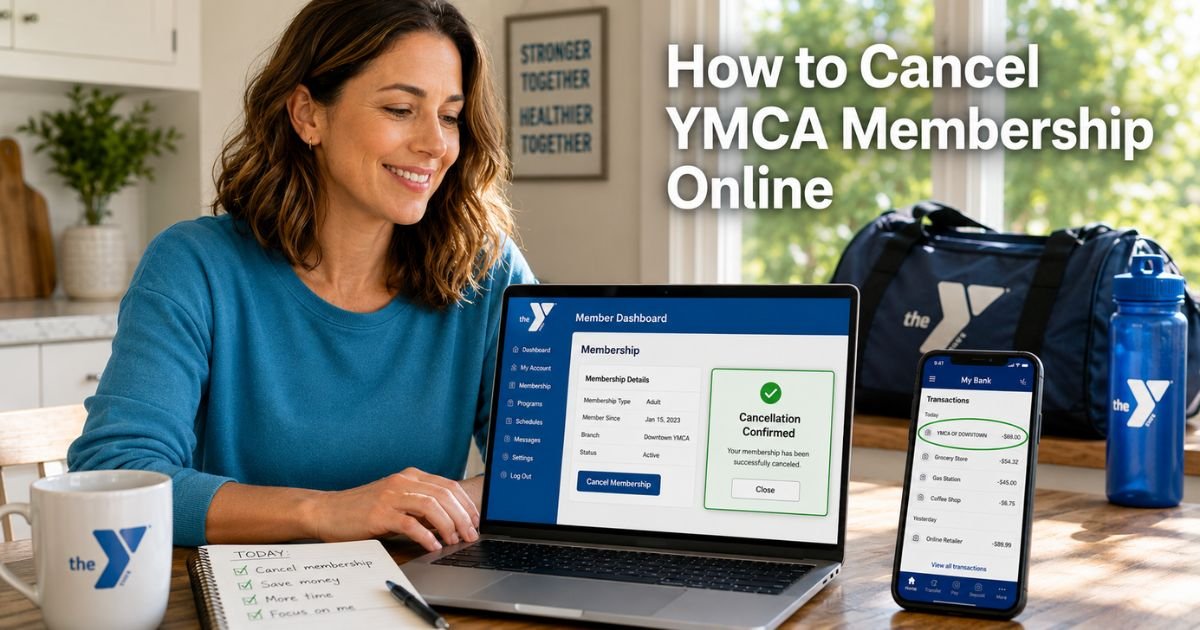
You open your bank statement and there it is again that familiar “YMCA OF [CITY]” or “YMCA MEMBERSHIP” charge you signed up for months ago.
You joined thinking the gym, pool, and classes would fit perfectly into your routine, but life got busy and now the monthly fee feels like one more thing you do not need.
You are not alone. Thousands of people every month search for how to cancel YMCA membership online after their situation changes or they simply want to pause the payments.
The good news is most local YMCAs now let you handle it right from your computer or phone once you know where to look.
You will learn exactly how to cancel YMCA membership online, what those charges usually look like, what happens after you submit your request, and smart tips to make the process smooth no matter which branch you belong to.
Table of Contents
What Is YMCA Membership and Why the Charge?
The YMCA is a nationwide network of local nonprofit community centers that offer gyms, swimming pools, group classes, child care, and wellness programs.
Each branch operates independently, so your membership is with your local YMCA, not a single national company.
When you join you pay a monthly or annual fee that automatically renews. The charge hits your statement even if you have not visited lately.
Many people start with a low joining fee or promotion and then forget about the ongoing dues until they check their bank app.
How to Identify YMCA Charges on Your Statement
The charge usually shows up as “YMCA OF [YOUR CITY]”, “YMCA MEMBERSHIP”, “YMCA [BRANCH NAME]”, or sometimes just “YMCA”. It appears on the same date each month based on your signup day.
Take a quick look at your last few statements right now. Note the exact wording, amount, and date. This small record makes the cancellation faster and helps if you ever need to follow up with your bank or the YMCA.
Understanding Your YMCA Membership Agreement
Because each YMCA runs its own operation, the exact rules vary by location. Most memberships are month-to-month with no long-term contract. You can usually cancel at any time, but you must give notice, often 10 to 30 days before your next billing date.
Your membership stays active until the end of the current paid period. There is generally no cancellation fee, and some branches offer prorated refunds for annual payments.
The key is to submit your request through the right channel for your local branch.
How to Cancel YMCA Membership Online: Step-by-Step
The easiest way for most people is through your local YMCA’s member portal. Here is how it works in practice.
1. Find and Log Into Your Local YMCA Member Portal
Go to your branch’s website, search for “[Your City] YMCA” and look for the “My Account,” “Member Login,” or “Online Services” link. Common portals include Daxko, myY, Amilia, or a custom dashboard.
Use the email and password you created when you joined. If you forgot your login, use the “Forgot Password” option or call your branch for help.
2. Navigate to Manage Membership and Cancel
Once logged in, look for sections labeled “Account,” “Membership,” “Manage Membership,” or “My Activities.” Click the option to terminate or cancel your membership.
Select a reason (they often ask to improve services), choose your effective date if given, and confirm. You will usually see an on-screen message and receive a confirmation email right away.
3. Submit a Form If Your Branch Uses One
Some YMCAs direct you to a simple online form instead of a button. Fill in your name, membership number, and reason, then submit. A staff member will confirm within a day or two.
Bottom line: Logging into your local member portal is the fastest way to cancel YMCA membership online for most branches.
Pro Tip: Screenshot every screen during the process, including your login, the cancellation page, and the confirmation email. Store them in a folder labeled “YMCA Cancellation.” These records protect you if any question comes up later.
Real-Life Example
A 39-year-old teacher in Ohio, joined her local YMCA last year for the family swim classes and gym access. After her kids’ schedules changed she stopped going, but the $42 monthly charge kept appearing.
One evening she visited her branch website, logged into the member portal, clicked Manage Membership, and submitted her cancellation. She received confirmation in minutes and the charges stopped after her final paid month.
She later told her coworkers, “I put it off for weeks thinking it would be complicated, but doing it online took less than five minutes. I wish I had done it sooner.”
Her story shows that even busy parents can take control quickly from home.
Common Mistake: Do not just remove your payment method and assume the charges will stop. Many YMCAs keep billing until you officially cancel through their system. That can lead to extra fees or even a collections notice. Always complete the full online request first.
What Happens After You Submit Your Cancellation?
Your membership stays active until the end of the current billing period you already paid for. You can still use the facilities during those final days.
No new charges will hit after that date. Check your statements for the next two months just to be sure everything looks clean. If anything posts after your final date, reach out to your branch with your confirmation details.
What If Your Branch Does Not Offer Full Online Cancellation?
A few older systems may require a quick phone call or form submission. In that case your portal will guide you to the right next step. You can always call your local branch or visit Member Services as a backup.
YMCA Online Cancellation Options at a Glance
| Method | Time Needed | Best For | What You Need | Confirmation You Receive |
|---|---|---|---|---|
| Member Portal (My Account) | 3–7 minutes | Most people | Login credentials | On-screen + email |
| Online Cancellation Form | 5–10 minutes | Branches without button | Membership details | Email from staff |
| Phone Follow-Up | 5–15 minutes | Need extra help | Membership number | Call notes + email |
Source: Official YMCA branch websites and member portals as of 2026. Always verify details on your local YMCA site because policies can differ by location.
If You Run Into Problems
Some members say the cancel button is hard to find or the portal asks for a reason. Stay calm and follow the prompts. If the system will not let you finish online, call your branch or submit the form they provide. Your bank can place a temporary stop payment while you finish the process.
FAQs: How to Cancel YMCA Membership Online
Q. How long does it take to cancel YMCA membership online after I submit the request?
A. Most YMCAs process online cancellations right away, but your membership stays active until the end of your current paid period. Give notice 10 to 30 days before your next billing date to avoid the next charge.
Q. Can I cancel my YMCA membership online without calling or visiting the branch?
A. Yes, many local YMCAs let you cancel directly in your member portal under Manage Membership. Log in, follow the prompts, and save the confirmation email. Check your specific branch website to confirm the option is available.
Q. What happens to my paid fees if I cancel YMCA membership online mid-month?
A. You will not get a refund for the current month, but you can still use the facilities until the end of that paid period. Annual members may receive a prorated refund depending on your local YMCA policy, check your confirmation email for details.
Conclusion
Canceling your YMCA membership online really is straightforward once you log into your local branch portal. You now know the exact steps, find your My Account page, manage your membership, and submit the request. Keep your confirmation records and watch your statements for the next couple of months.
Taking care of this one task frees up money for other things you actually use and gives you back control of your budget. While you are here, check out our other guides on spotting mystery gym charges or managing other monthly memberships.
Handle it today and enjoy the peace of mind that comes with a cleaner bank statement tomorrow.
Disclaimer: The content on ExplainCharges.com is for informational and educational purposes only and does not constitute financial, legal, or professional advice. We are not affiliated with any companies or services mentioned. The information provided may not apply to your specific situation. If you suspect unauthorized charges or fraud, contact your bank or credit card issuer immediately. Always verify details directly with the source and consult a qualified professional if needed.
Meet the Author
