
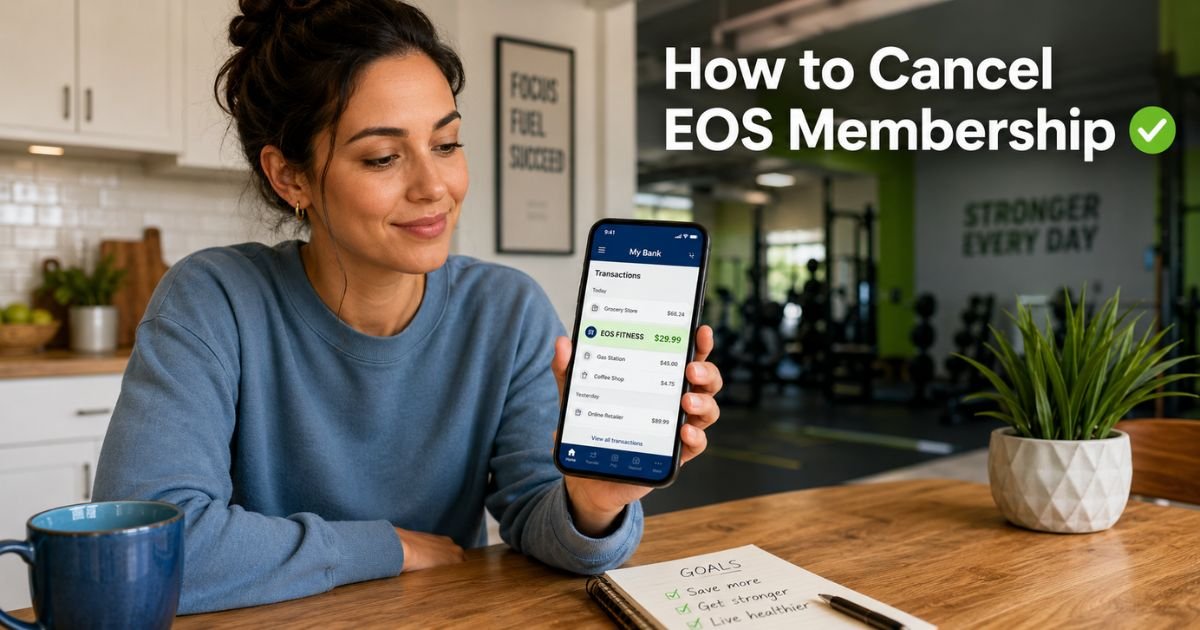
You open your bank or credit card statement and there it is again, an unfamiliar charge labeled “EOS FITNESS” or something close. Your stomach drops. You haven’t stepped foot in a gym in months, yet the payments keep coming. Sound familiar?
You are not alone. Thousands of people every month search for how to cancel EOS membership after life gets busy, they move, or they simply find a better fit elsewhere.
The good news? EOS Fitness runs on simple month-to-month contracts, so you can stop the charges once you know the right steps.
You will learn exactly how to cancel your EOS membership, what the charges usually look like, what to expect after you submit your request, and smart ways to protect your account moving forward.
Table of Contents
What Is EOS Fitness and Why the Charge?
EOS Fitness (often written EōS with the special “o”) is a popular chain of gyms across the western and southwestern United States.
They offer affordable month-to-month memberships with access to weights, cardio equipment, classes, and some locations even have pools or saunas.
Most people sign up during a promotion, sometimes as low as $1 to join plus a free first month. The low price feels like a steal, so you hand over your card details and life moves on.
Then the monthly dues start automatically. Add in a possible $59.99 annual membership fee and a $2.99 processing fee (waived if you use ACH bank draft), and those small amounts add up fast on your statement.
How to Identify EOS Charges on Your Statement
The charge usually appears as “EOS FITNESS,” “E O S FITNESS,” or a variation with your local gym city. It might show up every 30 days, or you might see an extra hit for the annual fee once a year. If you also added personal training or guest privileges, those show separately.
Take a quick look at your last few statements right now. Spot anything that matches? Write it down, date, amount, and exact description.
Having that record makes the cancellation process smoother and helps if you ever need to dispute a charge with your bank.
Understanding Your EOS Membership Agreement
EOS Fitness uses straightforward month-to-month contracts. That means you are not locked into a year-long deal. The only requirement is a 30-day notice before your membership ends.
Here is the key part most people miss: you stay responsible for dues during those 30 days.
Once you give notice, the gym bills you one final time and then stops future charges. There is no cancellation fee for basic memberships.
How to Cancel EOS Membership: Step-by-Step
You have three reliable ways to cancel. Pick the one that fits your schedule best.
1. Cancel Online Through the Member Portal (Fastest for Most People)
Log into the MICO Member Portal at mico.myiclubonline.com. Use the email and password you created when you joined. Look for the membership or account settings section, then choose the subscription cancellation request option.
Fill out the short form, confirm your details, and submit. You will receive a confirmation email. Save it. This method works 24/7 and avoids a trip to the gym.
2. Cancel In Person at Your Home Gym (Most Reliable)
Many members find this route smoothest. Visit your home location during regular business hours. Go to the front desk and politely ask for a cancellation form.
Bring your driver’s license or membership card. Staff will walk you through it, have you sign, and give you a copy on the spot.
Bottom line: In-person cancellation creates an immediate paper trail and lets you ask questions face-to-face.
3. Cancel by Phone or Certified Mail
Call customer service at 1-917-730-8534 (or the number listed on your original contract) and clearly state you want to cancel. Have your membership number ready.
Follow up with an email or certified letter sent to your home gym’s address. Keep the tracking receipt.
Pro Tip: Always document every step, date, time, who you spoke with, and confirmation numbers. Take screenshots of online submissions and photos of any forms you sign. This simple habit protects you if any mix-up happens later.
Real-Life Example
A 42-year-old accountant in Arizona, signed up for EOS Fitness two years ago when it was only $15 a month near her old apartment. After she moved across town she stopped going, but the $19.99 monthly charge kept hitting her checking account.
One evening she sat down with her laptop, logged into the MICO portal, and submitted her 30-day notice. She received confirmation within minutes.
Thirty days later the final charge posted, and then nothing. She told her friends, “I wish I had done it six months earlier. The process was easier than I expected.”
Her story shows that even if life changes, you can still take control quickly.
What Happens After You Submit Your Cancellation?
Once EOS receives your 30-day notice, you can still use the gym during that period. On your next billing date you pay one last time (including any prorated amount). After that the membership closes automatically.
Keep an eye on your statements for the next two months just to be safe. If anything posts after the final bill, contact the gym right away with your confirmation details.
Common Mistake: Do not just stop your automatic payments and hope it goes away. Many banks allow the gym to keep charging until you officially cancel with EOS. You could end up with extra fees, a hit to your credit, or a collections notice. Always submit proper notice first.
What If You Have an Active Personal Training Agreement?
Personal training is a separate contract. You usually need to cancel that directly with the trainer or front desk before the full membership ends. Ask about any remaining sessions or fees when you submit your main cancellation.
EOS Membership Cancellation Options at a Glance
| Method | Time Needed | Best For | What You Need | Confirmation |
|---|---|---|---|---|
| Online Portal | 5–10 minutes | Busy people | Login credentials | Email receipt |
| In Person | 15–30 minutes | Those who want to talk | ID and membership card | Signed paper copy |
| Phone + Follow-up | 10–20 minutes | Remote members | Membership number | Call notes + email |
| Certified Mail | 2–3 days mailing | Extra documentation | Letter with details | USPS tracking |
Source: Official EOS Fitness policies and member reports as of 2026. Always verify details on eosfitness.com/faq for your specific location.
If You Run Into Problems
Some members report the portal does not show a cancel button or staff push back. Stay polite but firm. Remind them of the month-to-month policy. If needed, loop in your bank to place a temporary stop payment while you sort it out.
FAQs: How to Cancel EOS Membership
Q. How long does it take to cancel EOS membership after I submit notice?
A. You give 30 days’ notice with EOS Fitness. During that time you can still use the gym and you will be billed once more on your regular date. After the 30 days your membership ends automatically with no further charges.
Q. Can I cancel my EOS membership online without visiting the gym?
A. Yes. Log into the MICO Member Portal, go to your account settings, and submit the cancellation request. It takes just a few minutes and works any time of day. Save the confirmation email for your records.
Q. What happens if I already paid the annual fee when I cancel EOS membership?
A. The $59.99 annual fee is non-refundable, but you will not be charged it again after cancellation. Any remaining monthly dues stop after your 30-day notice period ends.
Conclusion
Canceling your EOS membership does not have to be stressful. You now know the exact steps, whether you prefer the online portal, a quick gym visit, or a phone call.
Remember to give that 30-day notice, keep records of everything, and check your statements for the next couple of months.
Taking care of this one task frees up money for things you actually use and gives you back control of your budget. While you are here, consider reading our guide on spotting other mystery gym charges or how to negotiate lower rates on subscriptions you decide to keep.
Start today and enjoy the peace of mind tomorrow brings.
Disclaimer: The content on ExplainCharges.com is for informational and educational purposes only and does not constitute financial, legal, or professional advice. We are not affiliated with any companies or services mentioned. The information provided may not apply to your specific situation. If you suspect unauthorized charges or fraud, contact your bank or credit card issuer immediately. Always verify details directly with the source and consult a qualified professional if needed.
Meet the Author
