
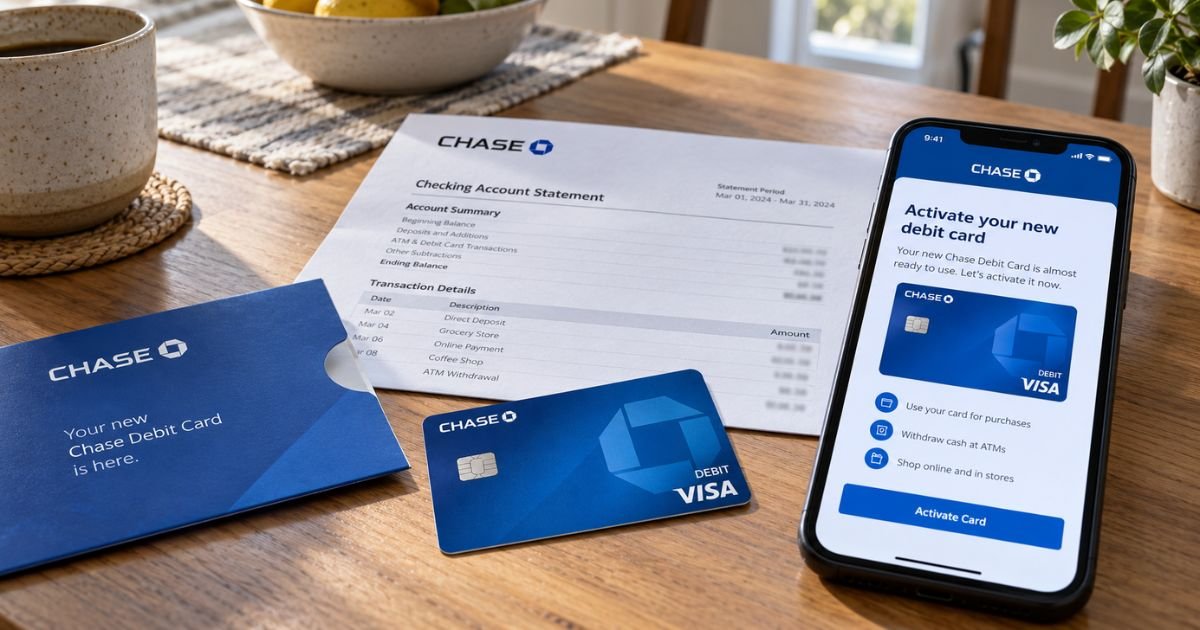
A new Chase debit card can feel confusing if the sticker says you must activate it before you shop. Most new cards work only after you turn them on.
This guide walks through Chase’s official activation paths, what to do next, and how to get help if the card never arrives.
Table of Contents
What Activating a Chase Debit Card Means
Activating a Chase debit card tells the bank this plastic is in your hands. Until then, stores and many ATMs may decline it.
Official Chase debit help lists three ways to activate: online or in the Chase Mobile app, by calling 1-800-290-3935, or by using any Chase ATM.
Chase also distinguishes some ATM-only cards. Official FAQs say you can begin using an ATM card immediately.
A full debit card that buys in stores generally needs the activation step first. Follow the sticker and letter that came with your card.
You need the physical card, access to the checking account, and the PIN Chase already has on file or asks you to set.
Do not share the full card number, PIN, or one-time passcode with anyone who called you first.
Activate in the Chase Mobile app
This is usually the fastest path if you already bank on your phone.
- Download or open the Chase Mobile app.
- Sign in with your Chase username and password.
- Open the checking account tied to the new card.
- Look for Activate card, Activate now, or a similar prompt.
- Enter the card details the screen asks for.
- Confirm the card is active.
- Add the card to Apple Pay, Google Wallet, or Samsung Wallet if you want tap-to-pay.
Menu labels can shift after an app update. If you do not see Activate, open Manage account for that checking account and scan the card tools. Official secure-banking help also points to the app as a valid activation method.
Activate on chase.com
- Go to chase.com/activate, or use the Activate now button on Chase’s debit card help page.
- Sign in.
- Choose the checking account for the new card.
- Follow the on-screen prompts.
- Keep the card in front of you so you can enter the number or last digits if asked.
Use only chase.com. Do not type card numbers into a link from a text or email unless you typed the address yourself.
Activate by phone
Official debit help says call 1-800-290-3935. You can also call the number printed on the sticker or on the back of the card if it differs.
Have ready:
- The 16-digit card number
- The expiration date and security code if asked
- Information Chase already has on file, such as your phone number or part of your Social Security number
Follow the automated prompts. If the system cannot finish, stay on the line for a banker. Official personal banking service for existing accounts is 1-800-935-9935. Outside the U.S., Chase lists 1-713-262-3300.
Chase warns customers about fake calls. A real banker will not ask you to read a one-time passcode from a text so they can “activate” a card you did not request. Hang up and call a number from chase.com.
Activate at a Chase ATM
Official FAQs say you can activate a debit card by completing a transaction at any Chase ATM using your PIN. Find a Chase ATM at locator.chase.com.
Typical steps:
- Insert the new card.
- Enter the PIN you set when you opened the account, or the PIN Chase mailed or showed in the app.
- Complete a small transaction, such as a balance inquiry or cash withdrawal.
- Take your card and receipt.
If the ATM rejects the PIN, do not keep guessing. Call the number on the back of the card or 1-800-935-9935. Official debit help says you change a PIN by calling the number on the back of your card.
Non-Chase ATMs may not run Chase’s activation routine. Use a Chase machine when you can.
Pro Tip: Activate before you stand in a checkout line. Then make a tiny purchase or ATM balance check so you know the networks have the new card live.
After the card is on
Add the card to a mobile wallet from the wallet app or from Chase’s debit help page. Official Chase ATM pages say you can tap an eligible digital wallet at many Chase ATMs, then enter the same PIN.
Set alerts in the app for purchases and ATM use. Turn on lock and unlock so you can freeze the card if it is only misplaced. Official lock steps:
- App: choose the account, Manage account, Lock & unlock card.
- Website: sign in, choose the account, More, Account services, Lock and unlock your card.
Locking is not the same as closing the account. Unlock the card when you find it. Replace it if it is gone for good.
Request a replacement in the app or on chase.com if the card is damaged.
Official replacement help says a new card generally arrives within 5 to 7 business days after you request it online. If it does not arrive after 7 business days, sign in and use the “Didn’t receive card” path, or call the number on your statement.
For a brand-new checking account, official FAQs say the first card usually arrives in about a week. If you do not have it within two weeks, request a new one online or in the app under Replace a lost or damaged card.
If activation fails
Check these first:
- You signed into the same profile that owns the checking account.
- You are using the newest card, not an old one you already replaced.
- The card is not locked in the app.
- You are calling 1-800-290-3935 or the number on that card, not a saved old number.
- A joint owner did not already activate and then lock the card.
Online and mobile banking technical support is 1-877-242-7372. Accessibility services are 1-855-644-4561. Chase accepts operator relay calls.
If the envelope looks opened or the sticker is missing, treat that as possible mail theft. Call 1-800-935-9935.
Official debit fraud reporting is also listed at 1-866-564-2262 on Chase’s dispute pages. Official replacement FAQs tell debit customers to call 1-800-935-9935 if someone used the card without permission.
Federal debit rules under Regulation E generally give stronger protection when you report unauthorized use quickly.
Chase’s debit help also describes zero liability protection when unauthorized debit use is reported promptly. Report first. Then review every recent debit and ACH line.
Do not keep an unactivated card in a visible mail pile. Shred the old card after the new one works, cutting through the chip and number.
Common Mistakes: Trying the new card at a grocery store before activation. Also, saving a card in a digital wallet with the old last four digits after a replacement. Remove the old token and add the new card.
FAQs: How to Activate Chase Debit Card
Q. How do I activate a Chase debit card?
A. Official Chase help says activate online or in the Chase Mobile app, call 1-800-290-3935, or complete a transaction at any Chase ATM using your PIN. Start at chase.com/activate if you prefer a browser.
Q. How long does a new Chase debit card take to arrive?
A. Official FAQs say about a week after you open a new account. If it has not arrived in two weeks, request a replacement in the app or on chase.com. Online replacement help generally cites 5 to 7 business days after you order a new card.
Q. Can I use the card before I activate it?
A. A debit card generally needs activation before store and many ATM uses. Official FAQs say you can begin using an ATM card immediately. Follow the letter that came with your specific card.
Q. What if I forgot my PIN?
A. Official debit help says to change your PIN by calling the number on the back of your card. If the ATM keeps declining, stop trying and call 1-800-935-9935 so the card is not shut off by too many bad PIN attempts.
Conclusion
Activating a Chase debit card is a short official step on chase.com/activate, in the Chase app, at 1-800-290-3935, or at a Chase ATM with your PIN.
Confirm a small transaction after you finish. Lock the card in the app if it goes missing, and use official Chase numbers only.
Disclaimer: This article is for general information only. It is not financial or legal advice. Chase activation steps, PIN rules, mail times, and liability limits vary by account. Confirm details with Chase using chase.com or the phone numbers printed on your card and official help pages.
Meet the Author
