
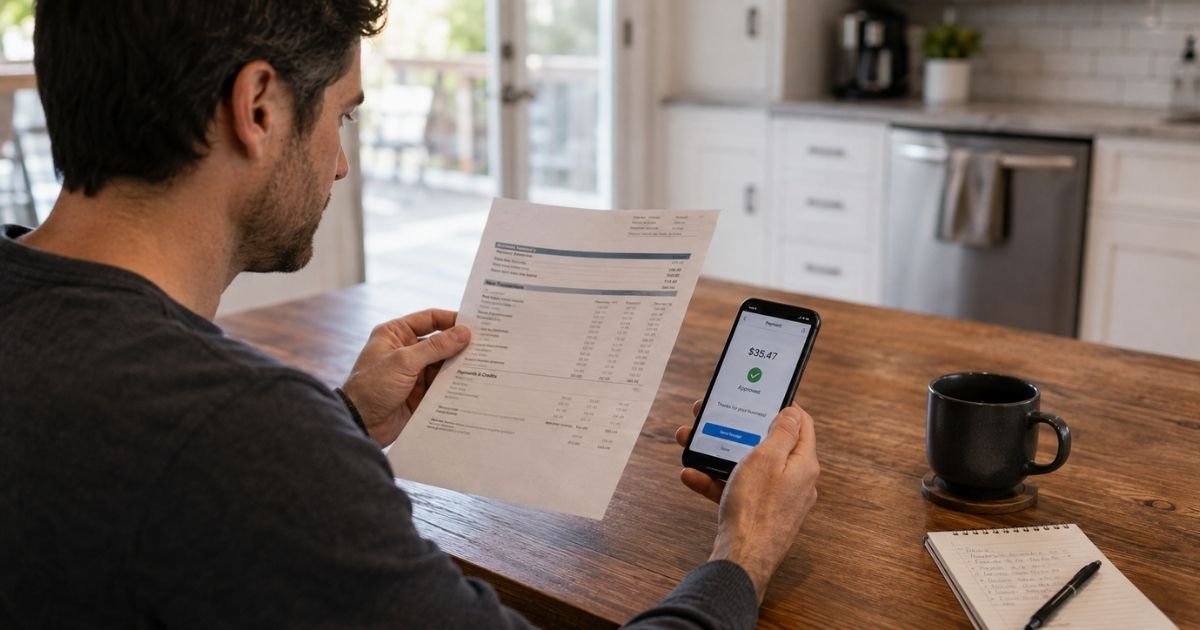
A GOSQ.COM charge on credit card can feel confusing if you don’t recall visiting a site by that name. In many cases you did not buy from “GOSQ.COM” itself. You paid a shop, vendor, or invoice that used Square to process the card.
This guide explains what the line usually means, how to find the real seller, and what to do if the charge is wrong.
Table of Contents
What Is a GOSQ.COM Charge on Credit Card?
A GOSQ.COM charge on credit card is typically a payment processed by Square. Square is a card reader and checkout service used by many small businesses. Square is part of Block, Inc.
You have likely seen Square in person. It is the white reader on a phone, the tablet at a register, or a tap-to-pay terminal at a market stall. Square also powers some online checkouts and emailed invoices.
Square’s own seller community has long told cardholders the same thing. When a merchant uses Square, your statement may show SQ* or gosq.com plus a business name. The domain is a processing tag. It is not always the store name you remember.
That is why the charge looks unfamiliar. You may have paid “Joe’s Coffee.” Your bank may print “SQ *JOE’S COFFEE GOSQ.COM CA.”
How the Charge May Appear on Your Statement
Banks cut merchant text short. A state code or phone fragment can appear after the name. Look at the full line, not just “GOSQ.COM.”
| What you may see | What it often means |
|---|---|
| GOSQ.COM | Square processed the payment |
| SQ * plus a business name | In-person or phone sale on a Square reader |
| SQ *GOSQ.COM plus a name | Same Square payment, extra tag added |
| GOSQ.COM plus city or state | Location tied to that seller’s Square account |
| SQ *CASH APP | Often Cash App, a related Block product, not a shop sale |
| SQUARE INC | Generic Square wording on some bills |
The letters after SQ* are usually the seller you paid. If those letters are a person’s name, the seller may be a solo vendor who never set a store name.
Why You Might See This Charge
Think about recent card use, not a website called GOSQ.COM.
Common sources include a food truck, farmers market, salon, tutor, cleaner, contractor, pop-up shop, or local restaurant. Many of those sellers swipe or tap cards on a phone. The bill then lands under Square’s tag.
Online invoices are another frequent source. A plumber or photographer may email a Square payment link. When you pay that link, the statement can show GOSQ.COM instead of the trade name you expected.
Square Online stores can look the same way. You checkout on a small shop’s website. Square handles the card. Your issuer prints Square’s descriptor.
Cash App activity can confuse the picture. Cash App is also under Block. A Cash App pull may use different wording, such as SQ *CASH APP. Treat that as a separate check in the Cash App history, not as a coffee-shop receipt.
This line is usually a one-time sale. It is not typically a “GOSQ.COM subscription” you join on that domain. A seller can still send repeating Square invoices. If the amount hits every month, look for that merchant’s own plan, not a GOSQ membership page.
How to Verify the Charge
Start with Square’s receipt lookup. Square staff have pointed cardholders to the official receipt search on Square’s site, also reached through gosq.com on many statements.
You generally need the exact amount, the transaction date, the last four digits of the card, and the card expiration date. Enter only what the official lookup page asks for. Use Square’s own site, not a random “receipt finder” ad.
If a receipt appears, it should name the seller and may list items. Save or print that page. Search your email for a Square receipt from the same date. Many sellers also text a receipt if you gave a phone number at checkout.
Then match three facts to your memory: date, amount, and place. A Saturday market, a tip added on a tablet, or a repair invoice can explain a charge you forgot.
Ask your card issuer for the complete merchant description if the printed line is cut off. The full text often includes the missing store name.
Pro Tip: Search email for “receipt from Square” plus the dollar amount. The seller name in that email is usually clearer than the bank’s short code.
How to Stop or Reverse a GOSQ.COM Charge
There is usually no GOSQ.COM account to cancel. You deal with the seller first, then your bank if needed.
If the receipt shows a shop you recognize, contact that business for a refund or a corrected sale. Keep the receipt link and the last four digits of your card handy. Ask for a refund to the same card.
If the charge repeats, ask the seller to stop automatic invoices. Cancel any account you created on that seller’s own website. Removing the card from a Square invoice portal, when you have one, can stop the next pull.
If you do not recognize the seller, or the seller will not help, dispute the charge with your card issuer. Use the number on the back of your card. Give the date, amount, and Square receipt result. Ask the bank to contact the merchant through the card network.
Square support can sometimes help identify a seller when the receipt lookup fails. Use the contact options on squareup.com/help. Do not give your full card number to anyone who emailed or texted you first.
If the charge looks like theft, freeze the card. Review other recent Square-style lines. Unauthorized Square charges do happen when a card number is stolen and run on a reader or invoice. That is card fraud, not proof that Square itself is a fake company.
Is a GOSQ.COM Charge a Scam?
Usually no. Square is a real, widely used payments company. The gosq.com domain has been used for years as Square’s receipt and processing tag.
Complaint boards still show many unhappy posts. People report charges they do not remember, sellers who never delivered, and large unauthorized Square pulls. Those reports often describe a bad merchant or a stolen card, not a secret GOSQ storefront.
Block and Square also draw seller-side complaints on the BBB and review sites, often about frozen funds or support delays. That is useful context. It does not mean every customer charge is fake.
Be more careful if the amount is far larger than any recent purchase, the receipt lookup finds nothing you recognize, or several GOSQ.COM charges hit in one day from names you never heard of. Call your issuer in those cases.
Watch for a second scam layer. Fake “Square support” texts may claim a GOSQ.COM charge and push you to a phone number or login page. Use Square’s official help site and your bank. Do not read a code to a stranger.
Common Mistakes: People assume GOSQ.COM is the store and never read the name after SQ*. Others skip the official receipt lookup and jump straight to a card cancel. A third group confuses a Cash App line with a coffee-shop Square sale.
FAQs: GOSQ.COM Charge on Credit Card
Q. What is a GOSQ.COM charge on credit card?
A. It is typically a sale processed by Square for a separate merchant. The real seller is usually the name after SQ* or on the Square receipt. You generally did not buy a product from a store called GOSQ.COM.
Q. How do I find out which business charged me?
A. Use Square’s official receipt lookup with the exact amount, date, and card details requested on that page. Also search email for a Square receipt and ask your bank for the full merchant text.
Q. How do I cancel a GOSQ.COM charge so it does not happen again?
A. Cancel with the seller if it is a repeating invoice or membership. There is usually no GOSQ.COM subscription page of your own. For a one-time sale you do not recognize, dispute it with your card issuer.
Q. Is GOSQ.COM always legitimate?
A. Square is a legitimate processor, but a seller using Square can still be wrong or fraudulent. If you cannot match the receipt to a real purchase, treat it as an unrecognized card charge and contact your bank.
Conclusion
A GOSQ.COM charge on credit card is usually Square’s billing label for a small-business payment. The confusing domain is the processor tag. The seller name, date, and receipt tell you what you actually bought.
Look up the receipt first. Contact that merchant if the sale is real but wrong. Dispute the line with your bank if you never made the purchase.
Keep paper or email receipts from markets and invoices. The next Square charge will be easier to recognize when the name on the slip matches the code on your statement.
Disclaimer: This article is for general information only. It is not financial, legal, or tax advice. Merchant wording, refunds, and dispute rules may vary by seller, Square account, card network, and issuer. Confirm details with the merchant on the receipt or with your bank before you act.
Meet the Author
