
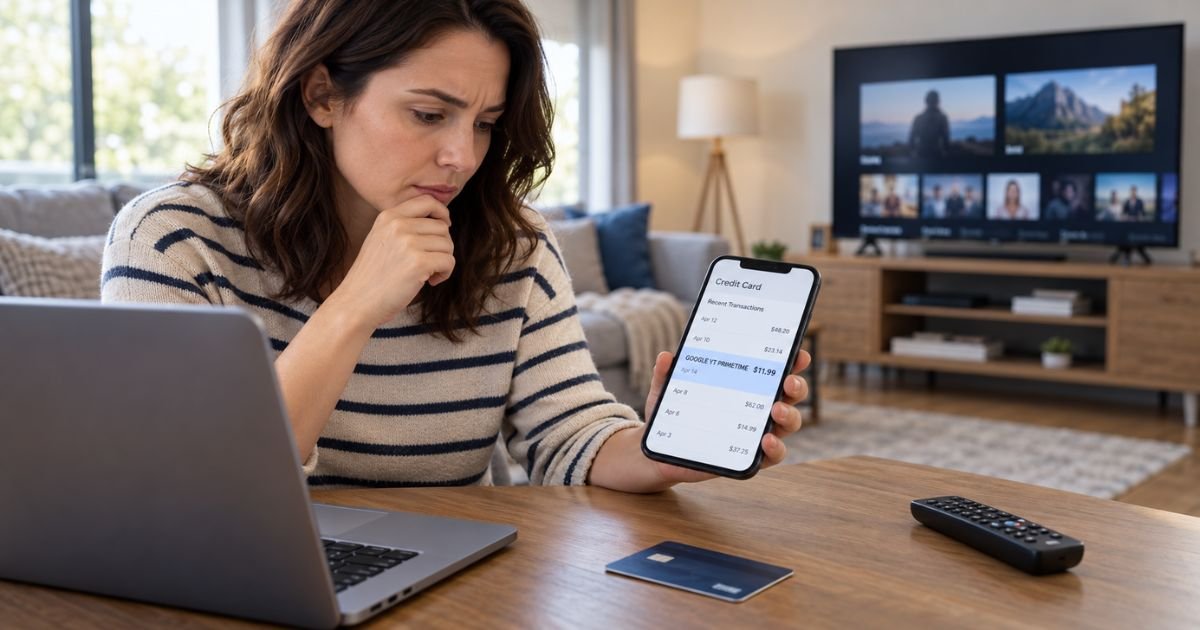
A GOOGLE YT PRIMETIME charge on your credit card can feel confusing if you don’t recall signing up for anything with that exact name.
In most cases, the charge is connected with a paid YouTube Primetime Channel subscription rather than YouTube Premium itself.
YouTube lets you subscribe to streaming networks directly through the YouTube platform. This guide explains how to find the exact channel, cancel recurring billing, request a refund, and handle a charge you never authorized.
Table of Contents
What Is a GOOGLE YT PRIMETIME Charge on Credit Card?
A GOOGLE YT PRIMETIME charge on credit card activity generally means Google billed you for a YouTube Primetime Channel.
Primetime Channels let you subscribe to individual streaming networks inside YouTube. You do not generally need a YouTube TV subscription to use them.
YouTube currently offers more than 50 Primetime Channels. Examples include HBO Max, Paramount+, FOX One, Peacock, and NFL Sunday Ticket.
You may remember the streaming brand but not Google or YouTube as the billing company. That difference is usually why the statement descriptor looks unfamiliar.
What Are YouTube Primetime Channels?
Primetime Channels are third-party streaming services sold through YouTube.
You can generally subscribe to a network from the YouTube Movies & TV section or directly from the network’s YouTube page. The subscription is then managed through your YouTube account.
Depending on the channel, you may receive:
- Movies
- TV series
- Live television
- Sports
- News
- Network-specific original programs
- On-demand programming
The actual content, price, advertising, and viewing rules depend on the channel you selected.
Is GOOGLE YT PRIMETIME the Same as YouTube Premium?
No. They are separate products.
YouTube Premium generally provides benefits such as ad-free viewing on regular YouTube videos, background play, and other YouTube features. Primetime Channels give you access to specific streaming networks.
You can have both subscriptions at the same time.
YouTube also notes that some YouTube Premium benefits do not apply to Primetime Channel content. For example, the streaming provider may still include commercial breaks.
Pro Tip: Check YouTube’s Purchases and memberships area before searching for a company called “YT Primetime.” The actual channel name should generally appear inside your YouTube account.
How the Charge May Appear
Your card issuer may shorten the transaction description.
| Statement wording | Typical explanation |
|---|---|
| GOOGLE YT PRIMETIME | YouTube Primetime Channel subscription |
| GOOGLE *YT PRIMETIME | Google-processed Primetime subscription |
| GOOGLE *YOUTUBE | YouTube purchase or subscription |
| GOOGLE PLAY | Android purchase processed through Google Play |
| APPLE.COM/BILL | Primetime subscription purchased through Apple |
| Repeating monthly amount | Recurring Primetime Channel subscription |
The exact wording can vary by issuer, device, and billing platform.
Do not rely only on the statement description. Your Google payment history usually provides more detail.
Why Does GOOGLE YT PRIMETIME Keep Charging You?
Most Primetime Channels renew automatically.
YouTube says promotional subscriptions generally renew at the standard monthly price after the promotional period ends. You can review your renewal price and date in your YouTube settings.
That means you may initially see a discounted amount and then notice a larger payment later.
Another possibility is that you subscribed months ago and forgot about it. A family member with access to your Google account or streaming device may also have started the subscription.
How to Find Which Channel Is Charging You
Sign in to the Google account you normally use with YouTube.
Open YouTube and review Purchases and memberships or Paid memberships. Your active Primetime Channels should generally appear there.
Also check your Google Payments activity.
Compare:
- Charge amount
- Billing date
- Google account
- Primetime Channel name
- Renewal date
- Payment method
If you have more than one Google account, check each one.
Many unknown Google charges are caused by subscriptions attached to an older Gmail address, family account, television login, or secondary YouTube profile.
Could a Free Trial Cause the Charge?
Yes.
YouTube may offer introductory or promotional pricing for certain Primetime Channels. After the promotional period ends, the subscription generally renews at the normal monthly price unless you cancel.
YouTube says it sends an email when you enroll that explains when the regular price will begin.
Search your email for:
- YouTube
- Primetime
- Google Payments
- The streaming network name
- Subscription
- Free trial
- Renewal
That email may explain the transaction faster than your credit card statement.
Common Mistakes: Don’t cancel YouTube Premium when the charge actually comes from a Primetime Channel. They are separate memberships, so canceling one generally will not stop billing for the other.
How to Cancel GOOGLE YT PRIMETIME
If Google bills the subscription directly, you can generally cancel it through YouTube.
On a computer:
- Open YouTube Paid memberships.
- Find the Primetime Channel.
- Select Deactivate.
- Choose Continue to cancel.
- Select a reason.
- Confirm Yes, cancel.
YouTube says you can cancel most Primetime Channels at any time. Access generally continues until the end of the current billing period.
On Android, you can follow similar steps from your profile under Paid memberships.
If Apple handles the subscription, cancellation may need to be completed through your Apple account instead.
Can You Get a Refund?
You can generally request a refund for a Primetime Channel, but approval can depend on the circumstances and billing platform.
Google says credit card refunds that are approved typically appear within three to five business days. They may take up to 10 business days depending on your issuer.
If you subscribed through the YouTube Android app, billing may be handled through Google Play. Apple handles refund requests for subscriptions purchased through Apple.
NFL Sunday Ticket has special rules. A season-pass purchase is generally non-cancellable and non-refundable, although you may be able to turn off renewal for a future season.
What If You Already Canceled?
First confirm that the cancellation actually completed.
YouTube recommends checking your Purchases and memberships area for an end date. You can also search your email for a cancellation confirmation.
You may still have access until the end of the paid billing period.
If another charge appears after that date, check whether it belongs to a different Google subscription. Someone with access to the account may also have reactivated the membership.
Is Google YT Primetime Legitimate?
Yes. YouTube Primetime Channels are an official Google and YouTube streaming service.
However, consumer reviews show that billing confusion does occur.
Google’s BBB profile currently has an A rating but is not BBB accredited. The profile covers Google as a whole and shows thousands of complaints over three years, including more than 1,300 billing complaints.
Trustpilot currently gives Google Payments a low consumer rating, around 1.3 out of 5 from more than 300 reviews. Complaints include payment disputes and support experiences, but these reviews cover many Google products rather than Primetime Channels alone.
Specific Reddit evidence about the exact GOOGLE YT PRIMETIME descriptor is limited. Your YouTube and Google Payments records are generally more useful for verifying your individual charge.
What If You Never Subscribed?
Ask anyone who can access your Google account, smart TV, streaming device, or card.
A child, spouse, roommate, or other household member may have started a subscription while signed into your account.
Then check every Google account you use.
If the charge does not appear anywhere and nobody recognizes it, use Google’s process for reporting unauthorized transactions. You should also contact your credit card issuer promptly.
Your issuer may recommend:
- Disputing the transaction
- Blocking additional charges
- Replacing the card
- Reviewing other Google transactions
- Changing your Google password
Enable two-step verification if you suspect someone accessed your account.
FAQs: GOOGLE YT PRIMETIME Charge on Credit Card
Q. What does GOOGLE YT PRIMETIME mean on your credit card?
A. It generally means Google billed your card for a YouTube Primetime Channel subscription. Examples can include streaming services such as HBO Max, Paramount+, Peacock, FOX One, or NFL Sunday Ticket.
Q. Is GOOGLE YT PRIMETIME the same as YouTube Premium?
A. No. YouTube Premium and Primetime Channels are separate products, so you may have both charges at the same time.
Q. How do you stop a GOOGLE YT PRIMETIME charge?
A. Open YouTube’s Paid memberships section, find the Primetime Channel, select Deactivate, and complete the cancellation steps. If Apple bills you, manage the subscription through Apple.
Q. What should you do if you never authorized GOOGLE YT PRIMETIME?
A. Check all Google accounts and ask other household users first. If nobody recognizes the subscription, report it to Google and contact your credit card issuer promptly.
Conclusion
A GOOGLE YT PRIMETIME charge on credit card activity usually means you are paying for a streaming network through YouTube’s Primetime Channels service. It is generally separate from YouTube Premium and YouTube TV.
Check your YouTube Purchases and memberships page to identify the exact channel and renewal date. If you do not want the service, cancel it before the next billing cycle. If nobody authorized the charge, secure your Google account and notify your card issuer promptly.
Disclaimer: This article is for informational purposes only and is not financial or legal advice. YouTube pricing, refund eligibility, subscription terms, merchant descriptors, and credit card dispute policies may vary, so verify account-specific questions with Google, YouTube, Apple, Google Play, or your card issuer.
Meet the Author
