
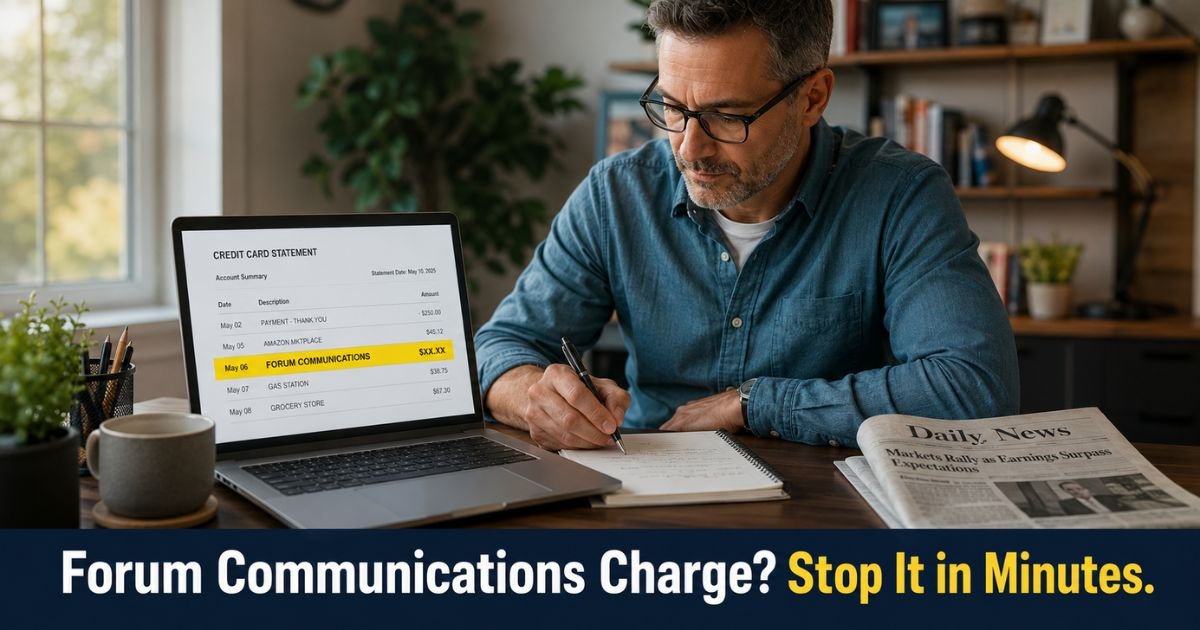
You glance at your credit card statement and notice a recurring charge from Forum Communications that you do not immediately recognize. This happens to plenty of people who signed up for digital news access during a promotion or trial.
The Forum Communications charge on credit card statements comes from Forum Communications Company, a media group based in Fargo, North Dakota.
In few minutes you will learn exactly what the charge represents, why it started, and the simplest ways to cancel it. You will also see clear steps to request any available refunds and protect yourself from unwanted recurring billing in the future.
Table of Contents
What Is the Forum Communications Charge on Credit Card?
Forum Communications Company publishes local news across more than 20 Midwest websites and newspapers.
Their digital subscriptions give readers unlimited access to articles, sports coverage, and local reporting on sites such as InForum, Post Bulletin, and others in their network.
The charge usually starts after you create an account and choose a subscription plan. Many offers begin with a discounted or free introductory period, then convert to regular monthly billing.
The amount varies by package. Digital-only plans often run between $10 and $20 per month, while print-plus-digital bundles can reach $30 or more.
On your statement the charge may appear as:
- Forum Communications
- Forum Comm
- InForum Subscription
- [Specific newspaper name] Digital Access
It is a legitimate recurring subscription charge, not a random or fraudulent transaction in most cases.
Why the Charge Appeared Without You Noticing
Digital news subscriptions often use automatic renewal. You sign up for a special rate or trial, and the system continues billing your card each month or year unless you cancel.
Many people forget about the subscription after the first month or two, especially if they read the news on their phone and do not check statements closely.
Sometimes the descriptor on the statement is generic enough that it does not immediately connect in your mind to the news site you visited weeks earlier.
Pro Tip: Log into your Forum Communications account on the specific news site you use. Go to the subscription or account settings section. This shows every active plan tied to your email and lets you cancel or change payment details in one place.
How to Cancel Forum Communications Subscription
You have two main ways to stop the charge. Start with the online method if possible.
- Log into your account on the news website tied to the charge (InForum, Post Bulletin, etc.).
- Look for “Manage Subscription,” “Account,” or “Billing” in the menu.
- Choose the cancel option and follow the prompts. Most sites let you finish the process yourself.
- Save the confirmation screen or email they send you.
If you prefer speaking with someone or the online option is not clear:
- Call the customer service number listed on your statement or the specific site’s help page. Common numbers include 701-241-5445, 800-274-5445, or 833-248-7801 depending on the brand.
- Have your account email, last four digits of the card, and recent statement dates ready.
- Clearly state you want to cancel the digital subscription and stop all future billing.
Cancellation normally takes effect at the end of your current paid period. You keep access until then, but new charges should stop after that date.
Common Mistake: Waiting until the charge posts again before acting. The sooner you cancel, the sooner the recurring Forum Communications charge ends. Many people also forget to check whether they have multiple subscriptions across different Forum sites using the same login.
What If You Want a Refund for Recent Charges?
Forum Communications terms generally state that subscription fees are non-refundable once paid, and you keep access through the end of the billing period.
However, it never hurts to ask politely when you call or email. Some representatives offer partial credits or goodwill adjustments, especially for newer charges or first-time issues.
If they decline and you believe the charge was unauthorized or the trial was misleading, contact your credit card issuer to dispute it.
Provide your cancellation confirmation and any communication with the company. Most issuers handle these disputes within 60 to 120 days of the original charge.
Stopping the Forum Communications Charge
Quick Reference: How to End Forum Communications Billing
| Step | Action | Where to Do It | Expected Result |
|---|---|---|---|
| 1 | Log into your account | Specific news site (InForum, etc.) | See all active subscriptions |
| 2 | Choose cancel subscription | Account or billing section | Stops future monthly charges |
| 3 | Call customer service | 701-241-5445 or 833-248-7801 | Personal help and written confirmation |
| 4 | Save confirmation | Email or screenshot | Proof for your records and disputes |
| 5 | Check next statement | Online banking or app | Verify no new Forum Communications charge appears |
Contact numbers can vary slightly by brand. Always check the help section on the site connected to your charge for the fastest number.
How to Avoid Similar Recurring Charges in the Future
A few habits make a big difference:
- Review every new subscription confirmation email and note the renewal date.
- Use a virtual card number or privacy service when trying any new digital service.
- Set a recurring calendar reminder one week before any trial or intro period ends.
- Check your credit card app or statement at least once a week for unfamiliar names.
These small steps help you stay in control of what hits your card each month.
FAQs: Forum Communications Charge on Credit Card
Q. How do I cancel my Forum Communications digital subscription and stop the recurring charge on my credit card?
A. Log into your account on the news website, go to subscription or billing settings, and select the cancel option. Or call the customer service number on your statement (often 701-241-5445 or 833-248-7801). Confirm the cancellation in writing and check your next statement to make sure charges have stopped.
Q. What does a Forum Communications charge on my credit card statement usually mean?
A. It means you have an active digital (or print-plus-digital) news subscription with Forum Communications Company or one of their local sites. The charge renews automatically each month or billing cycle after any introductory period ends.
Q. Can I get a refund for Forum Communications subscription charges I no longer want?
A. Most subscriptions are non-refundable once paid, but you can ask customer service for a goodwill credit when you cancel. If they refuse and you believe the charge was not authorized, contact your credit card issuer to dispute recent charges within their allowed time frame.
Conclusion
The Forum Communications charge on credit card is a standard recurring subscription for digital news access. The quickest fix is to log into your account on the specific site and cancel online, or call customer service with your details ready. Once canceled, the charges should stop at the end of the current period.
You now have a clear, simple plan. Take care of it this week and you will have one less surprise on future statements. While you are reviewing your accounts, it is also a good time to scan for any other small recurring charges you may have forgotten about.
Disclaimer: The content on ExplainCharges.com is for informational and educational purposes only and does not constitute financial, legal, or professional advice. We are not affiliated with any companies or services mentioned. The information provided may not apply to your specific situation. If you suspect unauthorized charges or fraud, contact your bank or credit card issuer immediately. Always verify details directly with the source and consult a qualified professional if needed.
Meet the Author
