
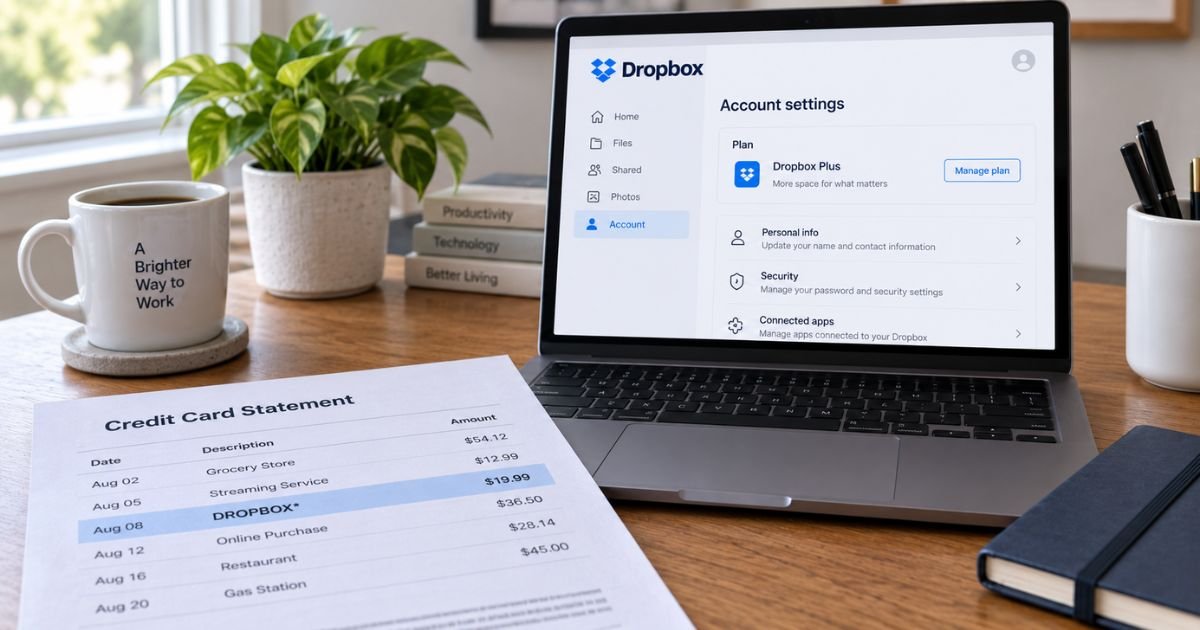
A Dropbox charge on a credit card can feel confusing if you don’t recall paying for extra storage. The line may say DROPBOX* and a string of letters. Your free Basic login can look unrelated.
Unfamiliar Dropbox lines are often a real paid plan on another email. Dropbox is a legitimate cloud storage company. This guide explains how the charge posts, how to find the billed account, and how to stop the next renewal.
Table of Contents
What is a Dropbox charge on a credit card?
A Dropbox charge on credit card is typically a subscription for extra storage or team features. Free Dropbox Basic is limited.
Paid plans include Plus, Family, Professional, Essentials, and team plans such as Standard and Advanced. Dropbox Dash billing can appear under the same family of charges.
Official Dropbox help has a page titled “What is this Dropbox charge on my credit card?” It points you to a lookup tool instead of guessing the email. Go to dropbox.com/payments/find_receipt.
Official text says your transaction ID is a 12-digit alphanumeric code on the Dropbox line of the statement. Enter that code to see the account email. If you paid with PayPal or the ID is missing, official help says to submit a Billing Help Request.
Current dropbox.com/plans listings show Plus around $9.99 per month for 2,000 GB. Family is listed around $16.99 per month for up to six people and 2,000 GB.
Professional is listed around $16.58 per month for 3,000 GB. Team Standard is listed from about $15 per user per month. Team Advanced is listed from about $24 per user per month.
Annual billing, taxes, and promotions can change the number on your card. Confirm the price on the plan page inside the billed account.
How the charge usually appears
Banks cut the name. Dropbox often prints an asterisk and a reference, not “cloud storage.”
| What you may see | What it often means |
|---|---|
| DROPBOX* plus 12 characters | Official-style receipt ID used on the lookup tool |
| DROPBOX, DROPBOXINT, or DROPBOXINTE | Short company or international billing name |
| DROPBOX DUBLIN IRL or a +353 number | Ireland entity used on some card networks |
| PAYPAL *DROPBOX | You paid through PayPal, not a direct card on file |
| DROPBOX / BUSINESS | Team or business-style plan |
| db.tt/cchelp | Short Dropbox help link some issuers add |
Monthly amounts near the Plus or Professional list price usually mean an individual plan. A larger yearly total often means you chose annual billing. Several similar charges can mean two emails on the same card.
Why you might not recognize it
You signed up years ago to get past the Basic cap. A phone or work laptop stayed signed in. A household member used your card at checkout.
Apple or Google can bill “Dropbox” through the store. Official billing-change help says mobile purchases are managed in the App Store or Google Play, not only on dropbox.com.
Family plans bill the family manager only. Official Family help says only that manager updates payment details. Other members may still see files and never see the card line.
Dropbox Sign is e-signature billing. Official Sign cancel help says Sign does not provide refunds and that you keep the paid Sign features until the current cycle ends. That product is easy to mix with storage.
Pro Tip: Copy the 12-character code after DROPBOX* and paste it at dropbox.com/payments/find_receipt before you call the bank. That tool is built for this exact confusion.
How to confirm and manage the plan
- Find the 12-digit ID on the statement.
- Use the official lookup page.
- Sign in at dropbox.com with that email.
- Open your avatar, then Manage account, then the plan or billing tab.
- Download receipts from billing history if you are on a team card plan.
Canceling paid storage is not the same as deleting the account. Official individual-cancel help says downgrading to Basic is different from deleting Dropbox.
After you cancel, you generally keep paid features until the period you already paid for ends. Then the account typically becomes Basic. Files above the Basic limit can become read-only. Official help warns that fully deleted data cannot be restored.
If you bought the plan in the Dropbox iOS or Android app, official Family and billing articles say to cancel in that app store. Canceling only on the website may not stop Apple or Google.
Team plans need an admin. Official trial-cancel language says only an admin can cancel some team trials.
Official refund help lives at help.dropbox.com/plans/refund. That page covers Dropbox and Dropbox Dash. Refund eligibility depends on how and where you bought the plan. Do not assume a full refund after a renewal.
Check that page and a Billing Help Request for your receipt. Official cancel-by-mail notes say a letter can arrive too late.
If Dropbox bills before it processes a mailed cancel, those pages say the charge will not be refunded. Cancel online if renewal is close.
Common Mistakes: Canceling the free-looking Basic login while a second email still has Plus. Ignoring an App Store subscription that keeps billing after you click cancel on the website. Treating Dropbox Sign as the same plan as file storage.
How to stop future Dropbox card charges
On dropbox.com, change or remove the card after you cancel auto-renew on the correct plan. For Family, the manager must do it. For a team, an admin uses the admin console.
Uninstalling the desktop app does not cancel billing. Deleting files does not cancel billing.
Dropbox support options depend on the plan. Official contact pages emphasize the help center, a billing request, and in-product chat or callback after you sign in. Paid team add-ons can include phone.
Community staff have said personal accounts may not get an inbound billing phone line. A number such as 1-855-237-6726 appears on Dropbox sales pages for business sales. Use dropbox.com/support while signed in instead of a random web listing.
Official @DropboxSupport on X notes monitoring Monday through Friday, 3 a.m. to 7 p.m. CST. The community is listed as open 24/7.
Lookalikes that are not this Dropbox line
- Box, Google One, iCloud+, OneDrive, or Mega
- Dropbox Sign or HelloSign versus storage Plus
- PAYPAL *DROPBOX when the underlying PayPal login is the real account
- A work team invoice paid by AP, not your personal card
- A $0 or $1 card-verification hold that later drops
Open dropbox.com yourself. Dropbox will not ask you to send a crypto payment or a “verification transfer” to keep files.
If you did not authorize the charge
Change the password on every email the lookup tool returns. Turn on two-factor authentication. Remove the card from Wallet-style settings in the account.
Submit a Billing Help Request with the statement date, amount, and transaction ID. Also call the number on the back of your credit card. Federal credit-card billing-error rules generally give you 60 days after the statement was sent to dispute in writing.
If someone used your card and you have no Dropbox login, the issuer is still the first stop. Official lookup still works from the 12-digit code.
FAQs: Dropbox Charge on Credit Card
Q. Why does a Dropbox charge on a credit card hide my email?
A. Card networks print DROPBOX* and a short ID. Official help says that 12-character code is the key. The lookup tool maps it to the billed email. The store name will not list Plus or Family.
Q. Will canceling stop the next charge immediately?
A. Cancel before the renewal date on the same path you used to buy. Website plans cancel in account settings. App Store and Google Play plans cancel there. Official help says mailed cancels can miss the bill date. You usually keep paid storage until the period you already paid for ends.
Q. Can I get a refund for a Dropbox charge on a credit card?
A. Official refund rules are on help.dropbox.com/plans/refund and can differ for Dash, mobile stores, and region. Dropbox Sign help says Sign does not provide refunds. Ask billing support with your receipt instead of assuming a window.
Q. I only use free Dropbox. Why am I billed?
A. You may be signed in to a different email than the paid one. Official community guidance says that mismatch is common. Run the credit-card lookup, then cancel on the account that actually has the paid plan.
Conclusion
A Dropbox charge on a credit card is typically a Plus, Family, Professional, or team storage subscription billed as DROPBOX* plus a reference code.
Use dropbox.com/payments/find_receipt to find the email, cancel on the same path you subscribed, and read official refund help before you expect money back. Match the plan in the account, not the free Basic app icon on your phone.
Disclaimer: This article is for general information only. It is not financial, legal, or tax advice. Dropbox plan names, prices, descriptors, cancel paths, and refund rules vary by product, country, and whether you bought on the website or a mobile store. Verify account-specific questions with Dropbox or your card issuer before you dispute a charge.
Meet the Author
