
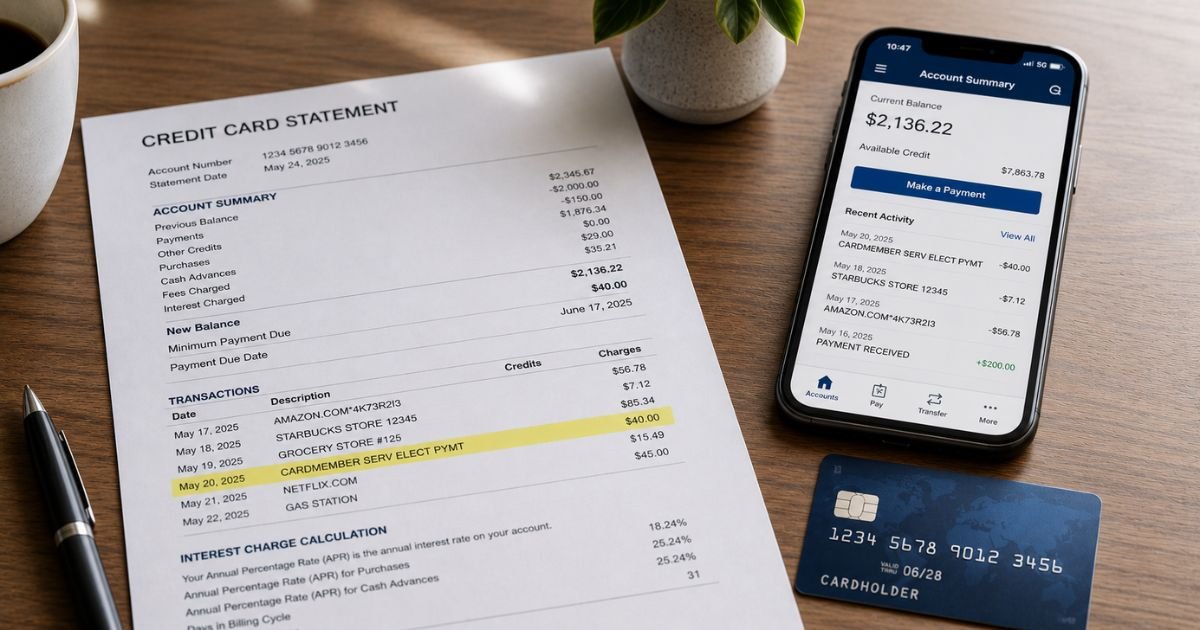
You review your checking account or bank statement and see a charge labeled “Cardmember Services,” “CARDMEMBER SERV ELECT PYMT,” “CARDMEMBER SERV WEB PYMT,” or something very similar.
The amount may match a payment you recognize, or it may feel completely unfamiliar.
In most cases this is not a purchase from a store or merchant. It is usually an electronic payment you made (or set up) toward a credit card bill. Still, you should confirm exactly what it is.
This guide explains what a Cardmember Services charge on bank statement means, the common reasons it appears, how to verify it, and the steps to take if something does not look right.
Table of Contents
What Is a Cardmember Services Charge?
“Cardmember Services” is the name many credit card issuers use for their customer service and billing department.
On a bank statement, the charge most often represents a payment from your checking or savings account to a credit card account.
The most frequent descriptors include:
- CARDMEMBER SERV ELECT PYMT
- CARDMEMBER SERV WEB PYMT
- Cardmember Services
- CARDMEMBER SERV
- Similar variations with “WEB PYMT” or “ELECT PYMT”
These entries are typically ACH (electronic) transfers. They are especially common with credit cards issued or serviced by U.S. Bank, Elan Financial Services, and many partner banks that use the same platform.
In short, the charge is usually money leaving your bank account to pay down a credit card balance. It is not a fee charged by an outside company for a product or service.
Why Did This Charge Appear?
Here are the most common reasons:
- You made an online or phone payment toward a credit card bill.
- You set up autopay or automatic payments from your checking account to the credit card.
- A one-time electronic payment was scheduled through the card issuer’s website or app.
- Someone else authorized to use the account made a payment.
- The payment was processed through a credit card serviced under the Cardmember Services name (often U.S. Bank or Elan).
The amount should match a recent credit card payment you authorized. If the charge appears on your checking account, look at the corresponding credit card statement for a matching payment credit.
How to Verify the Charge
Use this simple checklist:
- Note the exact date, amount, and full description on your bank statement.
- Log into the online account or app for any credit cards you hold (especially U.S. Bank, Elan, or related partner cards).
- Check the payment history on those credit cards for a matching amount and date.
- Review your bank’s online activity or emailed confirmations for payment authorizations.
- Ask anyone who shares access to the bank account or credit card whether they made a payment.
- If needed, call the number on the back of your credit card and ask them to confirm recent payments.
When the amounts and dates line up with a credit card payment, the charge is almost always legitimate.
Is It Legitimate or Fraud?
Common legitimate scenarios
- Autopay or manual payment to a U.S. Bank, Elan, or similar credit card
- Online bill payment from your checking account
- Scheduled electronic transfer to the card issuer
Warning signs
- You have no credit card linked to that bank account
- The amount does not match any payment you authorized
- Multiple unexpected Cardmember Services charges appear
- You receive phone calls from someone claiming to be “Card Member Services” asking for personal information (these are often scams)
A Cardmember Services entry on your bank statement is usually a real payment you or your autopay initiated.
Fake callers sometimes use similar names, so never give out account details over the phone if you did not place the call.
How to Cancel or Stop Future Charges
Because this is typically a payment you made, there is nothing to “cancel” in the merchant sense.
To stop future automatic payments:
- Log into your credit card account online.
- Go to the payments or autopay section.
- Turn off automatic payments or edit the payment method.
- Confirm the change.
- You can also call the number on the back of the credit card and request that autopay be stopped.
One-time payments that have already posted cannot be reversed through the bank in most cases, but you can contact the card issuer if a payment was made in error.
Can You Get a Refund?
A standard Cardmember Services payment is money you sent to pay a credit card bill, so a “refund” usually means:
- The credit card issuer can reverse or reapply the payment if it was made by mistake.
- Contact the credit card company (using the number on the back of the card) and explain the situation.
- If the charge is truly unauthorized, report it to both your bank and the credit card issuer right away.
Credit card payments that were authorized are generally not refundable as a purchase dispute. Unauthorized electronic transfers may be covered under bank or Regulation E rules if reported promptly.
What to Do If the Charge Is Unauthorized
- Review all credit card accounts linked to the bank account for matching payments.
- Call the credit card issuer using the number on the back of the card and ask about the payment.
- Contact your bank’s fraud or dispute department the same day.
- Request that the bank investigate the ACH transfer.
- Change online banking passwords and enable two-factor authentication.
- Monitor both the bank and credit card accounts for further activity.
- Keep written notes of every conversation, including dates and reference numbers.
Prevention Tips
- Review both bank and credit card statements every week.
- Turn on real-time alerts for electronic payments and low balances.
- Keep a simple list of all credit cards and which bank accounts are linked for payments.
- Use unique passwords and two-factor authentication on banking and credit card sites.
- Be cautious of unsolicited calls claiming to be “Card Member Services” or similar.
- Set calendar reminders for known autopay dates.
- Regularly check and update autopay settings on every credit card.
- Consider using a dedicated payment account for credit card bills if multiple people share finances.
Common Cardmember Services Descriptor Variations
| Statement Appearance | Typical Meaning |
|---|---|
| CARDMEMBER SERV ELECT PYMT | Electronic payment to a credit card |
| CARDMEMBER SERV WEB PYMT | Online / web payment to a credit card |
| Cardmember Services | Payment or activity related to card servicing |
| CARDMEMBER SERV | Shortened version of the above |
Quick Verification Steps
| Step | What to Check |
|---|---|
| 1. Bank statement | Date, amount, full descriptor |
| 2. Credit card account | Matching payment credit |
| 3. Autopay settings | Whether automatic payments are turned on |
| 4. Email / confirmations | Payment receipts around the same date |
FAQs: Cardmember Services Charge on Bank Statement
Q. Is Cardmember Services a company that charged me for a product?
A. No. In almost all cases it is the name used by a credit card issuer (often U.S. Bank or Elan Financial Services) for payments made toward your credit card balance.
Q. Why does it show on my checking account instead of my credit card?
A. The charge is the money leaving your bank account to pay the credit card. The credit card statement will usually show a corresponding payment credit.
Q. Can this charge be a scam?
A. The statement entry itself is usually legitimate. However, scam callers sometimes pretend to be “Card Member Services.” Never provide personal or account information to anyone who calls you unexpectedly.
Q. How do I stop these payments from happening automatically?
A. Log into your credit card account, turn off autopay, or call the number on the back of the card and request that automatic payments be canceled.
Conclusion
A Cardmember Services charge on bank statement is almost always an electronic payment from your checking account to a credit card (commonly one issued or serviced by U.S. Bank, Elan Financial Services, or a partner bank). It is a bill payment, not a merchant purchase.
Match the amount and date to your credit card payment history to confirm it. If the payment was authorized, no further action is needed.
If it was not, contact both the credit card issuer and your bank right away. Turning off autopay and monitoring statements regularly will help prevent future surprises.
Disclaimer: This article is for informational purposes only and is not financial or legal advice. Always confirm details directly with your bank and credit card issuer, as descriptors and policies can vary.
Meet the Author
