
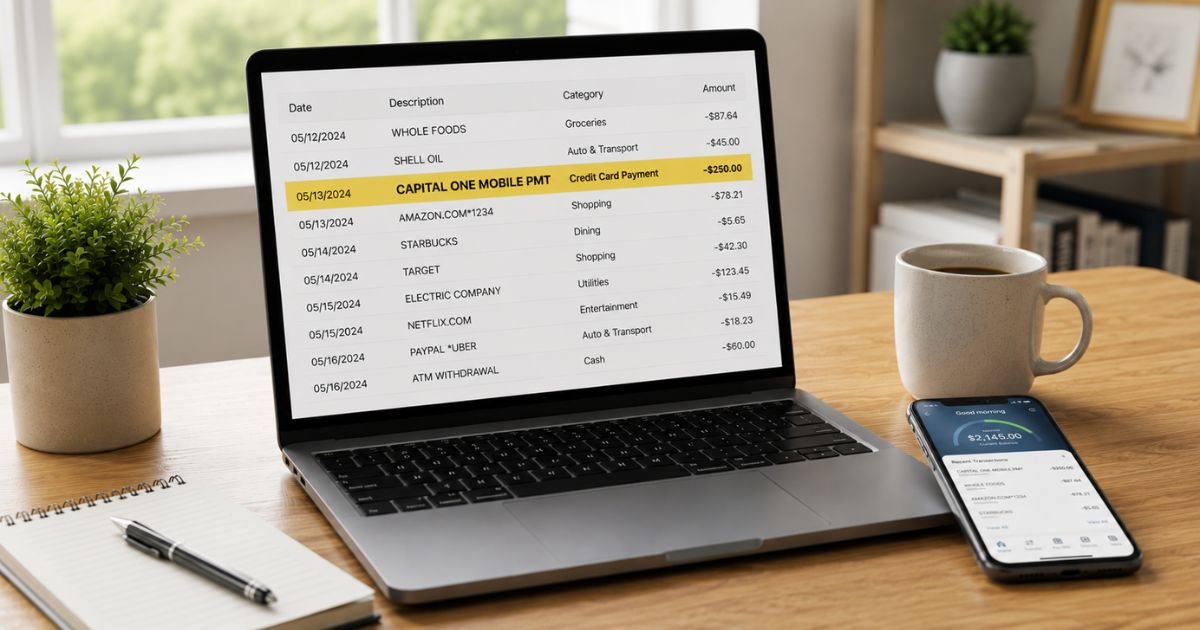
Seeing a Capital One Mobile Pmt charge on bank statement can be confusing, especially if it appears on a checking or savings account at a different bank. You’re not alone. Many people notice this entry and want a clear explanation right away.
This guide explains what the charge means, why it appears, how to confirm it belongs to you, and what to do if it looks unauthorized.
Table of Contents
What Is a Capital One Mobile Pmt Charge?
“CAPITAL ONE MOBILE PMT” (sometimes shown as Capital One Mobile Payment, CAPITAL ONE MOBILEPMT, or similar variations) is the descriptor banks often use when money leaves your checking or savings account to pay a Capital One credit card bill.
This happens when:
- You (or an authorized user) log into the Capital One mobile app or website and make a one-time or scheduled payment from a linked bank account.
- The payment is processed as an ACH transfer from your bank to Capital One.
The charge appears on the funding account (your bank statement), not on the Capital One credit card statement itself. On the credit card side it simply shows as a payment received.
It is not a fee charged by Capital One for using the mobile app. It is the actual payment amount you directed toward your credit card balance.
Why Did This Charge Appear?
Common legitimate reasons include:
- You made a credit card payment through the Capital One mobile app or website.
- An automatic or recurring payment (AutoPay) was processed from your linked bank account.
- A family member or joint account holder paid a Capital One card using the mobile app.
- You paid a Capital One-branded store card (such as certain retail cards) that processes through Capital One.
Less commonly, the descriptor has appeared in reports of unauthorized activity where someone used stolen account and routing numbers to push a payment to a Capital One account.
How to Verify the Charge
Use this checklist:
- Note the exact amount, date, and full descriptor on your bank statement.
- Log into your Capital One account (app or website) and check the payment history or recent activity for a matching payment.
- Review any confirmation emails from Capital One about a payment being submitted or received.
- Check whether you or anyone with access to the account recently scheduled or made a mobile payment.
- Look at the timing — the bank withdrawal often posts the same day or within one to two business days of the payment.
- If you have multiple Capital One cards, check each one for a matching credit.
A matching payment in your Capital One account almost always confirms the charge is expected.
Is It Legitimate or Fraud?
Common legitimate scenarios
Most Capital One Mobile Pmt entries are simply the bank’s way of recording a payment you authorized to your own Capital One credit card. The mobile app and online bill pay are standard, secure ways to pay.
Warning signs
- You have no Capital One credit card and never made a payment.
- The amount does not match any payment you authorized.
- Multiple unexpected withdrawals appear under the same descriptor.
- You recently had checks stolen or shared account/routing information.
If anything feels wrong, contact both your bank and Capital One right away.
How to Stop or Manage These Payments
If the payments are legitimate but you want to change how you pay:
- Log into the Capital One mobile app or website.
- Go to the payment section and review or cancel any scheduled or automatic payments.
- Update or remove the linked bank account if needed.
- Switch to a different payment method (another bank account, debit card, or mailed check) if preferred.
To stop unauthorized future payments, contact your bank and request a stop payment or block on ACH debits from Capital One if available. Also notify Capital One so they can review the activity on their end.
Capital One credit card customer service: 1-800-CAPITAL (227-4825)
Capital One banking customer service: 1-800-655-2265
Can You Get a Refund?
- Legitimate payments you authorized are not refunds — the money went to reduce your credit card balance.
- If the payment was unauthorized, report it to your bank immediately. Unauthorized ACH debits are generally covered under Regulation E. Banks typically investigate within 10 business days for provisional credit and complete the review in 45–90 days.
- Also contact Capital One so they can investigate whether the payment posted to an account and assist with recovery if appropriate.
Keep records of the transaction, any confirmation emails, and your dispute reference numbers.
What to Do If the Charge Is Unauthorized
- Contact your bank or credit union immediately and report the withdrawal as unauthorized.
- Request a stop payment or block on future Capital One Mobile Pmt transactions if possible.
- Call Capital One at 1-800-CAPITAL (227-4825) and report the activity. Ask them to review any related credit card accounts.
- Change online banking passwords and enable two-factor authentication.
- Monitor all accounts closely for 60–90 days.
- Consider closing the affected bank account if recommended by your bank.
- File a report at IdentityTheft.gov if you believe your account information was compromised.
Act quickly to protect your rights and limit further activity.
Prevention Tips
- Review every bank and credit card statement within a few days of posting.
- Set up transaction alerts on both your bank account and Capital One accounts.
- Use strong, unique passwords and two-factor authentication for all financial apps.
- Only link bank accounts you actively monitor to credit card bill-pay services.
- Be cautious about sharing account and routing numbers.
- Regularly check scheduled and automatic payments inside the Capital One app.
- Consider using a dedicated account with limited funds for bill payments.
- Freeze or close accounts promptly if you suspect information has been stolen.
Common Descriptor Variations
| Descriptor Seen | Typical Meaning |
|---|---|
| CAPITAL ONE MOBILE PMT | Payment to a Capital One credit card |
| Capital One Mobile Payment | Same mobile/online payment |
| CAPITAL ONE MOBILEPMT | Truncated version of the same |
| ACH CAPITAL ONE TYPE: MOBILE PMT | ACH payment detail from some banks |
Typical Dispute Timeline
| Action | Usual Timeframe |
|---|---|
| Bank provisional credit | Within 10 business days |
| Full bank investigation | 45–90 days |
| Capital One review response | Same day to a few days |
FAQs: Capital One Mobile Pmt Charge on Bank Statement
Q. Why does the charge appear on my bank statement instead of my credit card statement?
A. The bank statement shows the money leaving your checking or savings account. The Capital One credit card statement shows the payment being applied to your card balance.
Q. Is Capital One Mobile Pmt a fee for using the app?
A. No. It is the actual payment amount you directed to your credit card. Capital One does not charge a separate fee for making mobile payments.
Q. How do I stop automatic Capital One Mobile Pmt withdrawals?
A. Log into the Capital One app or website, go to payment settings, and cancel or edit any scheduled or AutoPay arrangements. You can also remove the linked bank account.
Q. What if I don’t have a Capital One card but still see the charge?
A. Treat it as potentially unauthorized. Contact your bank immediately to dispute the withdrawal and call Capital One to report the activity.
Conclusion
A Capital One Mobile Pmt charge on bank statement is most often a legitimate payment you made to a Capital One credit card using the mobile app or online bill pay.
Match the amount and date to your Capital One payment history, manage or cancel scheduled payments inside the app if needed, and contact your bank and Capital One right away if the charge looks unauthorized.
Checking statements regularly and using account alerts will help you stay in control of these transactions.
Disclaimer: This article is for informational purposes only and is not financial or legal advice. Policies and contact details can change. Always verify information directly with Capital One, your bank, or a qualified professional before taking action.
Meet the Author
