
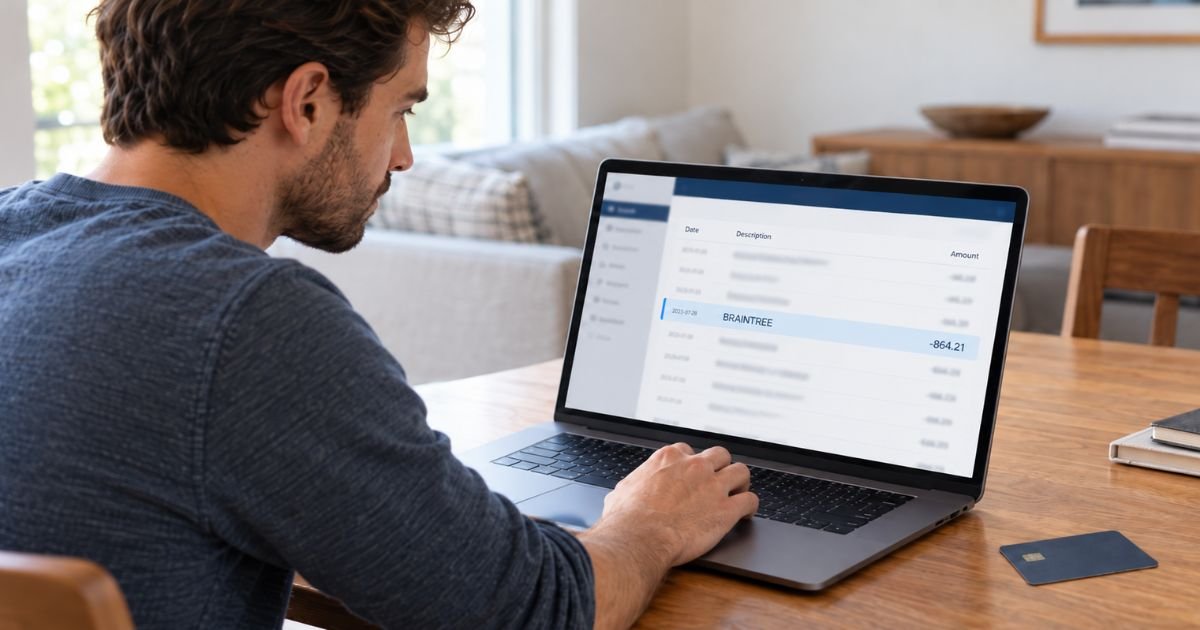
A Braintree charge on bank statement can feel confusing if you don’t remember buying anything from a company called Braintree. In many cases, Braintree isn’t the store you paid at all.
Braintree is a payment-processing platform used by online businesses and apps. This guide explains why its name may appear, how you can find the actual merchant, and what to do if the payment isn’t yours.
Table of Contents
What Is a Braintree Charge on Bank Statement?
A Braintree charge on bank statement typically means a merchant used Braintree to process your card or online payment. Braintree provides payment technology that lets businesses accept credit cards, debit cards, PayPal, and other supported payment methods.
Braintree is therefore often the payment processor rather than the company that sold you something. The business you purchased from should normally have its own merchant descriptor, but banks can display transaction information differently.
Braintree’s official documentation explains that a statement descriptor is the information customers see after making a purchase. The customer’s bank ultimately controls how that descriptor appears.
| Statement wording | What it may mean |
|---|---|
| BRAINTREE | Payment processed through Braintree |
| BRAINTREECHARGE.COM | Braintree may be processing the transaction |
| Merchant name + Braintree | Purchase from that merchant using Braintree |
| Pending Braintree charge | Temporary processor descriptor |
| Different name after posting | Final merchant descriptor replaced the pending one |
| BRAINTREE FUNDING | Usually merchant-side payment funding, not a normal consumer purchase |
The exact wording may vary by bank, card network, and merchant setup. You should use the amount, date, and final posted description to identify the purchase.
Is Braintree the Merchant That Charged You?
Usually, no.
Braintree mainly provides the technology that businesses use to process payments. A merchant can integrate Braintree into its website or app while you complete the entire purchase without visiting a Braintree website.
For example, you might buy an item from an online retailer and enter your card directly on the retailer’s checkout page. Behind the scenes, Braintree may securely process the transaction.
The same system can also support saved payment methods and recurring payments. Braintree’s official documentation describes one-time payments, stored payment methods, and subscription-style transactions.
That means an unfamiliar Braintree transaction could come from:
- An online retail purchase
- A mobile app
- A subscription
- A digital service
- A marketplace seller
- A saved card payment
- A recurring membership
- Another merchant using Braintree
Pro Tip: Search your email for the exact dollar amount and transaction date. A receipt from the real merchant may be easier to find than an email containing the word “Braintree.”
Why Does Braintreecharge.com Appear on a Statement?
One important explanation involves how pending transactions are displayed.
Braintree distinguishes between soft descriptors and hard descriptors. A soft descriptor can appear while a payment is still pending, while the hard descriptor normally appears once the transaction settles.
This distinction is especially relevant for American Express transactions.
Braintree’s official documentation says transactions processed through its aggregated American Express account may initially show braintreecharge.com as part of the soft descriptor. After settlement, the merchant’s specific hard descriptor should appear at the top level.
So, if you see Braintreecharge.com on a pending transaction, check again after it posts. You may then see the actual business name.
Why Did the Merchant Name Change After the Charge Posted?
A changing description does not automatically mean something went wrong.
Your bank may first display transaction information received during authorization. Once the payment settles, it can receive the merchant’s permanent descriptor.
Braintree officially describes these as soft and hard descriptors. It also lets eligible merchants configure dynamic descriptors for particular purchases.
For example, you could initially see:
BRAINTREECHARGE.COM
Then, after settlement, the transaction might show something closer to:
MYCOMPANY*ORDER123
The exact format depends on the merchant, payment processor, card network, and your financial institution.
How to Identify a Braintree Charge
First, check whether the transaction is pending or fully posted.
If it is still pending, wait for the final merchant descriptor before assuming Braintree itself billed you. The displayed name may change when your bank finalizes the transaction.
Next, compare the charge with recent online purchases.
Check:
- Email receipts
- Online shopping accounts
- Subscription accounts
- App purchases
- Recent preorders
- Family purchases
- PayPal activity
- Saved-card transactions
Also look at the exact dollar amount. A distinctive amount, such as $47.83, may be easier to match to a receipt than a merchant name.
Your banking app may have a detailed transaction screen. It could show a merchant phone number, website, location, category, or longer descriptor that does not appear on the monthly statement.
Common Mistakes: Don’t assume Braintree is a subscription you need to cancel. It is generally a payment processor, so you first need to identify the merchant that actually sold you the product or service.
Could Braintree Be Connected to PayPal?
Yes. Braintree operates within PayPal’s payment ecosystem, and official Braintree documentation is hosted through PayPal’s developer platform.
Braintree also lets eligible merchants accept PayPal payments alongside card payments. Its documentation explains that merchants can offer PayPal and card checkout through the same integration.
However, seeing Braintree on your statement does not mean you necessarily paid with your PayPal balance.
You may have entered a credit or debit card directly on a merchant’s website. Braintree can process that card without the transaction appearing as a normal PayPal purchase.
Does a Braintree Charge Mean Your Card Was Compromised?
Not by itself.
Seeing Braintree or Braintreecharge.com only tells you something about how the transaction may have been processed. It does not prove that the transaction was fraudulent.
Consumer discussions on Reddit include examples where shoppers recognized Braintree as the payment processor used by a merchant. They also show that consumers can become confused when the processor name differs from the business where they shopped.
You should focus on whether you recognize the underlying purchase.
If the amount matches an order you made, that is strong evidence of a legitimate transaction. If neither you nor another authorized user can identify it, investigate further.
Is Braintree a Legitimate Payment Processor?
Yes. Braintree is an established payment-processing platform used by merchants for card and digital payments.
Its official documentation covers payment gateways, transaction management, subscriptions, fraud tools, reporting, PayPal payments, and other merchant services.
Consumer review sites should still be interpreted carefully.
Trustpilot currently shows a low rating for Braintree, with many complaints involving merchant support, withheld funds, account issues, and payment processing. Most of those reviews appear to come from businesses using Braintree rather than consumers who simply saw a Braintree transaction.
BBB also maintains a Braintree business profile. However, complaint information there appears connected to a broader payment-services ecosystem, so it may not tell you whether your individual card transaction is valid.
These reviews may reveal service concerns. They do not establish that a Braintree charge on your own account is fraudulent.
What to Do If You Don’t Recognize the Charge
Start by waiting for a pending transaction to post, unless the amount or circumstances make immediate action necessary.
Once posted, look for a more specific merchant name. Search your email and online accounts for a purchase matching the amount.
Ask other authorized cardholders as well. A spouse, family member, or employee may have made the purchase without recognizing that Braintree would appear in the payment details.
If you still cannot identify it, contact your bank or card issuer. Ask for the complete merchant descriptor and any merchant contact information available in its system.
Your bank may be able to see more information than your statement displays.
How to Stop a Recurring Braintree Charge
You generally need to cancel with the merchant, not Braintree.
Braintree supports recurring billing, so merchants can use its platform to process subscriptions and automated payments.
Once you identify the merchant:
- Sign in to the merchant account.
- Find your subscription or membership.
- Turn off automatic renewal.
- Follow the merchant’s cancellation process.
- Save the confirmation.
- Monitor your next statement.
Do not assume deleting an app stops billing. The subscription may remain active until you formally cancel it.
How to Dispute an Unauthorized Braintree Charge
If you cannot identify the merchant and you did not authorize the payment, contact your card issuer promptly.
Tell the issuer the exact date, amount, and descriptor. Ask whether it can provide the complete merchant information before you dispute the transaction.
If the payment is confirmed as unauthorized, follow the bank’s dispute instructions. Your issuer may also recommend locking or replacing the card.
Keep screenshots, receipts, emails, and merchant correspondence. These records may help your issuer investigate the transaction.
FAQs: Braintree Charge On Bank Statement
Q. What does Braintree mean on my bank statement?
A. Braintree generally means the merchant used Braintree to process your payment. Braintree is usually the payment processor rather than the store or service you purchased from.
Q. Is Braintreecharge.com a legitimate descriptor?
A. It can be. Braintree’s official documentation says braintreecharge.com may appear as a soft descriptor for certain pending American Express transactions before the merchant’s final descriptor appears.
Q. How can I find the company behind a Braintree charge?
A. Check the final posted transaction, search your email for the amount, review recent online purchases, and ask your bank for the complete merchant descriptor. The final merchant name may differ from what appeared while the charge was pending.
Q. Can I cancel a Braintree charge directly with Braintree?
A. Usually, you should cancel through the business providing the subscription or service. Braintree processes payments for merchants, so the underlying merchant generally controls your customer account and cancellation terms.
Conclusion
A Braintree charge on bank statement usually means an online merchant processed your payment through Braintree. The Braintree name, or Braintreecharge.com, may sometimes appear temporarily before the actual merchant descriptor replaces it.
Check whether the payment is pending, match the amount to recent purchases, and review your receipts first. If you still cannot identify the merchant or did not authorize the transaction, contact your bank and ask about its dispute and card-security options.
Disclaimer: This article is for informational purposes only and is not financial or legal advice. Statement descriptors, cancellation rules, fraud protections, and dispute procedures may vary by merchant, bank, and card issuer. Verify account-specific questions with the merchant or your financial institution.
Meet the Author
