
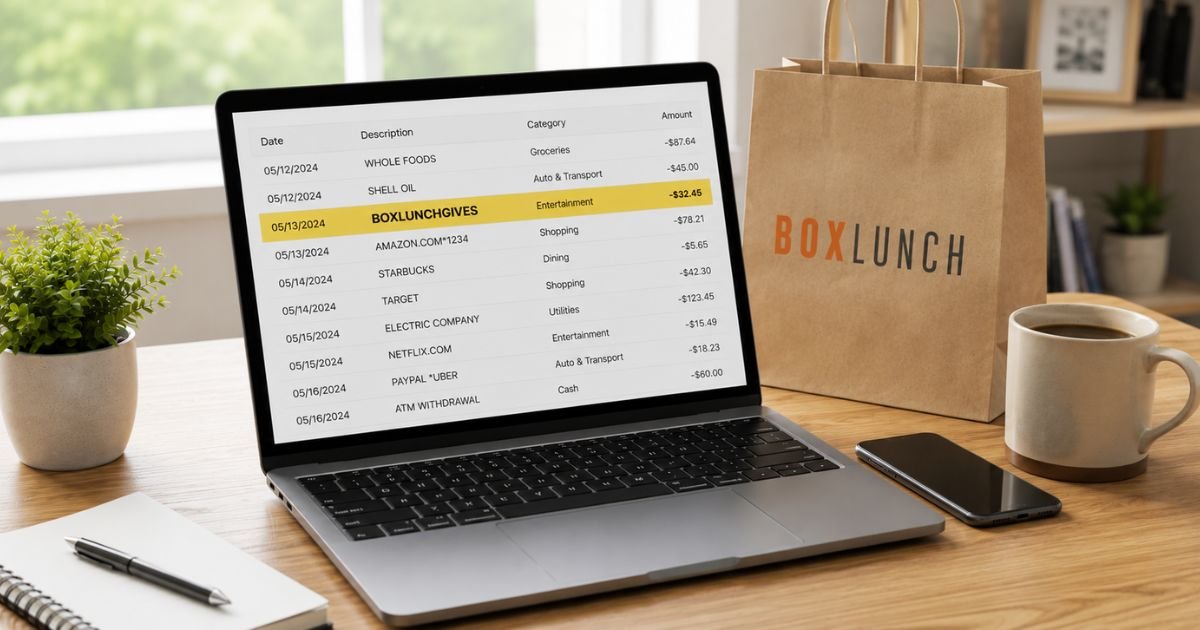
Seeing a BoxLunchGives charge on bank statement can be confusing if you don’t remember making a separate donation. You’re not alone. Many people notice this entry after shopping at BoxLunch and want a clear explanation.
In nearly every case the charge is legitimate. It is a voluntary donation you (or someone using your card) made through BoxLunch’s charity program.
This guide explains exactly what the charge means, why it appears, how to confirm it, and the steps to take if you have questions or need help.
Table of Contents
What Is a BoxLunchGives Charge?
BoxLunch is a retail store that sells pop-culture gifts, apparel, accessories, and collectibles. BoxLunch Gives is the company’s ongoing charity program in partnership with Feeding America.
Through this program:
- BoxLunch donates the equivalent of one meal for every $10 customers spend.
- Shoppers can also round up their purchase total at checkout or make a standalone donation.
When you choose to round up or add a donation, that amount is processed separately and often appears on your bank or credit card statement as BOXLUNCHGIVES (or a close variation such as BoxLunch Gives).
The charge is not a store fee or subscription. It is the charitable donation amount you authorized at the time of purchase.
Why Did This Charge Appear?
Common reasons include:
- You rounded up your total at a BoxLunch store or online checkout.
- You selected a standalone donation option during purchase.
- A family member or someone with access to your card made a purchase and added a donation.
- The donation was processed alongside (or shortly after) a regular BoxLunch order.
- An authorization hold related to a donation that later posted as a full charge.
The amount is usually small (often under a few dollars for a round-up) unless you chose a larger one-time donation.
How to Verify the Charge
Use this simple checklist:
- Note the exact amount, date, and full descriptor on your statement.
- Check recent BoxLunch receipts or order confirmation emails for any mention of a round-up or donation.
- Look at the timing — the charge often appears the same day or within a day of a BoxLunch purchase.
- Ask household members if they shopped at BoxLunch and added a donation.
- Log into your BoxLunch account (if you have one) and review recent order details.
- Compare the amount against the change from a recent purchase (for round-ups).
Matching the date and amount to a BoxLunch transaction usually confirms the charge is expected.
Is It Legitimate or Fraud?
Legitimate scenarios
BoxLunchGives charges are voluntary donations to Feeding America made at the point of sale. The program is publicly promoted by BoxLunch both in stores and on its website. The descriptor simply identifies the charitable portion of the transaction.
Warning signs
- You have never shopped at BoxLunch and have no related receipts.
- The amount is large or appears repeatedly without any corresponding purchase.
- The charge posts on a card you never used at BoxLunch.
If the charge does not match any activity, contact your bank and BoxLunch customer service for review.
How to Cancel or Stop Future Donations
Because BoxLunchGives charges are one-time donations tied to individual purchases, there is usually nothing ongoing to “cancel.”
To avoid future donations:
- At checkout (in-store or online), simply decline the round-up or donation option.
- If you are concerned about a specific charge, contact BoxLunch customer service and reference the transaction.
Customer service can be reached at 855-463-3646. Have your order number or the transaction date and amount ready.
Can You Get a Refund?
Donation refunds are handled on a case-by-case basis:
- If the donation was added by mistake or you did not authorize it, contact BoxLunch customer service at 855-463-3646 and request a review.
- Provide the date, amount, and any order details.
- BoxLunch will typically look into the transaction and advise whether a refund can be issued.
If the charge is unauthorized (for example, the card was used without your permission), dispute it directly with your bank.
Banks generally investigate under Regulation E (debit) or the Fair Credit Billing Act (credit cards). Provisional credit is often available within 10 business days, with full resolution in 45–90 days.
What to Do If the Charge Is Unauthorized
- Contact your bank or card issuer immediately and report the transaction as unauthorized.
- Request a freeze or replacement card if needed.
- Call BoxLunch customer service at 855-463-3646 with the transaction details and ask them to investigate.
- Change passwords on any related accounts and enable two-factor authentication.
- Document every conversation with dates and reference numbers.
- Monitor your statements and credit reports for 60–90 days.
- File a report at IdentityTheft.gov if you suspect broader identity theft.
Acting quickly helps protect your rights under federal billing rules.
Prevention Tips
- Review every bank and credit-card statement within a few days of posting.
- Pay attention at checkout and decline round-up or donation prompts if you prefer not to give.
- Save receipts or order confirmation emails that show any donation amount.
- Set transaction alerts for unfamiliar merchants or small amounts.
- Use a dedicated card for online and in-store shopping when possible.
- Ask household members to confirm before adding donations on shared cards.
- Keep a simple note of recent charitable round-ups so they are easy to recognize later.
Common BoxLunch-Related Descriptors
| Descriptor Seen | Typical Meaning |
|---|---|
| BOXLUNCHGIVES | Voluntary donation via BoxLunch Gives |
| BoxLunch Gives | Same charitable donation |
| BOXLUNCH | Regular merchandise purchase |
| BoxLunch + city/store | In-store purchase |
Typical Timeline for Questions or Disputes
| Action | Usual Timeframe |
|---|---|
| BoxLunch customer service response | Same day to a few days |
| Bank provisional credit (if disputed) | Within 10 business days |
| Full bank investigation | 45–90 days |
FAQs: BoxLunchGives Charge on Bank Statement
Q. Why does the charge say BoxLunchGives instead of just BoxLunch?
A. The separate descriptor identifies the charitable donation portion of the transaction so it is distinct from the merchandise purchase.
Q. Is the BoxLunchGives charge a subscription?
A. No. It is a one-time donation you authorized at checkout (round-up or standalone). It does not renew automatically.
Q. Can I get a tax receipt for a BoxLunchGives donation?
A. BoxLunch partners with Feeding America. For larger or standalone donations you may be able to request receipt information through BoxLunch customer service or Feeding America. Small round-ups are often not issued individual receipts.
Q. What if I never shopped at BoxLunch but still see the charge?
A. Contact your bank to dispute the charge as unauthorized and call BoxLunch at 855-463-3646 so they can investigate on their end.
Conclusion
A BoxLunchGives charge on bank statement is almost always a voluntary donation you made through BoxLunch’s partnership with Feeding America, either by rounding up a purchase or selecting a standalone gift.
Match the amount and date to a recent BoxLunch transaction, decline future round-ups at checkout if you prefer, and contact BoxLunch or your bank if anything looks incorrect.
Checking statements regularly makes these small charitable charges easy to recognize and manage.
Disclaimer: This article is for informational purposes only and is not financial, legal, or tax advice. Donation policies and contact details can change. Always verify information directly with BoxLunch, Feeding America, your bank, or a qualified professional before taking action.
Meet the Author
