
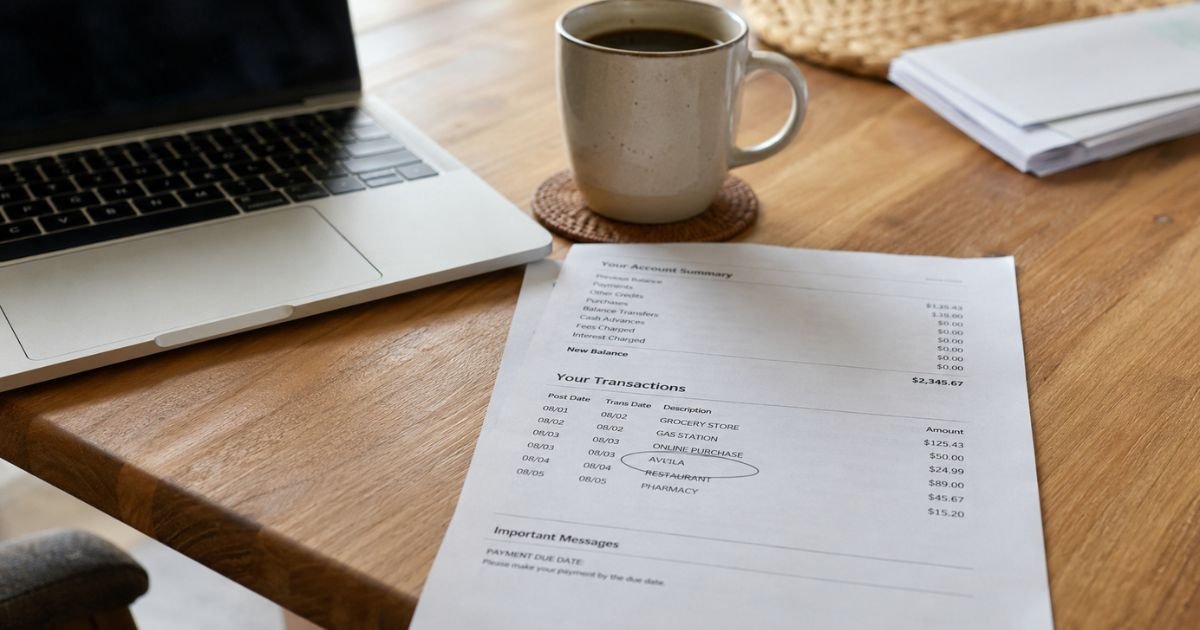
An Avila charge on credit card can feel confusing if you don’t recall signing up for anything. Take a breath. Unfamiliar names on a statement are often real purchases that use a short billing name.
This guide explains the most common Avila matches, how you can verify yours, and what to do next.
Table of Contents
What Is an Avila Charge on Credit Card?
An Avila charge on credit card is a transaction posted under a merchant name that includes “Avila,” “Avilla,” or a close spelling. Card networks often shorten a business name. Your statement may not show the brand you remember.
There is no single national company that owns every Avila descriptor. Several real US businesses use that name.
A few look-alike names also show up in search results. You should match the date, amount, and extra text before you assume fraud.
Look at the full line, not just the first word. Issuers may add a city, state, website, or processor code after “Avila.” That extra text is usually the best clue.
| What you may see | What it often points to | Typical clue |
|---|---|---|
| AVILA, AVILA UNIV, AVILA U, or similar | Avila University in Kansas City, Missouri | Tuition, fees, deposit, or payment-plan installment |
| AVILLA plus a community or city name | Avilla rental communities | Rent, deposit, or resident add-on |
| AVILA BAY or a gym/spa line | Avila Bay Athletic Club & Spa in Avila Beach, California | Membership or club billing |
| AVILA plus a utility or town name | Local bills in Avila Beach, California, or Avilla, Indiana | Water, sewer, or town utilities |
| AVILA plus a restaurant or store city | A local eatery or shop | One-time meal or retail purchase |
| AVA only, with no “L” | A different company, often Ava Finance | Credit-builder card or membership fee |
The table is a starting map, not a guarantee. Billing names can change. Amounts vary by issuer and by the product you bought.
Why this name shows up without a familiar brand
Merchants rarely print their marketing name on your statement. They print a legal or “doing business as” name that fits a short field. “Avila” is short enough to stand alone.
A parent or family member may also have used your card for school, rent, or a club. A saved card on a student portal can bill again when a payment plan runs.
Online checkout can add another wrinkle. A university or landlord may send the card through a payment vendor. The statement may show Avila, the vendor, or both over two days.
Older ads for “Avila” skin-care trials also exist in public complaint archives from around 2018. Those reports described low shipping offers that later billed a much larger amount.
That pattern is not proof that your current charge is the same product. Treat it as a reminder to check email receipts from the same week.
Some third-party write-ups also mention “AVILLA PAYMENT” and a site called avil.la. That site, as of this research, looks like a personal software blog, not a billing company. Do not treat those pages as official company facts.
Common legitimate sources to check first
Start with the businesses that actually operate under this name.
Avila University is a private Catholic university in Kansas City, Missouri. It is accredited by the Higher Learning Commission. Students and families can pay tuition, fees, housing, and other campus charges through the MyAU portal.
The school’s Business Office lists card payments online, with a 2.75% service fee.
Cards are not accepted in the office, and the school says it does not take payments by phone. The official Business Office number published on Avila’s site is 816-501-3700. The published email is businessoffice@avila.edu.
If you or someone in your household attends Avila, a mid-month or semester charge can be a planned installment. Avila uses a deferred payment plan through Transact.
The school publishes a $40 plan enrollment fee per term and a $10 late fee when an installment is missed. Those figures come from the university’s own billing pages and can change.
Avilla Homes communities, such as Avilla Broadway and Avilla Gateway in the Phoenix area, are rental properties. Residents may see charges for rent, deposits, utilities billed by the community, or optional services such as Flex or RentPlus.
Those add-ons are not the same as the landlord’s base rent. Check your lease portal before you dispute a large monthly amount.
Avila Bay Athletic Club & Spa in Avila Beach, California, is a fitness club. Recurring dues can post under a shortened club name. The club’s billing page lists 805-595-7600 and an on-site billing contact.
Local government bills can also use Avila or Avilla. Avila Beach Community Services District and the Town of Avilla, Indiana, both offer online or phone bill pay. Those charges are usually utilities, not subscriptions.
A restaurant, boutique, or travel booking with “Avila” in the name can post a one-time sale. Match the city on the statement to a receipt.
How to verify the Avila charge on your statement
Do this in order. It usually takes 10 to 15 minutes.
- Write down the posted date, the exact dollar amount, and every word on the line.
- Search your email and spam for “Avila,” “Avilla,” “MyAU,” “Transact,” or the dollar amount.
- Check family members who share the card.
- Open any school, rent, gym, or utility portal you already use.
- Compare the city or URL on the statement with those accounts.
- Look at nearby pending charges. A hold and a final sale can look like two bills.
A school charge often lands near a known due date, such as mid-August or mid-January for Avila’s published semester deadlines.
A gym or rent charge often repeats on the same day each month. A restaurant charge is usually a single odd amount.
If the amount is large, think tuition, housing, or rent first. If it is small and repeating, think membership, utility, or add-on service.
Pro Tip: Search your email by the exact amount, not only the merchant name. Receipts often use a different brand than the statement line.
What to do if the charge is yours
If you recognize it, you generally do not need to dispute it. Pay the statement as usual so you avoid late fees from your issuer.
If you want the billing to stop, cancel at the source. Removing the card from a wallet app does not always cancel a school plan, lease autopay, or gym draft.
Ask the merchant for a written confirmation. Save the date, the agent name if you get one, and any reference number.
Refund rules vary. Avila University publishes its own withdrawal and refund calendar. Gym and apartment policies are in the contract you signed. Do not assume a same-day refund.
How to cancel a related subscription or membership
Cancel with the business that billed you, then watch the next statement.
For Avila University, log in to MyAU first. Review the student ledger and any Transact payment plan. If you need help, contact the Business Office using the school’s published phone or email. Financial aid questions go to a different office. Mixing those two teams can slow you down.
For an Avilla rental community, use the resident portal or leasing office listed on your lease. If Flex or RentPlus appears, cancel that product on its own site as well. Avilla Broadway’s resident pages point RentPlus users to RentPlus.com for that suite of services.
For a gym, cancel under the club’s written membership rules. Ask whether a final draft is already in process.
For a town or district utility, turning off autopay is not the same as closing the account. You may still owe the current bill.
Common Mistakes: People delete an app and think the billing stopped. They also dispute a tuition or rent charge before checking a family member’s portal. Both moves can create extra fees or a collections headache.
How to dispute an Avila charge on credit card
Dispute only after you try to identify the merchant. A good-faith review protects your rights and keeps the process cleaner.
Under the Fair Credit Billing Act, you generally have 60 days from the statement date that first showed the error to send a billing-error notice to your issuer.
Many banks also let you start a claim in the app. Written notice is still the safer record.
Call or message the merchant first if you can find them. Ask for a refund and a cancel confirmation. Keep screenshots.
Then contact your card issuer. Have ready:
- The last four digits of the card
- The charge date and amount
- The exact descriptor
- Why you believe it is wrong
- Notes from any merchant contact
You typically do not have to pay the disputed amount while the bank investigates. You still need to pay the rest of the bill. Results vary by issuer.
If the charge is clearly fraud, freeze the card. Ask for a replacement card. Review nearby transactions from the same week.
Do not send your full card number, CVV, or one-time passcode to anyone who emailed you first.
FAQs: Avila Credit Card Charge on Statement
Q. Is every Avila charge on credit card a scam?
A. No. Many Avila lines belong to a school, rental community, club, utility, or local shop. Fraud is possible, but the name alone is not proof. Match the date and amount to a receipt or portal first.
Q. Could this be Avila University tuition?
A. Yes, it could be, if you or a family member has a student account there. Avila University bills through MyAU and can charge cards online with a published 2.75% service fee. Confirm on the student ledger before you dispute a large amount.
Q. Why does the charge say Avila when I paid a different brand?
A. Statement names are often legal names or shortened codes. A payment processor can also replace the brand you saw at checkout. The city, website, or reference code on the line usually solves that mismatch.
Q. Should I cancel my card right away?
A. Not as a first step if the charge might be school, rent, or a club you use. Canceling the card can break autopay you still need. Identify the merchant first. Cancel the service next. Replace the card if you confirm fraud.
Conclusion
An Avila charge on credit card is usually a shortened merchant name, not a mystery fee with no owner. Start with the date, amount, and extra words on the line. Check school, rent, gym, and utility accounts before you assume the worst.
If the charge is valid, keep records and cancel only the service you no longer want. If it is wrong, contact the merchant, then file a dispute with your issuer within the usual 60-day window. That sequence gives you the best chance to clear the line without extra stress.
Disclaimer: This article is for general information only. It is not financial, legal, or tax advice. Card issuer rules, merchant refund policies, and statement descriptors vary. Verify any account-specific question with the company that billed you or with your bank.
Meet the Author
