
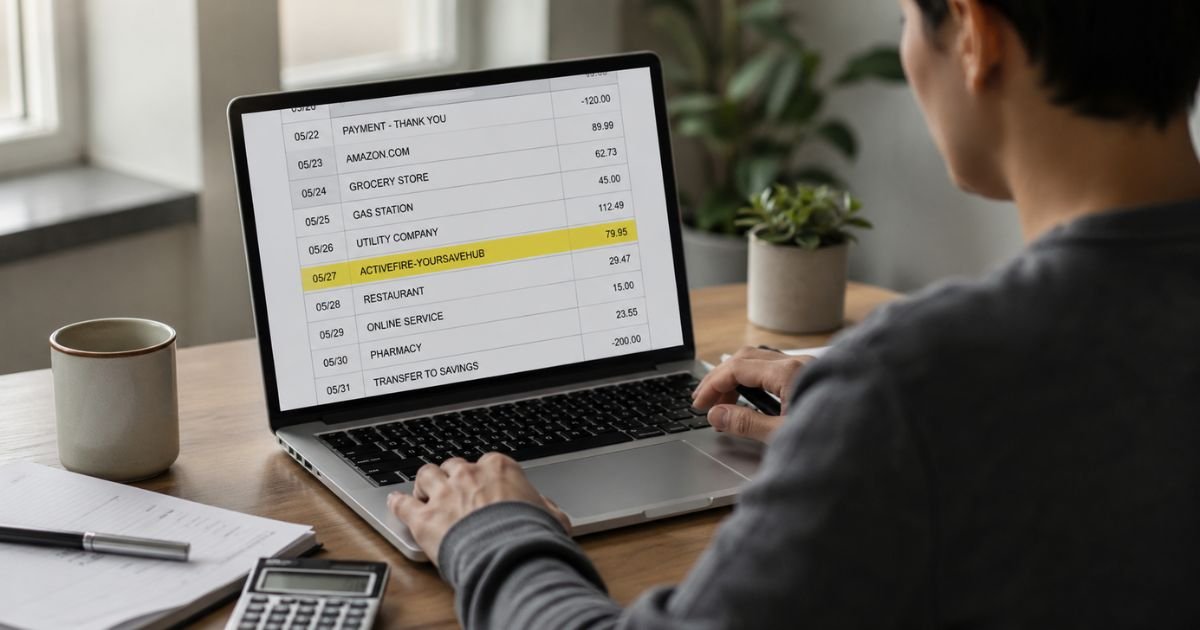
Finding an ActiveFire Your Save Hub charge on bank statement (often shown as ACTIVEFIRE-YOURSAVEHUB) can be confusing, especially if you do not remember signing up for any membership.
This descriptor is linked to recurring charges, commonly around $19.97 or $19.99, and appears in consumer reports tied to ACTIVE Network, LLC. Many people describe it as an unexpected subscription.
This guide explains what the charge typically means, how to verify it, and the practical steps to cancel or dispute it.
Table of Contents
What Is the ActiveFire Your Save Hub Charge?
ACTIVEFIRE-YOURSAVEHUB (or ActiveFire Your Save Hub) is a billing descriptor that shows up on bank and credit card statements for a recurring membership or service.
It is associated with ACTIVE Network, LLC, a company best known for event registration platforms such as active.com.
The charge is usually a monthly subscription in the $19.97–$19.99 range. Consumer complaints filed with the Better Business Bureau frequently describe it as an unwanted or unrecognized recurring fee.
Some reports also reference related fitness or savings-hub style services.
Statement variations may include:
- ACTIVEFIRE-YOURSAVEHUB
- ACTIVEFIRE YOUR SAVE HUB
- ACTIVEFIRE-YOURSAVEHUB followed by numbers or “CA”
Why Did This Charge Appear?
Common reasons include:
- You or someone with access to the card enrolled in a membership or add-on service during an online registration.
- A free trial or promotional offer converted to a paid recurring subscription.
- A family member or authorized user signed up.
- The charge is part of an ACTIVE Network-related membership that uses this specific descriptor.
- In many reported cases, the charge is unrecognized and the account holder does not recall opting in.
Because the name does not clearly match well-known ACTIVE brands, the charge often looks unfamiliar even when it is tied to a prior online activity.
How to Verify the Charge
Use this checklist:
- Search your email (including spam) for messages containing “ActiveFire,” “Your Save Hub,” “ACTIVE Network,” or the exact charge amount.
- Check any active.com, ACTIVE Advantage, or related accounts you may have created in the past.
- Ask every authorized user of the card whether they signed up for a membership or trial.
- Note the exact amount, date, and whether the charge is recurring (look for similar prior charges).
- Contact your bank and ask for expanded merchant details, including any phone number or full merchant name on file.
- Review recent online registrations for races, events, or fitness programs that may have included optional memberships.
Is It Legitimate or Fraud?
The charge can be a legitimate recurring membership if you or an authorized user enrolled in a related service.
However, numerous consumer complaints describe ACTIVEFIRE-YOURSAVEHUB as an unexpected subscription that people say they never knowingly signed up for.
Warning signs that warrant action:
- No confirmation email or account login matches the charge.
- No one in the household recognizes the membership.
- Similar charges have appeared monthly without your knowledge.
- You never registered for any ACTIVE Network event or related service.
If the charge is unrecognized after checking, treat it as potentially unauthorized and move quickly.
How to Cancel
Because this is typically a recurring subscription, cancel as soon as possible to stop future billing:
- Search for any account login linked to ACTIVE Network, active.com, or related memberships and look for a cancel or manage-subscription option.
- Email support channels associated with ACTIVE Network (commonly support@activenetwork.com or similar addresses listed on their contact pages) and clearly request cancellation of the Your Save Hub or ActiveFire membership. Include the charge date, amount, and last four digits of the card.
- Request written confirmation that the subscription is canceled and no further charges will occur.
- Ask your bank whether they can block future charges from this merchant descriptor.
- Monitor your statement for the next billing cycle.
Do not rely only on stopping use of a service. You must actively cancel the recurring billing.
Can You Get a Refund?
Refund success varies. Some consumers report receiving refunds after contacting support or filing BBB complaints. Others need to dispute the charge with their bank.
To request a refund:
- Contact the merchant support channels and provide the transaction details.
- Explain that you did not authorize or no longer want the subscription.
- Ask for a full or prorated refund and written confirmation.
- If the merchant does not resolve it promptly, open a dispute with your bank or credit card issuer.
Credit cards generally offer stronger dispute rights for unauthorized or recurring charges you did not agree to. Keep records of every email and reference number.
What to Do If the Charge Is Unauthorized
- Contact your bank or credit card issuer immediately and report the charge as unauthorized.
- Request a formal dispute or fraud claim and ask about a temporary credit.
- Ask the bank to block future charges from the ACTIVEFIRE-YOURSAVEHUB descriptor if possible.
- Consider freezing or replacing the card if you suspect the number has been compromised.
- Document the date, time, and reference number of every conversation.
- Monitor the account closely for additional activity.
- You may also report the issue to the Federal Trade Commission at ReportFraud.FTC.gov.
Report promptly. Most card protections work best when you act within the required time windows.
Prevention Tips
- Enable real-time transaction alerts on every account.
- Review pending and posted charges at least weekly, watching for small recurring amounts.
- Carefully read all checkboxes and membership offers during online event or fitness registrations.
- Keep a simple list of active subscriptions.
- Use virtual card numbers for trials when available.
- Cancel free trials the same day you sign up if you do not intend to continue.
- Ask authorized users to notify you of any memberships they start.
- Periodically search your email for “subscription,” “membership,” or “auto-renew.”
Common Situations and Next Steps
| Situation | Likely Meaning | Best First Step |
|---|---|---|
| $19.97–$19.99 recurring charge | Membership or subscription billing | Search email + contact support to cancel |
| No matching account or email | Possibly unauthorized | Report to bank immediately |
| Appeared after event registration | Optional membership added during checkout | Check ACTIVE account and cancel |
| Multiple monthly charges | Ongoing subscription | Cancel + dispute prior charges if needed |
FAQs: ActiveFire Your Save Hub Charge on Bank Statement
Q. What is an ActiveFire Your Save Hub charge on my bank statement?
A. It is a recurring membership or subscription charge, commonly around $19.97, linked to ACTIVE Network, LLC. Many people report it as unexpected.
Q. How do I cancel ActiveFire Your Save Hub?
A. Contact ACTIVE Network support (email or phone listed on their official contact pages), request cancellation in writing, and ask your bank to block future charges from the descriptor.
Q. Can I get a refund?
A. Some consumers receive refunds after contacting support. If the merchant does not resolve it, dispute the charge with your bank or credit card issuer.
Q. Is this charge a scam?
A. It is associated with a real company (ACTIVE Network), but numerous complaints describe it as an unrecognized recurring subscription. Verify carefully and dispute if you did not authorize it.
Conclusion
An ActiveFire Your Save Hub charge on bank statement is typically a recurring membership fee linked to ACTIVE Network.
Verify it against your email and any related accounts first. If you do not recognize the subscription, cancel immediately through official support channels and report unauthorized charges to your bank without delay.
Watching for small recurring amounts and reading all opt-in boxes during online registrations are the best ways to avoid similar surprises.
Disclaimer: This article is for informational purposes only and is not financial or legal advice. Company policies and descriptors can change. Always confirm details directly with your bank or credit card issuer and the merchant.
Meet the Author
