
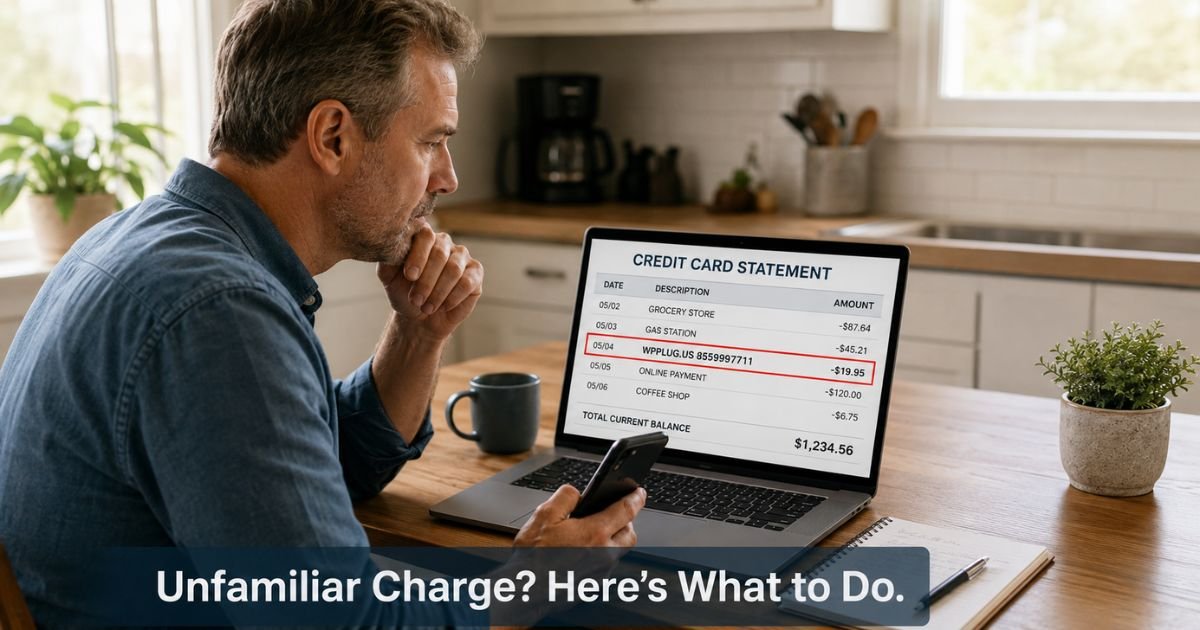
You glance at your latest credit card statement and notice a WPPLUG.US charge on credit card that you don’t recall making.
The amount is usually small, and the name doesn’t ring any bells. This kind of surprise happens more often than most people expect with online merchants.
This article walks you through what the charge typically means, why it appears, and the practical steps you can take to verify it and protect your account.
Table of Contents
What Is the WPPLUG.US Charge?
WPPlug.us is an online store operated by BITNET LLC in Adairsville, Georgia. The site sells premium WordPress plugins that add features to websites built on the WordPress platform. Popular examples include tools for membership sites, backups, and other custom functionality.
When you buy a plugin from them, the charge usually appears on your statement as WPPLUG.US followed by their customer service phone number, 855-999-7711.
You may also see a short reference code or the state abbreviation GA. Amounts often fall in the $7 to $50 range for individual plugins, though larger purchases are possible.
The descriptor is the merchant’s shortened name. It does not always match the exact product name you might remember.
Why Does This Charge Appear?
Several common situations explain a WPPLUG.US charge.
You or someone authorized to use your card may have purchased a WordPress plugin for a personal site, client project, or business website.
Many people buy these tools during quick checkout flows and then forget about the small transaction within a week or two.
A family member or household user might have made the purchase without mentioning it. Shared cards and saved payment details make this easy to happen.
In some cases the charge stems from unauthorized use of your card information. Small test charges are a known tactic fraudsters use to confirm stolen card details work before attempting bigger transactions. Consumer protection reports show a noticeable pattern of unrecognized WPPLUG.US charges in the low-dollar range.
Occasionally a purchase can involve recurring elements if you signed up for ongoing plugin support or updates through an account on their site, though most transactions appear to be one-time license purchases.
Is the Charge Legitimate or Fraud?
The company itself is legitimate and sells actual digital products. However, the volume of reports about unrecognized charges means you should treat any unfamiliar WPPLUG.US transaction with care until you verify it.
Signs the charge is likely legitimate
- You or a household member recently worked on a WordPress website
- You searched for premium plugins and recall seeing wpplug.us during checkout
- A confirmation email exists in your inbox or spam folder
Signs the charge may be unauthorized
- No receipt or confirmation email appears after searching
- You do not manage any WordPress sites
- The amount is very small and you have no recent online plugin purchases
- Other unfamiliar small charges appear on the same statement
When in doubt, verify before you dispute. Many legitimate small purchases get resolved quickly once you check your records.
How to Verify the WPPLUG.US Charge
Follow these steps in order. Most people can confirm or rule out the charge within 15 minutes.
- Search your email inbox, spam, and junk folders using the terms “wpplug.us”, “support@wpplug.us”, “MemberPress”, “UpdraftPlus”, or “WordPress plugin purchase”.
- Log into any WordPress sites you manage and check the installed plugins or purchase history sections.
- Review your browser history or saved tabs for visits to wpplug.us around the date of the charge.
- Ask other people who use the card or share the account whether they bought anything recently.
- Contact WPPlug.us directly. Call 855-999-7711 or email support@wpplug.us. Provide the transaction date and amount and ask for details or a receipt. Some callers report reaching an automated system that offers a refund option.
- Check your full statement for any pattern of small test charges from other unfamiliar merchants.
Pro Tip: When you call the merchant, write down the date, time, and any confirmation or reference number the system provides. Keep that note with your statement until the issue is fully resolved.
How to Stop Future Charges
If the purchase was legitimate and one-time, no further action is usually required once you confirm it.
If you created an account on wpplug.us and suspect recurring billing, log in through their website and check for active subscriptions or support plans. You can also request cancellation by phone or email using the same contact details above.
For digital plugin licenses, refunds generally follow the merchant’s 30-day policy for eligible purchases. Contact them directly to discuss your specific situation and request a refund if you qualify.
If you determine the charge was unauthorized, do not attempt to cancel through the merchant first. Move straight to your card issuer to open a dispute. Banks typically issue provisional credit quickly while they investigate digital goods transactions.
Common Mistake: Dismissing a small $7 or $9 charge because “it’s not worth the hassle.” Fraudsters often begin with tiny amounts precisely because people ignore them. Address every unfamiliar charge promptly.
What Should You Do If You Don’t Recognize the Charge?
Start with verification steps above. In most cases you will either find a matching receipt or confirm you never visited the site.
If verification fails and the charge does not belong to you, contact your credit card issuer or bank right away. Explain that you do not recognize the WPPLUG.US transaction and request a dispute. Provide any notes from your email search and merchant contact attempt.
Banks handle these disputes routinely and often replace the card as a precaution. Monitor your statements closely for the next few weeks and set up transaction alerts if your issuer offers them.
Bottom line: Treat an unrecognized WPPLUG.US charge as something to verify today rather than something to worry about indefinitely. Quick checks and prompt action with your issuer resolve the vast majority of these situations.
Practical Next Steps at a Glance
- Search email and spam for wpplug.us or plugin names
- Check any WordPress sites you manage
- Call 855-999-7711 or email support@wpplug.us for transaction details
- If still unclear, contact your card issuer to dispute
- Save all confirmation numbers and correspondence
Comparison of Common WPPLUG.US Charge Scenarios
| Scenario | Typical Amount | Likely Cause | First Action Recommended |
|---|---|---|---|
| Legitimate plugin purchase | $8–$50 | You or household bought it | Search email for receipt |
| Forgotten one-time license | $7–$20 | Quick checkout, easy to miss | Check WordPress admin or browser history |
| Possible test charge / fraud | $7–$12 | Unauthorized card testing | Contact issuer promptly, consider new card |
| Recurring support or membership | Varies | Account subscription active | Log into wpplug.us account or call |
Source note: Patterns drawn from consumer reports on public complaint databases and merchant policy details.
FAQs: WPPLUG.US Charge on Credit Card
Q. How do I cancel a WPPLUG.US subscription or stop recurring charges?
A. Log into any account you created on wpplug.us and look for subscription or billing settings. You can also call 855-999-7711 or email support@wpplug.us and request cancellation of any active plans. Keep written confirmation of the cancellation request and watch your next statement to confirm charges stop.
Q. What should I do about an unauthorized WPPLUG.US charge on my credit card?
A. First search your email and check with household members. If you find no record of the purchase, contact your card issuer immediately to dispute the transaction. Provide the date, amount, and any notes from your verification attempts. Most issuers issue a provisional refund quickly for unrecognized digital charges while they investigate.
Q. Is WPPLUG.US a legitimate company or a scam?
A. WPPlug.us is a real business operated by BITNET LLC that sells premium WordPress plugins. The company maintains a website, refund policy, and customer service contact information. However, many people report charges they do not recognize, so every unfamiliar transaction still requires verification. Treat it like any other online merchant: confirm the purchase or dispute it promptly if it does not belong to you.
Conclusion
An unfamiliar WPPLUG.US charge on credit card usually points to either a forgotten WordPress plugin purchase or an unauthorized transaction. Both situations are manageable once you take a few straightforward verification steps.
Start with an email search and a quick call to the merchant if needed. If anything still feels off, reach out to your card issuer without delay. Most readers resolve these charges within a day or two once they check their records.
Disclaimer: The content on ExplainCharges.com is for informational and educational purposes only and does not constitute financial, legal, or professional advice. We are not affiliated with any companies or services mentioned. The information provided may not apply to your specific situation. If you suspect unauthorized charges or fraud, contact your bank or credit card issuer immediately. Always verify details directly with the source and consult a qualified professional if needed.
Meet the Author
