
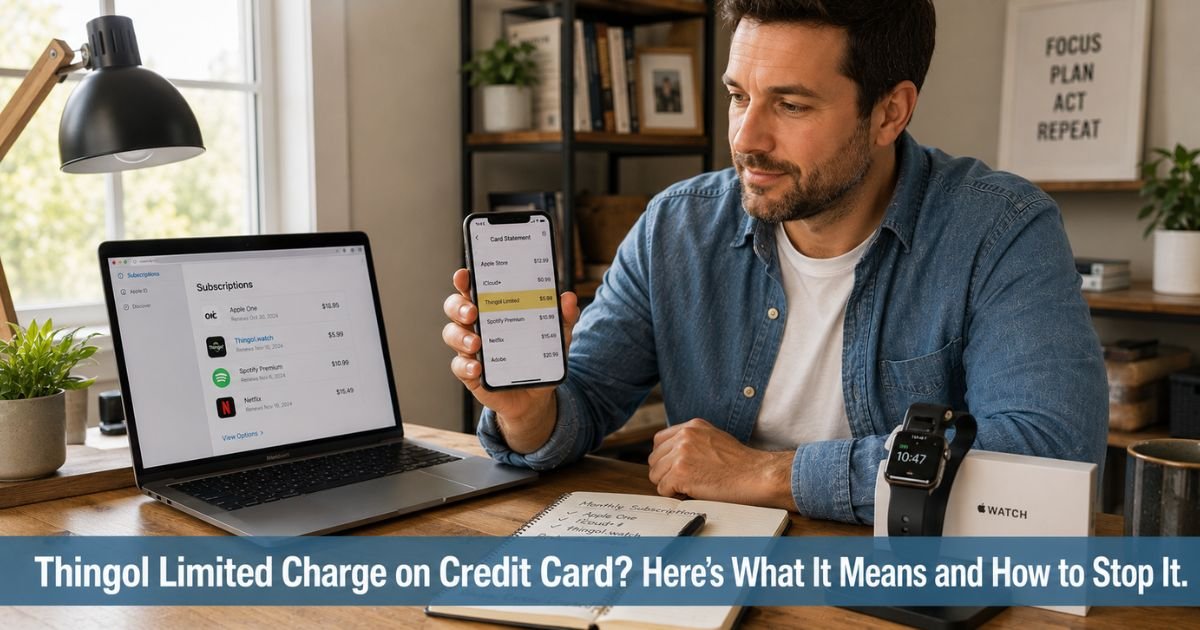
You open your credit card statement and notice a charge from Thingol Limited that you do not immediately recognize. The company name feels unfamiliar, and you wonder whether it ties to an app, subscription, or online purchase you made weeks or months ago. This situation catches many Apple Watch users off guard.
A Thingol Limited charge on credit card almost always comes from a subscription to custom watch faces, wallpapers, or related apps operated by Thingol Limited.
This guide explains exactly what the charge means in plain language, the most common reasons it shows up, and the practical steps to verify it, cancel the subscription, or request a refund.
Table of Contents
What Is Thingol Limited?
Thingol Limited operates online services and apps focused on customizable Apple Watch faces and wallpapers.
Their platforms, including thingol.watch and related sites like wfthg.com, let users download and subscribe to collections of watch faces and backgrounds.
Many people encounter the charge after downloading a free or low-cost app that then converts to a paid recurring subscription.
The company lists its address as John Kennedy, 8, 3106 Limassol, Cyprus, and provides a money-back guarantee policy on its sites.
However, numerous users report difficulty canceling subscriptions and unexpected recurring charges that continue even after attempts to stop them.
The charge may appear as Thingol Limited, thingol.watch, THINGOL.WATCH, WFTHG COM, or similar variations depending on the billing processor.
You usually trigger the charge by downloading an app from the Apple App Store or signing up directly on one of their websites. The subscription often auto-renews monthly or annually unless you actively cancel it.
Why a Thingol Limited Charge Appears on Credit Card
Several common situations lead to these charges. You will usually recognize one once you review your recent app activity:
- You downloaded a free or trial Apple Watch faces or wallpapers app that converted to a paid subscription.
- You signed up for recurring access to custom watch faces through thingol.watch or a related site.
- A promotional “one-time” purchase or trial quietly rolled into automatic renewals.
- Someone in your household used your Apple ID or card to download one of their apps.
The amount is often in the $6.99 to $29.99 range per month or year, depending on the plan. Because many of these subscriptions start with a low or free entry point, the recurring charge can surprise users later.
How to Verify the Thingol Limited Charge
You can usually confirm the charge in just a few minutes with these steps:
- Open the Settings app on your iPhone, tap your name at the top, then tap Subscriptions to see all active plans.
- Search your email for messages from thingol.watch, thwatch.app, wfthg.com, or containing words like “watch faces,” “subscription,” or “receipt.”
- Check your Apple App Store purchase history for any apps related to watch faces or wallpapers around the date the charge first appeared.
- Compare the exact amount and billing date on your credit card with any subscription details you find.
Pro Tip: Review your Apple Subscriptions list every few months, especially after downloading free or low-cost apps. Many unexpected recurring charges start this way. Canceling directly in Settings stops future billing immediately in most cases.
If nothing matches after checking your phone and email, treat the charge as potentially unauthorized and move to the dispute steps below.
What to Do If You Do Not Recognize or Want the Charge
Most Thingol Limited charges come from a real subscription you or a household member started, even if it was unintentional. Start by checking your Apple Subscriptions and canceling any active plans from their apps.
If you want a refund, review the money-back guarantee policy on thingol.watch or their related sites. Contact them at hello@thingol.watch or through the support form on their website. Provide your order or subscription details and request cancellation plus a refund for any unused time. Keep written records of all communication.
If the company does not respond or you cannot stop the recurring charges, dispute them directly with your credit card issuer. Explain that you do not recognize the subscription or have been unable to cancel it.
Most issuers will investigate and often credit your account temporarily while they review. You can also remove your card from Apple Pay if charges continue through that method.
Common Mistake: Many people see recurring charges from Thingol Limited and only dispute them with their bank without first canceling the subscription in Apple Settings. Canceling in Settings stops future charges cleanly and often makes refund requests easier. Always try canceling directly first before disputing.
How to Prevent Unwanted Recurring Charges Like This
You cannot control every app’s billing practices, but you can reduce surprises:
- Always check the Subscriptions section in iPhone Settings after downloading any app that offers trials or in-app purchases.
- Read the fine print on “free” or low-cost watch faces apps before entering payment details.
- Turn on transaction alerts in your credit card app so you see recurring charges right away.
- Review your Apple purchase history and subscriptions every few months.
These small habits help you catch and stop unwanted billing early.
| Charge Description on Statement | Most Likely Meaning | Quick Verification or Action Step |
|---|---|---|
| Thingol Limited or thingol.watch | Recurring subscription for Apple Watch faces | Check iPhone Subscriptions and cancel if active |
| WFTHG COM or THINGOL.WATCH | Billing from Top Watch Faces or related app | Review Apple App Store purchase history |
| Thingol Limited + amount | Auto-renewing watch faces or wallpapers plan | Contact hello@thingol.watch for refund request |
| Unrecognized recurring Thingol charge | Possible unauthorized or hard-to-cancel sub | Dispute with credit card issuer after canceling |
Source: Thingol Limited billing descriptions, user reports, and common patterns with watch faces subscriptions.
FAQs: Thingol Limited Charge on Credit Card
Q. How do I cancel a Thingol Limited subscription and stop future charges?
A. Open the Settings app on your iPhone, tap your name, then tap Subscriptions. Find any active plans related to Thingol, thingol.watch, or watch faces apps and cancel them. You can also visit thingol.watch or their support site to request cancellation directly. Canceling in Apple Settings usually stops billing immediately.
Q. Is the Thingol Limited charge a scam or legitimate?
A. Thingol Limited operates real apps and websites offering Apple Watch faces and wallpapers. However, many users report difficulty canceling subscriptions and unexpected recurring charges that continue after cancellation attempts. The service itself is legitimate but the billing practices have drawn complaints. Always cancel active subscriptions in your iPhone Settings and request refunds in writing.
Q. How can I get a refund for a Thingol Limited charge I did not authorize?
A. First cancel any active subscription in your iPhone Settings. Then contact Thingol Limited at hello@thingol.watch or through their website’s support form and request a refund under their money-back guarantee policy. Provide your transaction details and dates. If they do not respond or refuse, dispute the charges with your credit card issuer and include records of your cancellation attempts.
Conclusion
You now have a clear picture of what a Thingol Limited charge on credit card usually means and how to handle it. In most cases it reflects a recurring subscription for Apple Watch faces or wallpapers that started through one of their apps or sites.
Check your iPhone Subscriptions first, cancel any active plans, request a refund if needed, and dispute with your card issuer if the charges continue or feel unauthorized.
Regular reviews of your subscriptions will help you avoid similar surprises going forward.
Disclaimer: The content on ExplainCharges.com is for informational and educational purposes only and does not constitute financial, legal, or professional advice. We are not affiliated with any companies or services mentioned. The information provided may not apply to your specific situation. If you suspect unauthorized charges or fraud, contact your bank or credit card issuer immediately. Always verify details directly with the source and consult a qualified professional if needed.
Meet the Author
