
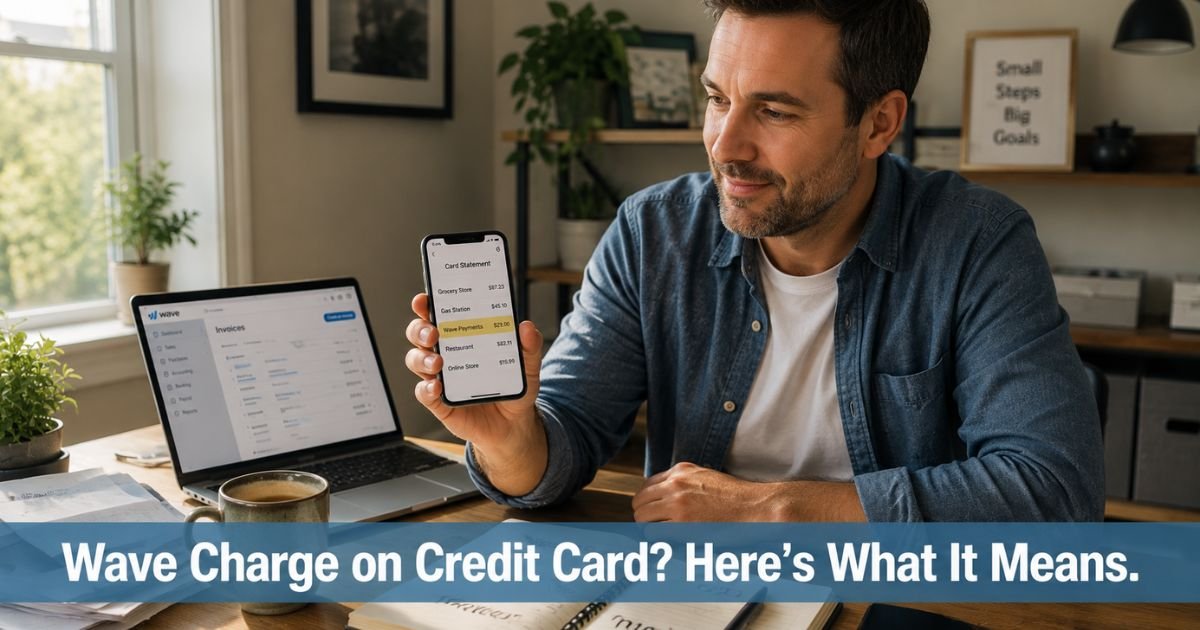
You open your credit card statement and spot a charge from Wave that you do not immediately recognize. The name feels unfamiliar, and you pause for a second wondering what you bought. This happens more often than you might think, especially if you recently paid a freelancer, contractor, or small business online.
A Wave charge on credit card almost always comes from a legitimate payment you made through Wave Payments. This guide explains exactly what the charge means in plain language, the most common reasons it shows up, and the straightforward steps to match it to your own activity.
Table of Contents
What Is Wave Payments?
Wave Financial offers free accounting and invoicing software designed for small businesses, freelancers, and solopreneurs. Their optional Wave Payments feature lets customers pay invoices online with a credit card, Apple Pay, or bank transfer.
When a business sends you an invoice through Wave and you pay with your credit card, Wave processes the transaction. That is why “Wave,” “Wave Payments,” or a similar descriptor shows up on your statement. The actual business you paid still receives the money, minus Wave’s processing fee.
Wave is popular because it is simple and affordable. Many independent contractors, consultants, graphic designers, cleaners, and local service providers use it instead of more complex merchant accounts. You never need a special app. You simply open the email invoice and click the payment button.
Why a Wave Charge Appears on Your Credit Card
Several everyday situations trigger these charges. You will usually see one of these scenarios:
- You paid a freelancer or small business for services after they sent a Wave invoice by email.
- You clicked “Pay now” on an online invoice for consulting work, repairs, design work, or professional services.
- You set up or paid a recurring invoice for ongoing services such as bookkeeping, lawn care, or coaching.
- You bought a product or service from a small seller who uses Wave to accept card payments.
The amount on your statement should match the invoice total you agreed to pay.
Sometimes the business adds a small processing fee line item, though many absorb the cost themselves. The descriptor can read simply as “Wave,” “Wave Payments,” or include the business name like “ABC Plumbing via Wave.”
Example
Take David, a homeowner who hired a local handyman for a few small repairs. The handyman sent a professional invoice through Wave with a big blue “Pay now” button.
David clicked it, entered his credit card once, and thought nothing more of it. Ten days later he noticed a $287 charge labeled “Wave Payments” on his statement.
He felt a quick flash of concern until he searched his email, found the original invoice, and saw the confirmation receipt. Everything matched. It was simply his handyman payment processed through Wave’s system.
How to Verify the Wave Charge Quickly
You can usually confirm the charge in just a few minutes with these steps:
- Search your email for messages from the business or from Wave. Look for subject lines containing “invoice,” “payment,” or “receipt.”
- Compare the exact date, amount, and any reference number on your credit card with the details in the email.
- Open the original invoice link if it is still in your email. Many people keep the confirmation right there.
- If you work with the business regularly, check your project notes or calendar for the date you approved the work.
Pro Tip: The next time you pay a Wave invoice, forward the confirmation email to yourself or save it in a dedicated “paid invoices” folder right away. It takes ten seconds and saves you from hunting later when the charge appears on your statement.
If the details still do not line up, contact the business that sent the invoice first. They have the full record and can usually explain or refund the charge faster than anyone else.
What to Do If You Do Not Recognize the Charge
Most unrecognized Wave charges turn out to be payments for work you simply forgot about or that someone else in your household made. Start by checking with family members who might share the card.
Next, search your email more broadly using keywords like “invoice,” “Wave,” or the approximate amount. Many people discover the original email after a second look.
If nothing appears, reach out to Wave support through their website help center. They can often look up the transaction using the last four digits of your card and the date.
You can also dispute the charge with your credit card issuer if you believe it is completely unauthorized. Provide the date and amount, and most issuers will investigate while protecting your account.
Common Mistake: Some people see a modest charge from Wave and immediately assume fraud because they do not remember the name. In reality, thousands of small businesses use Wave for invoicing. Always search your email for recent invoices before disputing. A quick check usually clears up the mystery and avoids unnecessary paperwork.
How to Stay on Top of Future Wave Charges
You cannot change how every processor names itself on statements, but you can make surprises less likely:
- Turn on instant transaction alerts in your credit card app so you see every charge the same day.
- When you pay an invoice, save or forward the confirmation immediately.
- If you hire freelancers often, ask them upfront which payment platform they use so the name does not surprise you later.
- For recurring services, mark renewal or payment dates on your calendar.
These small habits keep you in control without much extra effort.
| Charge Description on Statement | Most Likely Meaning | Quick Verification Step |
|---|---|---|
| Wave or Wave Payments | One-time or recurring invoice payment | Search email for “invoice” or “Wave” confirmation |
| Wave Financial or WAVE* [Business] | Payment to a small business or freelancer | Check the original email invoice from the sender |
| Wave + small business name | Service payment processed through Wave | Contact the business directly for invoice copy |
| Wave ACH or bank payment | Bank transfer payment instead of card | Look for bank transfer confirmation in email |
Source: Wave Payments processing descriptions and common customer reports.
FAQs: Wave Charge on Credit Card
Q. How do I find out which business caused the Wave charge on my credit card statement?
A. Search your email inbox and spam folder for recent messages containing “invoice,” “payment received,” or “Wave.” Open any invoice links and compare the date and amount. If you still cannot match it, contact Wave support with the transaction date and last four digits of your card for help identifying the merchant.
Q. Is a Wave charge on my credit card legitimate or could it be fraud?
A. In the overwhelming majority of cases it is a legitimate payment made through Wave Payments to a small business or freelancer. Wave is a well-established platform used by thousands of independent professionals. Still, always verify by checking your email first and contact the business or Wave if the charge does not match anything you remember.
Q. How can I get a refund or stop future Wave charges from a business?
A. Contact the business that sent the original invoice first. Most small businesses will issue a refund quickly if there was an error or you are unsatisfied with the work. For recurring invoices, ask them to cancel the schedule. If the business does not respond, dispute the charge with your credit card issuer and provide your supporting details. Wave can also assist in locating the merchant record.
Conclusion
You now understand what a Wave charge on credit card usually means and how to handle it with confidence. In almost every case it simply reflects a payment you made to a small business or freelancer through their easy invoicing tool.
Keep checking your statements regularly, save those quick confirmations when you pay, and you will stay ahead of any surprises. If another unfamiliar charge appears, you will know exactly where to start looking.
Disclaimer: The content on ExplainCharges.com is for informational and educational purposes only and does not constitute financial, legal, or professional advice. We are not affiliated with any companies or services mentioned. The information provided may not apply to your specific situation. If you suspect unauthorized charges or fraud, contact your bank or credit card issuer immediately. Always verify details directly with the source and consult a qualified professional if needed.
Meet the Author
