
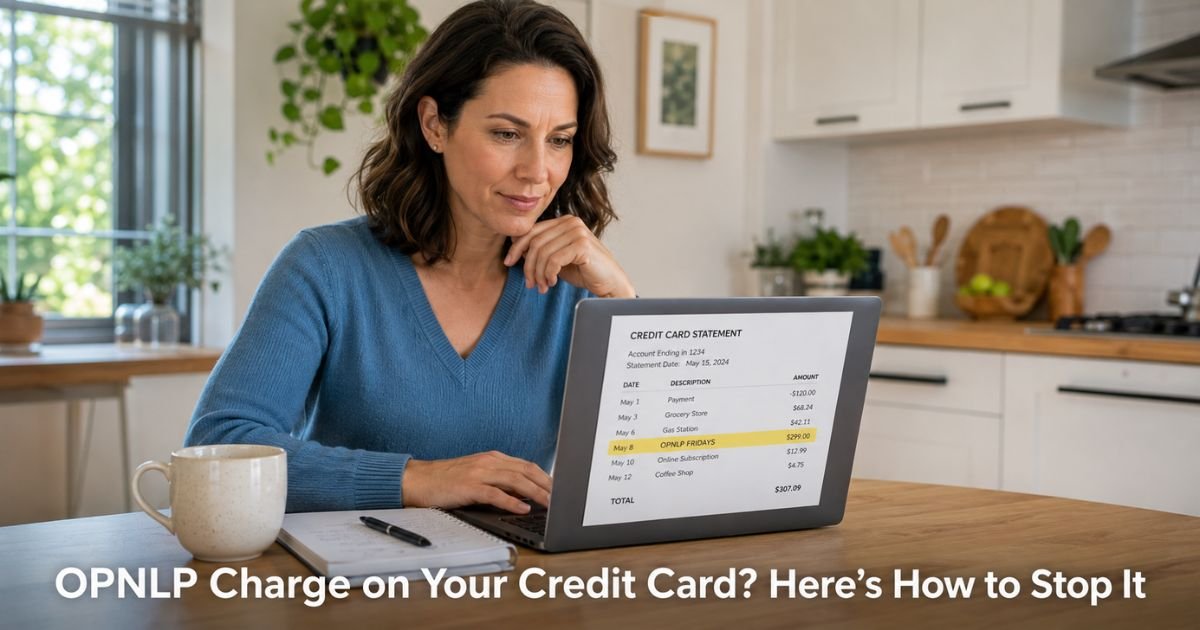
You pull up your credit card statement and notice a charge labeled OPNLP or something like OPNLP FRIDAYS, OPNLP FUTURHEALTH, or OPNLP* D11. You do not remember signing up for anything under that name, or you thought you canceled months ago.
An OPNLP charge on credit card comes from OpenLoop Health, Inc., a legitimate telehealth technology company based in Iowa.
They power the payment processing and platform for many partner clinics and apps that offer weight loss programs, GLP-1 medications, hormone therapy, and other medical services. Popular partner brands include Fridays, FuturHealth, Medvi, and Prime Health.
The charges are often monthly subscription fees for these telehealth services.
Many people report difficulty canceling or continued billing even after they tried to stop the service. This guide explains what is happening and gives you clear steps to cancel the subscription and stop the charges.
Table of Contents
What Is an OPNLP Charge on Credit Card?
OpenLoop Health provides the backend technology and payment processing for various telehealth providers.
When you sign up for a weight loss program, medication consultation, or similar service through one of their partner brands, the charge appears on your statement with the OPNLP prefix plus the partner name.
Common descriptors include:
- OPNLP FRIDAYS
- OPNLP FUTURHEALTH
- OPNLP MEDVI
- OPNLP* followed by letters and numbers (such as D11 or similar codes)
These recurring charges usually range from about $150 to $400 per month depending on the program and medication.
The initial signup often involves a consultation or first shipment, after which the subscription begins.
Why Did OPNLP Appear on My Statement?
There are a few common reasons for these charges.
You or someone with access to your card signed up for a telehealth weight loss or health program through a partner of OpenLoop Health. Many of these services use a subscription model that continues automatically until you cancel.
Sometimes people complete an initial consultation or receive one shipment and then try to cancel, but the cancellation does not process correctly or the company continues billing. A number of users report that customer service is slow to respond or that refunds are difficult to obtain.
In rarer cases the charge may be unauthorized, especially if someone else had access to your card details or if there was a data issue during signup.
How to Cancel an OPNLP or OpenLoop Health Subscription
Start with these steps. Success often depends on acting through the specific partner brand you originally signed up with.
- Search your email for messages from Fridays, FuturHealth, Medvi, Prime Health, or OpenLoop Health. Look for the original welcome email or signup confirmation. It usually contains login details and cancellation instructions.
- Log into the partner app or website (for example, joinfridays.com or the FuturHealth portal) and look for account settings, subscription management, or “cancel membership.” Many platforms let you cancel directly there.
- If you cannot find the option or the site does not recognize your account, email or call the specific brand’s support. Keep written records of every request, including dates and the names of people you speak with.
- If the charges continue after you cancel through the partner, contact your credit card issuer and dispute the recent transactions. Explain that you canceled the subscription but billing has not stopped.
Pro Tip: Take screenshots of your cancellation confirmation and any confirmation emails. These records become very helpful if you need to dispute charges with your bank later.
What to Do If Billing Continues After Cancellation
If you canceled but the OPNLP charges keep appearing, do not wait.
Call the number on the back of your credit card and open a dispute for the recent charges. Most issuers will credit the amounts while they investigate and can block future charges from this merchant.
Many people in similar situations have successfully stopped ongoing billing this way even when the company itself was slow to respond.
You can also reach out to OpenLoop Health support directly, but starting with your credit card issuer usually brings faster results and stronger consumer protection.
Common Mistake: Only contacting the company by phone and waiting for them to fix it. Written cancellation requests plus a dispute with your card issuer give you the best chance of stopping the charges and recovering recent payments.
Quick Steps to Stop OPNLP Recurring Charges
| Step | Action | Why It Helps |
|---|---|---|
| 1 | Search email for partner brand name (Fridays, FuturHealth, etc.) | Finds login and cancellation links quickly |
| 2 | Log into the partner portal and cancel subscription | Stops future billing at the source |
| 3 | Take screenshots of cancellation confirmation | Creates proof for disputes |
| 4 | Email support if online cancellation fails | Creates a written record |
| 5 | Call your credit card issuer to dispute charges | Removes recent payments and blocks future ones |
| 6 | Request a new card number if needed | Prevents any further unauthorized activity |
Protecting Yourself from Ongoing Telehealth Subscriptions
These subscription-style telehealth programs are popular, but the billing can be confusing. Before you sign up for any weight loss or health service, read the terms around recurring charges and cancellation. Note the exact partner name and save the login details immediately.
Review your statements weekly and keep purchase alerts turned on. If you ever decide to cancel a medical subscription, do it in writing through the app or portal and keep records. Acting quickly when you first notice an unwanted charge makes resolution much easier.
FAQs: OPNLP Charge on Credit Card
Q. How do I cancel the recurring OPNLP charge on my credit card?
A. Search your email for the partner brand you signed up with (such as Fridays or FuturHealth). Log into their portal or app and cancel the subscription in account settings. If you cannot cancel online, email their support and keep records. If charges continue after cancellation, dispute them with your credit card issuer for the fastest results.
Q. Is an OPNLP charge from OpenLoop Health a scam?
A. OpenLoop Health is a legitimate telehealth technology company that powers real medical services through partner brands. However, many users report difficulty canceling subscriptions and continued billing after they tried to stop. If you never signed up or cannot get the charges to end after proper cancellation, dispute them with your credit card company right away.
Q. What should I do first if I see an unfamiliar OPNLP charge?
A. Search your email for messages from OpenLoop Health or partner brands like Fridays or FuturHealth. Try logging into the partner portal to cancel any active subscription. If you do not recognize the charge at all or cancellation is not working, call your credit card issuer the same day to dispute it and request a new card number.
Conclusion
You now have a practical plan for the OPNLP charge on credit card. Start with the email search and partner portal login today.
In most cases you can stop the recurring charges by canceling through the correct brand and following up with your credit card issuer if needed.
Keep checking your statements and act quickly on any charges you do not recognize. You have more tools than you think to regain control of your billing.
Disclaimer: The content on ExplainCharges.com is for informational and educational purposes only and does not constitute financial, legal, or professional advice. We are not affiliated with any companies or services mentioned. The information provided may not apply to your specific situation. If you suspect unauthorized charges or fraud, contact your bank or credit card issuer immediately. Always verify details directly with the source and consult a qualified professional if needed.
Meet the Author
