
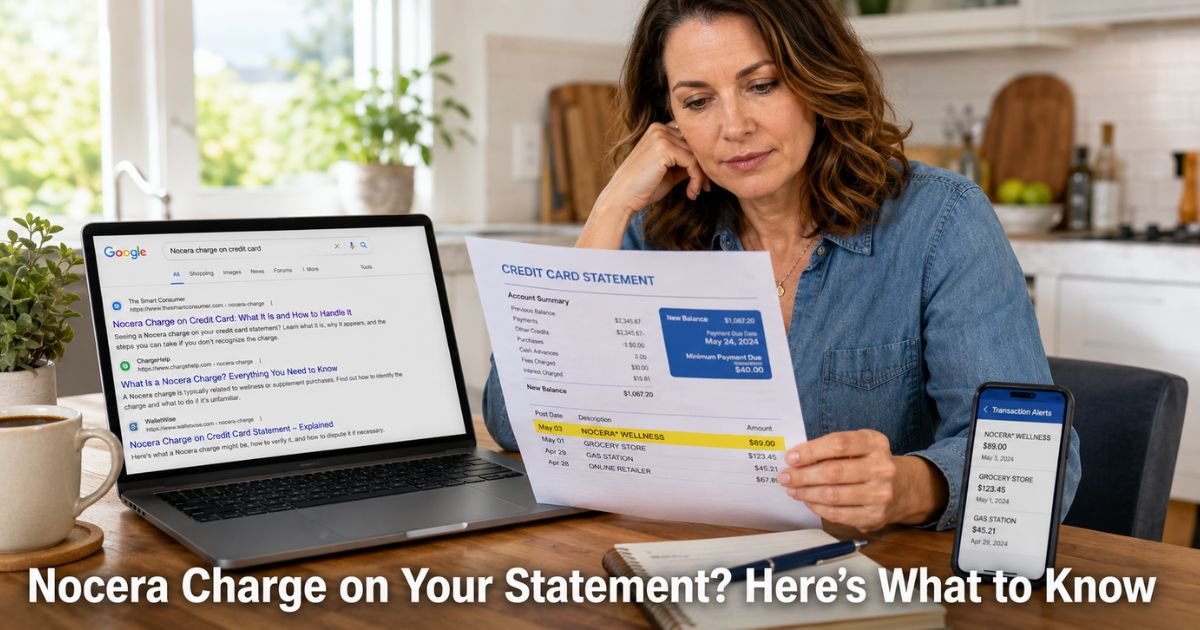
You open your credit card statement and spot a charge labeled “Nocera,” “Nocera St,” or something similar that does not look familiar. Your first thought might be “Did someone use my card?” That moment of uncertainty hits many people each month.
A Nocera charge on credit card almost always connects to an online purchase, often one made through TikTok Shop, Instagram ads, or similar social platforms.
We explain what Nocera represents, why the name on your statement can differ from what you clicked, and exactly what to do next whether the charge is yours or not.
Table of Contents
What Does a Nocera Charge on Credit Card Mean?
Nocera refers to an online retailer (nocera.shop and related sites) that sells consumer goods such as health monitoring devices, apparel, candles, and home items. Many of these products get promoted heavily through short video ads on TikTok and other social apps.
When you complete a purchase, the charge often posts under a shortened or processor-generated name like “Nocera St,” “nocerast,” or a code that includes “6155 nocerast” followed by a location.
This happens because many online sellers, especially those shipping from overseas warehouses, use third-party payment processors.
The name that appears on your statement is the one the processor uses, not always the exact store name you saw in the ad.
Amounts typically range from around $30 for smaller items like candles up to $100 or more for gadget bundles, based on customer reports.
The company is not the same as the publicly traded aquaculture firm with a similar name. This Nocera operation focuses on direct-to-consumer e-commerce, frequently fulfilled through platforms like TikTok Shop.
Why the Name on Your Statement Looks Different
Several common reasons explain the mismatch:
- You bought through a TikTok Shop or social ad where the backend seller uses Nocera for processing.
- The advertised brand (for example, a popular candle line or “laser glucose monitor”) differs from the actual merchant name that processes payment.
- Orders sometimes route through multiple sites or aliases, which adds to the confusion on statements.
- Shipping originates from China, so international descriptors or processor codes can appear.
Most of the time the charge reflects a real purchase you or a household member made. Still, some customers report issues with product quality, delays, or difficulty reaching support.
How to Verify If the Nocera Charge Belongs to You
Before you assume anything, take these quick steps:
- Search your email inbox and spam folder for words like “Nocera,” “order confirmation,” “TikTok Shop,” or the product name you might have bought.
- Open your TikTok, Instagram, or Facebook apps and check recent orders, purchases, or ads you clicked.
- Compare the exact date and dollar amount on your statement with any recent online activity.
- Ask other authorized users on the account whether they made a purchase.
If everything lines up, the charge is likely from a purchase you made, even if the name surprised you. If nothing matches, treat it as potentially unauthorized and move to dispute steps.
Pro Tip: Take a quick screenshot of any ad or product page right after you order, and forward the confirmation email to yourself. These records make it much easier to match the charge later or win a dispute if the merchant does not respond.
What If the Charge Does Not Match Any Purchase or the Item Was Wrong?
You still have strong options. Credit cards carry solid consumer protections under the Fair Credit Billing Act.
This law requires issuers to investigate disputed charges and often gives you a provisional credit during the review. You generally have up to 60 days from the statement date to dispute in writing or through your issuer’s app or phone line.
Start by trying to contact the merchant if you have any order number or confirmation email. Many people find responses slow or nonexistent, which is a frequent complaint with this type of seller.
When that happens, go straight to your credit card issuer. Provide the date, amount, and a short explanation such as “unrecognized charge” or “product not as described.”
Common Mistake: Waiting too long to check on a charge or assuming it will sort itself out. Credit card disputes work best when you act promptly, usually within 60 days of the statement date. The sooner you investigate, the faster you can resolve it.
Steps to Dispute or Resolve a Nocera Charge
Here is a simple path most people follow successfully:
- Gather your evidence: statement showing the charge, any emails, screenshots of ads, and photos of received items if applicable.
- Contact your credit card issuer by phone or through the secure app. Explain the situation clearly.
- Request a dispute and ask about a provisional credit if the charge looks unauthorized or the product was incorrect.
- Follow up in writing if required by your issuer (many let you do everything in the app now).
- Keep records of every conversation and reference number.
Your issuer will contact the merchant on your behalf. In many cases involving product issues or non-delivery, cardholders receive refunds when documentation supports their claim.
Bottom line: Most Nocera charges come from real purchases made through social ads or TikTok, even if the name on your statement looks unfamiliar at first.
Handling a Nocera Charge Based on Common Scenarios
| Your Situation | First Action | Next Step if Needed | Notes |
|---|---|---|---|
| You recognize the purchase after checking email or apps | Search for order confirmation and contact merchant using details provided | Request return or refund directly if product issues exist | Keep all emails and photos as records |
| Charge does not match any activity | Review every recent social media purchase and ask household members | Dispute directly with your credit card issuer | Act within 60 days; provisional credit often available during investigation |
| Received wrong item or nothing at all | Document with clear photos and notes | Dispute with issuer after merchant fails to respond | Credit card rules often favor cardholders in misleading advertising or non-delivery cases |
Compiled from customer reports and standard credit card dispute processes. Your specific rights depend on your card issuer and the facts of your situation.
How to Avoid Unexpected Charges Like This Going Forward
A few simple habits reduce surprises:
- Turn on instant transaction alerts in your credit card mobile app so every charge notifies you right away.
- Review your full statement once a week instead of only at the end of the month.
- Pause before one-click buys on TikTok or similar apps, especially for health gadgets that sound too advanced for the price.
- Consider using a virtual card number through services your bank may offer for online shopping. You can limit the amount or cancel the number later if needed.
These steps take just a minute or two but give you much better visibility.
FAQs: Nocera Charge on Credit Card
Q. What does Nocera mean on my credit card statement?
A. It usually means you (or someone using your card) purchased an item from an online retailer called Nocera, often through a TikTok Shop ad or similar social media promotion. The name comes from their payment processor and can look different from the advertised brand.
Q. How do I get a refund for a Nocera order that never arrived or was wrong?
A. Start by using any order confirmation email to contact the merchant. If they do not respond or refuse to help, dispute the charge with your credit card issuer right away. Issuers can often issue a provisional credit while they investigate under federal credit card rules.
Q. Can I prevent Nocera charges from appearing again?
A. Yes. Enable real-time alerts on your credit card, review statements weekly, and shop more carefully on social platforms. Using virtual card numbers for online orders adds an extra layer of control if something looks off later.
Conclusion
The most important thing to remember is that an unfamiliar charge on credit card like the one from Nocera deserves a calm, quick check rather than immediate worry.
Match the date and amount to your activity first. If it does not fit or the order did not go as expected, your credit card issuer has clear processes to help you.
Make reviewing your statements a short monthly habit. It takes only a few minutes and keeps small issues from growing into bigger problems.
Disclaimer: The content on ExplainCharges.com is for informational and educational purposes only and does not constitute financial, legal, or professional advice. We are not affiliated with any companies or services mentioned. The information provided may not apply to your specific situation. If you suspect unauthorized charges or fraud, contact your bank or credit card issuer immediately. Always verify details directly with the source and consult a qualified professional if needed.
Meet the Author
