
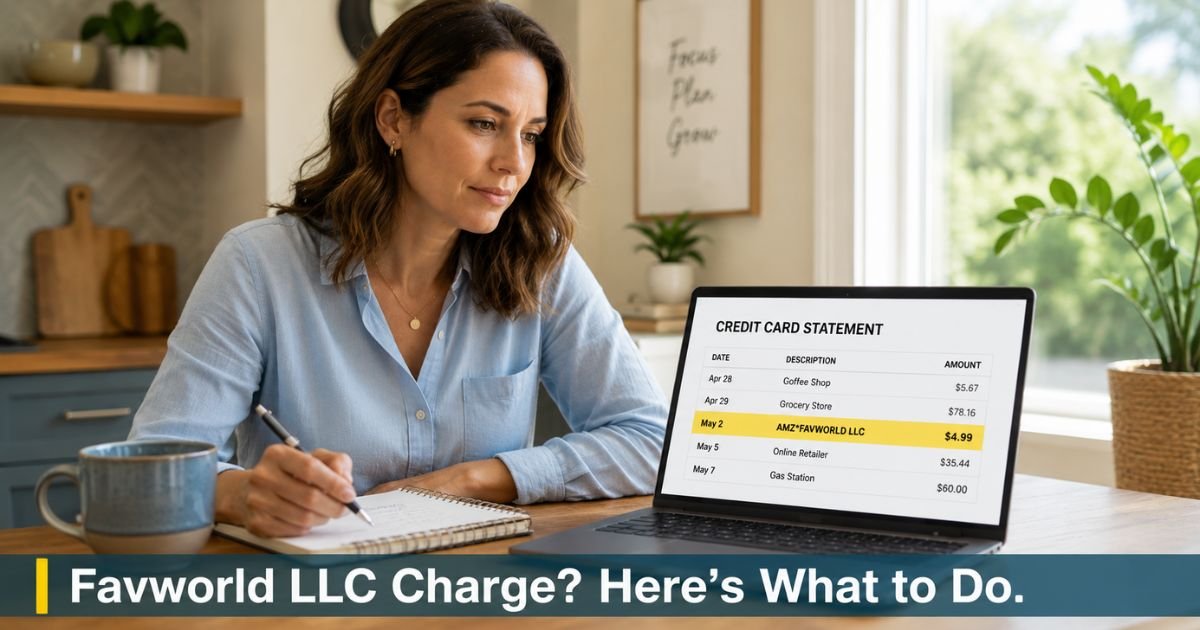
You open your credit card statement and notice a small recurring charge from Favworld LLC or AMZ*FAVWORLD LLC. The amount is often around $4.99, and you have no clear memory of signing up for anything monthly.
This exact situation leaves many people frustrated and searching for answers.
A Favworld LLC charge on credit card usually ties back to Shapermint, a shapewear and compression clothing company.
This guide walks you through exactly what the charge means, how to cancel the membership quickly, and what steps to take if you want a refund or need to dispute it with your card issuer.
Table of Contents
What Does a Favworld LLC Charge on Credit Card Mean?
Favworld LLC acts as a billing entity connected to Shapermint.
When you buy shapewear or related items from Shapermint.com or through certain Amazon Pay transactions, the monthly membership fee sometimes shows up under Favworld LLC or variations like AMZ*FAVWORLD LLC.
The most common charge amount is $4.99 per month for the Shapermint Club membership. This program offers perks such as discounts or early access, but many customers report they did not realize they were enrolling in a paid recurring membership during checkout.
You might see slightly different descriptors on your statement, including:
- FAVWORLD LLC
- AMZ*FAVWORLD LLC hello@shaperm NV
- Similar variations with the company name
All of these point to the same membership billing. The charge is legitimate in the sense that it comes from a real company, but the way the membership gets added often creates confusion.
Why Favworld LLC Charges Appear on Statements
Several common situations explain these charges.
- You made a one-time purchase of shapewear from Shapermint and the checkout process enrolled you in the paid Club membership without strong disclosure.
- A pre-checked box or offer during checkout added the monthly membership automatically.
- You bought through Amazon Pay, and the billing descriptor changed to include Favworld LLC.
- Someone else with access to your card placed an order or accepted the membership offer.
There have also been customer complaints and even legal questions around how clearly the automatic renewal terms were presented.
The key point is that small monthly charges like this can continue unnoticed until they show up on your statement.
How to Confirm the Charge and Find Your Membership
Start by checking your email for any messages from Shapermint or Favworld LLC. Look for order confirmations, welcome emails, or membership details. Search your inbox using keywords like “Shapermint,” “membership,” or “club.”
Next, try logging into a Shapermint account. Go to shapermint.com or help.shapermint.com and use the email addresses you commonly shop with. Many people discover an account already exists even if they do not remember creating one.
If the charge came through Amazon Pay (shown as AMZ*), log into your Amazon account, go to Your Payments or Amazon Pay activity, and review recent transactions for Shapermint or Favworld LLC.
Bottom line: Checking your email and attempting to log into a Shapermint account reveals the membership details faster than calling support in most cases.
How to Stop a Favworld LLC Charge on Credit Card
The most direct way to stop future charges is to cancel the Shapermint Club membership.
Log into your Shapermint account at shapermint.com or through their help center. Look for a section called Manage Membership, Subscriptions, or Account Settings.
Follow the prompts to cancel. Shapermint states you can cancel anytime, and cancellation should prevent future monthly charges.
If you cannot log in or do not see an active membership, use their live chat support. Visit help.shapermint.com, click the chat icon, and explain that you want to cancel the membership tied to the Favworld LLC charges.
Have your credit card statement ready with the charge dates and amounts. You can also try their Messenger channel at m.me/Shapermint.
Some customers report success by emailing hello@shapermint.com or info@shapermint.com with clear details about the recurring charge and your request to cancel.
Pro Tip: Take screenshots of every step when you cancel, including confirmation that the membership has ended. This creates a clear record if charges continue.
Requesting a Refund for Favworld LLC Charges
Refunds for past membership charges depend on the company’s policy and how long the charges have been running. Some customers receive partial or full refunds after explaining they did not intend to enroll in the monthly membership.
Contact Shapermint support through chat or email and politely request a refund for the Favworld LLC charges. Reference the dates and amounts from your statement. Mention that you were unaware of the recurring membership if that matches your experience.
If support offers only a partial refund or refuses, you can still dispute the charges with your credit card issuer. Provide copies of your communications with Shapermint as evidence.
When to Dispute the Charge With Your Bank
If you cannot reach Shapermint support, the membership will not cancel, or you believe the enrollment happened without proper consent, dispute the charges directly with your credit card company.
Call the number on the back of your card and explain the situation. Tell them the charges are recurring from Favworld LLC / Shapermint and that you have tried to cancel without success.
Most issuers allow disputes within 60 days of the statement date. They may temporarily credit your account while they investigate.
Monitor your statement closely after disputing. If new charges appear, dispute those as well and consider asking your bank to block future transactions from this merchant.
Common Mistake: Ignoring small recurring charges because the amount seems minor. Over several months these $4.99 fees add up, and the longer they continue, the harder it becomes to recover the full amount.
Favworld LLC Charge Scenarios and Next Steps
| Charge Pattern | Most Likely Cause | Recommended First Action | Follow-Up Option |
|---|---|---|---|
| Single $4.99 charge | One-time membership enrollment | Log into Shapermint account and cancel | Contact chat support if needed |
| Multiple monthly $4.99 charges | Active recurring Shapermint Club membership | Cancel membership immediately in account | Request refund for recent charges |
| AMZ*FAVWORLD LLC descriptor | Purchase or membership via Amazon Pay | Check Amazon Pay activity and Shapermint account | Cancel through Shapermint support |
| No matching Shapermint order | Possible unauthorized use or old account | Use live chat or email support right away | Dispute with credit card issuer |
Source: Compiled from Shapermint’s help resources and common customer reports.
FAQs: Favworld LLC Charge on Credit Card
Q. How do I cancel my Shapermint membership and stop Favworld LLC charges?
A. Log into your Shapermint account at shapermint.com or help.shapermint.com. Go to Manage Membership or Subscriptions and follow the cancel prompts. If you cannot log in, use the live chat on their help site or email hello@shapermint.com with your charge details and request to cancel immediately.
Q. Why am I being charged by Favworld LLC if I only bought shapewear once?
A. Many customers report that Shapermint’s checkout process adds a paid monthly Club membership, often with pre-checked boxes or unclear terms. The $4.99 recurring charge then appears under Favworld LLC. Cancel the membership through your account or their support team to stop future billing.
Q. What should I do if I cannot log into my Shapermint account to cancel?
A. Try every email address you might have used for shopping. If that fails, open live chat on help.shapermint.com and explain you need to cancel the membership linked to Favworld LLC charges on your credit card. Provide recent charge dates and amounts. Keep records of the conversation and follow up by email if needed.
Conclusion
A Favworld LLC charge on credit card almost always connects to a Shapermint Club membership that started during a shapewear purchase.
The fastest solution is to log into your Shapermint account and cancel the membership right away, then follow up with live chat or email if you need help or want a refund for recent charges.
If support cannot resolve it quickly, dispute the recurring charges with your credit card issuer and monitor your statements.
Disclaimer: The content on ExplainCharges.com is for informational and educational purposes only and does not constitute financial, legal, or professional advice. We are not affiliated with any companies or services mentioned. The information provided may not apply to your specific situation. If you suspect unauthorized charges or fraud, contact your bank or credit card issuer immediately. Always verify details directly with the source and consult a qualified professional if needed.
Meet the Author
