
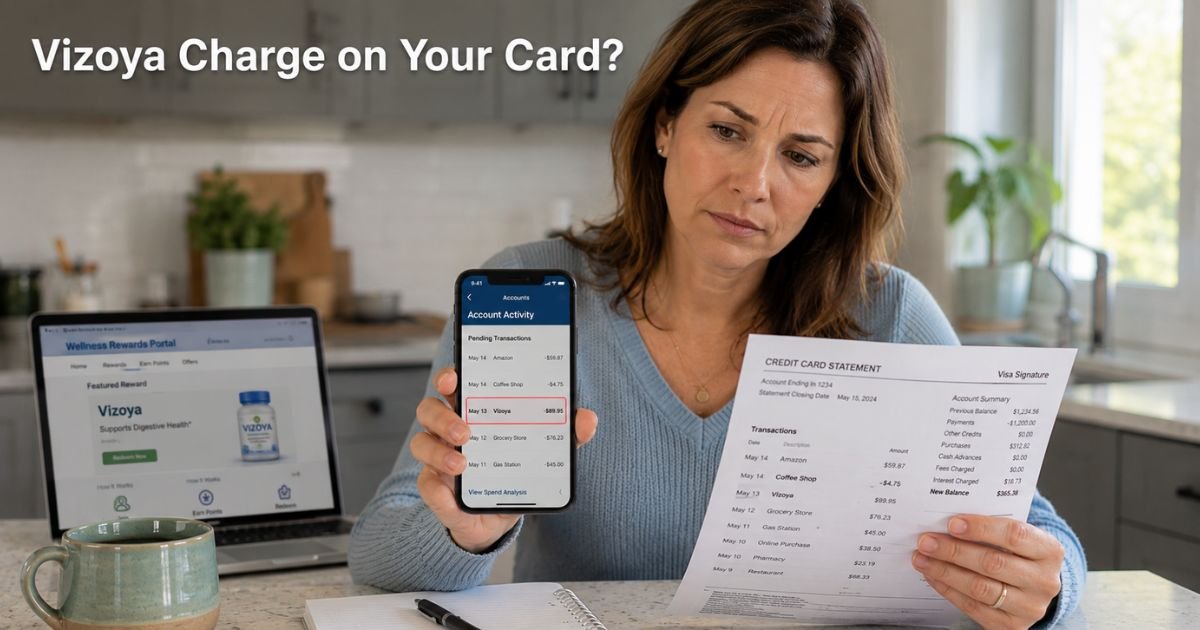
You open your credit card app on a regular Tuesday evening, coffee in hand, and spot it: a $49.99 charge from “Vizoya.” Your stomach drops. You do not remember buying anything from a company with that name.
Was it a supplement order you forgot? A sneaky subscription? Or something you never approved? You are not alone. Hundreds of people each month search for answers about this exact charge.
The good news? It is almost always tied to one specific wellness program, and you have clear, simple ways to handle it right now.
We will walk you through what the Vizoya charge on credit card really means, why it shows up, and the exact steps you can take today to stop future billing or request a refund.
Table of Contents
What Is the Vizoya Charge on Credit Card?
Vizoya is a Bellevue, Washington-based company that sells wellness supplements such as methylene blue drops. Their main business now centers on the “Vizoya Rewards” membership program.
When you buy a product on tryvizoya.com, the checkout page often adds a $0 item labeled “Vizoya Rewards.” Many customers miss it and unknowingly enroll in a monthly membership.
The charge posts on your statement as “Vizoya,” “VIZOYA W BELLEVUE WA,” or a similar variation. It is the company’s official billing name through their payment processor.
Standard membership costs $49.99 per month. There is also a pricier “Rewards+” option billed weekly at the same amount.
The program promises members up to $300 in free product value each month plus discounts across travel, dining, retail, and wellness items. You pick products from their portal at no extra cost (up to the monthly limit) and can use, gift, or even resell them.
Sounds good on paper, but many people feel they never wanted the membership and do not use the benefits.
Why Does the Charge Look Mysterious?
Most of us expect to see clear labels like “Amazon” or “Walmart” on our statements. Vizoya does not ring any bells for the average shopper.
The company operates under the legal name Duality LLC, and their payment processor lists the merchant as simply “Vizoya.” That small detail makes the charge stand out as suspicious even when it is legitimate.
Another common reason? The enrollment happens quietly during checkout.
You add a supplement to your cart, the $0 rewards item slips in automatically, and you complete the purchase without noticing. A month later the first full charge hits your card, and you have already moved on with life.
Common Charge Amounts You Might See
- $39–$47 for your first supplement order plus shipping
- $49.99 for the monthly Vizoya Rewards membership
- Multiple $49.99 charges if you have Rewards+ (weekly billing)
These amounts match exactly what Vizoya advertises on their site.
Real-Life Example
Take a 41-year-old teacher from Florida. She saw an ad for methylene blue drops and ordered two bottles for around $40 during a busy week. The checkout felt normal, so she clicked through quickly.
A month later she spotted a $49.99 “Vizoya” charge on her statement and panicked. She thought someone had stolen her card details.
She called her bank first. The representative asked if she had recently bought supplements online. That jogged her memory. She went back to tryvizoya.com, logged into her account, and found the active Rewards membership she never meant to join.
Because she acted quickly, she canceled it and received a full refund for the first month. She now double-checks every cart before hitting “pay.”
Your situation might be different. Maybe a family member used your card. Maybe you signed up during a promotion and forgot. Or maybe the charge truly looks unauthorized. Either way, the next steps are the same.
How to Confirm the Charge Is Yours
Before you dispute anything, check these quick spots:
- Log into tryvizoya.com or vizoyarewards.com and review your order history.
- Look for any confirmation emails from support@vizoyarewards.com about your membership.
- Check your bank app for the exact merchant name and location (Bellevue, WA).
If you find a matching order or membership, you know it came from the site. If nothing shows up, treat it as potentially unauthorized and move to the dispute steps below.
How to Stop Vizoya Charges for Good
You have two main paths: handle it directly with the company or go through your bank. Most people get the fastest results by doing both at the same time.
Step-by-Step Action Plan
Contact Vizoya support right away
Email support@vizoyarewards.com or call (855) 568-1847 (8 a.m. to 5 p.m. Pacific, Monday–Saturday). Be polite but firm. Ask them to cancel your membership, remove your saved payment method, and confirm in writing. Keep records of every conversation.
Cancel through the member portal
Log into vizoyarewards.com, go to your account settings, and use the one-click cancellation option if available.
Dispute the charge with your bank or card issuer
If the membership feels unauthorized or you simply changed your mind, file a dispute. Credit cards usually give you 60 days from the statement date. Explain that you did not recognize the merchant name and provide any proof you have.
Monitor your statements for the next month
Set up transaction alerts so you catch anything new immediately.
Pro Tip: Before you ever click “Complete Purchase” on any supplement or wellness site, scroll slowly through the entire cart and look for $0 items or membership checkboxes. Taking ten extra seconds can save you months of unwanted charges.
When the Charge Is Unauthorized
Sometimes the Vizoya charge truly is not yours. A family member might have ordered something without telling you. In rare cases it could be fraud. Your credit card’s zero-liability policy protects you.
Contact your issuer immediately, freeze the card if needed, and file the dispute. Most banks reverse the charge while they investigate. Meanwhile, change passwords and enable two-factor authentication everywhere.
Common Mistake: Assuming the charge is a one-time thing and ignoring it. Vizoya Rewards is designed to renew automatically. If you do not cancel the membership and remove your card, another $49.99 charge can post the next month. Acting within the first week gives you the strongest chance of a full refund.
Bottom line: Whether the charge is yours or not, quick action almost always fixes the problem.
Quick Guide to Handling a Vizoya Charge
Here is a handy overview of your options and what to expect.
| Step | What to Do | Typical Timeline | Success Tip |
|---|---|---|---|
| Contact support | Email support@vizoyarewards.com or call (855) 568-1847 | 1–3 business days | Ask for written confirmation |
| Cancel in portal | Log in and use one-click option | Immediate | Screenshot your cancellation |
| File bank dispute | Call issuer or use app | 30–60 days for decision | Provide checkout screenshots |
| Remove payment method | Delete card in account settings | Immediate | Prevents future charges |
| Monitor account | Check statements weekly | Ongoing | Set up alerts for $10+ charges |
Data compiled from user reports, company policies, and consumer complaints as of 2026.
FAQs: Vizoya Charge on Credit Card
Q. Why does a Vizoya charge show up on my credit card when I only bought supplements once?
A. Vizoya automatically adds a “Rewards” membership during checkout, often as a $0 item you might miss. The first month may be low or bundled, but then the full $49.99 posts every month until you cancel. Many shoppers do not realize they signed up for the ongoing program.
Q. Can I get a refund for a Vizoya charge I didn’t know about or authorize?
A. Yes, in most cases. Contact Vizoya support first for a quick cancellation and refund request. If they do not respond fast enough, file a dispute with your credit card issuer. Banks often side with cardholders on unclear or unwanted subscriptions.
Q. How do I stop recurring Vizoya charges on my credit card for good?
A. Email support@vizoyarewards.com or call (855) 568-1847 to cancel your membership. Then log into your account, remove your saved payment method, and confirm the cancellation in writing. Set up credit card alerts and check your next statement to make sure nothing posts again.
Conclusion
You now know exactly what that Vizoya charge on credit card means and how to handle it with confidence. Whether it was a quick supplement purchase that added a membership or something that needs a refund, you have the tools to take control today.
Check your statements every week, review carts carefully before buying, and remember you are never stuck with mystery charges.
If this helped, explore our other guides on ExplainCharges.com. Your peace of mind matters, and small steps today keep your finances simple tomorrow.
Disclaimer: The content on ExplainCharges.com is for informational and educational purposes only and does not constitute financial, legal, or professional advice. We are not affiliated with any companies or services mentioned. The information provided may not apply to your specific situation. If you suspect unauthorized charges or fraud, contact your bank or credit card issuer immediately. Always verify details directly with the source and consult a qualified professional if needed.
Meet the Author
