
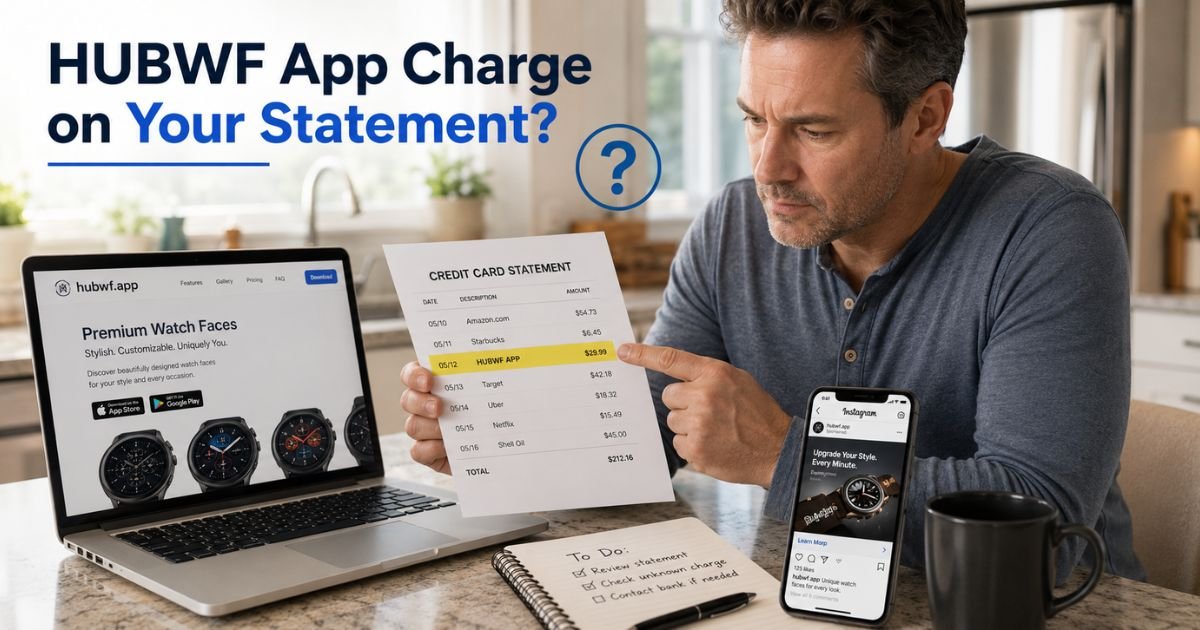
You check your credit card app and there it is: HUBWF APP for $29.99. Your stomach drops. You do not remember signing up for any watch face app. Did you click one too many ads? Is someone using your card?
You are not alone. Hundreds of people every month spot this exact charge and feel the same confusion. The good news is the HUBWF App charge on credit card almost always comes from a legitimate but often tricky subscription service.
You will learn exactly what the HUBWF App charge means, how it usually starts with those tempting social media ads, and the quick steps you can take today to verify it, cancel the subscription, or dispute the fee if it is not yours.
Table of Contents
What Is the HUBWF App Charge on Credit Card?
The HUBWF App charge comes from hubwf.app, the website for Nuvia Watch Faces (sometimes called Zonex or similar). This service sells custom seasonal watch faces and widgets for smartwatches like Apple Watch.
On your statement it shows up simply as HUBWF APP or HUBWF.APP because the company uses a short billing descriptor through its payment processor.
The company is TRISSHOLD LIMITED, based in Limassol, Cyprus. It offers subscriptions after a short online quiz about your watch and style preferences.
Many users first see it after clicking Instagram or Facebook ads promising “full access for just $6.99” during a trial week. Once the trial ends the monthly charge begins automatically.
Common amounts are $19.99 or $29.99 per month. The charge can appear as a one-time fee or keep recurring until you cancel.
How the Charge Usually Starts
It almost always begins with an ad. You see a slick promotion for exclusive watch face designs. You click, answer a few questions, and pay a small trial fee.
The fine print mentions a subscription that renews unless you cancel. Many people skim past that part and get surprised later.
Take Mark, a 42-year-old accountant from Atlanta. He clicked an ad for “premium Apple Watch faces” while scrolling Instagram during his lunch break. He paid $6.99 for the trial and thought that was it. Two months later the HUBWF App charge hit his statement.
After checking his email he found the confirmation he had missed. Mark canceled right away and got a partial refund for the extra month.
Why So Many People See This HUBWF App Charge
The service uses aggressive online ads that make the trial sound like a one-time deal. The onboarding quiz feels quick and fun, but the auto-renewal is easy to overlook.
Plus, uninstalling the app does not stop the billing. You must cancel through their system or your app store.
Banks show only the short name HUBWF APP to keep statements clean. That is why it looks so mysterious even when it is your own purchase.
Pro Tip: Screenshot every online purchase confirmation right when it arrives. Store the screenshots in a folder labeled by month. You will thank yourself the next time a charge like HUBWF App shows up and you need proof fast.
Is the HUBWF App Charge Legit or Fraud?
In most cases the charge is legitimate from a real company. However, many users feel the signup process uses dark patterns that make cancellation harder than it should be.
Some online reviews call it deceptive because the trial rolls into a full subscription without clear reminders.
Here is a quick way to tell:
- Did you click on a watch face ad or try a trial in the last few weeks?
- Do you own an Apple Watch or similar smartwatch?
- Have you seen the same amount charge on or around the same date each month?
If you answer yes to any of these, it is probably your subscription. If none of it sounds familiar, treat it as suspicious and dispute it right away.
Common Mistake: Thinking the charge is small so you can ignore it. Those $19.99 or $29.99 fees add up fast over several months. Many banks give you only 60 days from the statement date to dispute, so waiting shrinks your options.
How to Stop or Dispute the HUBWF App Charge
You have clear options that usually work fast.
First, cancel directly with the company. Go to trhwatch.app/terminate (or hubwf.app/manage-plan). Log in with the email you used to sign up.
Follow the prompts to end the subscription. You must do this at least 24 hours before the next renewal or you will get charged again.
If you cannot find your account or the company does not cooperate, contact your card issuer. Call the number on the back of your card and file a dispute. Say you did not authorize the recurring charge. Most banks will reverse the fee while they investigate.
Bottom line: Acting the same day you spot the charge almost always stops the next billing cycle and gets your money back.
Step-by-Step Guide to Handle the HUBWF App Charge
Follow these steps and you will have the situation sorted quickly.
- Log into your credit card account online and note the exact date and amount.
- Search your email for “hubwf.app,” “Nuvia Watch Faces,” or any order confirmation using the charge date.
- Visit trhwatch.app/terminate and log in with your payment email to cancel.
- If you bought through Apple or Google, cancel directly in the app store subscriptions section.
- If nothing matches or you never signed up, call your bank the same day and start a dispute.
Common HUBWF App Charges
Here is a handy breakdown of what people typically see and what it usually means.
| Charge Amount | What It Usually Covers | How It Often Starts | Best First Action |
|---|---|---|---|
| $19.99 | Monthly full access to watch faces | Instagram ad for $6.99 trial | Cancel at trhwatch.app/terminate |
| $29.99 | Premium seasonal designs and widgets | Quiz signup on hubwf.app | Email help@hubwf.app for refund |
| $6.99 | One-week trial (then auto-renews) | Facebook or Instagram promotion | Dispute if no trial was wanted |
| Varies | One-time purchase or renewal | App store or website checkout | Check Apple/Google subscriptions |
Source: User reports from forums and the company’s own terms.
Other Names This Charge Might Appear As
You might also see slight variations such as:
- HUBWF.APP
- HUBWF APP PAYMENT
- hubwf.app [random code like ILPBC6HN]
All of them point to the same Nuvia Watch Faces service. Use the same cancellation steps no matter which version shows up.
FAQs: HUBWF App Charge on Credit Card
Q. Why does HUBWF App keep charging my credit card every month?
A. It usually means you started a trial for Nuvia Watch Faces after clicking an ad and the subscription auto-renews. The company requires you to cancel at least 24 hours before the next billing date through trhwatch.app/terminate using your payment email. Uninstalling the app does not stop the charges.
Q. Can I get my money back for a HUBWF App charge I did not authorize?
A. Yes in most cases. First try canceling at trhwatch.app/terminate or email help@hubwf.app. If you never signed up or the process fails, dispute the charge with your bank right away. Banks generally side with customers on unrecognized recurring fees and will often reverse them while investigating.
Q. How do I stop HUBWF App from appearing on my bank statement again?
A. Cancel the subscription immediately through trhwatch.app/terminate or your phone’s app store subscriptions section. You can also ask your bank to block future charges from HUBWF App. Turn on alerts for any charge over $10 so you catch new ones the same day they post.
Conclusion
The HUBWF App charge on credit card is almost always tied to a Nuvia Watch Faces subscription for custom smartwatch designs. It usually starts with a tempting social media ad that quietly rolls into monthly billing.
The fix is straightforward: check your email for the confirmation, cancel through the company’s terminate link, or dispute it with your bank if needed.
Take those steps today and you will stop the fees and protect your account moving forward. Small habits like reviewing statements weekly and using alerts make a huge difference.
If another mystery charge pops up on your statement, head back to ExplainCharges.com. We have straightforward guides for dozens of the most confusing entries people see every month. You have got this.
Disclaimer: The content on ExplainCharges.com is for informational and educational purposes only and does not constitute financial, legal, or professional advice. We are not affiliated with any companies or services mentioned. The information provided may not apply to your specific situation. If you suspect unauthorized charges or fraud, contact your bank or credit card issuer immediately. Always verify details directly with the source and consult a qualified professional if needed.
Meet the Author
