
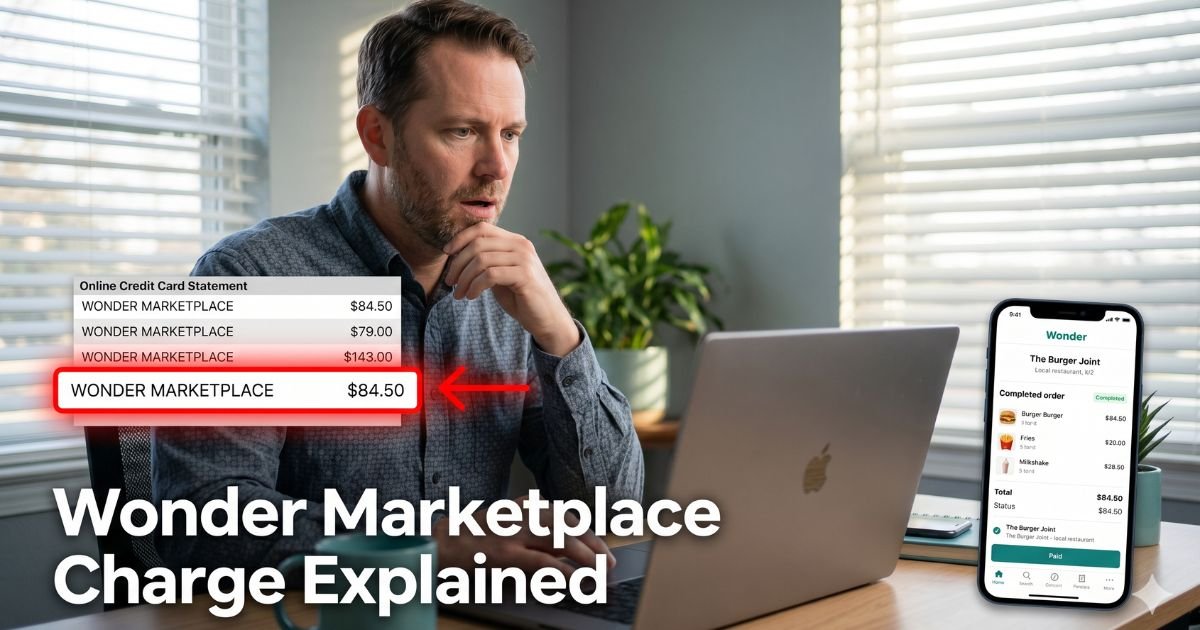
You glance at your credit card statement or get a push notification and spot it: Wonder Marketplace. The amount might be $15.99, $28.47, or even a small authorization hold. Your mind races. Did I order takeout? Is this a subscription I forgot about?
You are not alone. Plenty of people scratch their heads over this exact line item, especially since Wonder quietly acquired Grubhub in late 2025.
The good news? It is almost always a legitimate charge tied to food delivery. No scam, just a billing name change that caught many off guard.
You will discover exactly what the Wonder Marketplace charge on credit card means, how it lands on your statement, and the straightforward steps to review your orders or cancel any subscription.
Table of Contents
What Exactly Is Wonder Marketplace?
Wonder is a food delivery and takeout platform that lets you order from multiple restaurants in one go. Think of it as a modern food hall experience delivered to your door.
In 2025, Wonder bought Grubhub, which is why many former Grubhub and Seamless orders now show up under the “Wonder Marketplace” name on your credit card.
The company also runs its own app at wonder.com and offers a paid membership called Wonder+. That subscription gives perks like free delivery and waived service fees on qualifying orders.
When you place an order or sign up for Wonder+, the charge processes under “Wonder Marketplace,” “Wonder Group,” or a similar variation. This single descriptor covers both one-time delivery purchases and recurring membership fees.
Why the Name Changed
Before the Grubhub acquisition, you might have seen “Grubhub” or “Seamless” on your statement. Now the parent company Wonder handles billing for the combined platform. The switch helps them streamline payments but leaves a lot of customers wondering what happened to their usual descriptor.
How the Charges Usually Happen
Most Wonder Marketplace charges fall into two buckets: one-time food orders and the optional Wonder+ subscription.
Here is a quick breakdown:
| Charge Type | Typical Amount | What Triggers It | Recurs? |
|---|---|---|---|
| One-time delivery order | $12–$45 | Food from Wonder app or Grubhub | No |
| Wonder+ monthly membership | $7.99–$9.99 | Subscription for free delivery & perks | Yes |
| Authorization hold | $1–$20 (then reversed) | Temporary pre-authorization when you order | No |
| Service or small-order fee | $2–$5 | Added to some deliveries | No |
The subscription starts after you tap a “Try Wonder+” button during checkout or in the app. It auto-renews monthly unless you cancel. Many people sign up for the free trial during a busy week and forget the recurring part kicks in.
Bottom line: The Wonder Marketplace charge is nearly always tied to a recent food order or an active Wonder+ membership on the combined Wonder/Grubhub platform.
Real-Life Example
Take a 43-year-old accountant from Chicago. He opened his Amex app one morning and saw a $28.47 charge labeled “Wonder Marketplace.” He had not ordered anything recently, or so he thought.
A quick check of his email turned up a confirmation from Grubhub for Thai takeout he ordered the night before while watching a game with friends. Because of the merger, the charge now listed under Wonder’s name instead of the familiar Grubhub label. He felt relieved once he connected the dots.
He also discovered a small $1.99 authorization hold that reversed the next day. Stories like this pop up every week in online forums since the acquisition.
How to Review or Stop the Wonder Marketplace Charge
You have three easy ways to handle it. Start with the fastest.
1. Check Your Orders in the Wonder or Grubhub App
Open the Wonder app or the old Grubhub app (they both work). Tap your profile, then “Orders” or “History.” You will see every recent purchase and the exact amount. If nothing shows up, the charge may be from an old order that just posted or a hold.
2. Cancel Wonder+ Subscription (If You Have It)
On the app or website:
- Log in and go to Account.
- Tap Wonder+ → Your Plan → Cancel Membership.
- Confirm the date your benefits end.
The cancellation takes effect at the end of your current billing cycle, so you keep access until then.
3. Contact Support or Your Card Issuer
If the charge looks unauthorized, email Wonder support directly through the app or visit support.wonder.com. For faster resolution on refunds, reach out to your bank or credit card issuer and provide the order confirmation.
Pro Tip: Screenshot every order confirmation and cancellation screen right away. Store them in a folder labeled “Food Delivery Receipts.” This simple step makes disputes effortless if you ever need to prove you tried to cancel.
What to Do If You Want a Refund
Wonder’s policy allows refunds only in specific cases, such as missing or incorrect orders. For subscription fees, refunds are rare once the period has started.
Here is the practical timeline most people follow:
| Step | When to Do It | What Usually Happens |
|---|---|---|
| Cancel in the app | Today | Stops future renewals |
| Request refund from Wonder | Within 24–48 hours | Possible for delivery issues only |
| Dispute with your bank | After 7 days | High success for unauthorized charges |
| Monitor next statement | Next 30 days | Confirm everything stopped |
Common Mistake: Assuming the charge will reverse on its own. Small authorization holds often do, but full order charges and subscriptions stay unless you take action. Waiting too long can limit your dispute window with the bank.
How to Spot and Prevent Mystery Delivery Charges in the Future
Food delivery apps make ordering effortless, but that convenience sometimes hides subscriptions and billing changes. Protect yourself with these three habits:
- Review your card transactions weekly instead of monthly.
- Keep the Wonder and Grubhub apps updated and check order history after every delivery.
- Turn on text or email alerts for charges over $10 so surprises never sneak up.
These small routines give you peace of mind without extra effort.
FAQs: Wonder Marketplace charge on credit card
Q. Why does Wonder Marketplace show up instead of Grubhub on my credit card?
A. Wonder acquired Grubhub in 2025, so payment processing now uses the Wonder Marketplace descriptor for both platforms. Your order is still legitimate; only the name on the statement changed.
Q. Is the Wonder Marketplace charge a subscription or just one order?
A. It could be either. Check the Wonder app order history for a one-time delivery or look under Wonder+ in your account to see if you have an active monthly membership.
Q. Can I get a refund for a Wonder Marketplace charge I did not expect?
A. Contact Wonder support through the app first. If they cannot help, reach out to your credit card issuer with screenshots of the order or cancellation attempt. Most banks side with customers on unexpected recurring fees.
Conclusion
A Wonder Marketplace charge on credit card is usually nothing more than a food delivery purchase or Wonder+ membership that shifted descriptors after the Grubhub merger. The key is knowing where to look and how to cancel quickly.
Take a moment today to open the Wonder app, review your recent orders, and cancel any subscription you no longer want. Small steps like these keep your budget on track and your mind at ease.
If another unfamiliar charge pops up later, remember the same process works for dozens of other services. Check the app, cancel if needed, and reach out to your card issuer when necessary.
And if you want more help decoding everyday charges, browse our other guides right here on ExplainCharges.com. We are always adding fresh ones to save you time and money.
Disclaimer: The content on ExplainCharges.com is for informational and educational purposes only and does not constitute financial, legal, or professional advice. We are not affiliated with any companies or services mentioned. The information provided may not apply to your specific situation. If you suspect unauthorized charges or fraud, contact your bank or credit card issuer immediately. Always verify details directly with the source and consult a qualified professional if needed.
Meet the Author
