
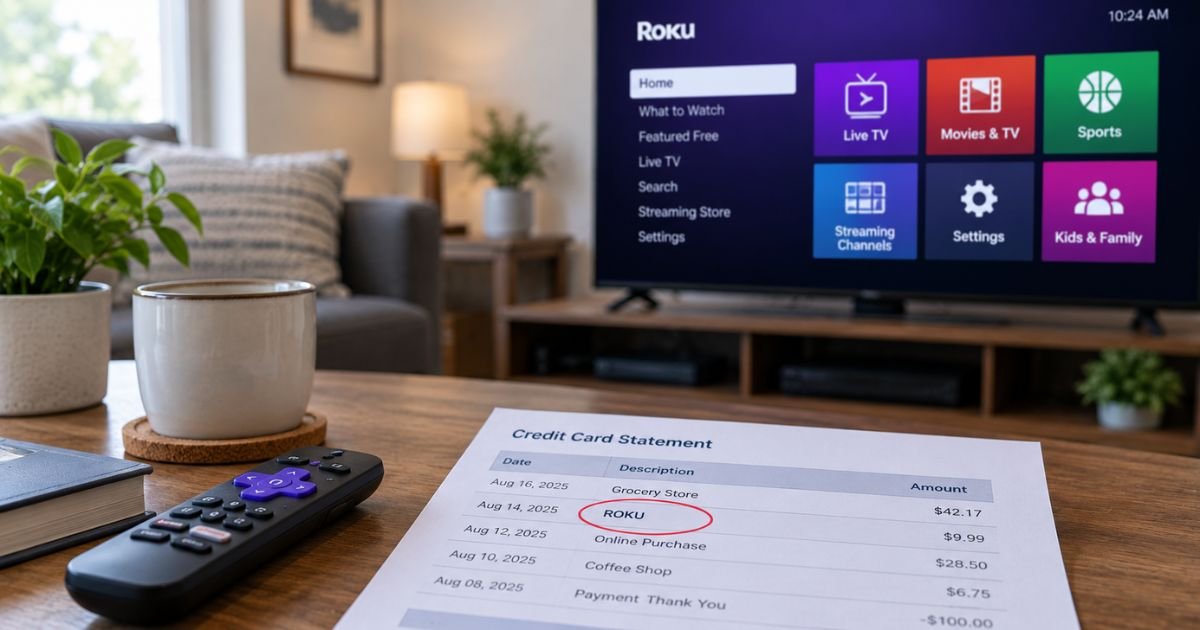
A Roku charge on a credit card can feel confusing if you don’t recall signing up for anything. Many people only remember the free Roku Channel or a streaming stick they bought years ago.
Unfamiliar Roku charges are often legitimate. They typically come from a paid channel, a movie rental, a Smart Home plan, or a small card check.
This guide shows how the line usually appears, how to match it, and how to stop future billing.
Table of Contents
What Is a Roku Charge on a Credit Card?
A Roku charge on credit card is typically a payment processed through your Roku account. Roku is a U.S. streaming company. It sells players, TVs, soundbars, and Smart Home gear. It also bills some channel subscriptions when you sign up on a Roku device.
Official Roku help says charges billed by Roku generally appear as “Roku,” “Roku for ____,” or “The Roku Channel.” The base Roku Channel app is free. A line labeled The Roku Channel usually means a Premium Subscription you added inside that app.
Roku can also place a temporary $1.00 authorization hold. That hold checks that your card works. Roku says it is not a real purchase. Your bank generally releases it in about 3 to 5 business days.
How a Roku charge usually appears
Your bank shortens merchant names. The same purchase can look slightly different from one issuer to the next. Look for “Roku” in the text first.
| Statement text (typical) | What it usually means |
|---|---|
| Roku | Roku-billed purchase or subscription |
| Roku for ____ | Channel billed through Roku, using the partner’s legal name |
| Roku for CBS Interactive | Paramount+, per Roku’s help page |
| Roku for Warner Media Global Digital Services LLC | HBO Max, per Roku’s help page |
| Roku for AMC Networks | Shudder, per Roku’s help page |
| Roku for Starz | Starz, per Roku’s help page |
| ROKU FOR DISNEY ELECTRO | Disney+ billed by Roku (manage it with Disney+) |
| The Roku Channel | Premium plan inside The Roku Channel |
| Roku + $1.00 pending | Card-check hold, not a finished sale |
Banks sometimes add a city, “DE,” or a string of numbers after the name. That extra text is usually processing data. It does not always name the exact show or channel.
If the line does not say Roku at all, official help says you likely subscribed directly with that streaming company. In that case, Roku is not the biller.
Why you might see a Roku charge
Most Roku charges fall into a few groups.
A channel you added on the device: If a payment method is saved to your Roku account, you can start many plans in a few clicks. Those bills typically auto-renew until you turn auto-renew off.
A Premium Subscription on The Roku Channel: The Roku Channel itself stays free with ads. Paid add-ons inside it generally post as “The Roku Channel.”
Howdy: Howdy is Roku’s own ad-free streaming service. Official Roku pages have listed it at $2.99 a month. That price can change, so confirm the current amount in your account.
A rental or one-time title: Movie and TV purchases through Roku can post once and still look like a mystery “Roku” line.
Roku Smart Home: A new camera or doorbell typically includes a free 14-day trial. If a paid camera or monitoring plan starts after that, it generally shows in Roku purchase history.
Official Roku pages list camera plans from $3.99 per camera per month and a Cameras Plus plan at $9.99 a month for all cameras.
A Pro Monitoring plan powered by Noonlight is listed at $9.99 a month. Taxes and yearly options can change the amount you see.
Hardware from roku.com: A player, soundbar, or accessory bought on Roku’s site can appear in purchase history as a product invoice, not a channel bill.
A $1 card check: Updating a card, adding a new card, or starting a plan can trigger one or more $1 holds. Roku says those holds are an anti-fraud check. You may see more than one if several cards were tested.
Disney+, Hulu, or Sling TV billed by Roku: Roku may process the charge. Official help says those three companies still manage the plan. You generally contact them to cancel, even when the statement says Roku.
How to match the charge to your account
Start on the web, not only on the TV.
- Sign in at my.roku.com.
- Open Purchase history and invoices.
- Compare the date and amount with your card or bank statement.
- Open Manage your subscriptions at my.roku.com/subscriptions.
Match the date first. A pending $1 hold may not appear as a finished invoice.
Check for more than one Roku account. Official help notes that a household device can sit on a different email than the one you remember. On the player or TV, go to Settings, then System, then About to see the email on that device.
Ask who else uses the TV. A partner, child, or guest can start a trial with the card already saved on the account.
Pro Tip: Save a screenshot of the invoice line and the statement line before you chat with support. Date, amount, and the last four digits of the card usually speed up matching.
How to cancel a Roku-billed subscription
Cancel the plan that Roku manages before you remove the card. Official help says you must turn off auto-renew to stop future billing.
On the website
- Go to my.roku.com/subscriptions.
- Open the active plan.
- Choose Manage subscription, then Turn off auto-renew.
On the device
- Press Home on the remote.
- Highlight the app.
- Press the Star button.
- Choose Manage subscription, then Turn off auto-renew.
Roku says you generally keep access until the current billing period ends. Turning off auto-renew typically stops the next renewal. It does not always create an instant refund.
Smart Home plans are canceled in the same subscriptions area. Official steps say to uncheck cameras and doorbells, review the change, then cancel the plan.
Disney+, Hulu, and Sling TV are different. Even when Roku bills you, official Roku help tells you to contact those services:
- Disney+: help.disneyplus.com or 888-905-7888
- Hulu: help.hulu.com or 877-824-4858
- Sling TV: sling.com/help or 888-394-6698
Those numbers come from Roku’s own cancel page. Hours and policies still belong to each company.
Official Roku refund language is strict. Content and subscriptions purchased and managed directly by Roku are described as pre-paid, final, and non-refundable.
Courtesy credits sometimes happen, but you should not count on one.
Device returns bought on roku.com follow a separate product return policy, typically a 30-day window from ship date when you bought from Roku directly.
For live billing help, use support.roku.com. Official contact pages point you to chat or an advisor there. Roku says it does not handle billing questions by postal mail.
If the charge is not yours
Work through this list before you assume fraud.
- Confirm nobody in the home started a trial or rental.
- Search purchase history on every email you have used with Roku.
- Change the Roku password and turn on a purchase PIN.
- Remove the card after every unwanted plan is set to stop renewing.
- Factory-reset a used Roku TV or player so an old owner’s account is not still linked.
Roku says it never charges to create an account, activate a device, or give customer support. A site or caller that demands an “activation fee” or remote access to your computer is not official support.
If the charge is unauthorized, contact Roku support first when the descriptor includes Roku. Then call your issuer.
For U.S. credit cards, the Fair Credit Billing Act generally gives you 60 days from the statement date to send a written billing-error notice. Many issuers also let you start a dispute in the app. Issuer rules vary.
Common Mistakes: People cancel the app icon and think billing stopped. Removing a channel from the home screen does not cancel auto-renew. Others remove the card first and leave the plan active, then get surprised when Roku retries a stored method. Turn off auto-renew first, wait for the period to end, then remove payment details.
FAQs: Roku Charge on Credit Card
Q. Does The Roku Channel charge a monthly fee?
A. The Roku Channel app itself is free. A repeating “The Roku Channel” line typically means a Premium Subscription you added inside that app, such as a partner channel sold there. Check Active subscriptions on my.roku.com to see the exact plan name.
Q. Why do I see a $1.00 Roku charge?
A. Roku uses a small authorization hold to confirm the card on file is valid. Official help calls this an anti-fraud check, not a completed purchase. Your bank generally drops the hold in about 3 to 5 business days. More than one $1 line can appear if several cards were tested.
Q. I do not own a Roku. Can I still get a Roku charge?
A. Yes, it can happen. Someone may have used your card on their Roku account. You may also have used The Roku Channel on another TV, phone, or a Roku TV in a shared home. If purchase history on your email is empty, ask your issuer to investigate and consider a new card number.
Q. Will Roku refund a subscription I forgot to cancel?
A. Official policy says Roku-managed content and subscriptions are pre-paid and non-refundable. Canceling typically stops the next renewal and leaves access through the paid period. A support advisor may offer a courtesy credit in some cases, but that is not a published guarantee. Ask in chat and keep written confirmation.
Conclusion
A Roku charge on a credit card is usually a real Roku-billed plan, rental, Smart Home fee, hardware order, or a $1 card check. Official descriptors are typically “Roku,” “Roku for ____,” or “The Roku Channel.”
Match the date and amount in purchase history, turn off auto-renew for plans you do not want, and use support.roku.com if the invoice and the statement still do not line up.
Disclaimer: This article is for general information only. It is not financial, legal, or account advice. Billing descriptors, fees, refunds, and cancel steps can change and may vary by issuer, plan, and country. Confirm details in your Roku account, on official Roku help pages, or with your bank before you dispute a charge.
Meet the Author
