
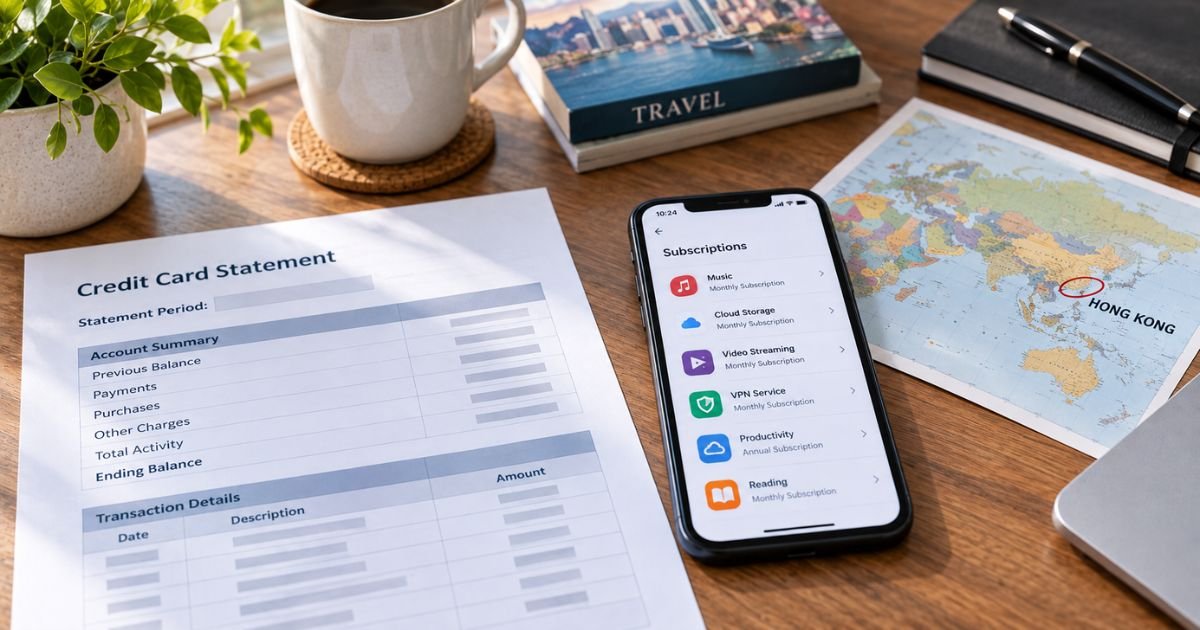
An Exu Hong Kong charge on credit card can feel confusing if you don’t recall buying anything in Hong Kong. In many cases it is a real online or in-app bill from a Hong Kong-registered company, not a store you visited in person.
This guide explains the most likely match, how to check your own accounts, and what to do if the line still does not add up.
Table of Contents
What Is an Exu Hong Kong Charge on Credit Card?
An Exu Hong Kong charge on credit card is typically a card-not-present purchase tied to a Hong Kong merchant name. Banks print a short legal or trade name plus a city or country.
“Hong Kong” on the line usually means where the merchant is registered or where billing is processed. It does not mean you flew there.
The closest public company match is EXU (HK) LIMITED. Hong Kong company records list that firm as live. It was incorporated on 13 August 2014. The Chinese name is 鴻量網絡科技有限公司. The company number is 2132256.
Directory listings place a registered office at Room 1911, Lee Garden One, 33 Hysan Avenue, Causeway Bay. Dun & Bradstreet lists computer systems design and custom programming as the industry.
U.S. trademark records list EXU (HK) LIMITED as owner of marks used for downloadable social apps. Those marks include HOLLA, MONKEY, YEE, and OMEGA. The goods descriptions cover chat, video chat, matching, and related social features. Holla is a known random-video and social app.
If you used a similar app and bought coins, a pass, or a trial, the parent legal name can show as EXU with a Hong Kong tag.
Evidence on the exact bank descriptor is limited. There is no official consumer page that says “your statement will always read EXU HONG KONG.”
Other Hong Kong sellers can also be shortened in ways that look similar. Treat the company match as the best lead, then confirm it against your own receipts.
How the charge may appear
Issuers trim text. You may see a country code, a currency note, or a foreign-transaction fee on a separate line.
| Statement wording you may see | What it often means |
|---|---|
| EXU HONG KONG or EXU (HK) | Possible billing by EXU (HK) LIMITED or a shortened Hong Kong merchant name |
| EXU HK plus a code or phone field | Same idea, with bank reference text added |
| HOLLA, MONKEY, YEE, or OMEGA | Possible related app purchase if those names print instead of EXU |
| APPLE.COM/BILL or GOOGLE* plus an app name | In-app buy billed by Apple or Google, not under EXU |
| HALARA HONG KONG or similar lookalikes | A different merchant. See the lookalike list below |
A U.S. issuer may also add a foreign transaction fee. That fee is from your bank, not a second product. Amounts vary. App coins and weekly passes can look small. Larger one-time totals can be coin packs or stacked in-app buys.
Why you might see this charge
Typical reasons include:
- Coins, a VIP pass, or a trial inside a Holla-style video or social app
- An in-app purchase billed through Apple or Google that you later match only by date
- A family member using a shared phone, Apple ID, or Google account
- An online shop whose merchant of record is a Hong Kong company named or shortened to EXU
- A pending authorization that later posts as a final charge
- A currency conversion difference that makes the dollar amount look unfamiliar
Hong Kong is a common place for app and e-commerce companies to incorporate. A U.S. storefront can still bill through a Hong Kong legal entity. That is why the city on the statement can surprise you.
If the purchase went through the App Store or Google Play, your card line may not say Exu at all. Check Apple Subscriptions or Google Play order history for the same date and amount.
How to confirm the charge
Start with accounts you already have. Do not call a number from a search ad.
- Search email and texts for Holla, Monkey, Yee, Omega, EXU, or “Hong Kong” near the charge date.
- On iPhone, open Settings, tap your name, then Subscriptions and Purchase History.
- On Android, open Google Play, then Payments & subscriptions, then Subscriptions and Budget & order history.
- Check PayPal, Apple Pay, and Google Pay activity for the same amount.
- Ask anyone who shares the phone, tablet, or stored card.
- Open the full merchant detail in your bank app. Note any extra letters after EXU.
If you find an app purchase, keep screenshots of the order ID. That record is more useful than the short statement name.
There is no widely published EXU consumer help desk with a verified public phone for U.S. cardholders. Trademark and company filings confirm the firm exists. They do not publish a clear refund promise. Flag that gap instead of guessing a number.
Pro Tip: Sort Apple or Google purchase history by the statement date, not by the app name you remember. Coin packs often post under the developer or legal name.
Lookalikes that are not EXU (HK) LIMITED
Similar wording can point to a different business.
- Halara Hong Kong is a clothing retailer. Statements have shown SP * HALARA HONG KONG.
- Holafly sells travel eSIMs. That brand is not the EXU company above.
- Hola VPN is a separate proxy and VPN product.
- HOLA / 和樂家居 is a Taiwan home retailer.
- HKLLC or HKLLLC has been reported as an Ohio merchant, not this Hong Kong firm.
- Google * HK White Whale style lines are usually Google Play developer names.
Match the exact letters on your statement. One extra letter can mean a different seller.
How to stop future charges
If the buy was in an Apple or Google app, cancel in that store. Deleting the app does not stop billing.
Apple
- Open Settings and tap your name.
- Open Subscriptions.
- Select the app and cancel.
- Review Purchase History for one-time coin packs.
Google Play
- Open Google Play and tap your profile.
- Open Payments & subscriptions, then Subscriptions.
- Cancel the matching plan.
- Check order history for extra in-app purchases.
If you paid on a website, search that site for account, wallet, or subscription settings. Use only the domain from your receipt email.
Apple and Google generally keep access until the paid period ends after you cancel. Refund rules sit with the store or the app developer. Neither path is a guaranteed refund of coins already used.
Watch one more statement. Recurring plans should stop if you canceled before renewal. If another charge posts, save the cancel screen and contact your issuer.
If you do not recognize the charge
Work your own purchase history first. Then treat it as possible unauthorized use.
- Change passwords on Apple ID, Google, email, and any matching app.
- Turn on purchase alerts and Face ID or a passcode for App Store buys.
- Remove the card from unused wallets and family sharing if needed.
- If nothing matches, report the charge to your issuer promptly.
- U.S. billing-error rules generally give you 60 days from the statement date to send a written dispute for unauthorized use.
Do not give card numbers to anyone who calls or texts about an “Exu refund.” Banks and card networks do not collect repayment codes that way.
Common Mistakes: Assuming Hong Kong on the line means travel fraud. Deleting an app and thinking the plan died. Calling a number printed in an ad. Mixing EXU up with Halara or Holafly. Waiting past your issuer’s dispute window.
FAQs: Exu Hong Kong Charge on Credit Card
Q. Is an Exu Hong Kong charge on credit card always from the Holla app?
A. No. EXU (HK) LIMITED is the strongest public name match, and that company owns social-app marks such as HOLLA. Other Hong Kong merchants can still print a short EXU-style name. Match the date and amount in your email, Apple, or Google history before you decide.
Q. Why does a U.S. purchase show Hong Kong on my statement?
A. Card networks print the merchant’s registered location or billing country. Many app and online firms incorporate in Hong Kong even when the product is used in the United States. Your issuer may also add a foreign transaction fee on a separate line.
Q. How do I cancel an Exu Hong Kong subscription?
A. If you bought inside an iPhone or Android app, cancel in Apple Subscriptions or Google Play Subscriptions. Deleting the app is not enough. If you cannot find a plan, ask your bank for the full merchant record and compare it with purchase history.
Q. Should I dispute the charge right away?
A. First try to match it. If you used the app or authorized the buy, cancel future billing and ask the store or developer about a refund. If you did not authorize it, contact your issuer quickly and follow its written dispute steps. Policies vary by bank.
Conclusion
An Exu Hong Kong charge on credit card most often reflects a Hong Kong-registered merchant. The best documented company match is EXU (HK) LIMITED, which holds social-app trademarks such as HOLLA.
Confirm the date and amount in Apple, Google, or email records, then cancel any plan you do not want. If nothing matches, treat the line as unauthorized and tell your bank.
Disclaimer: This article is for general information only. It is not financial, legal, or tax advice. Public records identify EXU (HK) LIMITED and related app marks, but banks do not publish one official descriptor glossary for this charge. Merchant names, app ownership, prices, refunds, and issuer dispute rules can change. Verify account-specific questions with the merchant, Apple or Google, or your bank.
Meet the Author
