
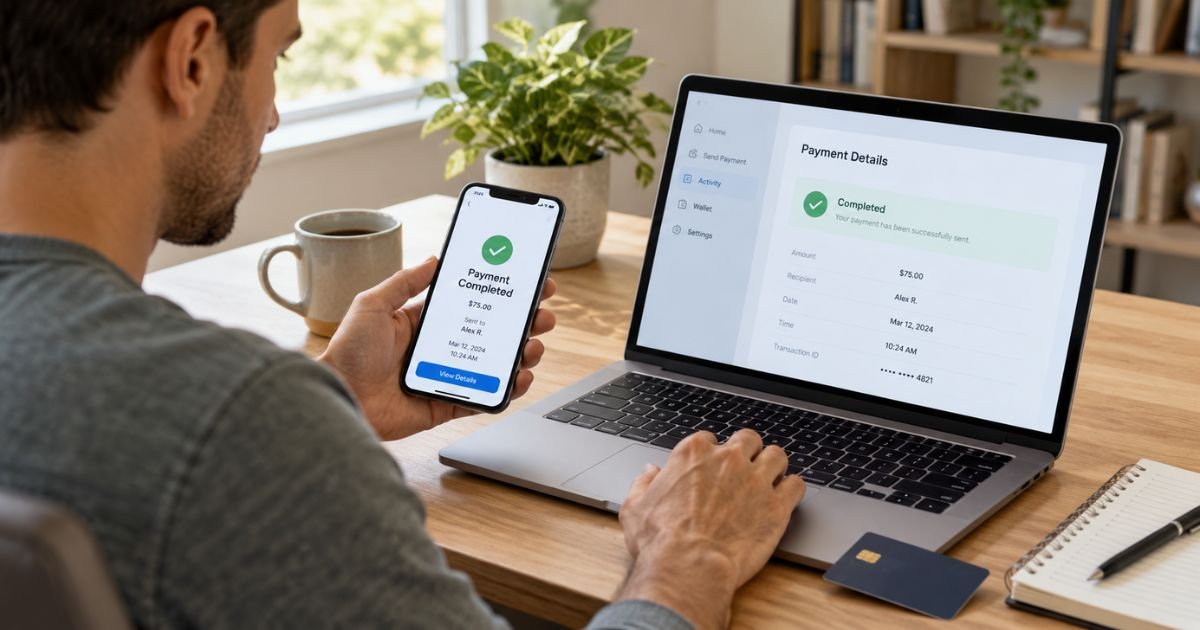
Trying to cancel a PayPal transaction can feel confusing when you realize you sent money to the wrong person or changed your mind after paying. The key is the payment status because only some PayPal payments can be canceled directly.
A pending or unclaimed payment may have a Cancel option. A completed payment usually requires a refund request or dispute instead.
Table of Contents
How to Cancel a PayPal Transaction
PayPal generally lets you cancel a payment only when the recipient has not claimed or accepted it and a Cancel button appears in your Activity. Once a payment shows as completed, you generally cannot reverse it yourself.
The next step depends on whether the payment is unclaimed, pending authorization, completed, automatic, or unauthorized.
Which PayPal Transactions Can You Cancel?
Use the transaction status as your starting point.
| Transaction status | Can you cancel it yourself? | What to do |
|---|---|---|
| Unclaimed with Cancel option | Usually yes | Cancel from Activity |
| Pending without Cancel option | Usually no | Wait or contact recipient |
| Merchant authorization | Usually no | Contact the merchant |
| Completed payment | No direct cancellation | Request a refund |
| Automatic payment | Future charges can be stopped | Cancel the billing agreement |
| Unauthorized payment | Report it | Use the Resolution Center |
A Cancel option is generally the clearest sign that PayPal still allows you to stop that payment.
How to Cancel an Unclaimed PayPal Payment
A payment may remain unclaimed when you send it to an email address or phone number that is not connected to a verified PayPal account. It may also remain unclaimed while the recipient waits to accept it.
On the PayPal website, you can generally:
- Sign in to PayPal.
- Open Activity.
- Find the payment.
- Select Cancel if that option appears.
- Follow the prompts to confirm.
If no Cancel button appears, you generally cannot cancel the payment yourself. PayPal says some pending or unclaimed payments are automatically canceled after 30 days if the recipient does not accept them.
Pro Tip: Check the email address, phone number, recipient name, and payment amount before sending money. A quick review can prevent a payment from going to the wrong account.
What Happens After You Cancel?
When PayPal cancels an eligible payment, the money generally goes back to the original payment method. The return time depends on how you originally paid.
PayPal says refunds to bank accounts may take up to five business days. Refunds to credit or debit cards may take longer, sometimes up to 30 days.
Can You Cancel a Completed PayPal Payment?
A completed PayPal payment generally cannot be canceled from your side. The money has already been accepted or processed.
Your first option is usually to contact the recipient or seller and request a refund. Open Activity, select the payment, and use the contact details shown there. PayPal also directs users seeking a refund for a completed payment to contact the seller.
Common Mistakes: Do not report a payment as unauthorized simply because you changed your mind about a purchase. An unauthorized transaction generally means you did not approve the payment at all.
How to Cancel a Pending Merchant Authorization
Some PayPal purchases first appear as a pending authorization. This means you approved the merchant to charge you, but the merchant has not yet captured the payment.
PayPal says neither you nor PayPal can normally cancel that authorization directly. You generally need to contact the merchant and ask them to cancel or void the order.
How to Stop a PayPal Automatic Payment
Canceling an automatic payment is different from canceling a transaction that already posted. It generally prevents future charges from that merchant.
On the PayPal website, you can usually:
- Open Settings.
- Select Payments.
- Choose Subscriptions and saved businesses or Automatic Payments.
- Select the merchant.
- Cancel the automatic payment.
Stopping the PayPal billing agreement does not necessarily cancel your underlying service contract. You should also cancel directly with the merchant when required.
A completed charge generally will not disappear just because you cancel future automatic payments.
How to Request a Refund From a Seller
If the payment is completed and you authorized it, contact the seller first when the issue involves a cancellation, return, duplicate charge, or service problem.
Do not let a long merchant conversation cause you to miss PayPal’s dispute deadlines. If the seller stops responding, check the Resolution Center promptly.
When to Open a PayPal Dispute
PayPal allows disputes for certain purchase problems, unauthorized activity, and billing errors. The deadline depends on the reason for your claim.
For an item you did not receive, PayPal currently says you generally must open the dispute within 180 days of sending the payment.
For an item significantly different from its description, the deadline is generally 30 days after delivery or fulfillment, or 180 days after payment, whichever comes first.
Other billing errors generally need to be reported within 60 days after PayPal sends the first statement showing the problem. Unauthorized activity should be reported as soon as you notice it.
You can generally start through the Resolution Center, select Report a problem, choose the transaction, and follow the prompts.
What to Do With an Unauthorized PayPal Transaction
If you see a payment you did not approve, treat it as a security issue rather than a normal cancellation. PayPal instructs users to report unauthorized transactions through the Resolution Center.
If you believe your account was compromised, change your password and review your security settings. PayPal also recommends taking security action when you suspect unauthorized access.
Can You Cancel a Money Request or Invoice?
A money request or invoice is not the same as a completed payment. If you receive one you do not recognize, you generally do not need to pay it.
PayPal allows users to decline or report suspicious requests and invoices. Do not call phone numbers written inside an unexpected invoice or click unfamiliar links.
Open PayPal directly through the official website or app instead.
What If the Seller Refuses to Refund You?
If the seller will not cooperate and your purchase qualifies, you may be able to open a dispute through PayPal. Provide accurate details and supporting evidence when requested.
Keep your transaction details, seller messages, refund requests, and case number together. These records can make it easier to explain what happened if PayPal asks for more information.
How to Avoid Sending the Wrong PayPal Payment
Double-check the recipient before confirming a transfer. Pay close attention to similar email addresses, phone numbers, profile names, and merchant details.
Review your automatic payments from time to time as well. This can help you spot subscriptions or saved merchants you no longer want to authorize.
FAQs: How to Cancel a PayPal Transaction
Q. Can you cancel a PayPal payment after sending it?
A. You generally can only cancel it yourself if the payment is unclaimed or pending and PayPal shows a Cancel option. A completed payment normally requires the recipient to issue a refund.
Q. How long does PayPal take to return a canceled payment?
A. Timing depends on your original payment method. PayPal says bank-account refunds may take up to five business days, while card refunds can sometimes take up to 30 days.
Q. Can you cancel a PayPal payment that says pending?
A. Sometimes. If the transaction has a Cancel button, you can generally use it, but some pending payments and merchant authorizations cannot be canceled directly.
Q. Does canceling an automatic payment refund the last PayPal charge?
A. Generally no. Canceling an automatic payment usually stops future charges, while a completed charge normally requires a separate refund request or dispute.
Conclusion
Knowing how to cancel a PayPal transaction starts with checking its status. Unclaimed payments with a Cancel option may be stopped directly, while completed payments usually require a refund request.
For unauthorized activity or an unresolved purchase problem, use PayPal’s Resolution Center and act within the applicable deadline. Always verify the recipient, amount, and automatic-payment settings before sending money.
Disclaimer: This article is for general informational purposes only and is not financial or legal advice. PayPal, bank, card, refund, and dispute policies may change, so verify account-specific questions with PayPal or your financial institution.
Meet the Author
