
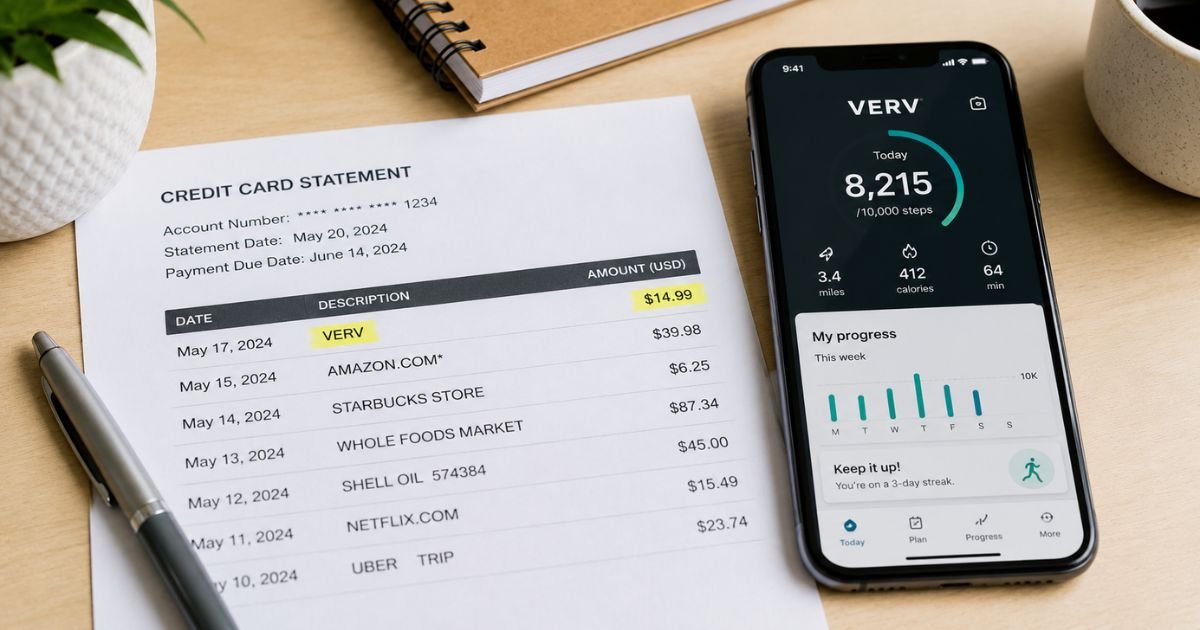
Seeing a VERV charge on credit card can feel confusing if you don’t recall signing up for anything. Unfamiliar charges like this are often tied to a real company, though the name on the statement can look unfamiliar.
This guide explains the most common source, how to check it, and what to do next.
Table of Contents
What Is the VERV Charge?
A VERV charge on a U.S. credit or debit card typically comes from Verv Inc., a Las Vegas-based company that develops fitness and wellness apps.
These include walking and weight-loss programs such as Weight Loss Walking by Slimkit (also called Walking by Slimkit) and other workout or meditation apps under the Verv name.
The charge usually represents a subscription payment. Common descriptor variations include:
- VERV
- VERV*
- VERV ONLINE
- VERV SUBSCRIPTION
- BT*VERV or similar processor prefixes
Amounts often fall in the $19 to $40 range and may appear monthly or every few months. Some users first see a low-cost trial that later converts to a higher recurring charge.
Because some subscriptions are processed through the company’s website rather than the App Store or Google Play, the charge may not show up under your usual mobile subscriptions list.
Note that “Verve” (with an “e”) can also refer to a different payment network used in some African countries or other unrelated businesses.
For most U.S. consumers searching for a VERV charge, the fitness-app company is the usual match. If your statement shows extra location or company details, those can help confirm the source.
Why Did This Charge Appear?
Here are the most common reasons a VERV charge shows up:
- You signed up for a free or low-cost trial of a walking, fitness, or wellness app and the trial converted to a paid plan.
- You entered card details on a website or in an app connected to Verv Inc. or Slimkit.
- The subscription auto-renewed after the trial period.
- A family member or someone with access to your card started a plan.
- You previously canceled an app but the web-based subscription continued.
- The charge is for a different billing cycle (for example, quarterly instead of monthly).
If the date and amount line up with any past fitness-app activity or email, the charge is generally from that service.
How to Verify the Charge
Use this checklist to identify the source:
- Look at the full descriptor, date, and exact amount on your statement.
- Search your email (including spam) for messages from Verv, Slimkit, or related fitness apps around the charge date.
- Check your Apple ID or Google Play subscription list for any fitness or walking apps.
- Review any recent app downloads or website sign-ups related to walking, weight loss, or home workouts.
- Log into any fitness accounts you still have and look for active premium plans.
- Note any phone number or additional text that appears with the charge for your records.
If nothing matches, treat the charge as potentially unauthorized and move to the next steps.
Is the Charge Legitimate or Fraud?
Verv Inc. is a real company that has offered fitness apps for years. Many charges are legitimate subscriptions that started with a trial.
At the same time, consumer reports on the BBB and review sites frequently mention unexpected renewals, difficulty locating the subscription, and continued billing after users thought they had canceled.
Common legitimate explanations
- A trial that auto-renewed into a paid plan.
- A web-based subscription that does not appear in your App Store or Google Play list.
- A plan started by someone else who used your card.
Warning signs
- No matching email, app, or account activity.
- Multiple charges in a short period with no record of signup.
- Charges continuing after you requested cancellation.
- Inability to log into any related account or find a cancellation path.
When to contact the bank: If you cannot find any connection to a Verv or Slimkit service after checking your records, contact your card issuer promptly and report the charge as unauthorized.
How to Cancel VERV
Cancellation depends on how the subscription was purchased. Deleting the app alone does not stop billing.
If purchased through the App Store (iPhone/iPad)
- Open Settings and tap your name.
- Tap Subscriptions.
- Select the Verv, Fitness Verv, Slimkit, or related plan.
- Tap Cancel Subscription.
Do this at least 24 hours before the next renewal date.
If purchased through Google Play (Android)
- Open the Google Play Store and tap your profile.
- Go to Payments & subscriptions > Subscriptions.
- Select the relevant plan and cancel.
If purchased on the website
Email the company using the address associated with the charge (commonly support@verv.health or support@verv.com). Include the email used at signup, the charge date, and amount.
Ask for confirmation that the subscription is canceled and that no further charges will occur. Some users also report success contacting support@slimkit.health for specific walking apps.
After cancellation you generally keep access until the end of the paid period. Keep written records of all requests.
Can You Get a Refund?
Refund policies vary. The company has stated in responses that a limited money-back window (sometimes 30 days on the first payment) may apply in certain cases. Later renewals are often harder to refund.
To request a refund, email support with your details and the charge information. If the company declines or does not respond, you can still dispute the charge with your bank or credit-card issuer.
Success depends on your issuer’s rules and how quickly you act. Policies and outcomes can differ by card network and individual circumstances.
What to Do If the Charge Is Unauthorized
- Double-check your email, app subscriptions, and any shared cards for overlooked sign-ups.
- Email Verv support (or the address linked to the charge) and request cancellation plus a refund. Save the correspondence.
- Contact your bank or credit-card issuer. Report the charge as unauthorized and ask them to open a dispute or chargeback.
- Request that future charges from this merchant be blocked if the option is available.
- Monitor your statements closely for the next few billing cycles.
- Consider replacing the card if repeated attempts to charge continue.
Act quickly. Most issuers have time limits for disputing charges.
Prevention Tips
- Review credit and debit statements every month.
- Turn on real-time transaction alerts from your bank.
- Be cautious with free trials that require a card. Set a calendar reminder to cancel before the trial ends.
- Prefer App Store or Google Play billing when possible so subscriptions stay visible in one place.
- Use unique passwords and avoid saving cards on fitness websites if you only want a short trial.
- Check subscription lists on Apple and Google regularly.
FAQs: VERV Charge on Credit Card
Q. Why does the charge say VERV instead of the app name?
A. Many fitness apps from this company bill under the parent descriptor VERV. Website subscriptions especially may not show the specific app name on your statement.
Q. Can I cancel by deleting the app?
A. No. Deleting the app does not stop the subscription. You must cancel through Apple, Google, or by contacting support if it was a web purchase.
Q. How much is a typical VERV charge?
A. Reported amounts often range from about $19 to $40, sometimes monthly and sometimes every few months. Exact prices vary by plan and location.
Q. Is VERV a scam?
A. Verv Inc. is a real company with real apps. However, many consumers report unexpected renewals and cancellation difficulties. Always verify the charge against your own records and act promptly if something looks wrong.
Conclusion
A VERV charge on credit card most often comes from a fitness or walking-app subscription offered by Verv Inc. Matching the date and amount to any past trial or signup usually confirms the source.
If you no longer want the service, cancel through the App Store, Google Play, or by emailing support, and keep records of every step.
If the charge does not match anything you recognize, contact both the company and your card issuer right away. Staying on top of statements and trial end dates is the simplest way to avoid similar surprises in the future.
Disclaimer: This article is for informational purposes only and is not financial or legal advice. Policies, refund rules, and contact options can change and may vary by issuer or individual account. Always verify details with the company or your bank for your specific situation.
Meet the Author
