
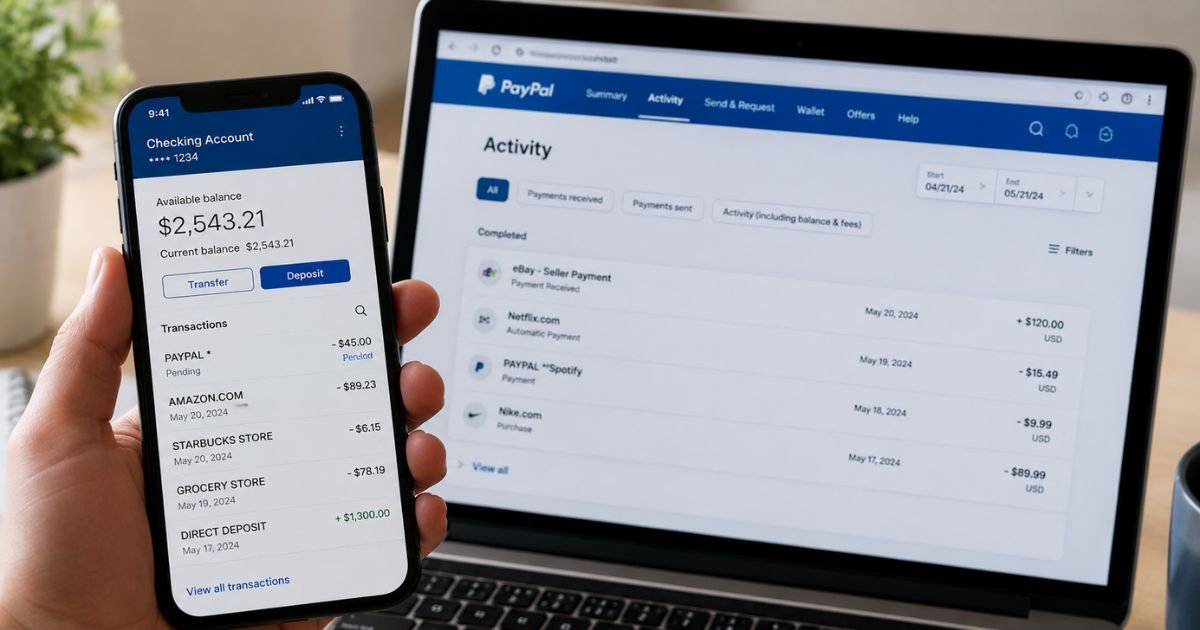
You open your bank app or credit card statement and see an unfamiliar charge that starts with “PayPal,” “PAYPAL ,” or “PP.” It can feel confusing if you don’t recall signing up for anything.
Most of these charges are legitimate. PayPal simply processes payments for many online stores and services. This guide shows you how to identify the source fast, check if it’s correct, and stop any recurring ones.
Table of Contents
What Is an Unknown PayPal Charge on Your Bank Statement?
PayPal acts as a middleman for online payments. When you (or someone using your linked card or account) pay a merchant through PayPal, the charge typically posts to your bank or credit card statement under a PayPal label rather than the store’s full name.
Banks and card networks limit how much text appears. That is why you often see short forms such as:
- PAYPAL *MERCHANTNAME
- PP*MERCHANT
- PAYPAL
- CHKCARD PAYPAL *XXXX
The text after the asterisk usually identifies the actual seller or service. A charge like “PAYPAL *SPOTIFY” generally means a Spotify subscription paid via PayPal.
“PAYPAL *TARGETCORPO” typically points to a Target purchase processed through PayPal.
Common reasons these appear include:
- An online purchase where you chose PayPal at checkout
- A recurring subscription or membership billed automatically
- A guest checkout (PayPal processed the payment without a full logged-in account)
- A temporary card-verification charge (often $1 or $1.95) when you add or confirm a card
- Money sent or received that routes through a linked bank account
Small pending amounts sometimes show up when PayPal verifies a new card. These are generally refunded quickly once confirmed.
Is the PayPal Charge Legit?
Yes, in most cases. PayPal is a long-established U.S. payment company that handles transactions for major retailers, streaming services, marketplaces, and smaller sellers. Seeing the PayPal prefix itself does not mean the charge is fake.
That said, consumer review sites and complaint databases show frequent reports about hard-to-reach support, delayed refunds, and account holds.
The presence of many complaints does not make every charge fraudulent. It does mean you should verify the specific transaction rather than assume it is safe or unsafe.
Use this quick reference for common statement appearances:
| Statement Appearance | What It Typically Means | Usual Next Step |
|---|---|---|
| PAYPAL *MERCHANTNAME | Purchase or subscription via PayPal | Check PayPal Activity |
| PP* or PAYPAL | Generic PayPal-processed payment | Search by amount and date |
| PAYPAL *REFUND | Money returned to you | No action needed |
| Small $1–$2 charge | Card verification (often temporary) | Wait for refund or confirm card |
| Guest-style PayPal charge | Payment without full account login | Activate account or contact bank |
If the merchant name after the asterisk matches something you recognize once you look it up, the charge is usually legitimate.
Unauthorized or Wrong Charges (And How to Check)
Start inside PayPal before you call your bank. Most people resolve the mystery in a few minutes.
- Log into your PayPal account (or create one if you used guest checkout).
- Go to Activity.
- Search by the exact dollar amount or the date on your statement.
- Open the matching transaction. Note the merchant name, email, invoice details, and any description.
- If it still looks unfamiliar, check Automatic Payments or Subscriptions under Settings > Payments.
Guest checkout is a frequent source of confusion. You may see the charge on your bank statement even if nothing appears in a PayPal account yet.
PayPal’s help pages explain that these payments can still be disputed once you activate the account from the confirmation email.
If you confirm the charge is unauthorized:
- Go to the Resolution Center in your PayPal account.
- Select Report a problem, choose the payment, and pick unauthorized activity.
- Follow the prompts. PayPal typically emails an update within about 10 days.
You can also open a dispute with your bank or card issuer using the number on the back of your card. Card network rules often give you a window (commonly 60 days from the statement date for many billing errors).
Report promptly and keep records of both the PayPal and bank conversations.
Pro Tip: Always check Automatic Payments first. Many “mystery” charges are forgotten subscriptions that a family member or earlier you authorized.
Common Mistake: Immediately disputing with the bank without checking PayPal. This can slow resolution if the charge was authorized through your account.
How to Stop Recurring Charges or Cancel a Subscription
Recurring PayPal charges usually come from automatic payments (also called billing agreements or subscriptions). Canceling them inside PayPal stops future pulls from that payment method.
On the website:
- Log in and open Settings (gear icon).
- Select Payments.
- Choose Automatic Payments or Subscriptions and saved businesses.
- Select the merchant.
- Cancel the automatic payment and confirm.
In the app the path is similar under Wallet or Profile > Settings > Payments.
Important: Canceling the PayPal billing agreement only removes PayPal as the payment method. The underlying service (streaming, software, membership, etc.) may stay active and try another card on file. Contact the merchant directly to fully cancel the subscription and avoid any remaining balance.
If you cannot reach the merchant or the charge continues, contact your bank or card issuer to request a stop-payment or dispute.
Preventing Future Unknown Charges
A few simple habits reduce surprises:
- Turn on transaction alerts in both your bank app and PayPal.
- Review Automatic Payments every few months.
- Enable two-factor authentication on your PayPal account.
- Unlink cards or bank accounts you no longer use.
- When shopping, note whether you selected PayPal or paid as a guest.
- Keep an eye on small verification charges and confirm they reverse.
These steps make it far easier to catch anything unusual early.
FAQs: Unknown PayPal Charge on Bank Statement
Q. Why does the charge say PayPal instead of the store name?
A. Banks limit the characters that appear on statements. PayPal inserts its name plus a short merchant identifier so you know the payment went through its system. Check your PayPal Activity for the full details.
Q. What if I don’t have a PayPal account but still see the charge?
A. This is typically a guest checkout. PayPal processed the payment for the merchant without requiring a full login. Look for the confirmation email from the time of purchase and activate an account if you want to dispute it through PayPal. You can also dispute directly with your bank.
Q. How long do I have to dispute an unknown PayPal charge?
A. For unauthorized activity, report it as soon as you notice it. Item-not-received claims generally have a 180-day window from the payment date. Other billing errors often follow a 60-day window from the statement date under card rules. Act quickly and keep records.
Q. Can a family member or shared device cause an unknown PayPal charge?
A. Yes. If someone else uses a device or account linked to your PayPal or card, their purchases can appear under your name. Review recent activity and Automatic Payments together, then change passwords and remove unused payment methods.
Conclusion
An unknown PayPal charge on bank statement is usually a legitimate payment processed through PayPal’s system rather than fraud. Log into PayPal Activity, match the amount and date, and check Automatic Payments.
If the charge is wrong or unauthorized, use the Resolution Center and, if needed, your bank’s dispute process. Cancel any unwanted recurring agreements and set alerts so future charges are easier to spot.
Taking these steps typically clears up the mystery quickly and keeps your accounts under control.
Disclaimer: This article is for informational purposes only and is not financial or legal advice. Policies, timeframes, and outcomes can vary by issuer, bank, and individual account. Always verify details with PayPal through your account or with the customer service number on the back of your card.
Meet the Author
