
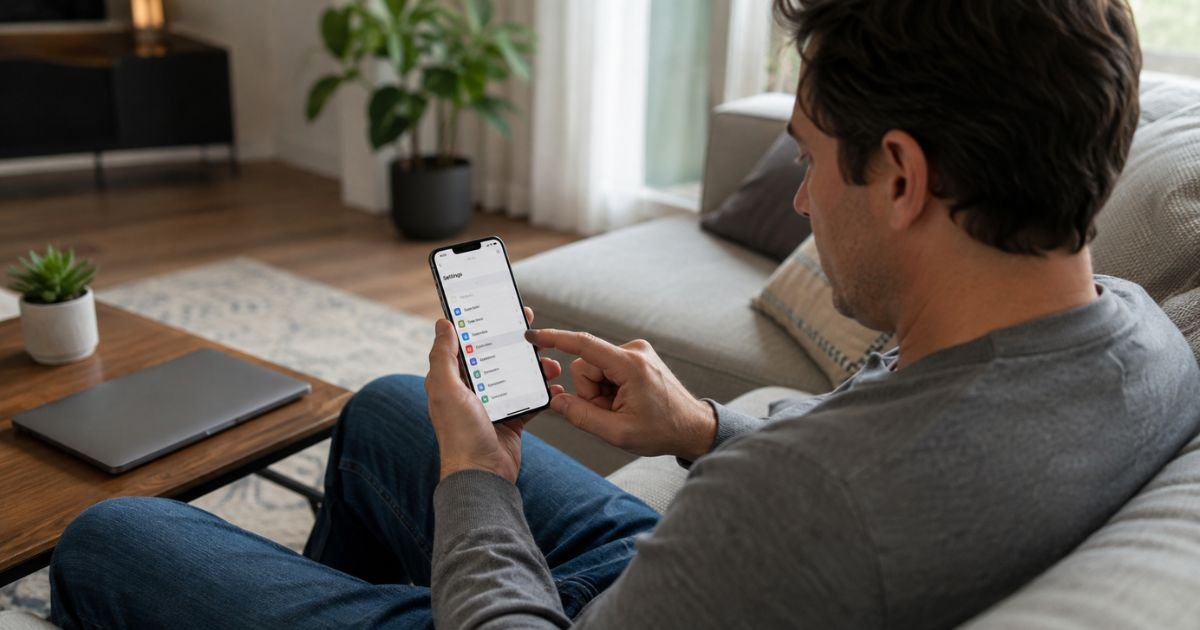
An iPhone can bill many plans through your Apple Account. That includes Apple services and in-app subscriptions you started in the App Store. Charges usually show as Apple, Apple.com/bill, Apple Services, or iTunes.
Deleting an app does not cancel the subscription. The plan keeps renewing until you stop auto-renewal in Settings, on the web, or with the company that billed you. This guide walks through those paths.
Table of Contents
What Are iPhone Subscriptions and How Billing Works
Apple collects some bills itself. Other apps take payment on their own website and only live on your phone as an icon.
You cancel an App Store plan in Apple settings. You cancel a direct-billed plan with that company.
App Store plans typically auto-renew until you cancel. Apple generally charges no more than 24 hours before the next period starts. If you cancel in time, you usually keep access until the date shown on the plan.
The Apple Account that bought the plan is the one that can unsubscribe. On Family Sharing, the organizer or the person who purchased it generally has to cancel. A member leaving the family group does not always stop the organizer’s recurring charge.
Match the line on your statement. An Apple charge is managed in Settings or at account.apple.com. A charge from Netflix, a gym, or a bank name is usually not an Apple subscription.
How to Cancel From iPhone Settings
This is the main path for App Store and Apple service plans.
On iPhone or iPad
- Open the Settings app.
- Tap your name at the top.
- Tap Subscriptions.
- Tap the plan you want to end.
- Tap Cancel Subscription. You may need to scroll down.
- Confirm. Note the expiration date on the screen.
If there is no Cancel button, or you see red text with an expiration date, the plan is already set to end. It should not renew.
Apple One is a bundle. If Music, TV, Arcade, or iCloud+ sit inside Apple One, cancel the bundle if you want all of those lines to stop. Canceling one app inside the bundle does not always end the whole Apple One charge.
Canceled plans can stay in the Active list until the end date. That is normal. Look for the expiration date instead of a renewal date.
How to Cancel on the Web
Use the web if you do not have the iPhone that subscribed, or if Settings will not load the plan.
- Go to account.apple.com or apps.apple.com/account/subscriptions.
- Sign in with the same Apple Account that paid.
- Open Subscriptions if you are not already there.
- Choose the plan.
- Choose Cancel Subscription and confirm.
You can also start from support.apple.com/billing and use Apple’s cancel link. Sign in when asked. Screenshot the confirmation page.
Canceling a Family Sharing Plan
Family Sharing can put one adult’s card behind several people’s apps. The person whose Apple Account appears on the receipt is generally the one who must cancel.
If you are a family member and the plan is not in your Subscriptions list, ask the organizer or the buyer to cancel it. You cannot cancel someone else’s purchase from your own iPhone.
Leaving the family group typically cuts your access to shared plans. It does not always unsubscribe the organizer. The organizer should still open Settings and cancel the plan if the recurring charge should stop.
Turn off Share with Family on a plan only if you want to stop sharing. That is not the same as cancel subscription.
If the Plan Is Not in Settings
Search your email for “receipt from Apple” or “invoice from Apple.” The receipt shows which Apple Account paid.
Sign in with that account and cancel again. People often have an old iCloud email and a newer one. The plan lives on the older login.
If you cannot find an Apple receipt, the company on your card statement is probably billing you directly. Open that company’s website or app and unsubscribe there. Apple cannot cancel a charge it did not process.
Some wireless carriers add Apple Music or similar perks to a phone bill. Apple cannot end that line in Settings. Use your carrier account or carrier support to stop it.
Requesting a Refund After Cancellation
Canceling stops future renewals. It does not always refund days you already paid for. In the United States you generally keep access until the period ends.
To ask Apple for a refund, go to reportaproblem.apple.com. Sign in, choose Request a refund, pick the item, and submit. Apple says to wait about 24 to 48 hours for an update on the request.
Approval is not guaranteed. Eligibility can vary by item, timing, and local rules. If a family organizer’s card paid, that organizer can usually see shared purchases when requesting a refund.
What Happens After You Cancel
Access typically continues until the expiration date on the plan screen. The app may stay on your phone. That does not mean you are still subscribed.
After the end date, paid features generally lock. Free versions of some apps may still open. iCloud storage above the free limit can stop syncing if you cancel iCloud+.
A charge that posts right after you cancel is often the period that already started. Compare the date and amount with your receipt. If it does not match, use reportaproblem.apple.com or your bank with the screenshot in hand.
Tips for a Smooth Cancellation
Cancel each plan on its own. A news app, a game pass, and Apple Music are separate recurring charges.
Do this before a free trial converts. Apple generally needs the cancel finished before the next bill, often more than 24 hours ahead of renewal. That is how you stop auto-renewal in time.
Turn on renewal receipts in Subscriptions if you want an email each time a plan renews. That makes forgotten trials easier to catch.
Keep one screenshot of the expiration date. That is the record you will need if a later charge appears.
Common Problems and Solutions
You do not see Subscriptions under your name. Update iOS, then try again. You can also use the web path at account.apple.com.
The list looks empty but your card is still billed. You are likely signed into the wrong Apple Account. Check the email on the Apple receipt and sign in with that one.
The Cancel button is missing. The plan is generally already canceled. Confirm the red expiration date.
If money still comes out after that date, request a refund and contact your bank.
A charge says Apple but no app rings a bell. Open purchase history in the App Store profile menu. Match the date.
Then cancel that exact plan name, including Apple One if the apps are bundled.
FAQs: How to Cancel Subscriptions on iPhone
Q. Does deleting an app cancel the iPhone subscription?
A. No. Deleting the app does not stop auto-renewal or end the recurring charge. Cancel in Settings, on the web, or with the company that billed you.
Q. Will I get a refund when I cancel on iPhone?
A. Usually not automatically. You typically keep access until the listed end date.
You can ask Apple for a refund at reportaproblem.apple.com. Approval may vary.
Q. Why is a subscription missing from Settings?
A. It may sit on a different Apple Account, on a family organizer’s account, or with the app company itself. Search your email for an Apple receipt and match that login.
Q. Can I cancel iPhone subscriptions from a computer?
A. Yes. Sign in at account.apple.com or apps.apple.com/account/subscriptions with the same Apple Account. Choose the plan and cancel subscription there.
Conclusion
You can cancel an iPhone subscription in Settings, on the web, or through the merchant if Apple did not bill you. Confirm the expiration date and watch one more statement for the final charge.
Act before a free trial turns into a paid month. If the plan is missing, check the Apple Account on the receipt. Stopping auto-renewal in the right place is what ends the recurring charge.
Disclaimer: This article is general educational information based on publicly available Apple help pages and terms at the time of writing. It is not financial or legal advice. Contact Apple or your payment provider for help with your specific account.
Meet the Author
