
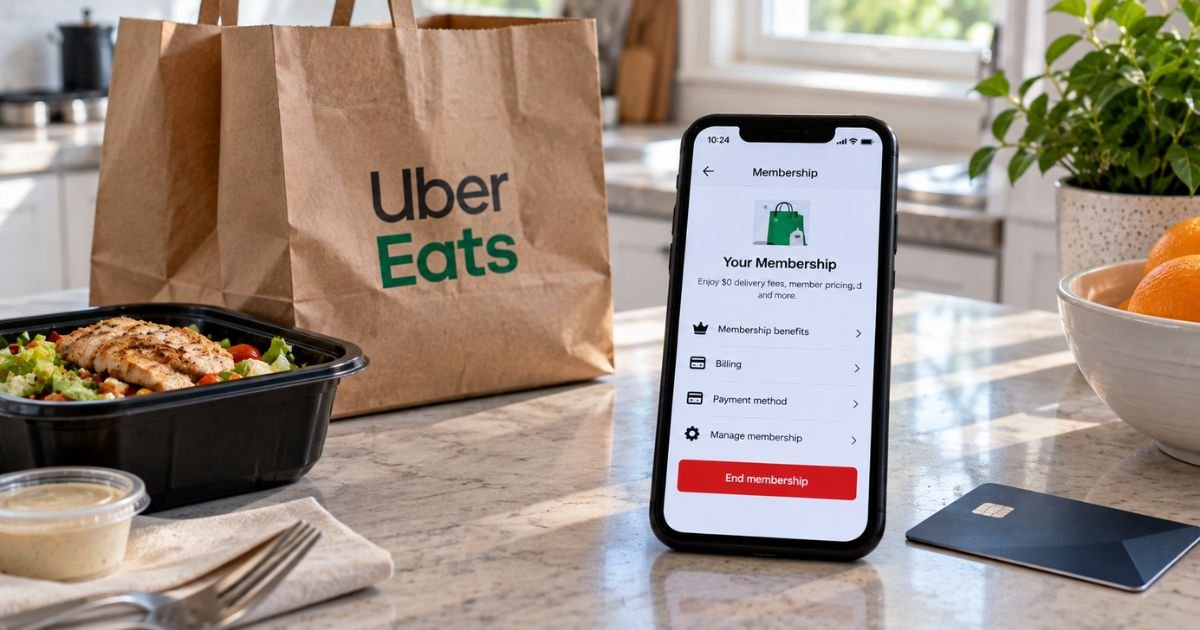
If you see a recurring Uber Eats charge, it is typically Uber One, not a separate “Eats-only” plan. Uber One is the paid membership that covers Uber Eats delivery perks and Uber ride savings. In the US it usually costs $9.99 a month or about $96 a year.
The charge usually hits the card or wallet saved in your Uber account. Deleting the Uber Eats or Uber app does not cancel the subscription. Use the steps below to stop auto-renewal, check for a refund, and confirm the next charge is off.
Table of Contents
What Is Uber Eats Subscription and How Billing Works
Uber Eats Pass is no longer sold in the US. Uber replaced it with Uber One. One membership can cover eligible Uber Eats orders and Uber rides. Look for the gold Uber One icon on stores and trips that qualify.
Public US prices in mid-2026 are typically $9.99 a month or $96 a year. Eligible verified students 18 or older may pay $4.99 a month or $48 a year.
Some student offers include a long free period, then the paid student rate. Promos change, so check the price shown in your membership hub.
Uber One auto-renews until you unsubscribe. Uber generally charges your default payment method no more than 24 hours before the renewal day listed in the app. The same wallet can hold a card, debit card, PayPal, or Apple Pay.
Official US membership terms do not treat this as a typical App Store or Google Play subscription, and they do not describe carrier billing.
Your statement may show UBER, UBER EATS, UBER ONE, or a mix of trip and membership lines. The account owner who pays is the person who can cancel. If you share Family benefits, only the primary member stops the recurring charge.
How to Cancel Uber One in the Uber or Uber Eats App
You can cancel from either app. Labels can read End Membership, Leave Uber One, or End Subscription.
- Open the Uber app or the Uber Eats app and sign in.
- Tap Account or your profile icon.
- Tap Uber One.
- Scroll to Manage Membership.
- Tap End Membership.
- Pick a reason if asked, then confirm End Membership or Leave Uber One.
Check the hub again for a canceled or “does not renew” status and the last benefit date. Screenshot that screen. Official US pages say you can cancel anytime, with no extra cancel fee.
How to Cancel on the Uber Eats Website
If the app will not load, sign in on the web.
- Open ubereats.com or uber.com and sign in with the same email or phone.
- Open the menu and tap Uber One.
- Select Manage Membership.
- Choose End Membership and confirm.
Menu names vary by device. If you cannot find End Membership, use in-app Help instead of guessing a phone number.
How to Cancel by Contacting Uber Support
Official US contact pages point riders and Uber Eats customers to in-app Help or help.uber.com. They do not publish a general consumer cancel phone line.
- Open the Uber or Uber Eats app.
- Tap Account, then Help.
- Choose the Uber One or membership topic.
- Follow the cancel prompts, or send a support message if the button is missing.
Use Help if you are inside the last day before renewal and the app will not let you finish. Report an unrecognized recurring charge at help.uber.com within 60 days. Skip random “Uber support” numbers from search ads. Those are often scams.
Canceling If It Shows in Apple or Google
Most US Uber One plans bill the payment method in your Uber wallet. Still check the stores if you are not sure.
On iPhone or iPad
- Open Settings and tap your name.
- Tap Subscriptions.
- Look for Uber One or Uber Eats.
- If it is listed, tap Cancel Subscription and confirm.
On Android
- Open the Google Play Store.
- Tap your profile, then Payments & subscriptions, then Subscriptions.
- Open Uber One or Uber Eats if it appears.
- Tap Cancel subscription and confirm.
If the plan is not in Apple or Google, cancel in the Uber One hub. Canceling only in the store will not stop a wallet-billed membership.
Pausing Instead of Canceling
A pause is not a cancel. Official US terms let some monthly members pause instead of ending the plan.
Pause is typically for monthly memberships only. It generally does not apply to a free trial or a partner-funded offer. You can usually pause up to four times per calendar year.
The pause starts after the current cycle ends. Pause at least 24 hours before your billing day if you want to avoid the next charge.
During a pause you typically lose member perks and member promos. When the pause ends, Uber generally resumes auto-renewal and charges again.
Resume early in Manage Membership if you want benefits back sooner. If you want the recurring charge gone for good, use End Membership.
Managing a Family or Shared Plan
Eligible paid monthly or annual members can often share perks with one other adult. Student plans, trials, partner offers, and some business plans are typically ineligible.
Only the primary member controls billing. If you cancel or pause the primary plan, the second person generally loses Uber One benefits right away.
Removing a shared member is not the same as stopping auto-renewal. End Membership on the paying account if you want the charge to stop.
Managing an Amex or Partner-Funded Membership
Some cards reimburse Uber One with a statement credit. American Express Platinum and Centurion pages describe up to $120 a year when an eligible card pays an auto-renewing Uber One plan. That credit does not cancel the membership for you.
Cancel in the Uber One hub even if a card later refunds the fee. If a partner funded the pass, that partner may control some billing rules.
Check both Uber Help and the card or partner offer terms. After you unsubscribe, watch one more statement to confirm the membership line is gone.
What Happens After You Cancel
For a paid month or year, official US terms say benefits typically last until the end of the current billing cycle. After that date, $0 delivery fee and other member discounts stop.
If you cancel a free trial, member benefits generally end right away. A third-party promo may run to the end of that promo, then stop. Uber One credits earned as a member may not work without an active plan.
Uber’s US membership page also says this: if you cancel less than 24 hours before the next renewal day, you may still see a charge that Uber later refunds automatically.
Bank timing varies. Current-cycle fees are generally not prorated once that cycle has started, except where law requires it.
Requesting a Refund After You Cancel
Cancel first, then decide whether a refund request makes sense. Official US terms treat the fee for a billing cycle that already started as non-refundable and non-transferable in most cases.
Uber says it will automatically refund a next-cycle charge if you cancel within 24 hours of renewal and that payment already went through.
If Uber cannot send money back to the original card, it may issue Uber Cash instead. Report unauthorized charges at help.uber.com within 60 days.
Do not expect unused days back on a month you already used. If support does issue a refund, some help pages say you may lose benefits immediately and may have to wait a few days before you can buy Uber One again.
Tips for a Smooth Cancellation
Cancel at least a day before the renewal date shown in Manage Membership. That is the cleanest way to stop auto-renewal.
Turn down any stay offer if you want out. Screenshot the confirmation and save the email. Then place a test order or open the hub again to confirm member pricing is gone after the end date.
Watch your card for one more cycle. Uber can retry a declined wallet card. Removing the card after you cancel reduces surprise retries, but cancel the plan first.
Common Problems and Solutions
You cannot find End Membership – Update the app, try the other Uber app, or use the website. If you are very close to renewal, use in-app Help.
You thought checkout added only a one-time promo – Trials and first-month deals typically convert to the regular rate unless you cancel before the trial ends.
Family perks vanished after you canceled – That is expected when the paying member ends the plan.
The charge looks like a ride, not a membership – Open Wallet and trip history. Compare the date and amount with the Uber One renewal day.
Apple or Google has no Uber One listing – Cancel in the Uber hub. The stores only control plans they billed.
Alternatives After Canceling
You can still use Uber Eats without Uber One. You will usually pay standard delivery and service fees. Compare that with DoorDash, Grubhub, or picking up the order yourself.
If you only needed a short break, pause may be cheaper than canceling and rejoining later. If you use Uber and Uber Eats often, do the math on $9.99 a month versus the fees you actually paid last month.
FAQs: How to Cancel Uber Eats Subscription
Q. Does deleting the Uber Eats app cancel Uber One?
A. No. Deleting the app does not stop auto-renewal. Cancel in Account, then Uber One, then Manage Membership. Your Uber account and payment method can keep billing after the app is gone.
Q. Do I get a refund when I cancel?
A. Usually not for the cycle that already started. Official US terms generally do not prorate unused days. If you cancel within 24 hours of renewal and the next charge already posted, Uber typically refunds that next payment automatically.
Q. What if I am still in a free trial?
A. Cancel before the trial end date if you do not want the first paid charge. Trial benefits generally end as soon as you cancel, unless a partner promo says otherwise. Check the exact end date in the membership hub.
Q. Can someone else cancel my plan for me?
A. Only the paying account can stop the recurring charge. A family member who only receives shared perks cannot unsubscribe for you. A store refund request also will not cancel a wallet-billed Uber One plan.
Conclusion
To cancel an Uber Eats subscription in the US, end Uber One in the Uber or Uber Eats app. Go to Account, tap Uber One, open Manage Membership, then confirm End Membership. That is the official way to stop auto-renewal.
Keep using Eats until the current period ends if you already paid. Then watch your next statement. If a charge you do not recognize still appears, use Help in the app or help.uber.com within 60 days.
Disclaimer: This article is general educational information based on publicly available Uber and Uber Eats details at the time of writing. It is not financial or legal advice. Plans, prices, refunds, and on-screen labels can vary by account, city, and offer. Contact Uber through the app or help.uber.com, or ask your bank, for help with your specific charge.
Meet the Author
