
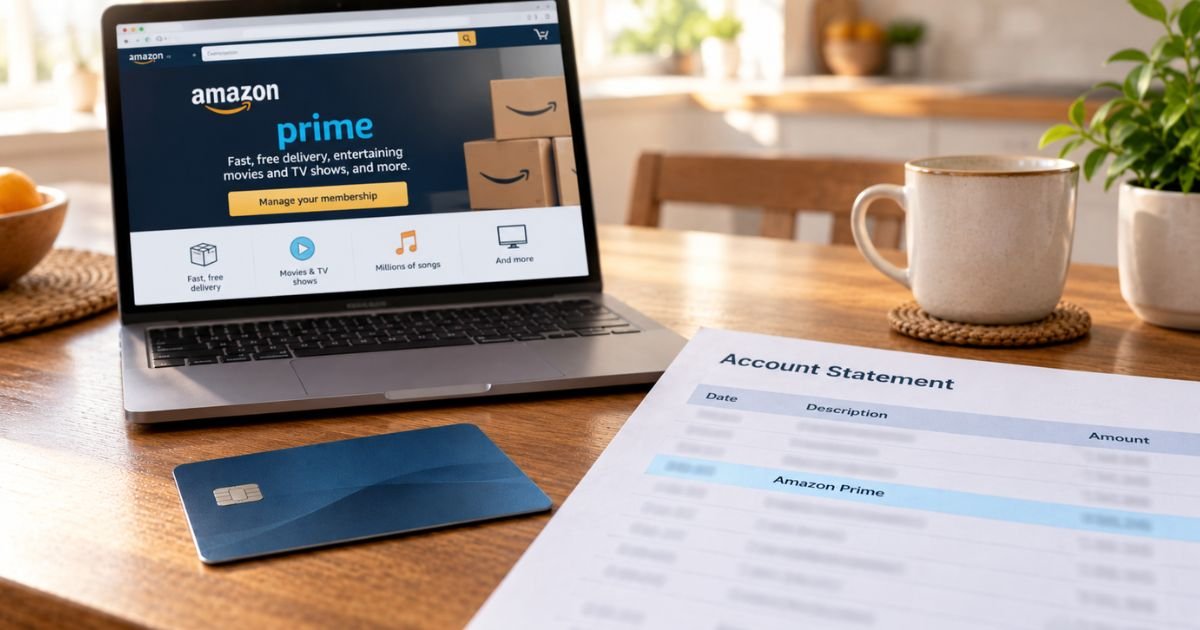
An Amazon Prime charge on a credit card can feel confusing if you don’t recall signing up for anything. The line is often short, and it may land weeks after a free trial.
Most of these charges are legitimate membership bills from Amazon.com, Inc. Below, you’ll learn what the line means, how to match it to your Prime plan, and how to cancel if you no longer want it.
Table of Contents
What Is an Amazon Prime Charge on a Credit Card?
An Amazon Prime charge on credit card is usually the recurring fee for an Amazon Prime membership. Amazon bills that fee monthly or yearly, depending on the plan saved on your account. The charge is generally not a single product order.
Amazon’s own help page lists Prime-related statement text such as AMZ*Prime Shipping Club, AMAZON PRIME plus a code, and amzn.com/bill. Your bank may shorten those words even more.
Prime is a real paid membership from Amazon. It typically includes faster shipping on eligible items and access to Prime Video. Extra add-ons, such as some video channels, can bill separately.
How the Charge Shows Up on Your Statement
Banks have limited space for merchant names. That is why Prime billing does not always say “Amazon Prime membership” in full.
| Statement wording you might see | What it often means |
|---|---|
| AMAZON PRIME, AMZNPRIME, or AMZPrime Shipping Club | Prime membership renewal |
| AMAZON PRIME* plus letters and numbers | Prime bill with an internal reference code |
| amzn.com/bill | Amazon billing, including some Prime charges |
| Prime Video | Standalone Prime Video or a video add-on, not always full Prime |
| AMZN MKTP US or AMAZON.COM | Usually an item order, not the membership fee |
A Prime fee and a shopping order can appear in the same month. Match the dollar amount and date, not only the word “Amazon.”
Amazon may also place a short bank authorization when you start or renew a plan. That hold is not the final posted membership charge. It generally drops if the bank never captures it.
What the Amount Usually Means
Amazon publishes current U.S. Prime prices on its membership fee help page. Plans and tax can change. Confirm your live rate in your account.
| Plan Amazon lists | Typical U.S. price before tax |
|---|---|
| Prime monthly | $14.99 per month |
| Prime annual | $139 per year |
| Prime Video membership | $8.99 per month |
| Prime for Young Adults | $7.49 per month or $69 per year |
| Prime Access (qualifying aid) | $6.99 per month |
Sales tax may apply in some states. That can make the posted amount a bit higher than the base price.
A $139-style charge often means the annual plan renewed. A charge near $15 often means the monthly plan. A charge near $9 may be standalone Prime Video instead of full Prime.
If you started with a free trial, Amazon generally converts it to a paid plan when the trial ends. The first paid charge can surprise you if the reminder email went to spam.
How to Verify the Charge
Sign in on amazon.com or the Amazon app. Do not use a random text link.
- Open Account, then Prime or Manage Prime Membership.
- Check whether the plan is monthly or annual, and note the next renewal date.
- Open Your Transactions or Your Payments and match the date and amount.
- Open Memberships & Subscriptions for Prime Video channels and other add-ons.
- Review household or shared-account users who can order with your card.
- Search your email for a Prime receipt around the statement date.
If the amount matches your Prime plan, the charge is typically legitimate. A video channel or Music Unlimited bill is a separate subscription.
Pro Tip: Look at Your Transactions first. Amazon’s official identify-a-charge page points members there before they contact support.
Common Mistakes: People cancel a Prime Video channel and think full Prime is gone. Prime can keep billing on its own. Another mix-up is treating AMZN MKTP US as the membership fee. That line is usually a marketplace order.
How to Cancel Amazon Prime
Amazon says you can cancel a Prime membership you signed up for directly through Amazon. Use the official cancel page and follow the prompts.
A typical path is:
- Sign in to your Amazon account.
- Go to Manage Prime Membership or Cancel Your Prime Membership.
- Choose to end the membership and confirm.
If you joined Prime through another company or Google Play, Amazon says you may need to cancel with that third party.
Cancel before the next renewal date if you want to avoid the following bill. Ending Prime does not automatically cancel Prime Video channels. Check Memberships & Subscriptions for those add-ons too.
Refunds and What Amazon Says It Will Do
Amazon’s cancel help and Prime terms describe refund rules. They are not a promise that every request is approved.
Amazon says paid members who have not used Prime benefits are generally eligible for a full refund of the current period. Amazon says that kind of refund can take three to five business days.
The Prime terms also describe a short window after signup or after a trial converts to paid. In that window, Amazon says it will refund the fee, but it may subtract the value of benefits already used.
If you cancel later, Amazon says it refunds the full fee only if you did not use Prime benefits since the latest charge. Used shipping or video can limit or block a refund.
Keep a screenshot of your Prime page if you request a refund.
What to Do If You Still Do Not Recognize It
Check this list first.
- Ask anyone who shares your Amazon household or your card.
- Check for a second Amazon account that still has the card on file.
- Look for a Prime Video add-on that bills on a different day than Prime.
- Change your Amazon password and review devices if the account looks unfamiliar.
- Contact Amazon through the official Help page if the charge is in Your Transactions but you still dispute it.
- If the charge is not in any Amazon history, call the number on the back of your card.
Watch for scams. Amazon warns that impersonators create urgency and ask for gift cards, wires, or logins. Use amazon.com Help or the app.
Never give a one-time code to someone who contacted you first. A real Prime line is usually Amazon billing. A fake pop-up that only copies Amazon’s logo is not the same thing.
Prime Versus Other Amazon Charges
Full Prime is the bundled membership. Standalone Prime Video is a cheaper video-only plan. Extra add-ons such as Prime Video Ultra can post as their own lines.
Kindle Unlimited, Audible, and Amazon Music Unlimited are also separate. They can renew even after you end Prime.
Amazon Pay charges can look similar when they use amzn.com/pmts or a company name after AMZ*. Those are often payments on other sites, not the Prime fee.
FAQs: Amazon Prime Charge on Credit Card
Q. Is an Amazon Prime charge on a credit card a scam?
A. Usually no. Amazon is a legitimate company, and Prime is a real paid membership. A charge can still be unauthorized if someone used your account or card.
Match the amount to Manage Prime Membership and Your Transactions first.
Q. Why did I get charged after I thought I canceled?
A. Prime generally renews unless you cancel before the renewal date. A trial can also convert to a paid plan.
A video channel or Music plan can keep billing after Prime ends. Check Memberships & Subscriptions as well as the Prime page.
Q. Can I get my money back?
A. Amazon may refund the current period if you have not used Prime benefits. Rules are stricter after you use shipping or other perks.
Request the refund through Amazon’s official cancel or Help flow. Do not assume the bank can reverse a recognized membership fee.
Q. How do I stop future Amazon Prime charges on a credit card?
A. Cancel the Prime plan in your Amazon account, then confirm the end date. Remove the card under payment settings if you do not want Amazon to keep it on file.
Removing the card does not always cancel an active plan. Cancel first, then update the card.
Conclusion
An Amazon Prime charge on a credit card is usually Amazon collecting the monthly or yearly membership fee. Confirm the plan, date, and amount in Manage Prime Membership.
If you want the plan gone, cancel it on Amazon’s official page and review leftover add-ons. If the line is not in your Amazon history, use Amazon Help and the number on the back of your card.
Disclaimer: This article is for general information only. It is not financial, legal, or tax advice. Amazon Prime prices, refunds, and statement wording vary by plan, state tax, and card issuer. Confirm the details in your Amazon account and with your bank.
Meet the Author
