
A new TD Bank debit card can feel confusing if the sticker says you must activate it before you shop. That step is normal. This guide follows official TD Bank U.S. help at td.com, with a short note if your card is from TD Canada Trust instead.
Table of Contents
What Activating a TD Bank Debit Card Means
Activating a TD Bank debit card tells TD Bank that the Visa Debit Card for your U.S. checking account is in your hands.
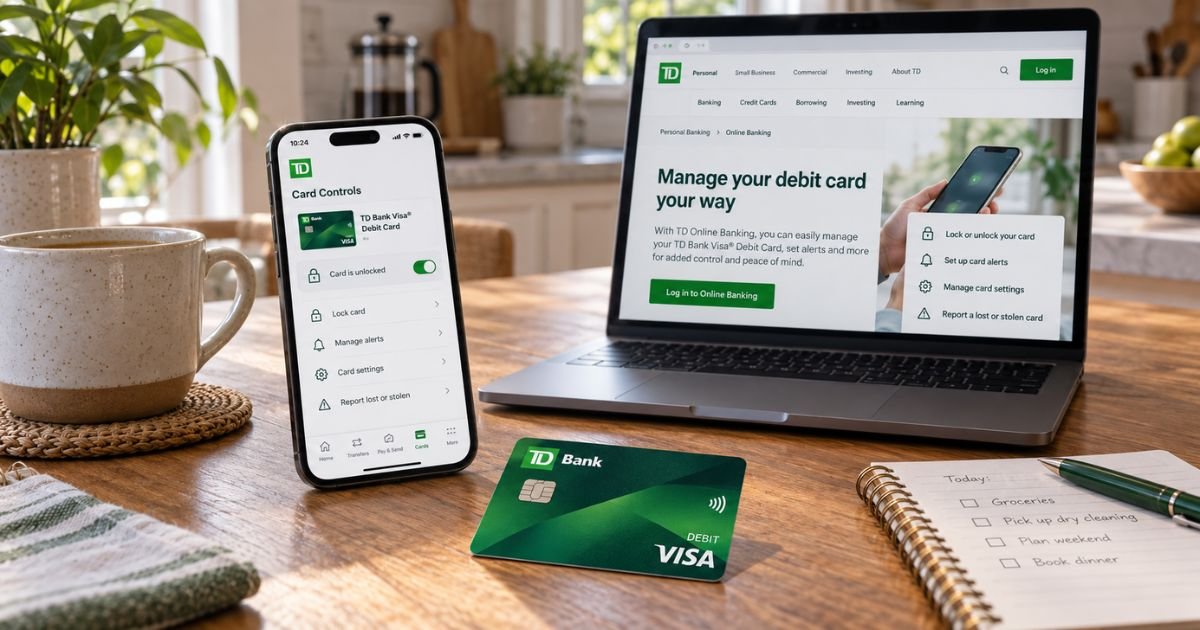
Official U.S. debit pages say you can activate the card in Online Banking or the TD Bank app. Those same pages also let you lock the card, change a PIN, and order a replacement.
TD Bank in the United States and TD Canada Trust are different banks and apps. U.S. personal help lives at td.com/us. Canadian debit tools live on the Canada site. Use the country that opened your account. This article covers TD Bank U.S.
Official security pages say TD Bank will never ask you to confirm your account number, PIN, password, or other personal data by email, text, or a surprise voice call. If that happens, hang up and call a number from td.com.
Activate in the TD Bank app
Official debit and online-banking pages say the TD Bank app can activate a new card, change a debit PIN, lock or unlock the card, and replace a lost card.
Typical app path:
- Download or open the official TD Bank app.
- Sign in with your U.S. Online Banking username.
- Open the checking account tied to the new card.
- Look for card controls, Manage card, or Activate.
- Select the new debit card and follow the prompts.
- Confirm the card is active.
Menu names can change after an app update. If you do not see Activate, open the account’s card tools or use TD ASAP in the app for live help. Official contact pages also point to TD ASAP after you log in.
Add the card to Apple Pay, Google Pay, or another wallet after it is on. Official U.S. pages say you can add a replacement to a digital wallet while you wait for plastic in the mail.
Activate in Online Banking
Official debit help says you can also activate in Online Banking at td.com.
- Go to td.com/us and sign in.
- Select the checking account for the new card.
- Open card management or debit card controls.
- Choose Activate for the new card.
- Finish the prompts and save a confirmation screenshot.
Use only td.com. Do not type the full card number into a search-ad page that only looks like TD.
If you are not enrolled yet, official pages let you sign up for Online Banking first. Enrollment may ask for card or account details already on file. Use the official enroll page, not a text link.
Activate or get help by phone
Official U.S. customer service for personal banking, debit cards, and mailed replacements is 1-888-751-9000, 24/7. The security center lists the same number for a lost or stolen TD Bank ATM or Visa Debit Card.
Call that line if:
- The app will not show Activate
- You want a banker to walk through the card
- You need a replacement mailed
- The activation sticker lists a number and you want to confirm it against td.com
Have the card and the phone number TD has on file. If the mailer printed a different activation number, you may use that printed number, then confirm the card in the app.
TD credit cards use a different official line: 1-888-561-8861. Do not call credit card support to activate a debit card.
Cross-border banking support is 1-877-700-2913 if you also have TD Canada products and need the U.S. versus Canada path sorted out.
Lock, PIN, and replacement
Official U.S. debit pages put these tools next to activation.
Lock or unlock
Misplaced the card? Official help says you can lock it in seconds in the app or Online Banking, then unlock it when it turns up. Locking is not the same as first-time activation. A brand-new card still needs the activate step.
Change your PIN
Official debit pages say you can change a forgotten PIN in a few steps in Online Banking or the app. Online banking feature lists also mention activating or changing a debit card PIN in the app. If the screens will not finish, call 1-888-751-9000 or visit a TD store with ID.
Replace a card
Official options are:
- App or Online Banking, with a digital wallet card while plastic is mailed
- A TD store, where official pages say you can order a replacement and add it to a wallet in person
- Phone at 1-888-751-9000 for a mailed card
TD does not publish one mail-time promise on the main debit page. Ask the app or banker for the date on your order. If the envelope looks opened, report it before you activate.
Official pages also mention a temporary debit limit increase in card controls if you have a large purchase coming. That is optional. It is not required to turn the card on.
Pro Tip: Activate in the app first, then add the card to your phone wallet. Official U.S. help says you can use a digital wallet while you wait for a replacement in the mail.
If activation fails
Check these first:
- You signed into the U.S. TD Bank profile that owns that checking account.
- You chose debit card controls, not a TD credit card.
- The card is not locked.
- You are using the newest card, not an old one you already replaced.
- A joint owner did not already activate or lock it.
Report fraud on official pages at 1-800-893-8554, 24/7. The security center also lists 1-888-751-9000 for a lost debit card. Review ATM, store, and online debit lines the same day.
Federal Regulation E generally gives stronger debit protection when you tell the bank quickly after you learn of unauthorized use.
Official U.S. debit pages also describe Visa Zero Liability for unauthorized charges when you qualify. Report first. Do not keep testing a card you think was stolen.
Shred the old card through the chip and number after the new one works. Remove the old last four digits from any wallet.
If you have a TD Canada Trust card
Canadian debit cards use EasyWeb or the Canada TD app. Official Canada menus and PIN rules are not the same as TD Bank U.S. card controls.
If your branch, statement, or app is clearly Canadian, use the Canada debit help pages and Canada phone numbers. Do not mix the two logins.
After the card is on
Set TD Alerts for purchases and ATM use. Official debit pages recommend push and email alerts. Add the card to a digital wallet for tap pay. Use a TD ATM when you can so you are not surprised by another bank’s surcharge.
Visit a TD store if you want in-person help. Official pages call branches TD stores. Bring ID if you need a PIN reset or an instant wallet setup.
Common Mistakes: Calling the TD credit card line to activate a debit card. Also, leaving an unactivated card in the mailbox for days. Activate as soon as the envelope arrives.
FAQs: How to Activate TD Bank Debit Card
Q. How do I activate a TD Bank debit card?
A. Official U.S. help says activate in Online Banking or the TD Bank app. For phone help or a mailed replacement, call 1-888-751-9000, 24/7. Use td.com/us, not a lookalike site.
Q. Can I use the card before the plastic arrives?
A. Official U.S. pages say you can add a replacement debit card to a digital wallet in the app or at a TD store while you wait for mail. Follow the in-app prompt for your order. A first card still needs activation once you have the number.
Q. How do I change my TD debit PIN?
A. Official debit pages say you can change a PIN in Online Banking or the TD Bank app in a few steps. If that fails, call 1-888-751-9000 or visit a TD store with ID.
Q. What if my TD debit card is lost?
A. Lock it in the app or Online Banking. Official help says order a replacement in the app and add it to a wallet, visit a TD store, or call 1-888-751-9000. Report fraud at 1-800-893-8554. Review the account for charges you do not know.
Conclusion
Activating a TD Bank debit card is an official U.S. step in Online Banking or the TD Bank app. Call 1-888-751-9000 if the screens will not finish. Use TD Canada Trust help only if that is the bank that issued your account.
Disclaimer: This article is for general information only. It is not financial or legal advice. TD Bank U.S. and TD Canada Trust use different apps, phones, and rules. Confirm activation and PIN steps with TD using td.com or the number on your card.
Meet the Author
