
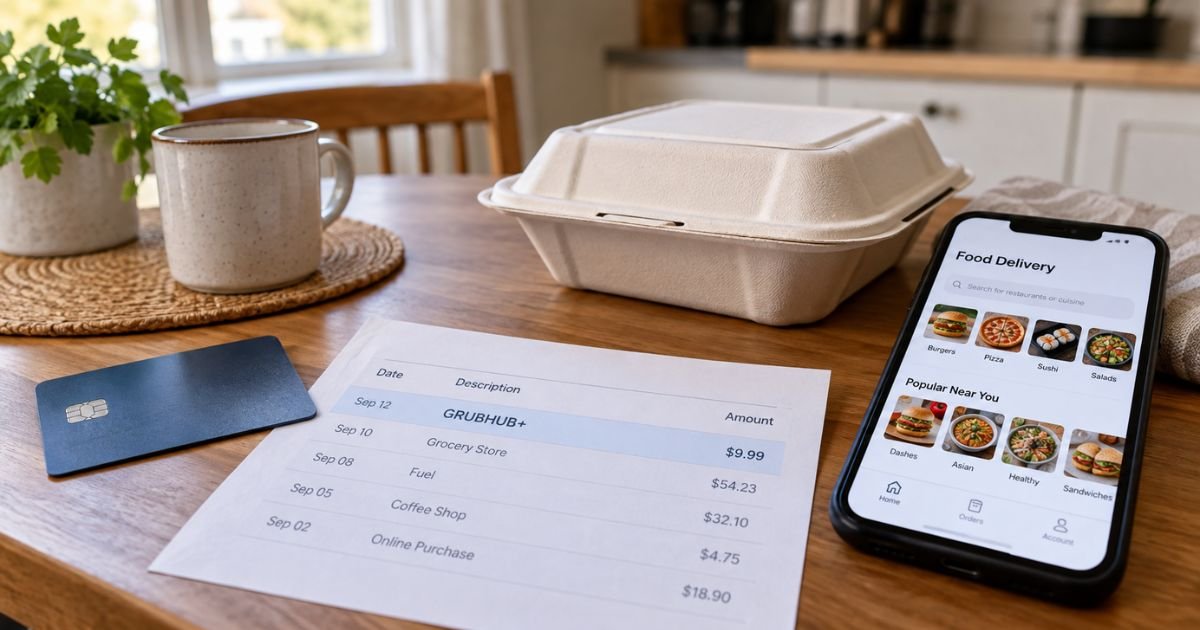
A Grubhub+ charge on a credit card can feel confusing if you don’t recall signing up for anything. You may only remember one food order, then see a smaller monthly amount keep posting.
Unfamiliar charges are often legitimate membership renewals, not theft. This guide explains what Grubhub+ is, how the line usually looks, how to cancel, and when to talk to your bank.
Table of Contents
What is a Grubhub+ charge on a credit card?
A Grubhub+ charge on credit card is typically Grubhub’s paid membership fee, not a single restaurant ticket. Grubhub is a U.S. food-ordering and delivery platform. You can also see the same membership on Seamless, which is a Grubhub brand.
Grubhub+ is an auto-renewing plan. Official marketing and membership terms describe it as a recurring service. After a trial or promo, Grubhub generally bills a payment method on file at the then-current rate plus tax until you cancel.
Current consumer pages list the monthly rate as $9.99 plus applicable tax. Official promo terms have also listed a yearly plan at a then-current $90 per year plus tax. Your statement total can be a little higher because of tax. Rates can change, so check the amount shown in your own Grubhub or Seamless account.
The membership is meant to cut some delivery costs on eligible orders. It is not a prepaid meal plan. It is also not DoorDash DashPass or Uber One, even though those plans look similar.
How the charge usually appears
Banks shorten merchant names. Your Grubhub+ charge on a credit card may not say “membership.”
| What you may see | What it often means |
|---|---|
| GRUBHUBGHPLUS, GRUBHUBGHPLUS, GRUBHUBGHPLUS NEW YORK NY | Typical membership-style descriptor reported by cardholders |
| PAYPAL INST XFER GHPLUS (or similar PayPal wording) | Membership billed through PayPal when that is the wallet on file |
| GRUBHUB plus a restaurant name, city, or phone number | Usually a food order, not the membership itself |
| CS*Grubhub Gift Card | Gift-card purchase, per Grubhub gift-card checkout text |
| GRUBHUB CAMPUS DINING | Campus-dining related billing, not the same as a household GH+ fee |
Issuers add prefixes like POS, CHECKCARD, or PENDING. Those labels come from your bank. They do not change who billed you.
A membership line is usually close to $9.99 plus tax, or a yearly lump sum if you picked an annual plan. A dinner order is usually a larger, one-off amount with a restaurant name attached.
Pro Tip: Open Grubhub or Seamless first and read Order History plus the Grubhub+ membership screen. Match dates and amounts before you call the bank.
What the membership typically includes
Official Grubhub+ pages describe these member benefits on eligible orders:
- $0 delivery fees on eligible standard delivery from Grubhub+ merchants
- Lower service fees on those eligible orders
- 5% back as Grubhub+ Credit on eligible pickup orders
- Exclusive offers, and sometimes discounted priority delivery
Help pages currently set the usual subtotal minimum at $12 before tax, tip, and fees. Grubhub+ Student accounts are described with a $15 minimum. Those minimums can change.
Not every restaurant is a Grubhub+ merchant. Official terms say Grubhub can change which merchants qualify. Other fees can still apply. Service fees, distance or weather fees, small-order fees, and driver-related fees are commonly separate from the $0 delivery perk.
Pickup credit is not cash. Official help says it posts as “Grubhub+ Credit” at checkout, is for future eligible Grubhub orders, and expires 90 days after the most recent credit is issued. It generally cannot be used for alcohol or on-campus dining.
Why you might not remember joining
People often start Grubhub+ during checkout. A free-trial checkbox, a “$0 delivery” banner, or an in-app offer can convert later. Official terms say a promotional offer that is not canceled typically becomes a paid plan.
Amazon Prime members can get Grubhub+ with no Grubhub+ membership fee while Prime is active and the accounts stay linked.
Official partner pages say that Prime-linked membership does not automatically convert to a paid Grubhub+ plan. If you pause or cancel Prime, official help says you lose the free Grubhub+ perk when that change takes effect.
Lyft Pink is different. Official help says Pink members can get Grubhub+ free for one year. After that trial, official language says the plan converts to paid Grubhub+ at the then-current monthly rate plus tax unless you cancel. Canceling during that trial ends benefits right away.
A household member, an old email login, or a second Grubhub profile can also carry the membership. Some consumers report a trial they forgot after one order months earlier.
Public complaint boards and Reddit threads often describe surprise $9.99-plus-tax renewals. Those reports do not prove every charge is unauthorized. They do show that trial-to-paid billing is a common source of confusion.
How to confirm it in your account
- Sign in at grubhub.com or in the Grubhub app. Also try seamless.com if you use that brand.
- Open Account, then Grubhub+ membership.
- Note the plan, next renewal date, and payment method.
- Check email for “joining Grubhub+” or renewal notices. Search GHPLUS too.
- If you have Amazon Prime, review Amazon’s “Manage apps & services with data access” page to see whether Grubhub is linked.
If the membership screen is empty but the card still bills GHPLUS, you may have a second login. Try every email you use for food apps.
If support cannot find the charge on the account you opened, say so clearly and ask them to search by the card’s last four digits.
How to cancel Grubhub+
Official help says you can cancel anytime. To avoid the next bill, membership terms say you must cancel at least 24 hours before the next scheduled payment.
Their example: if renewal is January 1, cancel by 11:59:59 p.m. ET on December 31.
In the iOS or Android app:
- Log in.
- Tap the Account icon.
- Open Grubhub+ membership.
- Tap Manage Membership.
- Tap Cancel membership and confirm.
On a computer:
- Go to grubhub.com or seamless.com and log in.
- Open the account menu in the upper right.
- Open Grubhub+.
- Click Cancel membership and confirm.
If Grubhub+ is free through Amazon Prime, official help says to unlink Grubhub in Amazon account settings under Manage apps and data services. You can also ask Grubhub support to help cancel.
Official Membership Terms of Use (last modified October 28, 2025) list Grubhub Customer Care at https://www.grubhub.com/help/contact-us and by phone at 1 (877) 585-1085.
Common Mistakes: Canceling only a food order does not cancel Grubhub+. Deleting the app does not stop billing. Letting a trial “run out” without canceling generally starts paid renewals.
What happens after you cancel
Official help draws a clear line. If you cancel a paid period, benefits typically continue through the end of the current billing cycle. If you cancel during a trial, benefits end immediately.
Official terms generally say you will not get a refund or credit unless Grubhub allows one. Unused days in a paid month are usually not prorated. Do not assume a courtesy refund. Ask support and read whatever they put in writing.
Watch one more cycle on your statement. Card networks can update stored card numbers. If a canceled plan still bills, contact Grubhub again, then your issuer if needed.
Grubhub is a real company with a long public history. That does not mean every fee is fair in your case. Trustpilot’s Grubhub page has a low overall score driven by delivery and support complaints.
BBB complaint files also include membership-billing disputes. Use those as context, not as a verdict on your charge.
Lookalikes that are not Grubhub+
- A regular Grubhub or Seamless meal, often tagged with the restaurant name
- Campus dining or a student meal-plan payment
- A Grubhub gift card
- DoorDash DashPass or Uber One, which are different companies
- A phishing email that tells you to “update GH+ payment” on a fake site
Open grubhub.com yourself. Do not use a link from a text or surprise email.
If you did not authorize the charge
First, cancel any membership you can see. Save screenshots of the membership page, emails, and the statement line.
Contact Grubhub through the official help page or the phone number in the membership terms. Ask them to stop future billing and review the charge.
If the charge is unauthorized, your card issuer can take a billing-error or unauthorized-use claim.
For credit cards, federal billing-error rules generally give you 60 days after the statement was sent to dispute in writing. Many issuers also let you start that process in the app. Debit-card timing can differ, so ask your bank.
Do not share one-time passcodes with anyone who called you. Grubhub will not need those codes to “verify a refund.”
FAQs: Grubhub+ Charge on Credit Card
Q. Is a Grubhub+ charge on a credit card a scam?
A. Usually no. Grubhub+ is Grubhub’s official membership. A GHPLUS line is typically a real renewal. Treat it as suspicious only if you have no Grubhub or Seamless account, no trial email, and support cannot match the card. Even then, start with the official app and help page, not a random phone number from a text.
Q. Why was I billed if I have Amazon Prime?
A. Prime does not turn on Grubhub+ by itself. Official help says you must link the accounts and keep Prime active. If the accounts were never linked, a separate paid plan can still bill. If you canceled Prime, the free perk ends when that change takes effect. Check both Amazon’s linked-apps page and Grubhub’s membership screen.
Q. Will Grubhub refund a month I already paid?
A. Official terms generally say no refund after a paid cycle starts, unless Grubhub chooses to allow one. Help text also says a canceled paid plan still runs to the period end. Some customers report goodwill credits. That is not a promised policy. Ask support and keep the chat transcript.
Q. How is this different from a normal Grubhub food charge?
A. A Grubhub+ charge on a credit card is the membership fee and often uses a GHPLUS-style name. A food order is usually a different amount and often includes the restaurant. You can have both in the same month. Order History is the fastest way to separate them.
Conclusion
A Grubhub+ charge on a credit card is typically Grubhub’s auto-renewing delivery membership, billed at the then-current rate plus tax. Confirm it in the Grubhub or Seamless account, or in Amazon’s linked-apps settings if you used the Prime perk.
Cancel in the app or on the website at least 24 hours before renewal if you do not want another cycle. If the line is truly unauthorized, document it and work with Grubhub and your card issuer.
Disclaimer: This article is for general information only. It is not financial, legal, or tax advice. Membership prices, descriptors, fees, and refund practices vary by plan, promo, and issuer. Verify account-specific questions with Grubhub or your bank before you dispute or cancel anything.
Meet the Author
