
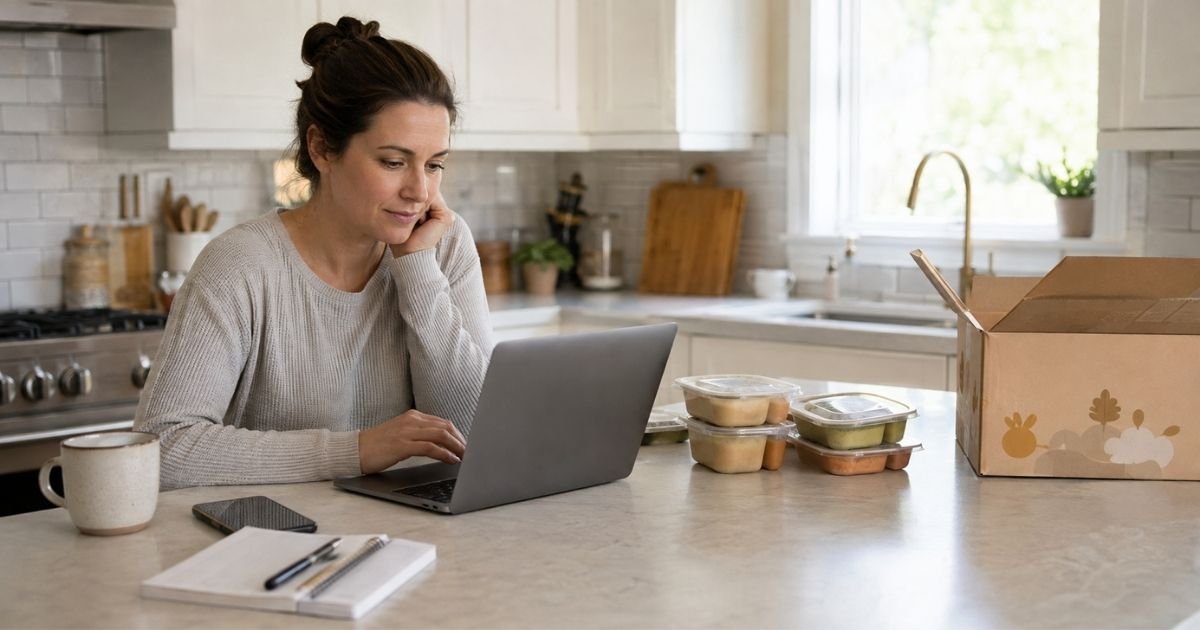
Little Spoon delivers organic baby food, toddler meals, snacks, and infant formula on a recurring plan. A typical box ships about every two weeks. The charge usually hits the card saved on your Little Spoon account.
Deleting the Little Spoon app does not cancel the subscription. Log into your account, cancel each product before the Saturday cutoff, and save the confirmation so you can stop auto-renewal.
Table of Contents
What Is Little Spoon and How Billing Works
Little Spoon is a U.S. delivery service for babies and kids. Plans often include Babyblends, Biteables, Plates, Lunchers, Smoothies, snacks, or formula. You pick a box size. The site then bills you on a repeating schedule.
Pricing depends on the product and how many items you order. Recent public reviews put Babyblends around $3.32 to $4.28 each. Biteables and Plates often start near $6.49 per meal. Lunchers can run near $7.92. Smoothies can start near $2.82. A shipping fee of about $10 per meal box is common.
Formula often lists near $30 a can. Subscribers may see a discount and free shipping. Your total may vary by plan size, add-ons, and promo.
The account holder can cancel. Each product line generally needs its own cancel step. Look for Little Spoon on the card or bank statement.
Website checkout typically uses a credit card, debit card, or Apple Pay. That is not the same as an App Store subscription. If a rare charge shows Apple or Google instead, cancel it in that store too.
Little Spoon generally ships every two weeks after the first box. Official terms say first-time orders usually cannot be canceled once placed. Later orders typically lock after the Saturday cutoff shown in your delivery schedule.
Many accounts use Saturday at 5 p.m. ET. Confirm the time in your own calendar.
Cancel before that cutoff if you want to stop the next recurring charge. The company may also send a reminder email the week before. Do not treat the reminder as extra time past cutoff.
How to Cancel From Your Little Spoon Account
This is the official path on the company help pages.
- Go to littlespoon.com and sign in.
- Open My Products + Orders.
- Click Edit next to the product you want to stop.
- Choose cancel subscription. You may also see pause.
- Confirm and wait for the on-screen or email confirmation.
- Repeat for every other product on the account.
If you have blends and plates, canceling one does not cancel the other. The same rule applies to snacks and formula. Check the next ship date before you leave the page. If the next box already passed cutoff, that order generally still ships.
The Little Spoon app can help you skip or shift a delivery. Use it if that is easier on your phone. Still open My Products + Orders to confirm the plan is canceled, not only skipped.
How to Pause or Skip Instead of Canceling
Need a short break? Pause or skip can stop a delivery without closing the plan.
- Sign in and open My Products + Orders.
- Click Edit on the product.
- Follow the pause or skip steps on the screen.
- Confirm the new date so you do not get billed for a week you will miss.
First orders and orders already past the Saturday cutoff generally cannot be paused. If the button is missing, use chat or email before cutoff.
How to Cancel by Contacting the Care Team
Use support if the Edit button fails or the first order is stuck.
Official contacts include email at care@littlespoon.com, text at (415) 855-4155, and chat on littlespoon.com. Care hours are generally 9 a.m. to 9 p.m. ET, seven days a week.
Email hours on the contact page may run until 10 p.m. ET. Little Spoon says it does not currently offer inbound phone support. You can ask them to call you.
Send your name, account email, order number, product names, and the next delivery date. Ask them to cancel each product, stop auto-renewal, and confirm in writing. Keep the reply.
What Happens After You Cancel
Canceling typically stops future plan charges and any orders that have not been processed yet. An order already charged, prepped, or in transit generally still arrives. Official terms say that box is usually not refunded.
Your current food still belongs to you. Watch the next statement for one last charge if you missed cutoff. Save the cancel confirmation. If another charge posts after a confirmed cancel, email the Care Team with the receipt.
You can usually sign up again later if you want the service back. Canceling stops future deliveries. It does not keep a hidden plan running in the background once every product shows as canceled.
Tips for a Smooth Cancellation
Cancel before Saturday at 5 p.m. ET when that is the cutoff shown in your account. The exact cutoff sits on your delivery schedule. Do not wait until the ship week.
Cancel every product, including formula. A two-can starter kit can auto-renew into a larger can plan. Check formula separately from meals.
Screenshot the cancel screen. Check spam for the confirmation email. Deleting the app or turning off notifications does not unsubscribe you.
If you share the account with a partner, agree on who will click cancel. Only the signed-in account can change the plan. Write down the next cutoff date so nobody assumes the other person already stopped it.
Common Problems and Solutions
The cancel link disappears. Refresh, try another browser, or use chat. Some parents report the button flickers. Support can still cancel if you reach them before cutoff.
You cannot cancel the first order. That matches official help and terms. Ask the Care Team to reschedule or change the menu instead. First orders generally are not refunded.
You missed cutoff and got billed. The processed box typically still ships. Ask support what they can do. Some reviews describe goodwill refunds. That is not a published promise.
You have more than one plan. Cancel each one. A leftover product can keep the recurring charge going.
Requesting a Refund After Cancellation
Little Spoon generally does not refund a first order. It also generally does not refund an order that is already processed or in transit. Say that plainly when you write in.
If a later charge looks wrong, email care@littlespoon.com with the date, amount, and confirmation. You can also ask your card issuer about a billing error after you have the company’s written reply. Results vary.
FAQs: How to Cancel Little Spoon Subscription
Q. Does deleting the Little Spoon app cancel my subscription?
A. No. Billing typically sits on your website account. Delete the app only after you cancel each product and save confirmation.
Q. Can I cancel my first Little Spoon order?
A. Generally no, once it is placed. Official help says first orders cannot be canceled. You can often ask the Care Team to shift the delivery or change the menu.
Q. Will I get a refund when I cancel?
A. Usually not for a box that already processed. Canceling in time typically stops future orders. Refunds for errors are case by case.
Q. What if I only want to stop one product?
A. Cancel that product under My Products + Orders. Leave the others active. Confirm the remaining plan still matches what you want.
Conclusion
You can cancel a Little Spoon subscription from My Products + Orders. Edit each product, confirm cancel, and do it before the Saturday cutoff so you stop auto-renewal.
If the site blocks you, email or text the Care Team and keep the written reply. Then watch your card for one last processed box and no new recurring charge.
Disclaimer: This article is general educational information based on publicly available Little Spoon help pages, terms, and listings at the time of writing. It is not financial or legal advice. Contact Little Spoon or your payment provider for help with your specific account.
Meet the Author
