
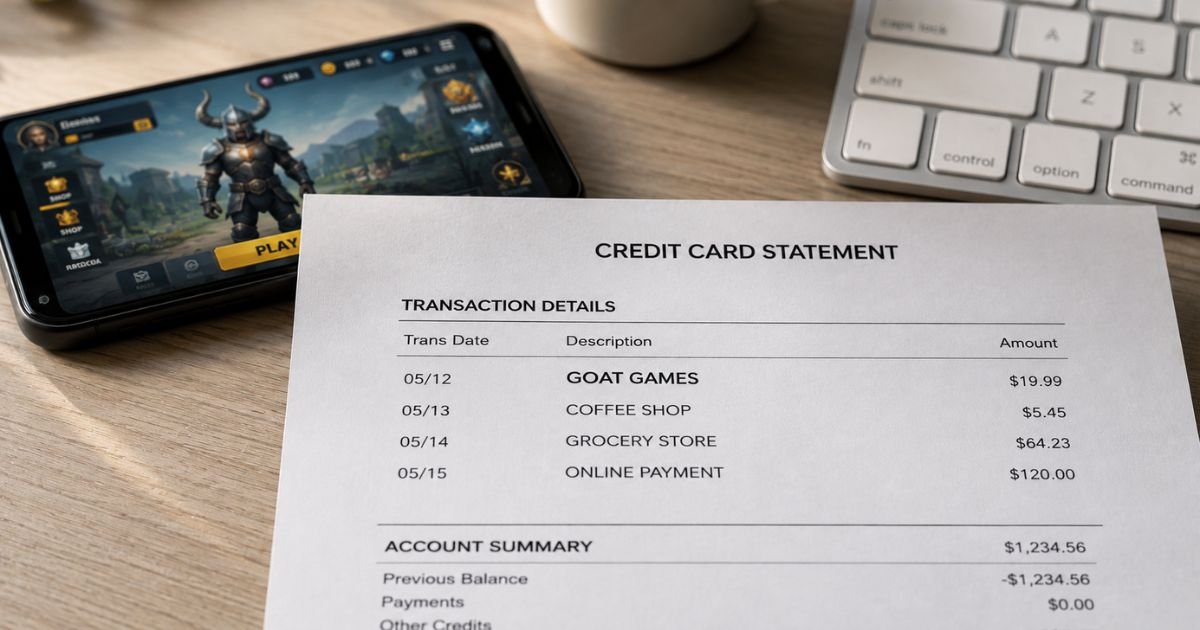
Seeing an unfamiliar Goat Games charge on credit card statement can be confusing. You may not remember making a purchase under that name, which often raises concerns about whether the charge is legitimate.
This article explains what the charge means, why it appears, how to verify it, and what to do if you need to cancel or dispute it.
Table of Contents
What Is the Goat Games Charge?
GOAT Games (also styled as GOATGAMES) is a mobile game developer and publisher.
The company creates and distributes free-to-play games that include in-app purchases for virtual currency, items, or subscriptions.
Popular titles associated with GOAT Games include Dungeon Hunter 6, Bloodline: Heroes of Lithas, War and Magic, King’s Throne, Dragon Storm Fantasy, Gambit Heroes, and Motto Immortal.
When you (or someone using your device or account) make an in-app purchase, buy virtual currency, or start a subscription inside one of these games, the charge often appears on your statement under a GOAT Games descriptor.
Common statement variations include:
- GOAT GAMES
- GOATGAMES
- GOAT GAMES COMPANY LIMITED
- Similar short or bank-formatted versions
The amount can range from a few dollars for small virtual currency packs to larger sums for bigger packages or recurring subscriptions.
Why Did This Charge Appear?
Common reasons for a Goat Games charge include:
- An in-app purchase of virtual currency, gems, diamonds, or other game items
- A subscription or membership that auto-renewed
- A purchase made by a family member, child, or someone else using a device linked to your payment method
- A free trial that converted to a paid subscription
- Multiple small purchases that posted around the same time
- An authorization hold that later became a final charge
Mobile games often use the device’s stored payment method (Apple ID, Google Play account, or linked credit card).
If the device is shared or parental controls are not enabled, unexpected charges can occur.
How to Verify the Charge
Follow this checklist:
- Note the exact date, amount, and full descriptor on your statement.
- Check your email for purchase receipts from Apple, Google Play, or the game itself around the same date.
- Open the App Store or Google Play purchase history on any devices linked to your accounts and look for GOAT Games titles.
- Ask household members, especially children or teens, if they played any of the games listed above and made purchases.
- Log into the specific game (if you can identify it) and review the in-game purchase or subscription history.
- Compare the amount to typical in-app purchase prices for virtual currency packs.
Matching the charge to a receipt or game history usually confirms it is valid.
Is It Legitimate or Fraud?
In the large majority of cases, a Goat Games charge is legitimate. It reflects a real in-app purchase or subscription from one of the company’s mobile games.
Common legitimate scenarios:
- You or a household member bought virtual currency or items inside a GOAT Games title.
- A subscription renewed automatically.
- The purchase was made on a shared device or account.
Warning signs that need investigation:
- No one in the household recognizes the game or the purchase.
- Multiple unexpected charges appear in a short period.
- The amount is unusually high with no matching activity.
- You receive no email or in-app confirmation.
If the charge does not match any activity you recognize, treat it as potentially unauthorized and contact your card issuer promptly.
How to Cancel or Stop Future Charges
Most charges are one-time in-app purchases, but some games offer auto-renewing subscriptions.
To stop future charges:
- Identify the specific game linked to the charge.
- Open the game and look for subscription or account settings. Cancel any active memberships.
- On iOS: Go to Settings > [Your Name] > Subscriptions and cancel any GOAT Games-related subscriptions.
- On Android: Open Google Play Store > Profile > Payments & subscriptions > Subscriptions and cancel there.
- Remove the credit card from the Apple ID or Google Play account if you no longer want it available for in-app purchases.
- Enable parental controls or require a password/biometrics for all purchases on shared devices.
- Monitor your next statement to confirm no further charges appear.
Deleting the game app alone does not cancel an active subscription.
Can You Get a Refund?
Refund eligibility depends on the platform and the circumstances:
- For Apple App Store or Google Play purchases, request a refund through the respective platform’s support tools (Apple Report a Problem or Google Play Order History).
- Contact GOAT Games support (often available through the game or at support@goatgames.com) if the platform directs you there.
- Many digital game purchases are non-refundable once consumed, but unauthorized or accidental purchases by minors are often eligible for refunds when reported quickly.
- If the charge is unauthorized, dispute it with your credit card issuer under the Fair Credit Billing Act.
Act promptly. Platforms and card issuers have time limits for refund and dispute requests.
What to Do If the Charge Is Unauthorized
If you confirm no one authorized the purchase:
- Report the charge to your credit card issuer right away and request a dispute.
- Contact Apple or Google Play support (depending on the platform) and report the unauthorized in-app purchase.
- Reach out to GOAT Games support through the game or the email listed on their site if available.
- Change passwords on the Apple ID, Google account, or game accounts involved.
- Enable purchase restrictions or remove stored payment methods on all devices.
- Document the date, amount, descriptor, and all reference numbers from your conversations.
Report the issue quickly to limit potential liability.
Prevention Tips
- Review credit card and bank statements every month.
- Turn on transaction alerts for new merchants or gaming-related charges.
- Require a password, Face ID, or fingerprint for all App Store and Google Play purchases.
- Use parental controls on devices used by children.
- Prefer prepaid cards or limited-balance payment methods for gaming accounts when possible.
- Regularly check subscription lists on Apple and Google accounts.
- Talk with household members about in-app purchases and real-money spending in games.
- Remove saved payment methods from shared devices when not needed.
- Keep a simple list of games that have made purchases so you can recognize future charges.
Common Reasons for a Goat Games Charge
| Reason | Typical Amount | What to Check |
|---|---|---|
| In-app virtual currency | $1 – $100+ | App Store / Google Play purchase history |
| Subscription renewal | Varies | Subscriptions list on Apple or Google |
| Family member / child purchase | Varies | Ask household members |
| Multiple small packs | Several small | Game purchase history |
Statement Descriptor Variations
| Descriptor Example | Likely Meaning |
|---|---|
| GOAT GAMES | Standard in-app or subscription charge |
| GOATGAMES | Condensed merchant name |
| GOAT GAMES COMPANY LIMITED | Full legal entity name |
FAQs: Goat Games Charge on Credit Card
Q. What is a Goat Games charge on my credit card?
A. It is most often an in-app purchase or subscription from a mobile game published by GOAT Games, such as Dungeon Hunter 6, War and Magic, King’s Throne, or similar titles.
Q. Why don’t I recognize the Goat Games charge?
A. The purchase may have been made by a family member or child on a shared device, or the game name on the statement differs from the title you remember. Check purchase histories on Apple and Google accounts.
Q. How do I cancel a Goat Games subscription?
A. Cancel through the Apple App Store or Google Play Store subscription settings. Deleting the app alone does not stop billing. Also remove the payment method if you no longer want it available for in-app purchases.
Q. Can I get a refund for a Goat Games charge?
A. For accidental or unauthorized purchases, request a refund through Apple or Google Play support first. You can also contact GOAT Games support and, if needed, dispute the charge with your card issuer.
Conclusion
A Goat Games charge on credit card is typically a legitimate in-app purchase or subscription from one of the company’s mobile games.
Match the date and amount to your (or a household member’s) game activity, check Apple or Google Play purchase history, and cancel any unwanted subscriptions.
If the charge is completely unfamiliar, report it promptly to your card issuer and the relevant app store. Enabling purchase controls and reviewing statements regularly helps prevent similar surprises.
Disclaimer: This article is for informational purposes only and is not financial, legal, or professional advice. Refund policies, subscription terms, and support procedures can change. Always verify details directly with the app store, GOAT Games, or your financial institution.
Meet the Author
