
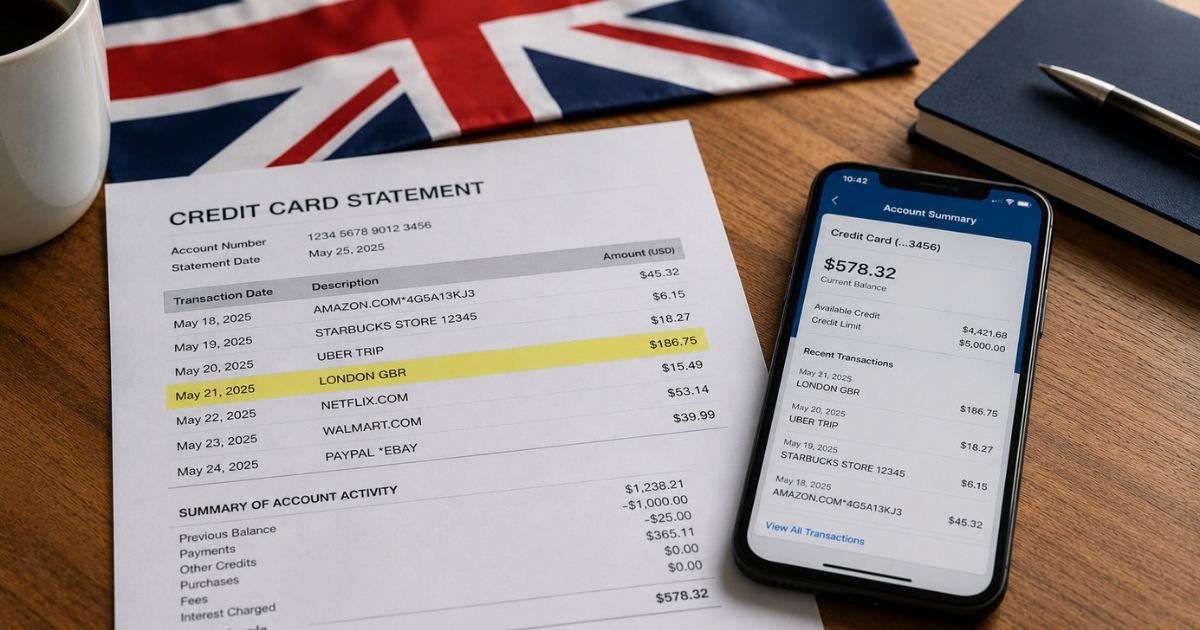
You check your credit card or bank statement and notice a charge that ends with “London GBR” or “LONDON GBR.” The merchant name in front of it may look unfamiliar, or the whole entry may feel out of place.
This location tag is common on international transactions. It does not mean the charge is automatically fraudulent, but you should always verify it.
This guide explains exactly what London GBR means, which companies frequently use it, how to confirm the charge, and the practical steps to take if something looks wrong.
Table of Contents
What Is a London GBR Charge?
“London GBR” is a location indicator that appears on many credit card and bank statements.
- GBR is the three-letter ISO country code for the United Kingdom (Great Britain).
- London shows the city where the merchant or its payment processor is based or processes the transaction.
Banks and card networks often display the city and country code when the payment is handled through a UK entity. The actual company name usually appears right before “London GBR.”
Examples of how the full descriptor may look include:
- GOOGLE *Google Play London GBR
- PARAMOUNT+ London GBR
- OF LONDON GBR or ONLYFANS LONDON GBR
- Spotify or Spotifysubs London GBR
- Other variations such as COMPANY NAME LONDON GBR
It is not a single company. The words before “London GBR” identify the merchant.
Why Did This Charge Appear?
Common reasons this charge on bank statement include:
- A subscription or purchase from a digital service that processes payments in the United Kingdom.
- An app-store or streaming renewal (Google Play, Paramount+, Spotify, etc.).
- A membership or content platform that uses a UK-based billing entity.
- A one-time online purchase from a merchant whose payment processor is located in London.
- A family member or shared account that made the purchase.
- A free trial that converted to a paid plan.
Because many global tech and entertainment companies route some billing through UK entities, U.S. cardholders frequently see this location tag even for services they use regularly.
How to Verify the Charge
Use this checklist:
- Note the full descriptor, exact amount, and date from your statement.
- Look carefully at the merchant name that appears before “London GBR.”
- Search that full name online along with the amount.
- Check your email for receipts or confirmation messages around the same date.
- Review active subscriptions in your Google, Apple, Amazon, Paramount+, Spotify, or other relevant accounts.
- Ask anyone who has access to the card or shared accounts whether they made a purchase.
Matching the amount and date to a known service usually confirms the charge is legitimate.
Is It Legitimate or Fraud?
Common legitimate scenarios
- Recurring subscription for a streaming or digital service
- App or in-app purchase processed through a UK entity
- Membership platform billing
- One-time online purchase from a recognized merchant
Warning signs
- You do not recognize the merchant name at all
- Multiple similar charges appear in a short period
- The amount does not match any service you use
- You already canceled the subscription and still see new charges
If the full merchant name is unfamiliar after checking your accounts and email, treat it as potentially unauthorized and contact your bank promptly.
How to Cancel
Cancellation depends on the specific merchant:
- Identify the service from the full descriptor.
- Sign in to that service’s account (or the app store you used) and cancel the subscription.
- For Google-related charges, check Google Play subscriptions or Google account payments.
- For streaming services such as Paramount+, cancel inside the Paramount+ account or the platform where you originally subscribed.
- For other memberships, use the company’s official cancellation page or support.
Canceling stops future charges. You usually keep access until the end of the current billing period.
Can You Get a Refund?
Refund eligibility varies by merchant:
- Many digital services offer refunds for recent charges or unused subscription periods if you contact them quickly.
- App-store purchases (Google, Apple, etc.) follow the store’s refund rules.
- If the charge is unauthorized, report it to both the merchant (if identifiable) and your card issuer.
Credit cards generally allow disputes within 60 days of the statement date. Debit cards often require faster reporting. Keep records of all communications.
What to Do If the Charge Is Unauthorized
- Review all recent activity and active subscriptions on accounts linked to the card.
- Cancel any unrecognized subscriptions immediately.
- Change passwords and enable two-factor authentication where available.
- Call your bank or credit card issuer the same day and report the charge as unauthorized.
- Request a temporary card freeze or replacement if needed.
- Document every call with dates, names, and reference numbers.
Acting quickly protects your rights and limits further risk.
Prevention Tips
- Review statements and online activity at least weekly.
- Turn on real-time transaction alerts through your bank or card app.
- Keep a simple list of all active digital subscriptions.
- Use a dedicated virtual card or secondary card for online memberships.
- Regularly check subscription management pages for Google, Apple, Amazon, and streaming services.
- Remove unused payment methods from accounts.
- Enable two-factor authentication on every account tied to the card.
- Be cautious with free trials and note the end dates.
Common London GBR Descriptor Examples
| Full Descriptor Example | Likely Merchant or Service |
|---|---|
| GOOGLE *… London GBR | Google Play, Google One, YouTube, etc. |
| PARAMOUNT+ London GBR | Paramount+ subscription |
| OF LONDON GBR / ONLYFANS LONDON GBR | OnlyFans membership |
| Spotify… London GBR | Spotify subscription |
| Other COMPANY NAME London GBR | Various online services or platforms |
Quick Action Timeline
| Situation | Recommended Action Timing |
|---|---|
| Recognize the service | Cancel if no longer wanted |
| Do not recognize the merchant | Contact bank same day |
| Credit card dispute | Within 60 days of statement |
| Debit card report | As soon as possible |
FAQs: London GBR Credit Card Charge on Bank Statement
Q. Does London GBR mean the charge came from the United Kingdom?
A. Yes. GBR is the country code for the United Kingdom, and London indicates the processing location. The service itself may be global.
Q. Why do U.S. companies show London GBR on my statement?
A. Many digital companies use payment processors or billing entities based in the UK, so the location tag appears even for U.S. customers.
Q. Can this charge be from OnlyFans?
A. Yes. Some OnlyFans transactions appear as OF LONDON GBR or similar. Check the full descriptor and your email for confirmation.
Q. What should I do if I still cannot identify the merchant?
A. Contact your bank or card issuer with the full descriptor, date, and amount. They can often provide more details or start a dispute.
Conclusion
A London GBR credit card charge on bank statement is a location indicator showing the transaction was processed in London, United Kingdom. The real merchant name appears just before those words.
Look at the full descriptor, match it to your recent subscriptions or purchases, and verify through your accounts and email.
If the charge is legitimate but unwanted, cancel the service. If it is unauthorized, report it to your bank right away.
Understanding the “London GBR” tag helps you quickly separate normal international billing from anything that needs attention.
Disclaimer: This article is for informational purposes only and is not financial or legal advice. Always confirm details directly with the merchant and your bank or card issuer, as descriptors and policies can change.
Meet the Author
