
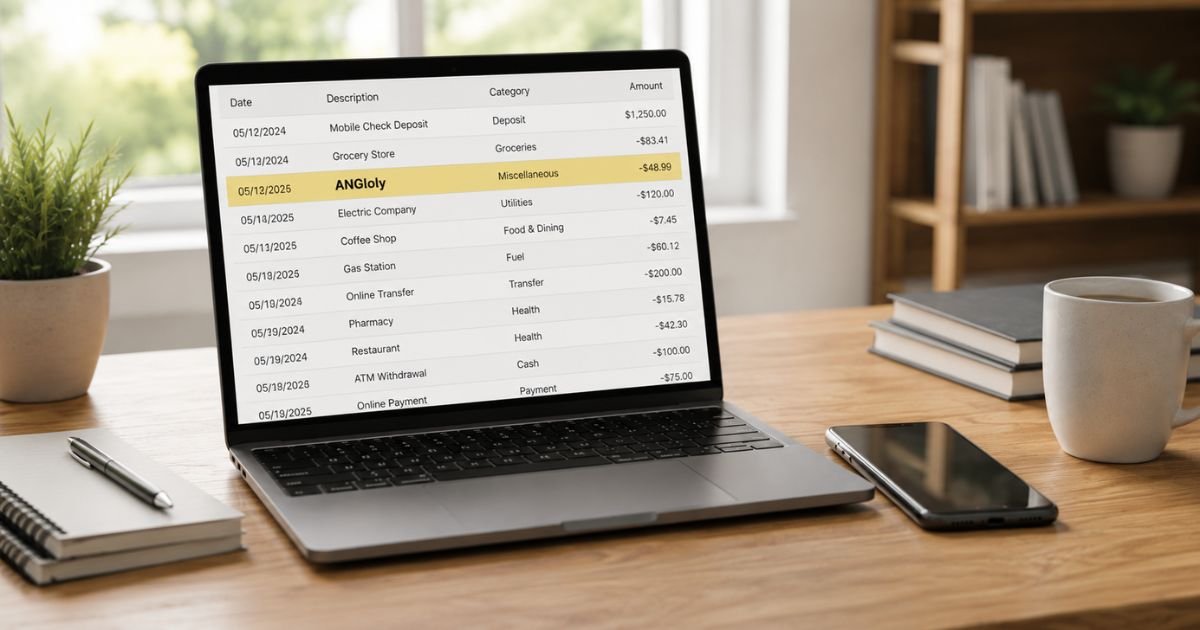
Seeing an Angloly charge on bank statement can be confusing, especially if you don’t remember signing up for anything by that name. You’re not alone. Many people notice this entry and want a clear explanation right away.
In most cases the charge comes from a recurring membership at angloly.com, an online gaming site. It is often legitimate once authorized, but you should always verify it.
This guide covers what the charge means, common reasons it appears, how to confirm it, and practical steps to cancel, request a refund, or report it if unauthorized.
Table of Contents
What Is an Angloly Charge?
Angloly is the billing name used by angloly.com, a website that sells membership access to online games.
According to the site’s terms, the descriptor “angloly” appears on your credit card or bank statement after you authorize a payment.
The site offers tiered memberships:
- Silver: access to basic games
- Gold: basic plus gold-marked games
- Platinum: full access to all games
- A short-term daily option for 24-hour access
Charges are processed as recurring monthly payments or a one-time daily fee. The company states that electronic notifications are sent before renewals and receipts after successful charges.
Statement variations are usually short: “angloly,” “ANGloly,” or similar truncated forms limited by bank character limits.
Why Did This Charge Appear?
Common reasons include:
- You (or someone with access to your card) signed up for a membership or trial that converted to paid.
- A free or low-cost trial automatically renewed into a monthly plan.
- A family member or shared payment method was used for the signup.
- A one-time daily access purchase that later led to a recurring membership.
- An authorization hold that later posted as a full charge.
- In some cases, the charge may be unauthorized or the result of aggressive signup practices common with certain online membership sites.
Low trust scores from independent review tools and occasional user reports of unexpected charges make verification especially important.
How to Verify the Charge
Use this checklist:
- Note the exact amount, date, and full descriptor on your statement.
- Search your email (including spam) for messages from angloly.com, confirmations, or login details.
- Check whether anyone in your household recently signed up for an online gaming site.
- Look for any recent small “trial” or $2 charges that may have preceded the larger amount.
- Visit angloly.com and attempt to log in with emails you commonly use.
- Compare the amount against the published membership prices ($19.90, $29.90, or $34.90 monthly).
If nothing matches, treat the charge as potentially unauthorized.
Is It Legitimate or Fraud?
Legitimate scenarios
The charge is expected if you or a household member authorized a membership. The site’s terms clearly state that “angloly will appear on your billing statement” after card authorization.
Warning signs
- You have no recollection of visiting the site or entering payment details.
- The charge is recurring and you never received login credentials.
- Multiple small or similar charges appear in a short period.
- You find the site has a low trust rating and user reports of surprise billing.
If the charge feels unauthorized, contact your bank promptly while also reaching out to Angloly support. Do not ignore it.
How to Cancel
Cancellation is straightforward according to the site:
- Go to angloly.com/cancel.php.
- Enter the email address used at signup and/or the last four digits of the card that was charged.
- Submit the form. The site states that billing will stop and you will receive email confirmation.
- For faster help, call (877) 490-4742 or email support@angloly.com.
- Keep a screenshot or copy of the cancellation confirmation.
- Monitor your statement for the next billing cycle to confirm no further charges post.
After cancellation you can usually access the service until the end of the current paid period.
Can You Get a Refund?
The company’s terms allow a refund request within 30 days of the charge by contacting customer service. Refunds are credited to the original payment method and may take 7–14 days to appear, depending on your bank.
If the charge is unauthorized or you were not given clear notice of recurring billing, file a dispute with your bank or card issuer.
Banks generally investigate under Regulation E (debit) or the Fair Credit Billing Act (credit cards). Provisional credit is often available within 10 business days, with full resolution typically in 45–90 days.
Provide your bank with the transaction details, any cancellation records, and a clear explanation.
What to Do If the Charge Is Unauthorized
- Contact your bank or card issuer immediately and report the charge as unauthorized.
- Request a freeze or replacement card if needed.
- Cancel any membership at angloly.com using the form, phone, or email listed above and request written confirmation that billing has stopped.
- Change passwords on email accounts that may have been used.
- Document every step (dates, reference numbers, screenshots).
- Monitor statements and credit reports for 60–90 days.
- Consider filing a report at IdentityTheft.gov if you suspect broader identity theft.
Act quickly to protect your rights under federal billing rules.
Prevention Tips
- Review every bank and credit-card statement within a few days of posting.
- Set up transaction alerts for amounts over a low threshold.
- Use unique, strong passwords and two-factor authentication on email and payment accounts.
- Avoid entering card details on sites you reach through ads or pop-ups.
- Keep a simple list of all active subscriptions and the exact billing names they use.
- Prefer virtual or single-use card numbers for unfamiliar online signups when available.
- Cancel unused memberships in writing and keep the confirmation.
- Regularly check for free trials that convert to paid plans.
Angloly Membership Pricing (as stated on site)
| Plan | Access Level | Charge | Billing Type |
|---|---|---|---|
| Silver | Basic games | $19.90 | Monthly recurring |
| Gold | Basic + gold games | $29.90 | Monthly recurring |
| Platinum | All games | $34.90 | Monthly recurring |
| Daily | Full access for 24 hours | $2.00 | One-time |
Typical Dispute Timeline
| Action | Usual Timeframe |
|---|---|
| Bank provisional credit | Within 10 business days |
| Full bank investigation | 45–90 days |
| Company refund processing | Up to 14 days after approval |
| Confirmation of stopped billing | 1 billing cycle |
FAQs: Angloly Charge on Bank Statement
Q. Why does the charge say “angloly” instead of a longer company name?
A. Banks limit the number of characters shown. The site’s own terms state that “angloly” is the descriptor that appears on statements.
Q. Is Angloly a legitimate gaming service?
A. The site presents itself as offering unlimited access to popular online games. Independent trust-score tools give it a low rating, and some users report unexpected charges. Always verify any membership yourself and cancel promptly if you did not intend to subscribe.
Q. How do I stop future Angloly charges?
A. Use the cancellation form at angloly.com/cancel.php, call (877) 490-4742, or email support@angloly.com. Keep confirmation and watch your next statement.
Q. What if I never signed up but still see the charge?
A. Treat it as unauthorized. Dispute it with your bank immediately and contact Angloly support to request that any associated account be closed and billing stopped.
Conclusion
An Angloly charge on bank statement almost always comes from a membership at angloly.com.
Most of the time it is a recurring subscription that can be canceled through the site’s form, phone line, or email.
Verify the charge against your records, cancel if you no longer want the service, and dispute it with your bank if it is unauthorized.
Staying on top of statements and using the cancellation steps above will resolve most cases quickly and prevent future surprises.
Disclaimer: This article is for informational purposes only and is not financial or legal advice. Company policies, pricing, and contact details can change. Always confirm information directly with Angloly, your bank, or a qualified professional before taking action.
Meet the Author
