
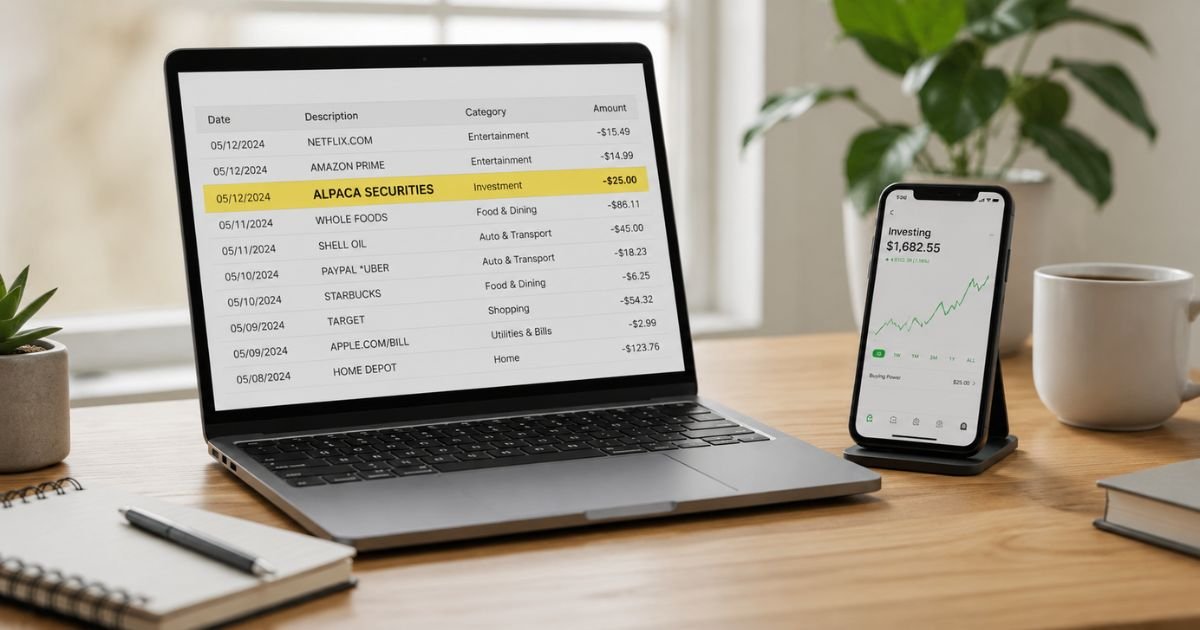
Seeing an Alpaca Securities charge on bank statement can feel confusing, especially if you don’t remember signing up for anything with that name. You’re not alone. Many people notice this entry and wonder if it’s a fee, a subscription, or something unauthorized.
This guide walks you through exactly what the charge means, common reasons it appears, how to confirm it belongs to you, and clear steps if you need to cancel, get a refund, or report it as unauthorized.
Table of Contents
What Is an Alpaca Securities Charge?
Alpaca Securities LLC (also known as Alpaca Clearing) is a U.S.-registered broker-dealer and member of FINRA and SIPC.
It provides commission-free stock, options, and related trading services through its own platform and, more importantly, acts as the clearing and custody firm for hundreds of fintech apps and partners.
When money moves between your bank and an account held at Alpaca (or a partner that uses Alpaca), the bank often shows the transaction under names such as:
- ALPACA SECURITIES
- Alpaca Securitie EMP PAYMNT PPD
- DES:EDI/ETF PMT
- Similar short variations
These descriptors simply identify the firm handling the transfer.
They are not usually a separate “service fee.” Alpaca does not charge for standard ACH deposits or withdrawals. Wire transfers and certain other services carry fees that are listed in their official brokerage fee schedule.
The charge appears because Alpaca clears and settles the money movement for its own customers and for partner platforms that embed investing features.
Why Did This Charge Appear?
Here are the most common legitimate reasons:
- You (or someone with access to your account) deposited or withdrew funds from an Alpaca brokerage account.
- You use a fintech or investing app that partners with Alpaca as its clearing firm. Transfers for those apps often post under the Alpaca name instead of the app’s name.
- A free trial or initial funding for a partner platform converted into a funded account.
- A family member or joint-account holder linked a bank account and made a transfer.
- An authorization hold or pending ACH that later settled.
- A rare ACH return or correction (which can trigger a $25 fee from Alpaca in some cases).
- International or wire-related activity, though most everyday transfers are domestic ACH.
Duplicate billing or pure fraud is less common but possible. Always cross-check the amount and date against any apps or brokerage logins you have.
How to Verify the Charge
Use this quick checklist:
- Open your bank or credit card app and note the exact amount, date, and full descriptor.
- Search your email for “Alpaca,” confirmation messages, or statements from any investing apps you use.
- Log into any brokerage or fintech accounts you remember and review recent deposits or withdrawals.
- Ask household members if they recently funded an investing account.
- Check the Alpaca dashboard (if you have a direct account) under Funds & Wallet or Account statements.
- If the charge came through a partner app, open that app’s transaction history. Many partners explicitly note that bank entries will show as Alpaca Securities.
If nothing matches, move to the fraud-check steps below.
Is It Legitimate or Fraud?
Common legitimate scenarios
Most Alpaca Securities entries are simply ACH transfers tied to real accounts. Partner platforms (for example, certain investing or “spare change” apps) route money through Alpaca’s clearing system, so the bank sees Alpaca’s name.
Warning signs of possible fraud
- You have never opened or funded any investing account.
- The amount is large or repeated without explanation.
- The descriptor looks altered or the charge appears on a card you never linked.
- You receive unsolicited emails asking for account details right after the charge.
If anything feels off, contact your bank promptly and request a temporary hold or investigation. You can also email Alpaca support at support@alpaca.markets with the transaction details for clarification.
Their customer agreement lists a phone number (+1 941-231-4093), though most support currently runs through email and online channels.
How to Cancel or Close an Account
If the charge relates to an active Alpaca or partner account you no longer want:
- Log into the relevant platform and sell or transfer any open positions.
- Withdraw all remaining cash to your linked bank account. ACH withdrawals are free; wires cost extra.
- Cancel any paid market-data or premium subscriptions inside the account settings.
- Email support@alpaca.markets (or the partner’s support team) and request account closure. Include the email address on the account and state whether it is a live or paper account.
- Confirm the account shows a zero balance and closed status before deleting any linked bank info.
- Monitor your bank statement for 30–60 days to ensure no further activity posts.
Partner apps may have their own cancellation process. Start there first, then follow up with Alpaca if needed.
Can You Get a Refund?
Refund eligibility depends on the nature of the charge:
- Ordinary deposits and withdrawals are not refunds; the money simply moved.
- ACH return fees ($25) or wire fees may be refundable if the return was caused by an error on Alpaca’s side. Contact support with documentation.
- Unauthorized charges can be disputed through your bank under Regulation E (for debit) or the Fair Credit Billing Act (for credit cards). Banks typically investigate within 10 business days for provisional credit and complete the review in 45–90 days.
Start the dispute with your bank while also notifying Alpaca. Keep screenshots of the statement and any correspondence.
What to Do If the Charge Is Unauthorized
- Contact your bank or card issuer immediately and report the transaction as unauthorized.
- Request a freeze or replacement card if the charge appeared on a debit or credit card.
- Email support@alpaca.markets with the exact date, amount, and descriptor. Ask them to investigate.
- Change passwords on any related investing or fintech accounts and enable two-factor authentication.
- Monitor your credit reports and bank activity for the next 90 days.
- File a report with the FTC at IdentityTheft.gov if you suspect identity theft.
Act quickly. Federal timelines for provisional credit and liability limits are more favorable when you report promptly.
Prevention Tips
- Review every bank and credit-card statement within a few days of posting.
- Keep a simple list of every app or brokerage that has permission to pull from your bank.
- Use unique, strong passwords and two-factor authentication on all financial accounts.
- Prefer ACH over wire transfers when possible (ACH is free and easier to reverse if needed).
- Unlink bank accounts from platforms you no longer use.
- Set low balance or transaction alerts in your bank app.
- Avoid linking accounts to free trials unless you plan to fund them.
- Periodically check BrokerCheck.finra.org for any firm you do business with.
Common Descriptor Variations
| Descriptor Seen on Statement | Typical Meaning |
|---|---|
| ALPACA SECURITIES | Direct or partner transfer |
| Alpaca Securitie EMP PAYMNT PPD | Partner-related ACH payment |
| DES:EDI/ETF PMT | Electronic payment via Alpaca clearing |
| ALPACA + partial name | Often a partner platform transfer |
Typical Refund / Dispute Timelines
| Action | Usual Timeframe |
|---|---|
| Bank provisional credit | 10 business days |
| Full bank investigation | 45–90 days |
| Alpaca support response | Several business days |
| ACH return fee review | Varies; contact support |
FAQs: Alpaca Securities Charge on Bank Statement
Q. Why does my investing app show Alpaca Securities on my bank statement?
A. Many fintech platforms use Alpaca as their clearing and custody partner. The bank therefore sees Alpaca’s name even though you interacted with the other app.
Q. Does Alpaca charge a monthly fee that appears on my bank statement?
A. No. Standard ACH transfers are free. Any fees (wires, ACH returns, margin interest) are usually deducted from the brokerage account itself rather than billed directly to your bank.
Q. Can I stop future Alpaca Securities charges?
A. Yes. Close or unlink the related brokerage or partner account and withdraw remaining funds. Once the account is closed and the bank link is removed, new transfers should stop.
Q. Is my money protected if it is held at Alpaca?
A. Securities accounts at Alpaca Securities LLC are covered by SIPC up to $500,000 (including a $250,000 cash limit). Some partner programs may also offer additional FDIC sweep coverage for cash balances. Check the specific disclosures for your account.
Conclusion
An Alpaca Securities charge on bank statement is most often a straightforward bank transfer tied to a brokerage account or a partner fintech app that uses Alpaca for clearing.
Verify the amount against your records, contact the relevant support team if needed, and close any unused accounts to prevent surprises.
With a quick check and the steps above, you can resolve the charge confidently and keep better control of future transactions.
Disclaimer: This article is for informational purposes only and is not financial, legal, or investment advice. Policies, fees, and procedures can change. Always confirm details directly with Alpaca Securities, your bank, or the relevant partner platform, and consult a qualified professional for personalized guidance.
Meet the Author
