
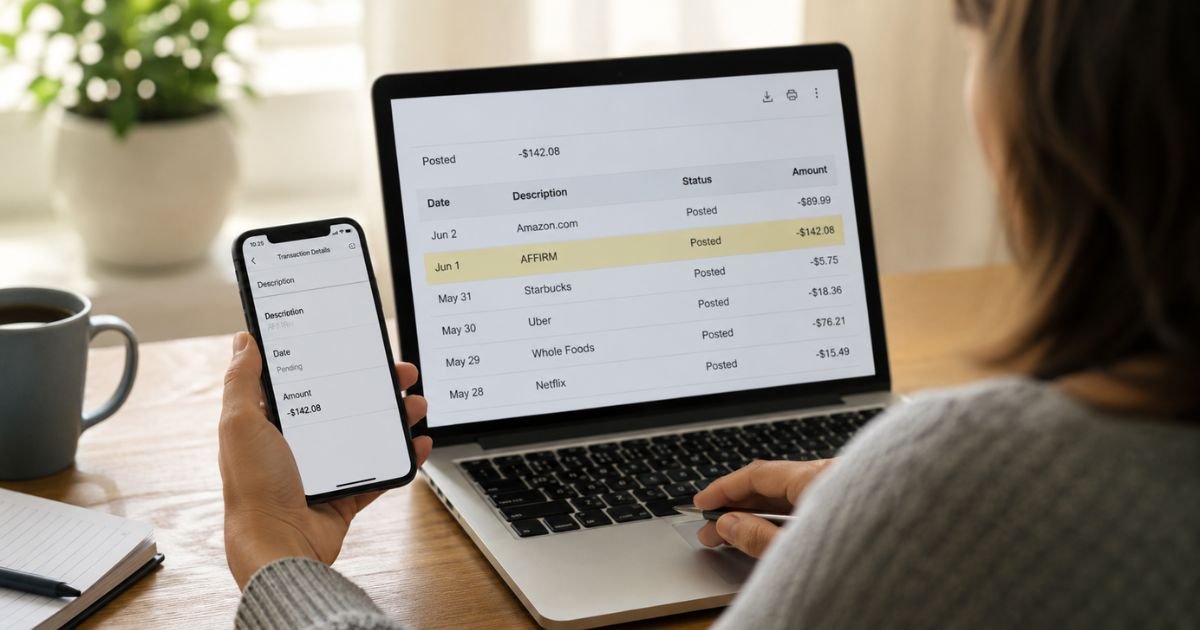
Noticing an Affirm charge on bank statement is common if you (or someone with access to your account) used Affirm’s buy-now-pay-later service.
This guide explains what the charge means, how to check it, and what to do if you do not recognize it.
Table of Contents
What Is the Affirm Charge?
Affirm is a financial technology company that offers “buy now, pay later” plans.
When you choose Affirm at checkout with a partner retailer, Affirm pays the merchant and you repay Affirm in fixed installments (often bi-weekly or monthly).
On your bank or credit card statement the charge typically appears as:
- AFFIRM
- AFFIRM.COM
- AFFIRMCARD (for some Affirm Card transactions)
- Similar short variations
The amount is usually one installment of a larger purchase you financed. Affirm may also show a down payment if one was required at the time of the order.
Why Did This Charge Appear?
Typical reasons include:
- You financed a purchase at a retailer that partners with Affirm.
- A scheduled installment payment came due.
- A family member or authorized user set up an Affirm plan using the account.
- A down payment or the first installment posted shortly after the order.
- In some cases, the charge is unauthorized.
Because the statement shows Affirm instead of the original store name, the charge can look unfamiliar even when the purchase was intentional.
How to Verify the Charge
Follow these steps:
- Log into your Affirm account at affirm.com or in the Affirm app.
- Go to the section that lists your payment plans or loans and match the amount and date.
- Check the original retailer and order details linked to the plan.
- Search your email for Affirm loan confirmations or payment reminders.
- Ask authorized users of the account whether they created an Affirm plan.
- If you cannot find a matching plan, contact Affirm support or your bank for more details.
Logging into Affirm is usually the fastest way to see exactly what the charge is for.
Is It Legitimate or Fraud?
The charge is legitimate if it matches an Affirm payment plan in your account and you (or an authorized user) authorized the original purchase.
Warning signs that need attention:
- No Affirm account or plan matches the charge.
- No one in the household recognizes any related purchase.
- Multiple unexpected Affirm charges appear.
- You never used Affirm at checkout.
If the charge remains unexplained after checking your Affirm account, treat it as potentially unauthorized.
How to Manage or Stop Payments
Affirm plans are installment loans, not traditional subscriptions, but you can still manage them:
- Log into your Affirm account.
- Review each active payment plan.
- Make an early payment, change the payment method, or contact Affirm if you need to adjust the schedule.
- If you want to stop future automatic withdrawals, update or remove the linked bank account or card inside your Affirm settings and contact support to confirm.
- For any plan you do not recognize, report it immediately through Affirm’s unauthorized-payment process.
Simply removing a card from your bank does not always stop an Affirm plan that is already active.
Can You Get a Refund?
Refunds for the underlying purchase are handled by the original retailer in most cases. Affirm can assist with disputes related to the loan itself.
To request help:
- Log into your Affirm account and locate the payment plan.
- Follow Affirm’s process to dispute a purchase or report a problem.
- Contact the original retailer about returning the item or canceling the order.
- If the charge is unauthorized, report it to Affirm and open a dispute with your bank or credit card issuer.
Keep records of all communications. Affirm’s help center has specific articles for disputing purchases and reporting unauthorized activity.
What to Do If the Charge Is Unauthorized
- Log into your Affirm account (if you have one) and check for any plans you do not recognize.
- Use Affirm’s official process to report unauthorized payments or an unauthorized account.
- Contact Affirm support at the number listed on their help center (commonly 855-423-3729) or through their chat/email options.
- Call your bank or credit card issuer, report the charge as unauthorized, and open a formal dispute.
- Ask the bank to monitor or block future Affirm-related transactions if appropriate.
- Consider freezing or replacing the card if you believe the number has been compromised.
- Document every reference number and conversation.
Act quickly. Reporting promptly gives you the strongest protection under U.S. consumer rules.
Prevention Tips
- Turn on real-time transaction alerts for every bank account and card.
- Review pending and posted charges at least weekly.
- Keep a simple list of any Affirm plans you create.
- Use a dedicated payment method for buy-now-pay-later services when possible.
- Read the full payment schedule before confirming an Affirm plan at checkout.
- Remove old payment methods from your Affirm account if you no longer use the service.
- Ask authorized users to tell you about any installment plans they set up.
- Periodically log into Affirm to review active plans.
Common Situations and Next Steps
| Situation | Likely Meaning | Best First Step |
|---|---|---|
| Matches a plan in your Affirm account | Scheduled installment payment | Confirm the original purchase |
| No matching Affirm plan | Possibly unauthorized | Report to Affirm + your bank |
| Appeared right after an online order | Down payment or first installment | Check order confirmation and Affirm app |
| Recurring similar amounts | Ongoing payment plan | Review and manage plans in Affirm |
FAQs: Affirm Charge on Bank Statement
Q. What is an Affirm charge on my bank statement?
A. It is usually an installment payment for a purchase you financed through Affirm’s buy-now-pay-later service at a partner retailer.
Q. Why doesn’t the statement show the store name?
A. Affirm pays the retailer and then collects the installments from you, so the charge appears under Affirm’s name.
Q. How do I contact Affirm about a charge?
A. Log into your Affirm account for the fastest help, or call the customer service number listed on Affirm’s official help center (commonly 855-423-3729). You can also use their chat or contact form.
Q. Can I dispute an Affirm charge?
A. Yes. First check your Affirm account and use their dispute or unauthorized-payment process. You can also file a dispute directly with your bank or credit card issuer.
Conclusion
An Affirm charge on bank statement is most often a scheduled installment for a buy-now-pay-later purchase. Log into your Affirm account first to match the amount and date to a specific plan.
If nothing lines up, report the charge to Affirm and your bank right away. Reviewing your Affirm plans regularly and enabling transaction alerts are the simplest ways to stay on top of these payments.
Disclaimer: This article is for informational purposes only and is not financial or legal advice. Affirm’s policies and billing practices can change. Always confirm details directly with Affirm and your bank or credit card issuer.
Meet the Author
