
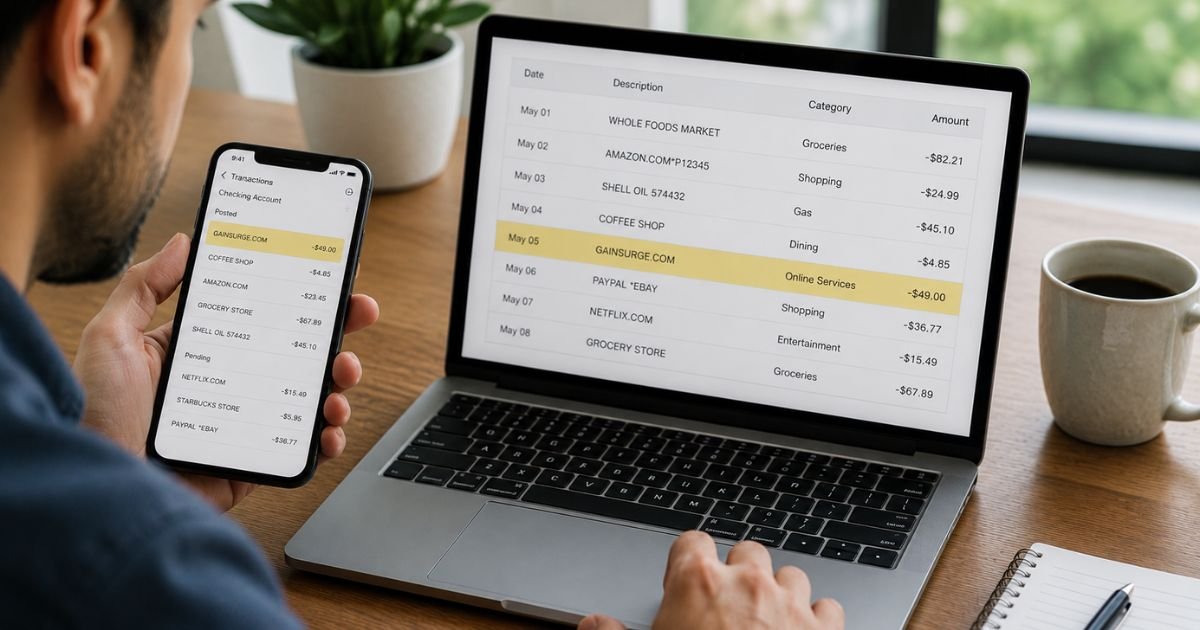
Noticing a Gainsurge charge on bank statement can be confusing because the name may not match any store or service you remember using.
This guide explains what the charge means, how to check it, and what to do if you do not recognize it.
Table of Contents
What Is the Gainsurge Charge?
GainSurge (gainsurge.com) processes payments on behalf of other merchants. When a merchant’s first attempt to charge your card fails or is declined, some use GainSurge’s platform to retry the transaction.
As a result, the charge appears on your statement under the name GAINSURGE, gainsurge.com, or a close variation instead of the original merchant’s name.
According to GainSurge’s own support pages, the company bills only the amount of the underlying transaction. It does not add its own finance charges or interest.
The original merchant remains responsible for the product or service.
Why Did This Charge Appear?
Common reasons include:
- A previous purchase attempt from another online merchant failed, and GainSurge was used to retry it.
- You or an authorized user completed a transaction that was routed through GainSurge’s recovery system.
- An email from gainsurge.com was sent with details but landed in spam.
- A pending or declined charge from days or weeks earlier later posted successfully.
- In some cases, the charge is unrecognized or unauthorized.
Because the statement shows GainSurge rather than the original store name, the charge can look completely unfamiliar even when it is linked to a real prior attempt.
How to Verify the Charge
Work through these steps:
- Search your email (including spam and trash) for messages from “gainsurge.com” or “Gain Surge.” Look for transaction details and the name of the original merchant.
- Check for any earlier declined or pending charges of the same or similar amount from other merchants.
- Ask every person who has access to the card whether they made an online purchase that might have failed the first time.
- Note the exact amount, date, and whether the charge is pending or posted.
- If you find the original merchant, contact them directly for confirmation.
- If no email appears and nothing matches, contact GainSurge through their website form or the support channels listed on their site, or go straight to your bank.
Is It Legitimate or Fraud?
The charge can be legitimate if it matches a prior failed transaction from a merchant you or an authorized user dealt with and an email from GainSurge confirms the details.
Treat the charge as potentially unauthorized if:
- You find no matching email from gainsurge.com.
- No one in the household recognizes any related purchase.
- The amount does not match any recent order or declined attempt.
- Multiple unfamiliar GainSurge charges appear.
Consumer discussions show that some people do not recognize these charges and choose to dispute them directly with their bank.
Use caution if any party asks for full card numbers or excessive personal details beyond what is needed to identify a transaction.
How to Cancel
GainSurge charges are typically one-time recovery attempts rather than ongoing subscriptions.
If you want to stop related activity:
- Contact the original merchant (once identified) and ask them to cancel any open order or further billing attempts.
- Request written confirmation.
- Ask your bank whether they can block future charges from the GainSurge descriptor if needed.
- Monitor your statement for additional attempts.
Simply ignoring the charge does not cancel anything.
Can You Get a Refund?
Refund responsibility sits primarily with the original merchant.
GainSurge states that it can help initiate a refund request in some cases, but the merchant is liable for the goods or services.
To seek a refund:
- Identify the original merchant from any GainSurge email or by contacting GainSurge support.
- Reach out to that merchant with the transaction date, amount, and reason for the request.
- If you cannot identify the merchant, use GainSurge’s contact form or support channels and request assistance.
- If the merchant does not resolve it or the charge was unauthorized, open a dispute with your bank or credit card issuer.
Keep records of every email and reference number.
What to Do If the Charge Is Unauthorized
- Contact your bank or credit card issuer right away and report the charge as unauthorized.
- Provide the date, amount, and descriptor (GAINSURGE or gainsurge.com).
- Ask them to open a formal dispute or fraud claim and request a temporary credit if available.
- Consider freezing or replacing the card if you believe the number may have been compromised.
- Document every conversation and reference number.
- Monitor the account for further activity.
- You may also report the issue to the Federal Trade Commission at ReportFraud.FTC.gov, though this does not reverse the charge itself.
Act quickly. Credit and debit card protections work best when you report within the required time frames.
Prevention Tips
- Turn on real-time transaction alerts for every account.
- Review both pending and posted charges at least weekly.
- Check spam folders regularly for payment-related emails.
- Keep records of any declined or failed online purchases.
- Use virtual card numbers or single-use cards for online trials when available.
- Ask authorized users to tell you about any purchases they make.
- Periodically search your email for recent order or payment confirmations.
- Prefer merchants with clear billing descriptors when possible.
Common Situations and Next Steps
| Situation | Likely Meaning | Best First Step |
|---|---|---|
| Email from gainsurge.com found | Recovery of a prior failed merchant charge | Contact the original merchant |
| No email and no matching purchase | Possibly unauthorized | Report to your bank immediately |
| Same amount as an earlier declined charge | Successful retry of a failed transaction | Verify with the original merchant |
| Multiple GainSurge charges | Repeated recovery attempts or possible issue | Review all recent activity + contact bank |
FAQs: Gainsurge Charge on Bank Statement
Q. What is a Gainsurge charge on my bank statement?
A. It is usually a payment processed by GainSurge on behalf of another merchant to recover a previously failed or declined transaction. The statement shows GainSurge instead of the original store name.
Q. Why didn’t I see the original merchant’s name?
A. GainSurge acts as a third-party recovery platform. When it successfully processes the charge, the billing descriptor often appears as GAINSURGE or gainsurge.com.
Q. How do I get a refund for a Gainsurge charge?
A. Identify the original merchant (check for a GainSurge email) and request the refund from them. If you cannot identify the merchant, contact GainSurge support for help, then dispute with your bank if needed.
Q. Should I give GainSurge my full card details to investigate?
A. Be cautious. Provide only the information needed to identify the transaction. If you do not recognize the charge at all, many people prefer to dispute it directly with their bank rather than share additional personal or card data.
Conclusion
A Gainsurge charge on bank statement most often reflects a recovered or retried payment for a prior purchase from another merchant.
Start by searching your email for a message from gainsurge.com and matching the amount to any earlier declined transactions. If nothing lines up, report the charge to your bank promptly as unauthorized.
Checking statements regularly and watching for payment-related emails are the simplest ways to stay on top of these less-obvious descriptors.
Disclaimer: This article is for informational purposes only and is not financial or legal advice. Company policies and descriptors can change. Always confirm details directly with your bank or credit card issuer and, when appropriate, with GainSurge or the original merchant.
Meet the Author
