
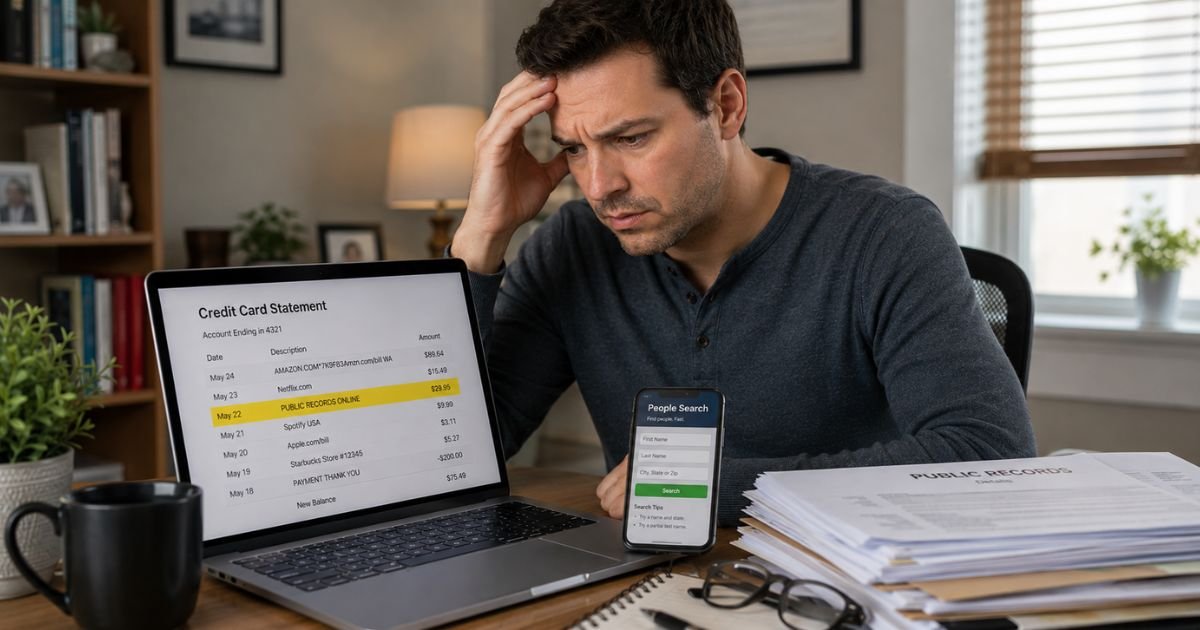
If you noticed a charge labeled “Public Record Reports,” “PublicRecords.us,” “PUB RECORDS,” or a similar charge on credit card statement, you are not alone.
These charges often surprise people because the signup process can feel quick and the recurring nature is easy to miss.
This article explains what the charge means, why it appears, and the practical steps to verify, cancel, or dispute it.
Table of Contents
What Is the Public Records Charge?
Public records charges typically come from companies like Public Record Reports or PublicRecords.us.
These services aggregate publicly available information from government sources and make it searchable through their websites for a monthly subscription fee.
The charge on your statement represents payment for access to their database. It is not a government fee or official record request.
These companies are private businesses that compile and sell convenient access to information that is already public.
Billing descriptors often appear as Public Record Reports, PublicRecords.us, PUB RECORDS, or slight variations.
The amounts are usually modest monthly fees that can add up if the subscription continues unnoticed.
Why Did This Charge Appear on Your Credit Card?
Several common reasons explain the public records charge:
- You or someone in your household signed up for a free trial or one-time search that automatically converted to a paid recurring subscription.
- You used the service during a job search, background check curiosity, property research, or to look up contact information.
- A family member or authorized user on the card created an account and enrolled in the subscription.
- The charge is a renewal of an existing subscription you started months earlier and forgot about.
- Duplicate billing or an authorization hold occurred during the initial signup.
These services often use “free trial” offers that require a credit card upfront. Many people do not realize the trial ends and billing begins until the first charge appears on their statement.
How to Verify the Charge
Use this numbered checklist to confirm the source:
- Search your email inbox and spam folder for messages from Public Record Reports, PublicRecords.us, or similar names containing words like subscription, trial, or welcome.
- Check your browser history or saved logins for visits to publicrecordreports.com, publicrecords.us, or related sites.
- Review any recent activity involving job applications, property searches, or background checks.
- Ask other household members or authorized card users if they signed up for a people-search or public records service.
- Look at the exact date and amount of the charge and match it to any trial start dates you remember.
- If nothing matches, contact your credit card issuer for additional merchant details.
Most people identify the account quickly once they search their email and browsing history.
Is It Legitimate or Fraud?
The public records charge is legitimate in the large majority of cases.
It reflects a real subscription to a private service that compiles public information. The companies openly state they are not government agencies or official consumer reporting agencies.
Common legitimate scenarios include signing up during a job search or out of curiosity and then forgetting about the recurring billing.
Warning signs of potential problems include no record of any signup, charges that continue after you believe you canceled, or inability to locate any account on the associated websites.
If these apply, treat the charge seriously and move to cancel or dispute it.
How to Cancel
You can usually cancel directly through the account:
- Visit the website associated with the charge (such as publicrecordreports.com or publicrecords.us) and log in with the email used during signup.
- Go to account settings, subscription, or billing section.
- Follow the prompts to cancel the subscription and turn off auto-renewal.
- Take screenshots of the cancellation confirmation and save any email you receive.
Many of these services also offer live chat support that can cancel the account quickly. Provide the charge details from your statement if asked. Keep records of every step.
Can You Get a Refund?
Refund chances are highest when you act soon after discovering the charge. Many services will refund recent charges, especially if the subscription was not actively used or started as a trial.
Contact support through the website or chat and request a refund for recent charges. Ask for written confirmation if they agree.
If the merchant refuses or does not respond, dispute the charge with your credit card issuer. Credit cards provide strong consumer protections for recurring charges you no longer want.
Act within 60 days of the statement date for the best results. Provide evidence of your cancellation attempt or lack of authorization.
What to Do If the Charge Is Unauthorized
If you determine the public records charge was not made by you or anyone authorized on your account, follow this action plan:
- Contact your credit card issuer immediately to dispute the charge and request they block future recurring payments from this merchant.
- Ask about receiving a new card number if you suspect your information was used without permission.
- Search for and attempt to close any related accounts on public records websites.
- Monitor your statements and online banking closely for additional unfamiliar activity.
- Consider placing a fraud alert with the major credit bureaus if broader concerns exist.
- Keep detailed records of every communication for your dispute.
Quick action usually limits your liability.
Prevention Tips
Protect yourself from surprise public records charges with these habits:
- Read the full terms and cancellation policy before starting any “free trial” on people-search or background check sites.
- Use a virtual card number or dedicated card for any trial signups.
- Turn on real-time transaction alerts so every charge notifies you immediately.
- Review credit card statements at least once a week instead of waiting for the monthly bill.
- Cancel trials immediately if you decide you do not need the paid service.
- Regularly check active subscriptions in your email and browser history.
- Avoid saving card details on sites you only plan to use once.
- Be especially cautious with services that require a credit card for a “free” search or report.
- Talk with household members about any online signups they complete.
Common Billing Descriptor Variations
| Billing Descriptor | Typical Meaning |
|---|---|
| Public Record Reports | Subscription for aggregated public records access |
| PublicRecords.us | People search and public records database service |
| PUB RECORDS | Shortened descriptor for similar subscription sites |
FAQs: Public Records Charge on Credit Card
Q. What does the public records charge mean on my credit card statement?
A. It usually represents a recurring monthly subscription for access to online public records databases, including property, court, and people-search information from services like Public Record Reports or PublicRecords.us.
Q. How do I cancel a public records subscription?
A. Log into the account on the associated website, go to subscription or billing settings, and cancel the plan. Many services also offer live chat support that can cancel quickly and sometimes process refunds.
Q. Can I get a refund for a public records charge?
A. Yes in many cases, especially for recent charges or unused subscriptions. Request a refund directly through the site’s support or chat first. If unsuccessful, dispute the charge with your credit card issuer.
Q. Is the public records charge from a government agency?
A. No. These are private companies that compile and sell access to information that is already publicly available. They are not government agencies or official consumer reporting agencies.
Conclusion
The public records charge on credit card is most often a recurring subscription from a private service that provides convenient access to aggregated public records.
Checking your email and browser history for signup confirmations usually reveals the source quickly.
Canceling through the account stops future billing in most situations, and refunds are often available for recent charges.
If the charge does not match any activity you recognize, dispute it promptly with your credit card issuer.
Being cautious with free trials on people-search sites and using transaction alerts helps prevent similar surprises in the future.
Disclaimer: This article provides general information for educational purposes only and is not financial, legal, or professional advice. Merchant policies and subscription practices can change. Always verify details directly with the service provider through their website or with your credit card issuer for your specific situation. For disputes or account issues, contact your financial institution promptly.
Meet the Author
