
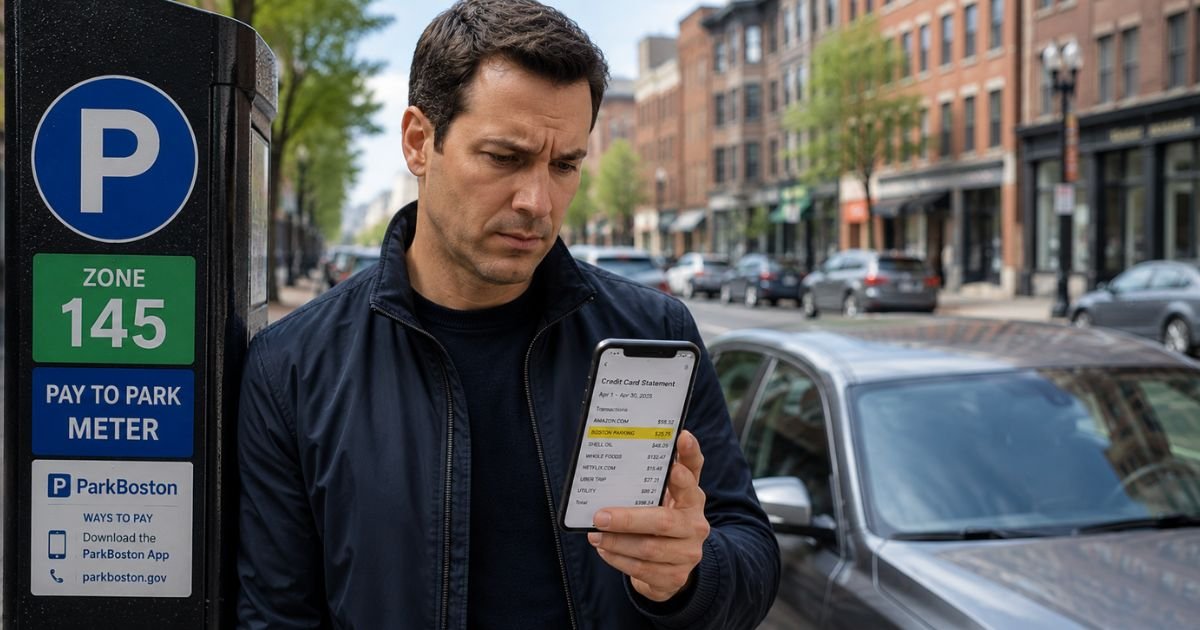
If you found a “PSPT Boston ENF” or similar charge on credit card statement, it can feel confusing at first. Many people do not immediately connect the abbreviation to a simple parking transaction.
This article explains what the charge means, why it appears, and the steps to verify or resolve any issues.
Table of Contents
What Is the PSPT Boston ENF Charge?
PSPT stands for Passport, a widely used provider of mobile parking payment apps and systems.
Many cities, including Boston through the ParkBoston app, partner with Passport so drivers can pay for metered parking, garages, or lots directly from their phone.
The “Boston ENF” portion likely refers to Boston parking enforcement or a specific transaction code used within the system.
The full descriptor on your statement shows the payment processor and location details for the parking session you or someone else paid for.
These charges appear as individual line items because each parking session is processed separately. The amount usually matches the time you paid for plus any applicable fees or taxes.
Why Did This Charge Appear on Your Credit Card?
The PSPT Boston ENF charge typically shows up for these reasons:
- You or a household member parked in Boston and paid for the session using the ParkBoston or Passport parking app.
- Multiple short sessions or adjustments created several small charges on the same day.
- An authorization hold posted while the exact parking duration finalized.
- A family member, friend, or authorized user on the card paid for parking during a trip to Boston.
- A technical issue or duplicate processing occurred (past reports noted occasional overcharges with the Boston parking app due to the payment processor).
This is almost always a one-time payment per parking session rather than a recurring subscription.
Charges can appear a day or two later depending on when the session ended and when the processor settled the transaction.
How to Verify the Charge
Use this checklist to confirm the charge matches your activity:
- Check whether you or anyone in your household parked in Boston recently and used a mobile parking app.
- Open the ParkBoston app (or search for it if you do not have it installed) and review your parking history or receipts.
- Search your email for messages from Passport, ParkBoston, or support@passportinc.com around the charge date.
- Look at the exact amount and time of the charge and match it to any parking you paid for in Boston.
- Ask other authorized card users or family members if they used the card for parking during a Boston trip.
- If nothing matches, contact your credit card issuer for additional merchant details.
Most people quickly recognize the charge once they consider recent travel or parking in Boston.
Is It Legitimate or Fraud?
The PSPT Boston ENF charge is legitimate in the large majority of cases. It simply reflects a normal parking payment made through Boston’s approved mobile payment system.
Common legitimate scenarios include forgetting a short parking session, multiple family members using the card while in Boston, or a technical processing delay.
Warning signs of potential problems include no record of any Boston parking activity, charges that continue without new parking sessions, or amounts that seem much higher than typical parking rates.
If these apply, treat the charge seriously and investigate or dispute it promptly.
How to Cancel
Parking session charges are not recurring subscriptions, so there is usually nothing to cancel after the fact. Each charge corresponds to a completed or attempted parking payment.
If you notice ongoing or repeated charges without new parking activity, contact Passport support through the ParkBoston app or by emailing support@passportinc.com. Provide the charge dates and amounts so they can investigate.
You can also reach out to the Boston Parking Clerk through official city channels if you believe there is an error with enforcement or billing.
Can You Get a Refund?
If you were overcharged, paid for time you did not use, or experienced a technical error, you may qualify for a refund or adjustment.
Start by submitting a support request through the ParkBoston app or by emailing support@passportinc.com with your transaction details. Boston has processes for reviewing parking payment issues.
If the merchant cannot resolve it to your satisfaction, dispute the charge with your credit card issuer. Provide evidence such as app screenshots, receipts, or proof that the amount does not match actual parking time used.
Credit cards generally handle these disputes well when you act within the standard timeframe.
What to Do If the Charge Is Unauthorized
If you determine the PSPT Boston ENF charge was not made by you or anyone authorized on your card:
- Contact your credit card issuer immediately to dispute the charge and request they block future transactions from this merchant.
- Ask about receiving a new card number if you suspect your card details were compromised.
- Submit a support request through the ParkBoston app or Passport support explaining the situation.
- Monitor your statements closely for any additional unfamiliar charges.
- Consider placing a fraud alert with the credit bureaus if broader concerns exist.
- Keep records of all communications and confirmations.
Quick action helps protect your account and limits liability.
Prevention Tips
Avoid surprise parking-related charges with these habits:
- Always check the ParkBoston app or receipts after paying for parking in Boston.
- Turn on real-time transaction alerts so every charge notifies you right away.
- Review credit card statements promptly after any travel to Boston or other cities that use mobile parking apps.
- Use a virtual card number or dedicated card for travel and parking payments when possible.
- Talk with household members about using the card for parking apps during trips.
- Double-check parking rates and time before confirming payment in the app.
- Keep the ParkBoston app installed and review your history regularly if you park in Boston often.
- Be cautious of any unsolicited messages claiming to be parking tickets or enforcement notices.
Common Parking Payment Descriptor Variations
| Billing Descriptor | Typical Meaning |
|---|---|
| PSPT Boston ENF | Passport parking payment in Boston (enforcement code) |
| PASSPORT or PSPT | General Passport parking system transaction |
| ParkBoston | Boston-specific parking app name |
FAQs: PSPT Boston ENF Charge on Credit Card
Q. What does the PSPT Boston ENF charge mean on my credit card statement?
A. It represents a parking payment made through the Passport mobile app for parking in Boston. PSPT is the common abbreviation for Passport, and ENF likely refers to an enforcement or transaction code used by the system.
Q. Why are there multiple PSPT Boston charges on my statement?
A. Multiple charges usually mean multiple separate parking sessions, adjustments for time extensions, or processing of several short stays. Each session processes as its own transaction.
Q. How do I get a refund for a PSPT Boston ENF parking charge?
A. Submit a support request through the ParkBoston app or email support@passportinc.com with your transaction details. If the merchant cannot help, dispute the charge directly with your credit card issuer.
Q. Is the PSPT Boston ENF charge a parking ticket or a payment?
A. It is almost always a payment you made for parking time through the app rather than a ticket or fine. True enforcement tickets usually appear under different descriptors from the city or court.
Conclusion
The PSPT Boston ENF charge on credit card is typically a normal payment for parking in Boston processed through the Passport parking system.
Checking your recent travel, the ParkBoston app history, or family parking activity usually confirms the source right away.
If the charge does not match any parking you or your household used, or if you believe there was an error or overcharge, contact Passport support first and then your credit card issuer if needed.
Using transaction alerts and reviewing parking receipts helps catch these charges quickly and avoids future confusion.
Disclaimer: This article provides general information for educational purposes only and is not financial, legal, or professional advice. Parking payment policies and processing can vary. Always verify details through the ParkBoston app, official Boston parking resources, or your credit card issuer for your specific situation. For disputes or account issues, contact your financial institution promptly.
Meet the Author
