
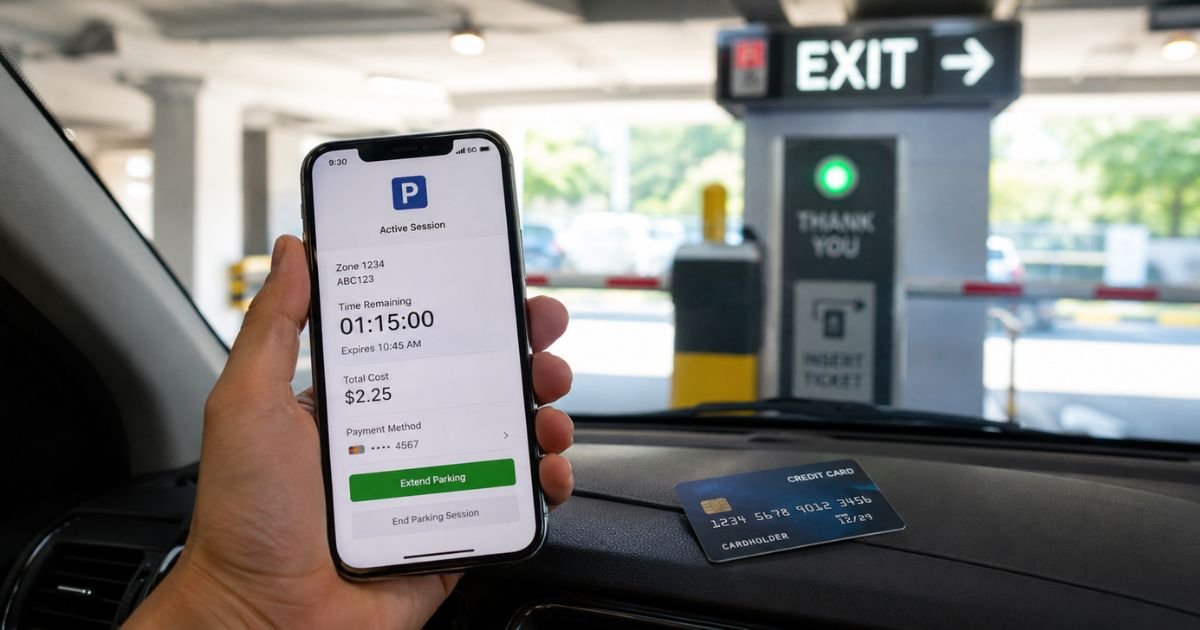
If you spotted a Zipby LLC charge on credit card and don’t remember making a purchase, you’re not alone. This is a common search, and the good news is that it usually has a simple explanation.
In most cases, this charge is legitimate and tied to a parking transaction. Still, it’s smart to verify every unfamiliar charge before you assume it’s fine or file a dispute.
This guide walks you through what the charge means, why it showed up, how to confirm it’s yours, and what to do next.
Table of Contents
Quick Answer
A Zipby LLC charge on credit card almost always comes from ZipBy, a ticketless parking app that automatically charges your card when you drive in and out of a participating parking garage or lot.
The charge usually reflects a parking session, a parking permit renewal, or an extended stay fee. If you’ve used a ZipBy-enabled garage or a rental car linked to a ZipBy account, this charge is likely yours.
What Is the Zipby LLC Charge?
The company: ZipBy is a parking technology company that lets drivers enter and exit parking facilities without a ticket. When you register your credit card with the app, ZipBy calculates your parking fee based on how long you stayed and charges your card automatically when you leave.
The billing descriptor: On your statement, this may appear as “ZIPBY,” “ZIPBY LLC,” “ZIPBY USA LLC,” “ZIPBY.APP,” or a similar variation. Public business records show a related entity, ZipBy USA LLC, registered in Delaware with a business address in Pompano Beach, Florida.
Why it appears this way: Credit card statements have limited space, usually 20 to 25 characters. Companies often use their registered legal entity name, like “ZIPBY LLC,” instead of a more familiar brand name. This is normal and doesn’t mean anything is wrong.
Why it appears on your statement at all: You, or someone using your linked vehicle, drove through a ZipBy-enabled parking gate. The charge posts once you exit and the system calculates the final fee.
Statement variations you might see:
- ZIPBY
- ZIPBY LLC
- ZIPBY USA LLC
- ZIPBY.APP
- ZIPBY PARKING
Why Did This Charge Appear?
Several situations can trigger a Zipby LLC charge:
- One-time parking session. You drove in and out of a ZipBy-enabled garage, and the app charged you automatically.
- Subscription or permit renewal. ZipBy offers monthly parking permits that renew automatically unless you cancel them.
- Family member or shared vehicle use. If someone else drove your linked vehicle, or you used ZipBy’s session transfer feature, the charge still lands on the card tied to that account.
- Duplicate billing. Some users have reported the app not closing a parking session properly, which can lead to a higher charge than expected. This appears to be an occasional app issue rather than the norm.
- Authorization hold. Because ZipBy calculates your fee based on how long you park, you may briefly see a temporary hold before the final charge settles.
- International or cross-border transaction. ZipBy operates in the United States, Canada, and Australia. If you parked while traveling between these regions, your bank may flag it as international.
- Free trial or promotional sign-up. If you registered during a promotional period, a charge could reflect the first billing after that period ended.
Not sure yet? The next section will help you confirm exactly what caused it.
How to Verify the Charge
- Open the ZipBy app and check your session history for a matching date, time, and amount.
- Look for a confirmation email or receipt from ZipBy in your inbox.
- Check if you or an authorized driver used a rental car or shared vehicle recently.
- Compare the charge amount to typical parking rates in your area.
- Log into your bank or credit card app for extra transaction details, such as a merchant category code.
- Ask any authorized users on your account if they made the charge.
- If nothing matches, contact ZipBy support through the app or website before disputing.
Is It Legitimate or Fraud?
Common legitimate scenarios include parking at a ZipBy-enabled garage, an active monthly permit, or a linked rental vehicle you forgot to remove from your account.
Warning signs of fraud include never having used ZipBy or a parking app, charges from cities or facilities you’ve never visited, or multiple unfamiliar charges appearing at once.
Contact your bank if you’ve confirmed you have no ZipBy account, no linked vehicle, and no record of using the app, and the charge still doesn’t match anything in your history.
How to Cancel Zipby
If you no longer want to use ZipBy or need to remove a linked vehicle:
- Open the ZipBy app and tap the hamburger menu.
- Select Payments, then Payment types.
- Choose the card you want removed and select Delete.
- To cancel an active parking permit, go to Current Permits, select the permit, and tap Cancel Permit.
- If a rental car is still linked to your account, remove it or update its expiration date so it’s no longer tied to your card.
Can You Get a Refund?
Refund eligibility depends on ZipBy’s own policies and the specific situation, such as a technical error, a session that didn’t close properly, or an incorrect fee.
We could not confirm ZipBy’s exact refund policy, so the most reliable step is to contact ZipBy support directly through the app or its website first.
If ZipBy can’t resolve the issue, or you believe the charge is unauthorized, you can dispute it with your card issuer.
Under the Fair Credit Billing Act, cardholders have the right to dispute billing errors on credit cards.
What to Do If the Charge Is Unauthorized
- Do not ignore the charge. Act within your card issuer’s dispute window.
- Contact ZipBy support through the app to ask about the transaction.
- Call the number on the back of your card if ZipBy can’t explain it.
- File a formal dispute with your bank or card issuer.
- Remove your card from the ZipBy app if you didn’t authorize it there.
- Monitor your statement for any additional unfamiliar charges.
- Request a new card number if you suspect your card details were compromised.
Prevention Tips
- Regularly review your linked vehicles and payment methods in the ZipBy app.
- Remove rental cars from your account once you return them.
- Turn on transaction alerts with your bank for real-time notifications.
- Check your statement monthly, not just when something looks off.
- Cancel unused monthly permits promptly.
- Keep your app updated to avoid session-closing glitches.
- Save receipts and confirmation emails for parking sessions.
- Use virtual card numbers for services you’re testing out.
Helpful Tables
Charge Type vs. Meaning
| Charge Type | What It Usually Means |
|---|---|
| One-time charge | A single parking session |
| Recurring charge | An active monthly permit |
| Small hold amount | Temporary authorization before final fee |
| Larger than expected | Possible extended stay or unclosed session |
Typical Refund Timeline
| Step | General Timeframe |
|---|---|
| Merchant review | A few business days |
| Refund processing | Several business days to two weeks |
| Funds back on statement | One to two billing cycles |
Typical Dispute Timeline
| Step | General Timeframe |
|---|---|
| File dispute with bank | As soon as possible, ideally within 60 days |
| Bank investigation | Up to 90 days under federal rules |
| Provisional credit | Often within 10 business days |
Common Descriptor Variations
| Descriptor | Likely Source |
|---|---|
| ZIPBY | Parking session charge |
| ZIPBY LLC | Registered entity name |
| ZIPBY USA LLC | U.S. registered business name |
| ZIPBY.APP | App-based transaction |
FAQs: Zipby LLC Charge on Credit Card
Q. What is a Zipby LLC charge on my credit card?
A. It’s typically a parking charge from ZipBy, an app that lets you drive in and out of a parking facility without a ticket and bills your card automatically.
Q. Why does the charge use “LLC” instead of the app name?
A. Companies often use their registered legal entity name on statements because of character limits and processor requirements, even though customers know them by a different brand name.
Q. Can someone else charge my card through Zipby without my permission?
A. If your card details or a shared vehicle are linked to someone else’s ZipBy session, a charge can appear that you didn’t personally authorize. Removing your card from the app and disputing the charge with your bank can resolve this.
Q. How do I stop future Zipby charges?
A. Delete your saved card from the ZipBy app’s Payment types section and cancel any active permits under Current Permits.
Conclusion
A Zipby LLC charge on credit card is usually tied to a parking session, permit, or shared vehicle linked to the ZipBy app.
Take a few minutes to check your app history, receipts, and any linked vehicles before assuming the worst.
If everything checks out, there’s nothing more to do. If it still doesn’t add up, reach out to ZipBy support and your card issuer so it can be resolved quickly.
Disclaimer: This article is for informational purposes only and does not constitute financial or legal advice. Always verify charges directly with the merchant and your financial institution, and consult a qualified professional for guidance specific to your situation.
Meet the Author
