
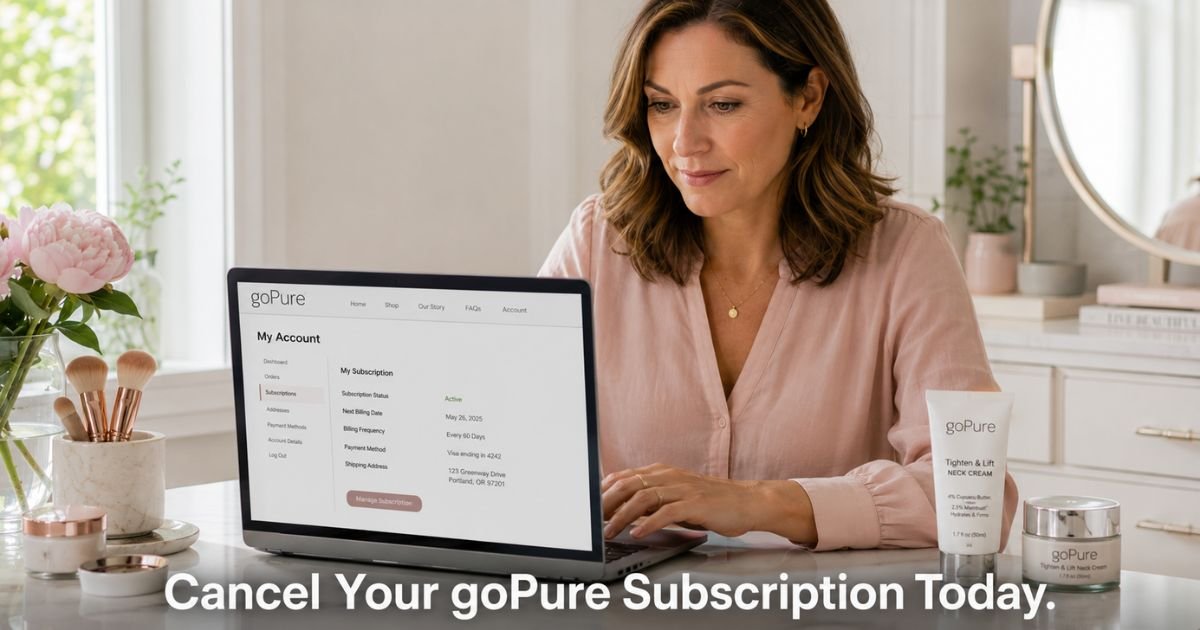
You started a goPure Beauty Subscribe & Save plan for their popular neck cream or other skincare products and now notice the same charge hitting your card each month. Many people enjoy the convenience at first, then decide they want to pause or stop the automatic deliveries.
goPure makes their subscription flexible with no contracts, so you can cancel, skip, or pause at any time. The process is straightforward whether you handle it yourself in your account or reach out to their support team.
You will learn exactly how the charges appear on your statement, the simple steps to cancel your Go Pure subscription, what to do if you prefer speaking with someone, and how to confirm everything has stopped.
Table of Contents
What Go Pure Charges Look Like on Your Statement
goPure Beauty charges usually appear under clear names. Look for one of these common descriptors on your credit or debit card statement:
- GOPURE BEAUTY
- GOPURE
- GOPURE SKINCARE
- GOPURE BEAUTY LLC
The amount typically reflects your Subscribe & Save discount and chosen frequency (30, 60, or 90 days). Note the exact date and descriptor when you see the charge. This detail helps if you need to contact support later.
How goPure Beauty Subscriptions Work
goPure offers a Subscribe & Save program that gives you everyday savings (usually 25% off individual products) and automatic deliveries so you never run out of your favorite skincare items. You choose your delivery frequency when you sign up.
The program has no long-term contracts. You can cancel, skip a shipment, or pause your subscription whenever you want. The company sends email reminders before each recurring payment, giving you a chance to make changes.
Because the system is designed to be flexible, most customers finish the cancellation process quickly through their online account.
How to Cancel Your Go Pure Subscription Online
The easiest method for most people is managing everything yourself in your account. Here is how to do it:
- Go to shop.gopure.com or gopure.com and click Account or Log In (usually in the top menu or footer).
- Sign in with the email address tied to your subscription.
- Once logged in, look for Subscriptions, Manage Subscription, or Account Settings.
- Find your active goPure Subscribe & Save plan.
- Select the option to Cancel, Pause, or Skip the subscription.
- Follow any on-screen prompts to confirm your choice.
- Take a screenshot of the confirmation screen before leaving the page.
After you cancel, you should see an immediate status change and usually receive a confirmation email. Save that email for your records.
What to Do If You Prefer to Call or Email Support
If you cannot log in, the cancel option does not appear, or you simply want help from a person, contact goPure Beauty support directly. Use one of these methods:
- Email: support@gopure.com or support@gopurebeauty.com
- Phone: 1-800-925-4232 (available for customer service inquiries)
When you reach out, include:
- The email address on your account
- The approximate date of your last order or charge
- A clear request to cancel your Go Pure subscription
Support can cancel the plan on your behalf and send written confirmation. Many customers who ran into small technical issues resolved everything with one email or quick phone call.
Pro Tip: Before contacting support, try the “Forgot Password” option if you cannot log in. Also check your email (including spam) for any past order confirmations from goPure. Having your account email and recent charge date ready speeds everything up.
Common Mistake to Avoid
Some customers assume they must call to cancel or wait until right before the next shipment. Because goPure allows changes at any time with no strict cutoff mentioned, you can cancel whenever you are ready.
The bigger issue is forgetting to confirm the cancellation status afterward. Always check your account or save the confirmation email so you know future charges have stopped.
Online Account vs Contacting Support Compared
| Method | Best For | Speed | Confirmation Type | Notes |
|---|---|---|---|---|
| Online Account | Most customers who can log in | Immediate | On-screen + email | Recommended first step; fully self-service |
| Email (support@gopure.com) | Login trouble or wanting written help | Same day or next day | Email reply | Very effective; include account details |
| Phone (1-800-925-4232) | Prefer speaking with someone | Usually quick | Verbal + follow-up email | Good when you want real-time assistance |
After You Cancel: What to Expect
Once your Go Pure subscription is canceled, automatic shipments and recurring charges stop. You keep any products already delivered. Monitor your statement or banking app for the next 30–45 days to make sure no new charges appear.
If another charge shows up after you received confirmation, reply to the email or call support with your proof and ask them to reverse it. You can also contact your card issuer as a backup after trying the company first.
Checklist After Canceling Go Pure Subscription
- Save the confirmation screenshot and email in a dedicated folder.
- Set a reminder to check your statement in about 30 days.
- If you want the products again later, you can always place a regular one-time order instead of restarting a subscription.
- Turn on spending alerts on your card for extra peace of mind with future beauty purchases.
FAQs: How to Cancel Go Pure Subscription
Q. Can I cancel my Go Pure subscription without calling customer service?
A. Yes. Log into your account at shop.gopure.com, go to your subscriptions or account settings, and select the cancel or pause option. Most customers complete the process in just a few minutes with no need to contact anyone.
Q. What email should I use to cancel my goPure Beauty subscription?
A. Use support@gopure.com or support@gopurebeauty.com. Send a clear message with your account email and a request to cancel the Subscribe & Save plan. Support usually responds quickly and can handle the cancellation for you.
Q. Will I still get charged after I cancel my Go Pure subscription?
A. No new recurring charges should appear once cancellation is confirmed. The company stops automatic billing and shipments on the canceled plan. Keep your confirmation and check your statement for one full cycle. If anything unexpected appears, contact support right away with your records.
Conclusion
Canceling your Go Pure subscription is simple because the brand designed their Subscribe & Save program to be flexible with no contracts. Most people handle it quickly through their online account, while others get fast help by emailing or calling support.
Take a few minutes today to log in or send a quick message if you no longer want the automatic deliveries. Once you have written confirmation that the subscription is canceled, you can stop worrying about surprise charges and move on.
If anything feels unclear during the process, their support team is available to walk you through it.
Disclaimer: This content is for informational and educational purposes only and does not constitute professional, financial, legal, or medical advice. The information provided may not apply to your specific situation. Always consult a qualified professional for personalized guidance.
Meet the Author
