
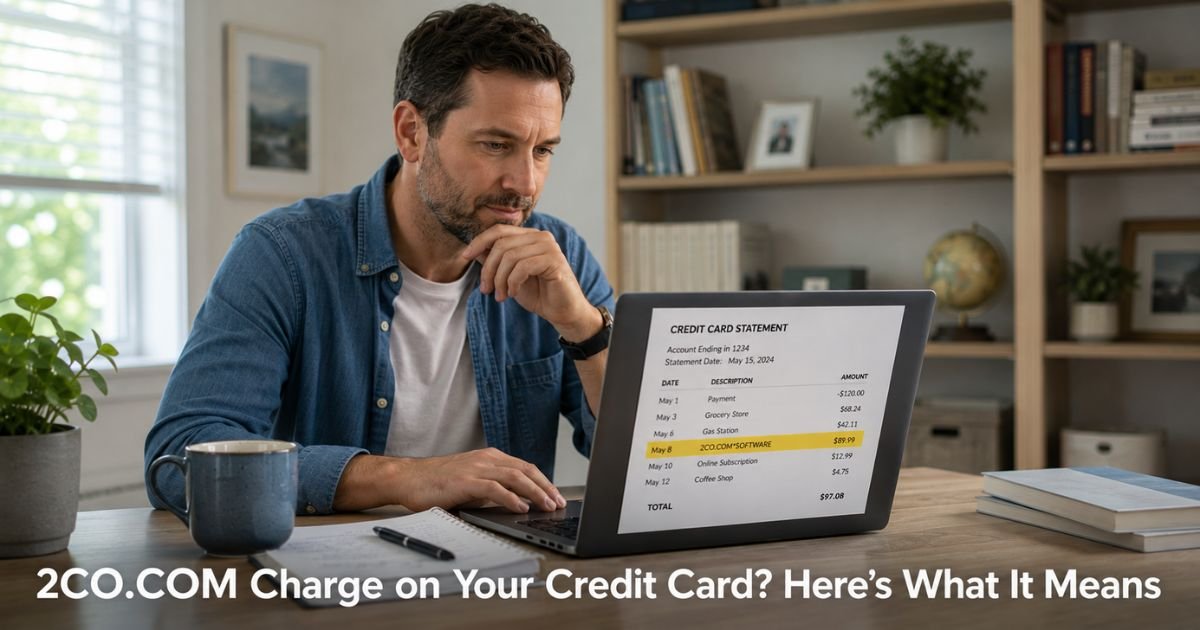
You open your credit card statement and spot a charge from 2CO.COM or something like 2CO.COM* followed by letters. You do not immediately recognize the name, even though the amount might look familiar.
A 2CO.COM charge on credit card almost always comes from 2Checkout, a legitimate global payment processor now part of Verifone.
This article explains exactly what 2CO.COM means, how to identify the real merchant, and what to do if you want to cancel a recurring charge or dispute something you do not recognize.
Table of Contents
What Is a 2CO.COM Charge on Credit Card?
2Checkout (2CO.COM) is a well-established payment gateway that helps smaller and international online businesses accept credit cards.
When you purchase something from one of the many merchants that use their service, the charge shows up as 2CO.COM or 2CO.COM* followed by part of the merchant’s name.
Common examples include software renewals (such as antivirus or security programs), digital downloads, web hosting fees, online courses, and recurring subscriptions.
The actual company you bought from may be Bitdefender, Malwarebytes, a web host, or thousands of other smaller retailers.
You should have received a receipt by email from 2Checkout or the original merchant at the time of purchase. Many people simply do not remember the exact name because the descriptor on the statement is different from the brand they interacted with.
Why Did 2CO.COM Appear on My Statement?
There are two main reasons this charge shows up.
You made a one-time purchase or started a subscription through an online merchant that uses 2Checkout as their payment processor.
The charge is legitimate, but the name on your statement does not match the brand you remember. This happens especially often with software renewals and digital products.
You may have signed up for a recurring subscription (monthly, yearly, or automatic renewal) and the next billing cycle posted as 2CO.COM. In some cases people forget they set up auto-renew or the cancellation did not go through as expected.
2Checkout itself is not a scam. It is a real company that has processed payments for tens of thousands of legitimate businesses for years. The confusion usually comes from the merchant descriptor rather than anything fraudulent.
How to Identify the Real Merchant Behind a 2CO.COM Charge
The fastest way to figure out exactly what you bought is to use 2Checkout’s own lookup tool.
Go to 2co.com and use their Transaction / Order Look-up feature. You can search using your email address, the order number from any receipt you received, or the first and last four digits of the card that was charged. This tool often shows you the full merchant name, order details, and invoice.
Also search your email for messages from 2Checkout, Avangate (their former name), or the product you think you bought. Look for words like receipt, order confirmation, or subscription. Most people find the answer within a minute or two.
How to Cancel a Recurring 2CO.COM Charge
If you want the charges to stop, start with these steps.
- Use the 2co.com order lookup tool to find the specific order and merchant.
- Log into the original merchant’s website or account portal and cancel the subscription there if possible. Many companies let you manage billing directly.
- If you cannot cancel through the merchant, return to the 2co.com site and look for options to stop recurring billing on that order.
- Keep records of every cancellation request. If charges continue after you cancel, contact your credit card issuer and dispute the recent transactions.
Pro Tip: When you first see a 2CO.COM charge, immediately use the official lookup tool at 2co.com before calling your bank. In most cases it quickly shows you the exact product or service and gives you direct cancellation options.
What to Do If You Do Not Recognize the 2CO.COM Charge
If the lookup tool shows nothing familiar and you have no email receipt, treat it as potentially unauthorized.
Call the number on the back of your credit card and report the charge. Ask them to open a dispute and issue you a new card number if needed. Credit cards offer strong protection for charges you did not make.
You can also contact 2Checkout shopper support through their site for additional details on the transaction.
Common Mistake: Assuming every unfamiliar 2CO.COM charge is fraud and immediately requesting a new card without first checking the official lookup tool. Many legitimate software renewals and subscriptions appear this way, and a quick lookup often clears up the confusion in minutes.
Quick Steps to Resolve a 2CO.COM Charge
| Step | Action | Why It Helps |
|---|---|---|
| 1 | Go to 2co.com and use the order lookup tool | Reveals the real merchant and order details |
| 2 | Search your email for 2Checkout or product receipts | Confirms whether you authorized the purchase |
| 3 | Log into the merchant’s site and cancel any subscription | Stops future recurring charges at the source |
| 4 | Use 2co.com options to manage recurring billing | Provides another direct way to stop renewals |
| 5 | Dispute with your credit card issuer if needed | Removes recent charges and protects your account |
| 6 | Request a new card number if the charge looks unauthorized | Prevents any further activity on the old number |
Protecting Yourself from Confusing Payment Processor Charges
Many online merchants use third-party processors like 2Checkout, so the name on your statement will not always match the brand you remember. A simple habit is to check your email for receipts right after any online purchase.
Turn on transaction alerts so you see charges the same day they post. When you spot an unfamiliar 2CO.COM charge, use the lookup tool at 2co.com before assuming the worst. These small steps prevent most surprises.
FAQs: 2CO.COM Charge on Credit Card
Q. How do I find out what a 2CO.COM charge on my credit card is for?
A. Visit 2co.com and use their free Transaction / Order Look-up tool. Enter your email address, order number, or the first and last four digits of your card. This usually shows the exact merchant name, product, and order details so you can identify what you purchased.
Q. How do I cancel a recurring 2CO.COM subscription?
A. First use the 2co.com lookup tool to locate the order. Then log into the original merchant’s website or account and cancel the subscription there. You can also manage recurring billing directly through options on the 2co.com site for that order. Keep written records of your cancellation.
Q. What should I do if I do not recognize a 2CO.COM charge at all?
A. Use the 2co.com order lookup tool first. If nothing looks familiar and you have no receipt, call your credit card issuer immediately, dispute the charge, and request a new card number. Most issuers will remove unrecognized charges while they investigate.
Conclusion
You now have a clear plan for the 2CO.COM charge on credit card. Start with the order lookup tool at 2co.com today. In the majority of cases you will quickly see the real merchant and can cancel any unwanted subscription right away.
Keep checking your statements regularly and use the lookup tool whenever a 2CO.COM charge appears. It usually takes just a minute or two to get answers and stay in control of your billing.
Disclaimer: The content on ExplainCharges.com is for informational and educational purposes only and does not constitute financial, legal, or professional advice. We are not affiliated with any companies or services mentioned. The information provided may not apply to your specific situation. If you suspect unauthorized charges or fraud, contact your bank or credit card issuer immediately. Always verify details directly with the source and consult a qualified professional if needed.
Meet the Author
